← Back to charts
XpenseTracker icon
APP STORE

XpenseTracker

Silverware Software, LLC · Finance · United States store
NOT IN TOP 100 HERE
View on App Store ↗ Instagram card
Revenue a month, worldwide EST
$2.1K
Likely $711 to $6.4K
New ratings
Tracking
Daily counts start building from today
Rating
4.7 of 5
4.9K ratings in this store
Countries it ranks in
0
was 0 on Oct 19, 2026

Revenue

Estimated from the grossing charts of Oct 25, 2026 in the 53 countries we track, and ratings growth on the App Store.

EST. REVENUE / YEAR · WORLDWIDE
$25.6K
62 new ratings a month on average since launch
EST. LIFETIME DOWNLOADS
172.7K to 493.4K
Estimated from ratings count
WHERE ITS USERS ARE · SHARE OF RATINGS
  • United States 4.9K ratings86%
  • United Kingdom 400 ratings7%
  • Canada 160 ratings3%
  • Australia 130 ratings2%
  • Germany 23 ratings0%
  • Netherlands 18 ratings0%
  • Mexico 16 ratings0%
  • Italy 10 ratings0%
HOW SURE ARE WE
Not in any grossing chart, so this comes from ratings growth (62 new ratings a month on average since launch): revenue grows with new ratings, more slowly for apps that collect ratings fast. Tested on 418 apps with verified revenue: typically off by about 2 times, and big earners tend to come out low. Countries we don't track (and Google Play in China, which doesn't exist) aren't included, and neither are ads or web payments. Gross revenue before store fees.
RATINGS
4.9K
AVG RATING
4.68
PRICE
$4.99
AGE
7.7y
LAST UPDATE
2011d ago
VERSION
10.84
SIZE
57 MB
AGE RATING
4+

Last 30 days

From our daily snapshots of every grossing chart.

DAYS IN A GROSSING CHART
1 / 30
COUNTRIES NOW
0 (was 0)
EST. REVENUE FROM CHARTS, DAILY · APP STORE ONLY EST
Show daily values
Sep 27, 2026not in a grossing chart
Sep 28, 2026not in a grossing chart
Sep 29, 2026not in a grossing chart
Sep 30, 2026not in a grossing chart
Oct 1, 2026not in a grossing chart
Oct 2, 2026not in a grossing chart
Oct 3, 2026not in a grossing chart
Oct 4, 2026not in a grossing chart
Oct 5, 2026not in a grossing chart
Oct 6, 2026not in a grossing chart
Oct 7, 2026not in a grossing chart
Oct 8, 2026not in a grossing chart
Oct 9, 2026not in a grossing chart
Oct 10, 2026not in a grossing chart
Oct 11, 2026not in a grossing chart
Oct 12, 2026not in a grossing chart
Oct 13, 2026not in a grossing chart
Oct 14, 2026not in a grossing chart
Oct 15, 2026not in a grossing chart
Oct 16, 2026not in a grossing chart
Oct 17, 2026not in a grossing chart
Oct 18, 2026not in a grossing chart
Oct 19, 2026not in a grossing chart
Oct 20, 2026not in a grossing chart
Oct 21, 2026not in a grossing chart
Oct 22, 2026not in a grossing chart
Oct 23, 2026not in a grossing chart
Oct 24, 2026not in a grossing chart
Oct 25, 2026not in a grossing chart
Oct 26, 2026not in a grossing chart
Best rank Sep 27, 2026: not ranked. Now: not ranked. Days at zero are days outside every grossing chart.

Money and momentum

Measured from the store, not estimated.

WHAT IT CHARGES
10 purchases listed
  • AutoTrack Subscription$3.99
  • Dropbox Support$0.99
  • Optical Character Recognition$0.99
  • Sync: Device to Device$3.99
  • AutoTrack Subscription$39.99
  • Mileage Location Awareness$0.99
  • Ultimate Custom Reports$3.99
  • File Linking Pro$0.99
Top in-app purchases as listed on the App Store, in local prices.
REVIEW MOMENTUM
1.0 reviews / week
  • Trendfalling
  • Recent reviews average4.3 stars
  • Recent 1 and 2 star share13%
From the latest 500 written reviews, covering 3392 days. The store only returns this many, so this is the most recent slice.
RELEASE CADENCE
0 updates in 90 days
  • Typical gap between releases30 days
From the last 25 versions listed on the App Store.
RATING BREAKDOWN
4.9K ratings
5★81%
4★12%
3★3%
2★1%
1★3%

What users want

From the latest 500 reviews on the United States App Store, Jul 13, 2017 to Mar 2, 2024: 13% are 1 or 2 stars. Open a theme to read what people wrote.

WHAT THEY COMPLAIN ABOUT · SHARE OF BAD REVIEWS
Price and subscription30%

20 of the 1 and 2 star reviews.

★★★★★ Failed save operation after switching to the subscription model.
★★★★★ The developer claims they are no longer doing updates and seems to be pushing their PRO version that has a monthly subscription charge.
★★★★★ I purchased this and also purchased the mile app they said was required. I have wasted more time with these two non functioning apps I am so mad. Neither app will allow me to make a mileage entry and I've been trying…
Bugs, things not working20%

13 of the 1 and 2 star reviews.

★★★★★ Unfortunately, whenever I try to use it it glitches on me and does not save anything.
★★★★★ Failed save operation after switching to the subscription model.
★★★★★ By 2022 the app stopped working and wouldn't save my receipts.
Crashes and freezes18%

12 of the 1 and 2 star reviews.

★★★★★ Crashes after every entry on iOS 17.
★★★★★ Haven't been able to load in a single entry without it crashing.
★★★★★ This app now crashes whenever I want to save an expense.
Worse after an update17%

11 of the 1 and 2 star reviews.

★★★★★ The newest update requires giving the app full access to your photo library.
★★★★★ It's the most recent updated one too.
★★★★★ I truly wish you could update your app to accommodate my phone, unless you don't want me to, which apparently you don't, unless I pay.
Lost data, sync, backup8%

5 of the 1 and 2 star reviews.

★★★★★ Everything seemed to be syncing between the two, but at the end of the 2023 year I noticed that some changes I made in Category Names in one platform did not change in the other!
★★★★★ I set two devices to sync over iCloud.
★★★★★ I am looking to take a picture of a receipt to save and I am lost along with my $4.99 I just paid.
Limits, credits, locked features6%

4 of the 1 and 2 star reviews.

★★★★★ “Limited access” no longer allows me to select the photos which I need to include with my logs.
★★★★★ But in order to do those things you have to pay an additional $25 PER MONTH.
★★★★★ Have to pay for upgrades that don't work
Login and account problems3%

2 of the 1 and 2 star reviews.

★★★★★ Every time I try to log in the expense and try to save it closes up.
★★★★★ I read about scams that request for your iTunes password within the app trying to trick users into giving that information out.
Wrong or poor results3%

2 of the 1 and 2 star reviews.

★★★★★ What once was so valuable is now useless.
★★★★★ Complete useless app and waste of my money.
WHAT THEY ASK FOR
  • I wish I wouldn't have paid $5 for something that will not work on the first receipt. 1★, Jul 30, 2022
  • I truly wish you could update your app to accommodate my phone, unless you don't want me to, which apparently you don't, unless I pay. 1★, May 30, 2022
  • Great app have use it for a while the updates make it better so gets better as time goes on GREAT App a must have have used for many years the best app to have Every year love it even more Great apo Got the new is 15… 1★, Oct 19, 2021
  • Wish it was easier to edit multiple entries like location all at once. 4★, Nov 13, 2020
  • I wish it would automatically get the Data from the Wallet in the iPhone and I would have to only add the category and description/project 4★, Mar 18, 2020
  • I wish other products would deliver their touted functionalities as well as this one does. 5★, Aug 19, 2019
  • I wish it said that in the description - I would have saved $5. 1★, Aug 13, 2019
  • I wish the reports were easier to set up but it's probably just a personal preference. 4★, Aug 8, 2019
WORDS THAT KEEP COMING UP IN BAD REVIEWS
save an expense3try to save3subscription based3track mileage3
WHAT THEY LOVE · SHARE OF GOOD REVIEWS
Easy to use40%

168 of the 4 and 5 star reviews.

★★★★★ Very powerful and intuitive.
★★★★★ Very user friendly and makes tax prep much raiser and more organized.
★★★★★ Simple and user friendly!
Useful, it helps13%

56 of the 4 and 5 star reviews.

★★★★★ Useful and convenient program for tracking expenses for multiple accounts and categories - and for designated time periods.
★★★★★ Outstanding app that helps create efficiency and control of your daily expenses
★★★★★ If there's a way to transfer all of my logs to the pro that would be helpful info… but if there isn't I'll choose another way to track my expenses for next year.
Great support8%

35 of the 4 and 5 star reviews.

★★★★★ Looked at lots of apps and this is the best one by far..and customer support is excellent...it has all you need....not too basic and not too complicated....great for a simple way to track home expenses.
★★★★★ Costumer support is important and I guarantee you that Scott will not let you down.
★★★★★ Great support; great software.
Accurate, great results7%

29 of the 4 and 5 star reviews.

★★★★★ Works well and easy to use.
★★★★★ It's very easy to use and works great for everything business requires.
★★★★★ This app works great and automatically tracks you when you drive your car.
Fast5%

22 of the 4 and 5 star reviews.

★★★★★ I need to solve this fast … please!!!
★★★★★ Everything is smooth and seamless.
★★★★★ Quick easy way to track my work expenses.

Found by matching words and phrases in the reviews, not read by a person. A review can count toward more than one theme.

What users say

Latest reviews, United States App Store.

★★★★★Mar 2, 2024
VP Geotechnologies Inc.

Useful and convenient program for tracking expenses for multiple accounts and categories - and for designated time periods. Easy to use. Use program to keep track of our key living expenses. Being able to quickly pull up data by category and time period is very useful. Many thanks for a wonderful program. JFK, Sarasota, Florida 02/25/24

★★★★★Feb 2, 2024
Not syncing between computer and phone app

I would make some entries from my computer and sometimes from my phone. Everything seemed to be syncing between the two, but at the end of the 2023 year I noticed that some changes I made in Category Names in one platform did not change in the other! I had to do a side by side comparison and change the items that didn’t sync. And I just realized some items didn’t sync for 2022 as well! Time to resubmit my 2022 taxes.

★★★★★Jan 31, 2024
Crashes constantly

Old version- no longer supported. Crashes after every entry on iOS 17.

★★★★★Jan 27, 2024
Data Not Collected?

The newest update requires giving the app full access to your photo library. In my three years of using this application, this has never been the case. “Limited access” no longer allows me to select the photos which I need to include with my logs. As I am unwilling to give the developers full access to my photo library, I can no longer include receipts of my business expenses. This is a dealbreaker for me and will mean I have to find another application to track my expenses.

★★★★★Jan 21, 2024
The App Doesn’t Work

I was really looking forward to using this app. Unfortunately, whenever I try to use it it glitches on me and does not save anything.

★★★★★Sep 29, 2023
Failed save operation

Failed save operation after switching to the subscription model. It does not let you save anymore

Apps like this

Same category, earning about as much.

Store screenshots

ScreenshotScreenshotScreenshotScreenshotScreenshotScreenshotScreenshotScreenshotScreenshotScreenshot

App Store ads

Apple Search Ads this app ran in the last 90 days, from Apple's public ad repository.

No App Store ads in the EU
None in the last 90 days.

Apple only publishes ads shown in the EU (EU Digital Services Act), with a 7 day delay. An app that advertises only outside the EU shows nothing here.

Growth research

Where this app is buying and earning its users. Each link opens pre filtered.

ASO keywords

Most repeated terms in the listing. Highlighted ones also appear in the title.

expense6expenses5reports5human scan5track4mileage4desktop4xpensetracker4fields4autotrack4human4save time3time money3extends desktop3expense reports3photo receipts3mileage tracking3start stop3optional autotrack3autotrack feature3excel numbers3subscribed monthly3easy3finance3

What's new in 10.84

*** New in Version 10.84 *** (Late April 2021) * Minor bug fixes. We are always updating and improving XpenseTracker. XpenseTracker is now in its 12th year. Thanks to all the users who sent in their feedback, suggestions and bug reports. Version 10.8 has many of those suggestions. *** New in Version 10.83 *** (Late September 2020) * Fixes issue of display of Date and Time Wheels when run on iOS 14. *** New in Version 10.82 *** (Late September 2020) * Added support for iOS 14 Location privacy changes. If you are using the optional AutoTrack feature you will be informed when you have not enabled "Precise" accuracy as it is required to properly track your drives. "Always" permission to your Location continues to be required as well. * Various minor bug fixes. *** New in Version 10.81 *** (Early September 2020) * Fixes an issue with app not allowing adding multiple photos attached to an entry. * Fixes a bug when sometimes previewing a report. * Fixes a bug when sometimes adding a photo *** New in Version 10.80 *** (Late August 2020) * Various user interface enhancements. * Improvements throughout the app. * Enhancements to optional AutoTrack feature. * Many new PDF report templates. * Minor bug fixes. If you ever have any comments, complaints or compliments, please go into the Prefs screen within the app and tap the "Email the Author" field. Or you can always emails us at info@silverwaresoftware.com. And please remember, if you like the app we would very much appreciate it if you post a written review in the App Store.

Released Feb 12, 2019. Current version shipped Apr 23, 2021.

Store description

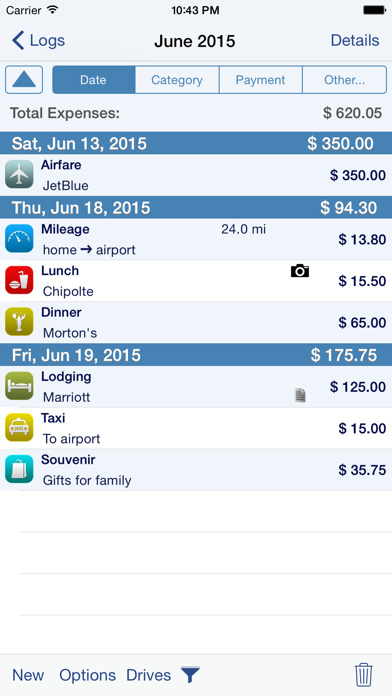
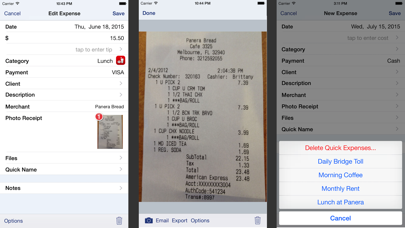
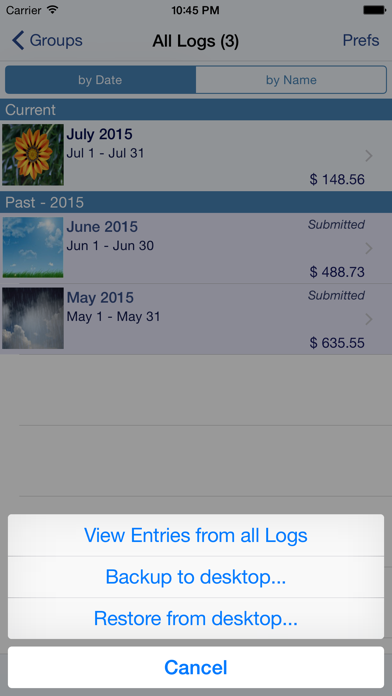
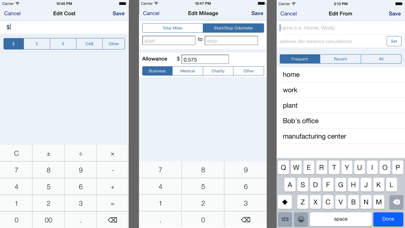
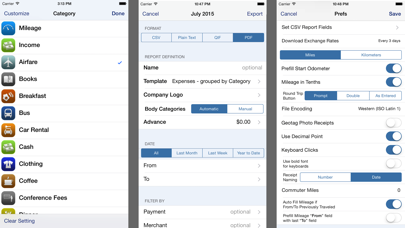
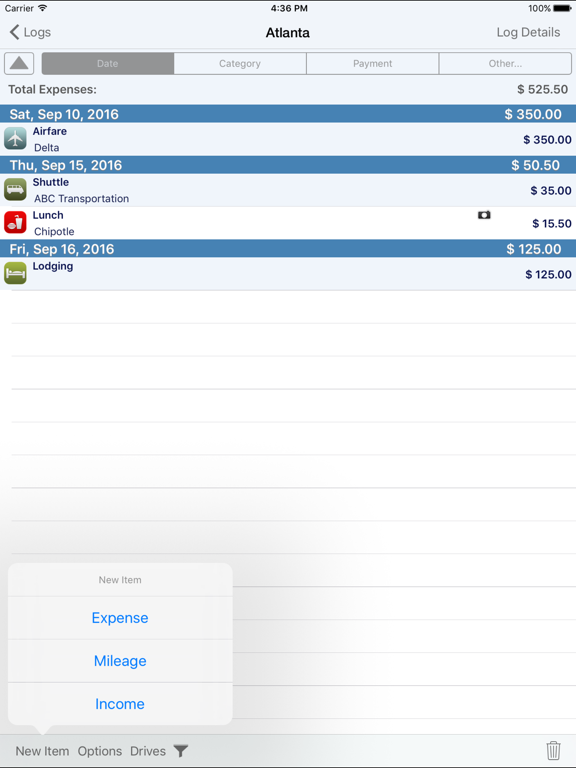
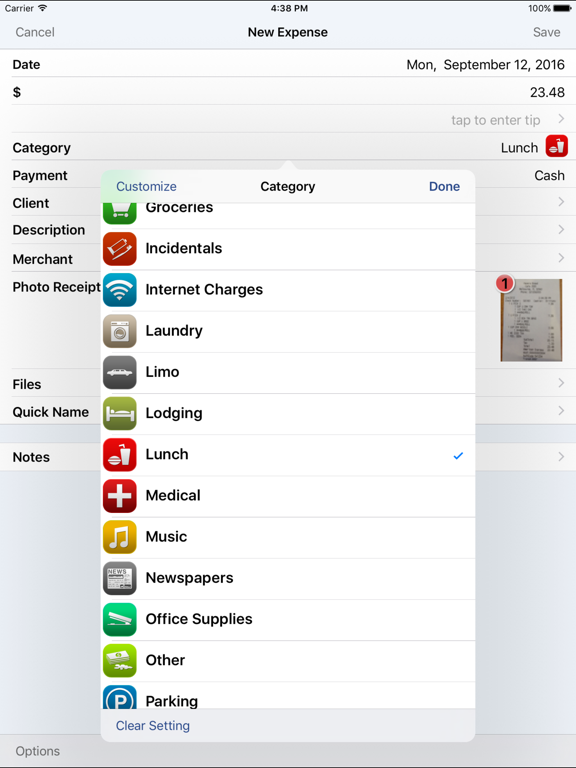
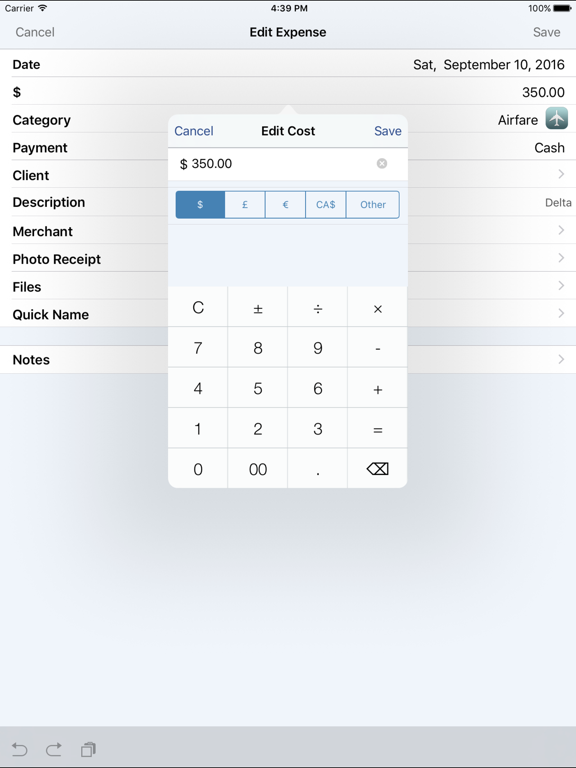
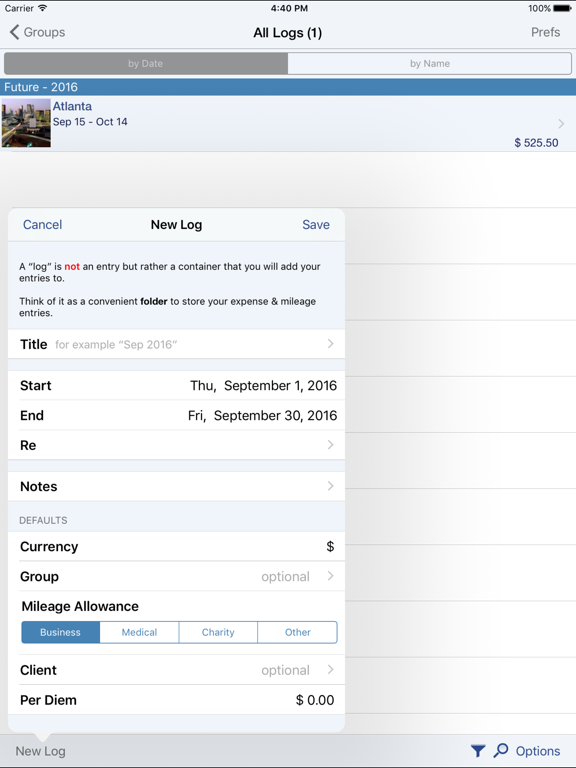
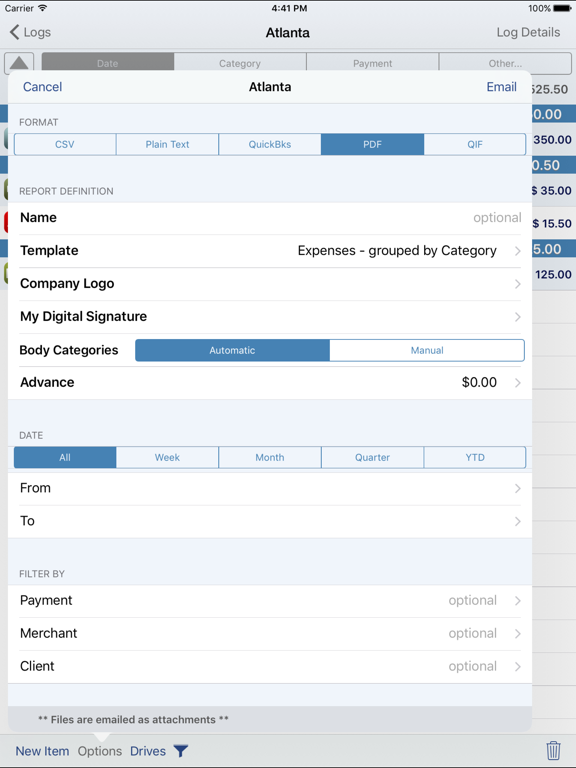
Save time & money! Track your MILEAGE and EXPENSES with the most powerful expense app available! A comprehensive, full featured app that's easy to use and extends to your desktop. XpenseTracker has been a customer favorite on the App Store since 2008. *March 2017- "BEST FINANCE APP" http://www.creditdonkey.com/finance-apps.html *XpenseTracker named "must have tax app" by H & R Block** http://tinyurl.com/HRBlockLovesXT *EventJuice UK declares "must download app" http://tinyurl.com/MustHaveForEvents *TabletPCReview.com rated XpenseTracker "Best Personal Finance App for iPad" - http://tinyurl.com/bestfinanceapp ----- XpenseTracker is a comprehensive expense tracking and reporting application for anyone wishing to track their expenses and/or mileage. It's ease of use, full features and great interface make it an essential tool for every iPhone/iPad user. It's power even extends to the desktop by allowing emailing or exporting of the expense reports and accompanying photo receipts directly to the desktop. It will save you time and money. ----- Features include: * Records all of your expenses and provides a running total for each log * Completely customize categories, sub-categories and payment types * Completely customizable fields you choose to use or not. Unused fields are hidden when adding new expenses * Sort expenses by "Date" , "Category", "Payment Type" or "Client." * For each category, the last payment type is remembered further simplifying data entry * Keeps a frequently used list for appropriate fields like description * Mark a log as "reimbursed" or "submitted" * Easy mileage tracking with MANY different options: + Enter total distance or start/stop odometer reading (remembers last stop reading) + Enter start/stop addresses (app will calculate distance) + Enter more than one destination in a single entry if desired (loved by real estate agents) + Use GPS to track distances - just tell the app when you leave and arrive + Optional AutoTrack feature for TOTALLY automatic mileage tracking. * Supports ALL major currencies * Downloads daily exchange rates * Many user defined preferences * Extensive support for VAT * Email your expense reports in comma delimited (CSV) format for easy import to Excel or Numbers. Photo receipts are also emailed as JPEG attachments * Support for Quickbooks (IIF) format * Export your reports directly to your Mac or PC via Wi-Fi connection and have your file immediately appear on your desktop. This CSV file can be easily imported into Excel or Numbers. * Specify the fields to be exported for CSV reports * Over a dozen PDF templates for creating beautiful, finished PDF format reports. * Includes client field and support for sorting and exporting by client. * Using the iPhone’s built-in camera, take snapshots of your receipts * Capture multiple images per expense * Automatically backup your data to iCloud * Set Password or use TouchID Continued use of GPS running in the background can dramatically decrease battery life ----- Optional Subscriptions The app offers an two OPTIONAL subscriptions, AutoTrack and Human Scan. AutoTrack is a feature that will automatically track your drives. All you need to do is carry your device with you. Human Scan will allow you to take a picture of a receipt and have an actual human extract the key information and update your expense entry. You do NOT need this add-on if you simply want to take photos of your receipt as the app already has that built-in. Subscription Details: * Payment charged to iTunes account at confirmation of purchase * Automatically renews unless cancelled at least 24-hours before the end of the current period * Account will be charged for renewal within 24-hours prior to the end of the current period * AutoTrack can be subscribed on monthly or a yearly basis. * Human Scan can be subscribed on a monthly basis. ----- silverwaresoftware.com/PrivacyPolicy.html silverwaresoftware.com/TermsOfUse.html

See this store page in another country

Prices, ranks and reviews are per country. Revenue above is already worldwide.
More from Silverware Software, LLC

BizXpenseTracker
Business
2.6K ratingsAnalyze →
XpenseTracker Pro
Finance
704 ratingsAnalyze →
BizXpenseTracker Pro
Business
444 ratingsAnalyze →
MileTracker Pro
Finance
242 ratingsAnalyze →
TimeTracker Pro
Business
133 ratingsAnalyze →
Flight Update Pro
Travel
5.3K ratingsAnalyze →