← Back to charts
MileTracker Pro icon
APP STORE

MileTracker Pro

Silverware Software, LLC · Finance · United States store
NOT IN TOP 100 HERE
View on App Store ↗ Instagram card
Revenue a month, worldwide EST
$493
Likely $164 to $1.5K
New ratings
Tracking
Daily counts start building from today
Rating
4.6 of 5
242 ratings in this store
Countries it ranks in
0
was 0 on Oct 18, 2026

Revenue

Estimated from the grossing charts of Oct 25, 2026 in the 53 countries we track, and ratings growth on the App Store.

EST. REVENUE / YEAR · WORLDWIDE
$5.9K
3.7 new ratings a month on average since launch
EST. LIFETIME DOWNLOADS
8.5K to 24.2K
Estimated from ratings count
WHERE ITS USERS ARE · SHARE OF RATINGS
  • United States 242 ratings97%
  • Canada 6 ratings2%
  • UAE 1 ratings0%
HOW SURE ARE WE
Not in any grossing chart, so this comes from ratings growth (3.7 new ratings a month on average since launch): revenue grows with new ratings, more slowly for apps that collect ratings fast. Tested on 418 apps with verified revenue: typically off by about 2 times, and big earners tend to come out low. Countries we don't track (and Google Play in China, which doesn't exist) aren't included, and neither are ads or web payments. Gross revenue before store fees.
RATINGS
242
AVG RATING
4.60
PRICE
Free
AGE
5.6y
LAST UPDATE
291d ago
VERSION
1.8.5
SIZE
60 MB
AGE RATING
4+

Last 30 days

From our daily snapshots of every grossing chart.

DAYS IN A GROSSING CHART
1 / 30
COUNTRIES NOW
0 (was 0)
EST. REVENUE FROM CHARTS, DAILY · APP STORE ONLY EST
Show daily values
Sep 26, 2026not in a grossing chart
Sep 27, 2026not in a grossing chart
Sep 28, 2026not in a grossing chart
Sep 29, 2026not in a grossing chart
Sep 30, 2026not in a grossing chart
Oct 1, 2026not in a grossing chart
Oct 2, 2026not in a grossing chart
Oct 3, 2026not in a grossing chart
Oct 4, 2026not in a grossing chart
Oct 5, 2026not in a grossing chart
Oct 6, 2026not in a grossing chart
Oct 7, 2026not in a grossing chart
Oct 8, 2026not in a grossing chart
Oct 9, 2026not in a grossing chart
Oct 10, 2026not in a grossing chart
Oct 11, 2026not in a grossing chart
Oct 12, 2026not in a grossing chart
Oct 13, 2026not in a grossing chart
Oct 14, 2026not in a grossing chart
Oct 15, 2026not in a grossing chart
Oct 16, 2026not in a grossing chart
Oct 17, 2026not in a grossing chart
Oct 18, 2026not in a grossing chart
Oct 19, 2026not in a grossing chart
Oct 20, 2026not in a grossing chart
Oct 21, 2026not in a grossing chart
Oct 22, 2026not in a grossing chart
Oct 23, 2026not in a grossing chart
Oct 24, 2026not in a grossing chart
Oct 25, 2026not in a grossing chart
Best rank Sep 26, 2026: not ranked. Now: not ranked. Days at zero are days outside every grossing chart.

Money and momentum

Measured from the store, not estimated.

WHAT IT CHARGES
4 purchases listed
  • Unlimited Usage$2.49
  • Unlimited Usage$27.49
  • Unlimited Usage PLUS AutoTrack$3.99
  • Unlimited Usage PLUS AutoTrack$43.99
Top in-app purchases as listed on the App Store, in local prices.
REVIEW MOMENTUM
0.2 reviews / week
  • Trendfalling
  • Recent reviews average3.8 stars
  • Recent 1 and 2 star share29%
From the latest 45 written reviews, covering 2036 days.
RELEASE CADENCE
0 updates in 90 days
  • Typical gap between releases56 days
From the last 25 versions listed on the App Store.
RATING BREAKDOWN
242 ratings
5★79%
4★12%
3★2%
2★3%
1★4%

What users want

From the latest 45 reviews on the United States App Store, Mar 29, 2021 to Aug 2, 2026: 29% are 1 or 2 stars. Open a theme to read what people wrote.

WHAT THEY COMPLAIN ABOUT · SHARE OF BAD REVIEWS
Price and subscription31%

4 of the 1 and 2 star reviews.

★★★★★ This is just a money grab.
★★★★★ To fix they require you to use the new Pro app which requires a paid subscription to maintain the same basic features of the free app.
★★★★★ They started requiring a subscription a couple of months ago so I complied and sent the required yearly fee.
Worse after an update31%

4 of the 1 and 2 star reviews.

★★★★★ For some crazy reason, the app decides in the middle of the freaking month to try and update the IRS reimbursement allowance.
★★★★★ Since the new update, the app isn't tracking trips properly.
★★★★★ Update: I have not been using for 5 years.
Crashes and freezes15%

2 of the 1 and 2 star reviews.

★★★★★ After latest update the MileTracker app would crash upon saving entries.
★★★★★ I upgraded and it keeps crashing
Bugs, things not working15%

2 of the 1 and 2 star reviews.

★★★★★ Since the new update, the app isn't tracking trips properly. Please fix this problem. Used to be a very good app
★★★★★ After latest update the MileTracker app would crash upon saving entries. To fix they require you to use the new Pro app which requires a paid subscription to maintain the same basic features of the free app. Bait and…
Limits, credits, locked features15%

2 of the 1 and 2 star reviews.

★★★★★ i paid for the old application to only to pay for it by year don't think this is fair i don't use any of the new app and it don't keep the mileage right
Missing features15%

2 of the 1 and 2 star reviews.

★★★★★ This app has many different functions but missing really basic things like connecting to my contacts to use already programmed addresses.
WHAT THEY ASK FOR
  • I don't know why you need to have this much control of me. 2★, Aug 2, 2026
  • Just food for thought to the developer would love to see Apple Maps integration where if I look up a location I can make it one of my frequent locations with ease or reverse if create a commute I can quickly put it in… 5★, Jul 14, 2025
  • It is easy friendly, not too expensive and I can add the information manually if I choose. 5★, Mar 17, 2025
  • It's easy to add a trip and to keep up with. 5★, Sep 1, 2024
WORDS THAT KEEP COMING UP IN BAD REVIEWS

Nothing stands out.

WHAT THEY LOVE · SHARE OF GOOD REVIEWS
Easy to use39%

12 of the 4 and 5 star reviews.

★★★★★ Have had this app for years it is so simple to use and the accountant loves it.
★★★★★ It is easy friendly, not too expensive and I can add the information manually if I choose.
★★★★★ It's easy to add a trip and to keep up with.
Useful, it helps10%

3 of the 4 and 5 star reviews.

★★★★★ Very helpful and keeping track of my business mileage for my report a reimbursement in the year.
★★★★★ This app helps keep accurate records for bookkeeping.
★★★★★ I'm a pastor and this helps me stay organized with expenses, receipts and mileage.
Accurate, great results10%

3 of the 4 and 5 star reviews.

★★★★★ It is now consistently accurate and dependable—adjectives that I have never been able to associate with any of the similar apps and, until now, I couldn't quite associate with this app.
★★★★★ This app helps keep accurate records for bookkeeping.
Fast6%

2 of the 4 and 5 star reviews.

★★★★★ Very quick response and they have the app running as you expect.
Worth the money6%

2 of the 4 and 5 star reviews.

★★★★★ Had this app for years paid subscription well worth it.
★★★★★ I had a free, simple mileage log app years ago, but it stopped doing updates and soon stopped working with iOS updates.

Found by matching words and phrases in the reviews, not read by a person. A review can count toward more than one theme.

What users say

Latest reviews, United States App Store.

★★★★★Aug 2, 2026
Good app. Problem with reimbursement rates.

For some crazy reason, the app decides in the middle of the freaking month to try and update the IRS reimbursement allowance. If I had said, yes, it would’ve screwed up my July report. So I had to say no, but now there is no freaking way to change it. I don’t know why you need to have this much control of me. Let me change the reimbursement rate when I’m ready to, don’t force it in the middle of the month screwing up my reports.

★★★★★Jun 10, 2026
My Accountant Loves It

Have had this app for years it is so simple to use and the accountant loves it.

★★★★★Mar 31, 2026
Mike tracker in Dallas

Good program I’ve been using the app. Since 2019 very handy

★★★★★Jan 6, 2026
Excellent! Highly Recommend

I have been using this app for several years, and it has always been very good, but with these most recent updates and the most recent iOS updates, it is now truly excellent. It is now consistently accurate and dependable—adjectives that I have never been able to associate with any of the similar apps and, until now, I couldn’t quite associate with this app. I highly recommend this app to anyone with a need for an app of this type. The more recent updates seem to have improved the location accuracy a bit.

★★★★★Jul 14, 2025
A must have for tracking mileage

Had this app for years paid subscription well worth it. An outstanding robust mileage tracking app. Just food for thought to the developer would love to see Apple Maps integration where if I look up a location I can make it one of my frequent locations with ease or reverse if create a commute I can quickly put it in Apple Maps.

★★★★★Mar 17, 2025
Love it!

I love this app. It is easy friendly, not too expensive and I can add the information manually if I choose. I have not found another mileage app that compares.

Apps like this

Same category, earning about as much.

Store screenshots

ScreenshotScreenshotScreenshotScreenshotScreenshotScreenshotScreenshotScreenshotScreenshotScreenshot

App Store ads

Apple Search Ads this app ran in the last 90 days, from Apple's public ad repository.

Apple's ad repository couldn't be reached right now. Try again later.

Growth research

Where this app is buying and earning its users. Each link opens pre filtered.

ASO keywords

Most repeated terms in the listing. Highlighted ones also appear in the title.

mileage9track8track mileage8unlimited usage8miletracker7reports6start5screen5entry5unlimited5usage5autotrack5miletracker pro5screen filtering5reporting4available4data4entries4driving expenses3mileage way3way want3accountants love3love reports3mileage tracking3

What's new in 1.8.5

**** Version 1.8.5 (early January 2026) *** * minor bug fix **** Version 1.8.4 (early January 2026) *** * fixes bug where new IRS mileage allowance might not be updated * fixes a rare crash when searching for currencies. * fixes a bug where the time picker is not visible when editing drive times on iPad We are always updating and improving MileTracker Pro. If you have any comments, compliments or complaints please go into MileTracker Pro's Preferences screen and tap the "Email the Author" link. We always respond in a timely manner SOME RECENT UPDATES ( ** Please note that some updates are not listed because of limited space allowed **) **** Version 1.8.3 (early November 2025) *** * Fixes an issue with the Photo Sharing feature under iOS 26 * Fixes an issue where the app's widget might not update under iOS 26 * Fixes a rare issue that caused AutoTrack to be enabled after being disabled * Minor bug fix when using Quick Action menu (tap and hold on the app icon) to disable AutoTrack * Changes some alert screens to make them clearer * Some behind the scenes improvements and enhancements * Fixes an issue where the custom keyboard displayed when entering amounts would sometimes have the last row of keys hidden when on an iPad in landscape mode * Fixes syncing of new categories when using Device Sync feature * Fixes rare bug when restoring from Dropbox * Other minor bug fixes **** Version 1.6.1 (late May 2025) *** * Last section in Prefs screen was not being displayed. * Fixed a bug with Device Syncing when using Dropbox. **** Version 1.6.0 (early May 2025) *** * Tolls, Parking and Fuel can now enter a Vehicle if using the Multiple Vehicle preference. * App now asks if you wish to alphabetically sort the client list after you add a new client * Fixes a rare bug when backing up to Dropbox * Fixes a bug where sometimes the Preferences screen does not refresh * Better organization of items in Prefs screen. * Added a new preference that if enabled will clear out amount when duplicating Toll, Parking and Fuel entries. * Improved Subscription purchase screen to better inform user and add consistency whenever the purchase subscription screen is shown. * Better communicate current subscription and "other" options in subscription screen. * Other minor user interface improvements. * Some minor improvements when running on an iPad. **** Version 1.5.0 (mid January 2025) *** * App has renamed some function to properly represent what they do. The app allows Archiving and Unarchiving logs. Archived logs can be permanently deleted. * Fixes issue when Emailing a PDF report which would cause unintended receipts to be included when filtering by category. * Added display in Prefs screen of when last backup was performed (either manually or automatically) * When using the Share function, the list of logs will now appear in descending start date order * When using the Share function, if the entry type selected is Parking, Toll or Fuel then you can optionally enter an amount. *** Version 1.4.4 (mid November 2024) *** * New Device Sync setting that allows for those only syncing 2 devices to use minimal data space in iCloud. * Improvements to Device Sync feature based on some subtle changes in iOS 18. * Toggling header and section header within the Entry List screen now remembers last state. * The notes section in PDF reports now will grow to fit the full text of the notes (will also shrink if necessary only taking enough space in the report to show the note). * Fixed some screens which were not laid out properly under iOS 18. *** Version 1.2.1 (Early July 2023) *** * AutoTrack customers can see many more options to controlling the scheduling of "when to track" by tapping on the title bar of the Logs View screen or Entry List screen. * Added date filtering to AutoTrack "Drives" screen to help facilitate easier approving of drives. * Several PDF report templates added to the available list

Released Mar 3, 2021. Current version shipped Jan 7, 2026.

Store description

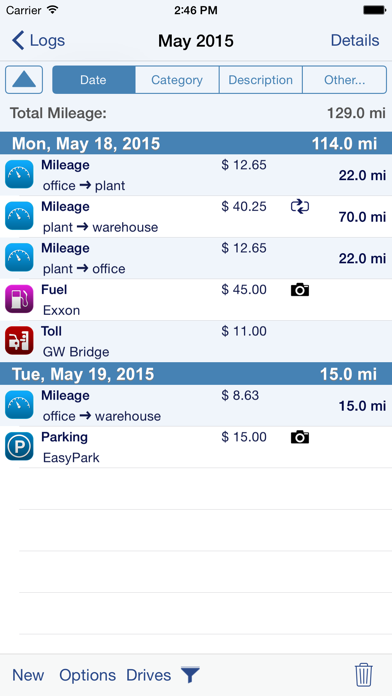
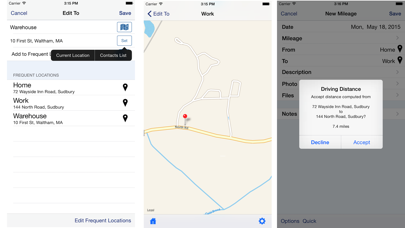
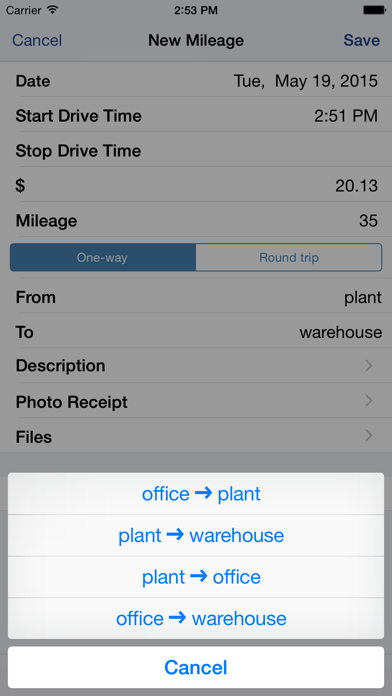
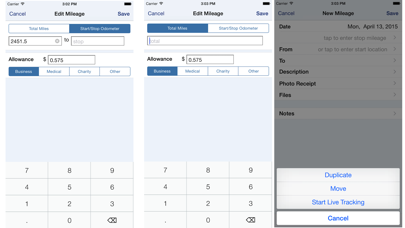
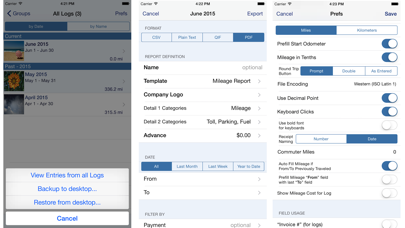
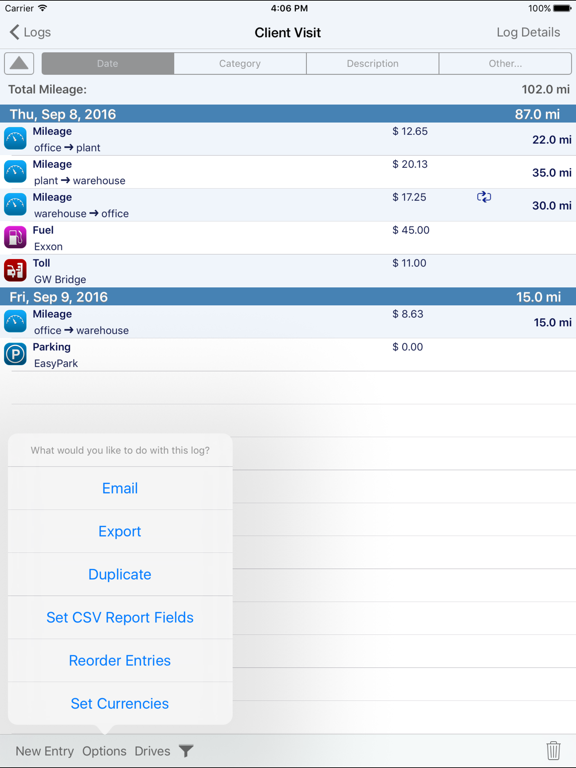
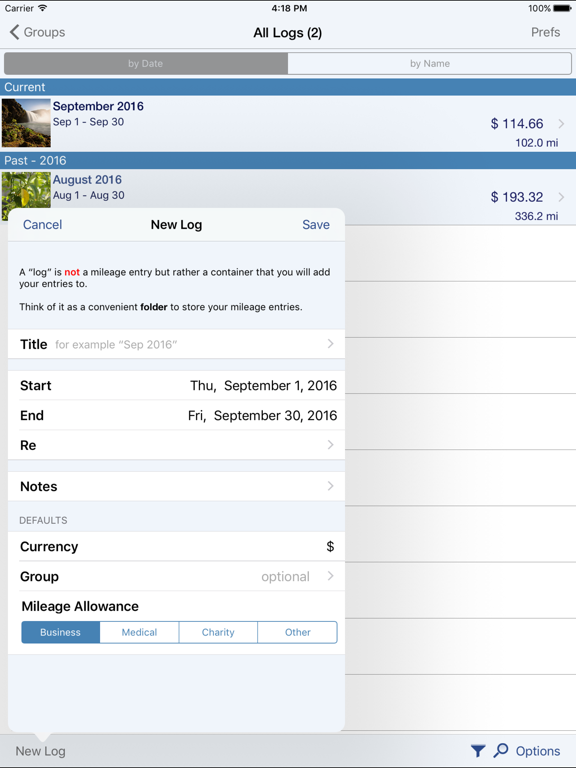
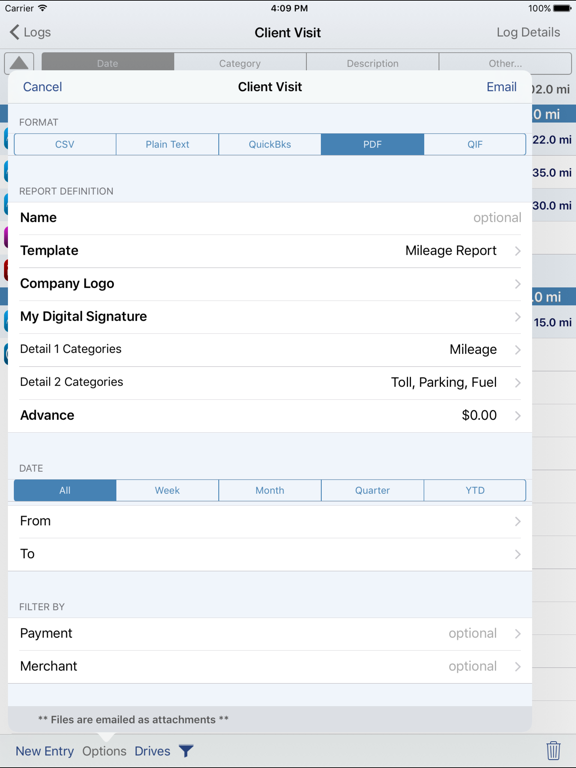
MileTracker Pro is the easiest and most feature rich app to track your mileage & driving expenses. Get ready for 2021 and start saving money now! MileTracker allows you to track mileage the way YOU want offering several different methods. Then when tax time arrives or expense reports are needed, you can easily create beautiful reports (accountants love our reports). MileTracker Pro is finely tuned and exceptionally reliable. MileTracker Pro replaces our MileTracker app which has been helping users track their time worked since 2010. WHY MileTracker IS BETTER * Elegant user interface * The most powerful and flexible Reporting features available * Offers considerably more features than other mileage tracking apps * Quick and easy on-screen filtering to view your tracked data * Organize your entries into Logs for maximum ease * Distinguish between Personal and Business EASE OF USE * The MOST extensive set of preferences available allowing you to customize the app and truly make it your own * Hide fields you do not use for concise entry forms * Remembers frequently used choices * Quick menu with list of frequent trips for super fast entry TRACK MILEAGE - Requires subscription to Unlimited Usage * Track mileage the way you want: 1. LIVE mileage tracking - the app will track your every move via GPS. This feature requires you to tell the app when you start and stop. 2. Enter Start/Stop odometer reading 3. Enter the start address and end address-the app will determine the travel distance 4. Special “real-estate agent” feature which allows one entry to contain multiple legs. * If using odometer, remembers last stop mileage and pre-fills start for next entry * Mark an entry as round trip to double the distance * Supports Multiple Vehicles * Miles or Km * Customizable mileage allowance AUTOTRACK - Requires subscription to AutoTrack (includes everything that Unlimited Usage includes too). See more details below. DRIVING EXPENSES * Track Fuel, Tolls and Parking expenses PHOTO RECEIPTS * Take photos of receipts * Crop images easily REPORTING * IRS compliant reporting * The most flexible and powerful reporting available * On-screen preview * Choose the attractive PDF format or CSV for importing into Excel * Email your reports and photo receipts * Export your reports to iCloud, Dropbox or your computer * Accountants LOVE our reports because they provide all the key information needed ON-SCREEN FILTERING * Sort entries by Date, Category or Client * Extensive on-screen filtering to find out EXACTLY what you need to know BACKUP AND SAFE KEEPING * Backup your data to iCloud, Dropbox or directly to your computer * Set backup to “Automatic” so your data is always safe SYNC * Keep your data synced between multiple devices (ie your iPhone and iPad) SUBSCRIPTION DETAILS * When first installed allows up to 25 manual entries * After using the 25 entries you will need to subscribe * There are two subscription options, Unlimited Usage or AutoTrack (available monthly or yearly) * Unlimited Usage is for those who prefer to track their mileage manually. * AutoTrack is for those who want a FULLY automatic tracking solution. All you need to do is carry your device with you. Then at your leisure “approve” those drives you wish to keep. * A new subscription includes 2 free weeks of unlimited usage. You can cancel prior to the end of the trial without any cost to you. * Payment charged to iTunes account at confirmation of purchase * Automatic renews unless auto-renew is turned off at least 24-hours before the end of the current period * Account will be charged for renewal within 24-hours prior to the end of the current period Demo Video on AutoTrack at: tinyurl.com/MileTracker silverwaresoftware.com/privacy silverwaresoftware.com/terms ------ Continued use of GPS running in the background can dramatically decrease battery life Questions/comments? Just choose the Email the Author link in the Prefs screen in the app

See this store page in another country

Prices, ranks and reviews are per country. Revenue above is already worldwide.

More from Silverware Software, LLC

XpenseTracker
Finance
4.9K ratingsAnalyze →
BizXpenseTracker
Business
2.6K ratingsAnalyze →
XpenseTracker Pro
Finance
703 ratingsAnalyze →
BizXpenseTracker Pro
Business
444 ratingsAnalyze →
TimeTracker Pro
Business
133 ratingsAnalyze →
Flight Update Pro
Travel
5.3K ratingsAnalyze →