← Back to charts
XpenseTracker Pro icon
APP STORE

XpenseTracker Pro

Silverware Software, LLC · Finance · United States store
NOT IN TOP 100 HERE
View on App Store ↗ Instagram card
Revenue a month, worldwide EST
$2.8K
Likely $942 to $8.5K
▼ 14.5% in 13 days
New ratings
+0
in 2 days, 846 in total
Rating
4.7 of 5
703 ratings in this store
Countries it ranks in
5
was 3 on Oct 17, 2026

Revenue

Estimated from the grossing charts of Oct 23, 2026 in the 53 countries we track, and ratings growth on the App Store.

EST. REVENUE / YEAR · WORLDWIDE
$33.9K
No Google Play version found
EST. LIFETIME DOWNLOADS
24.6K to 70.3K
Estimated from ratings count
WHERE IT EARNS · EST. / MONTH
  • Brazil #93 Finance$2.8K · 100%
HOW SURE ARE WE
Small app: combines its grossing ranks with ratings growth (13 new ratings a month on average since launch). Tested on 418 apps with verified revenue: typically off by about 2.6 times, so the range is wide. Countries we don't track (and Google Play in China, which doesn't exist) aren't included, and neither are ads or web payments. Gross revenue before store fees.
RATINGS
703
AVG RATING
4.69
PRICE
Free
AGE
5.5y
LAST UPDATE
289d ago
VERSION
1.8.5
SIZE
62 MB
AGE RATING
4+

Last 30 days

From our daily snapshots of every grossing chart and daily ratings counts.

DAYS IN A GROSSING CHART
27 / 30
COUNTRIES NOW
4 (was 1)
NEW RATINGS, LAST 2 DAYS
+0
EST. REVENUE A MONTH, DAILY · APP STORE EST
Show daily values
Sep 25, 2026not in a grossing chart
Sep 26, 2026not in a grossing chart
Sep 27, 2026$3.3K a month
Sep 28, 2026$3.3K a month
Sep 29, 2026not in a grossing chart
Sep 30, 2026not in a grossing chart
Oct 1, 2026not in a grossing chart
Oct 2, 2026not in a grossing chart
Oct 3, 2026not in a grossing chart
Oct 4, 2026not in a grossing chart
Oct 5, 2026not in a grossing chart
Oct 6, 2026not in a grossing chart
Oct 7, 2026not in a grossing chart
Oct 8, 2026not in a grossing chart
Oct 9, 2026not in a grossing chart
Oct 10, 2026$3.3K a month
Oct 11, 2026not in a grossing chart
Oct 12, 2026$3.4K a month
Oct 13, 2026$6.4K a month
Oct 14, 2026$4.2K a month
Oct 15, 2026not in a grossing chart
Oct 16, 2026$4.7K a month
Oct 17, 2026not in a grossing chart
Oct 18, 2026$51.7K a month
Oct 19, 2026not in a grossing chart
Oct 20, 2026not in a grossing chart
Oct 21, 2026$813 a month
Oct 22, 2026not in a grossing chart
Oct 23, 2026$2.8K a month
Oct 24, 2026not in a grossing chart
The same estimate as the headline, saved every day. Best rank Sep 25, 2026: #68 Finance · GB. Now: #51 Finance · AT.
RATINGS IN THE CORE COUNTRIES, DAILY
Show daily values
Oct 22, 2026846 ratings
Oct 23, 2026846 ratings
Oct 24, 2026846 ratings
846 on Oct 22, 2026, 846 on Oct 24, 2026. New ratings track new downloads, even outside the charts.

Money and momentum

Measured from the store, not estimated.

WHAT IT CHARGES
8 purchases listed
  • Unlimited Usage$2.99
  • Unlimited Usage$32.99
  • Unlimited Usage PLUS AutoTrack$3.99
  • Unlimited Usage PLUS AutoTrack$43.99
  • Low Usage-25 scans per mo.$8.99
  • Moderate Usage-50 scans per mo$12.99
  • High Usage-100 scans per mo$19.99
  • Up to 10 additional scans.$3.99
Top in-app purchases as listed on the App Store, in local prices.
REVIEW MOMENTUM
0.3 reviews / week
  • Trendfalling
  • Recent reviews average4.2 stars
  • Recent 1 and 2 star share16%
From the latest 74 written reviews, covering 2006 days.
RELEASE CADENCE
0 updates in 90 days
  • Typical gap between releases27 days
From the last 25 versions listed on the App Store.
RATING BREAKDOWN
703 ratings
5★84%
4★9%
3★2%
2★1%
1★4%

What users want

From the latest 74 reviews on the United States App Store, Apr 26, 2021 to Sep 23, 2026: 16% are 1 or 2 stars. Open a theme to read what people wrote.

WHAT THEY COMPLAIN ABOUT · SHARE OF BAD REVIEWS
Price and subscription67%

8 of the 1 and 2 star reviews.

★★★★★ This app lets you get your expense tracking set up and then about 20 expenses into the record keeping it informs you that you will not be allowed to continue without paying. I don't object at paying for an app but I…
★★★★★ Now they are saying I only have 5 left before I have to start paying for a subscription.
★★★★★ Now I find that on top I have to pay a subscription fee.
Lost data, sync, backup33%

4 of the 1 and 2 star reviews.

★★★★★ Would have been 5 stars, but… 1) does not always sync phone to computer or computer to phone.
★★★★★ I lost a entire year 2021 data.
★★★★★ Upgraded lost 3 years worth of data even though i backup on the cloud.
No customer support33%

4 of the 1 and 2 star reviews.

★★★★★ 2) the vehicle miles tracker doesn't work 3) there is no support to call to fix these glitches
★★★★★ Maybe I will contact apple for a refund if the original $30.
★★★★★ Support was unable to help.
Bugs, things not working25%

3 of the 1 and 2 star reviews.

★★★★★ 2) the vehicle miles tracker doesn't work 3) there is no support to call to fix these glitches
★★★★★ I get an error message that says I must subscribe.
★★★★★ I just keep getting error after error I cannot enter any of my receipts or update any logs.
Limits, credits, locked features17%

2 of the 1 and 2 star reviews.

★★★★★ Now I find that on top I have to pay a subscription fee.
★★★★★ Signed up for the subscription, but I'm locked out of making new entries after the two week trial.
WHAT THEY ASK FOR
  • Would be great to have a scroll options with month, day, year. 3★, Sep 23, 2026
  • I wish I could give it more stars, but they stop at five. 5★, Jan 6, 2025
  • One thing I wish it does is have a feature for the expenses that are on subscription like monthly, weekly, yearly. 4★, Feb 19, 2024
  • Seems they should have fixed irritants like this. 4★, Sep 24, 2021
WORDS THAT KEEP COMING UP IN BAD REVIEWS
pro version3
WHAT THEY LOVE · SHARE OF GOOD REVIEWS
Easy to use40%

23 of the 4 and 5 star reviews.

★★★★★ Easy to use, practically free!
★★★★★ I am not the most tech-savvy of people, yet I have found this app to be very intuitive and user-friendly.
★★★★★ Easy to use & super great communication if you're uncertain how to do something.
Useful, it helps9%

5 of the 4 and 5 star reviews.

★★★★★ This app has been extremely helpful in tracking our monthly expenditures, and using it has streamlined the amount of work that we need to do when gathering our materials come tax-time.
★★★★★ I've been using this app now for over a year, and I find it extremely useful for what I do as a contractor.
★★★★★ It's also quite helpful that the app sync's between my devices.
Great support7%

4 of the 4 and 5 star reviews.

★★★★★ I've only had to use support once, and the support person got back to me within an hour or less.
★★★★★ When there is an issue great support to fix and a very quick email.
★★★★★ Their support is also excellent when there's a problem.
Fast5%

3 of the 4 and 5 star reviews.

★★★★★ When there is an issue great support to fix and a very quick email.
★★★★★ Intuitive daily use and quick reconciliation of taxable income at the end of the year!
★★★★★ In downloaded at least 10 other ones and deleted them rather fast.
Worth the money5%

3 of the 4 and 5 star reviews.

★★★★★ Easy to use, practically free!
★★★★★ That said, it took an investment of a few hours to configure it all, but for a frequent business traveler like me, it was worth it.

Found by matching words and phrases in the reviews, not read by a person. A review can count toward more than one theme.

What users say

Latest reviews, United States App Store.

★★★★★Sep 23, 2026
Good not great…yet

I really like the app but find it could function better especially for monthly fixed expenses. Would love to copy/paste expenses that don’t often change month to month. The calendar is also a bear. If I’m months behind on logging expenses, it’s a pain to always have to toggle by repeatedly hitting the arrows. Would be great to have a scroll options with month, day, year.

★★★★★Jul 19, 2026
Perfect tool

Perfect tool- has been consistent and the best for many years

★★★★★Mar 24, 2026
The best!

Easy to use, practically free! I love it, Worth Every Penny!

★★★★★Mar 3, 2026
Highly recommend

This app has been extremely helpful in tracking our monthly expenditures, and using it has streamlined the amount of work that we need to do when gathering our materials come tax-time. I am not the most tech-savvy of people, yet I have found this app to be very intuitive and user-friendly.

★★★★★Feb 13, 2026
Good app

Nice app if we can modify the categories Reports does not come right

★★★★★Jan 26, 2026
XXXX

This is great keeping track of my expensing

Apps like this

Same category, earning about as much.

Store screenshots

ScreenshotScreenshotScreenshotScreenshotScreenshotScreenshotScreenshotScreenshotScreenshotScreenshot

App Store ads

Apple Search Ads this app ran in the last 90 days, from Apple's public ad repository.

Apple's ad repository couldn't be reached right now. Try again later.

Growth research

Where this app is buying and earning its users. Each link opens pre filtered.

ASO keywords

Most repeated terms in the listing. Highlighted ones also appear in the title.

unlimited usage6expense6expenses5usage autotrack5track4desktop4xpensetracker4reports4autotrack4unlimited4usage4save time3time money3extends desktop3expense reports3photo receipts3start stop3excel numbers3autotrack includes3includes unlimited3human scan3mileage3available3easy3

What's new in 1.8.5

**** Version 1.8.5 (early January 2026) *** * minor bug fix. **** Version 1.8.4 (early January 2026) *** * fixes bug where new IRS mileage allowance might not be updated * fixes a rare crash when searching for currencies. * fixes a bug where the time picker is not visible when editing drive times on iPad * added new "expense time" that can be included in CSV reports. * fixes a bug in OCR when including tip. * added ability to show total time worked in days (rather than hours) in PDF reports. We are always updating and improving XpenseTracker Pro. If you have any comments, compliments or complaints please go into XpenseTracker Pro's Preferences screen and tap the "Email the Author" link. We always respond in a timely manner. Author Recommendation: Try the"Share" photo feature. Go into the Photos app and select a photo. Tap the icon that looks like a box with an arrow pointing up. From the horizontal scrolling list of apps tap on XpenseTracker icon and the next time you launch the app you will find out. Enjoy !! Actually you can do this wherever you find that same sharing icon for images or PDF files. SOME RECENT UPDATES ( ** Please note that some updates are not listed because of limited space allowed **) *** Version 1.8.3 (early November 2025) *** * Fixes an issue with sharing a photo under iOS 26 * Fixes a rare issue that caused AutoTrack to be enabled after being disabled * Other minor bug fixes *** Version 1.8.2 (mid October 2025) *** * Fixes an issue with OCR photo receipt feature * Fixes an issue where the custom keyboard displayed when entering amounts would sometimes have the last row of keys hidden when on an iPad in landscape mode * Other minor bug fixes *** Version 1.8.1 (early September 2025) *** * Minor bug fix when using Quick Action menu (tap and hold on the app icon) to disable AutoTrack * Minor bug fix when syncing entries with a custom exchange rate * Other minor bug fixes *** Version 1.8.0 (early August 2025) *** * When travelling outside your home country, in addition to entering an expense in the local currency you can NOW also enter the amount in your home/default currency as provided to you by credit card (or other source). This way the exact amount that appears on a bank statement will exactly match the amount used in the app. This allows for precise reconciling of your statements and reports. Thanks to Robert T. for suggesting this. * Fixes a subtle bug on how the app decides what downloaded exchange rate to use. Thanks to Sander U for reporting this bug. * Now if your default home/default currency is yens and you record an expense in a different currency the amount converted to yens will be rounded to the nearest yen (as yens are always in whole numbers, as are Indonesian Rupiah) * Changes some alert screens to make them clearer * Some behind the scenes improvements and enhancements *** Version 1.7.0 (early July 2025) *** * Improves OCR for skewed photo receipts and improves Tip detection * Improves photo receipt preview screen when cropping * Other minor user interface improvements *** Version 1.6.2 (mid June 2025) *** * Fixes syncing of new categories when using Device Sync feature * Support for @WeekNumber in report title to add ISO 8601 week number of the year *** Version 1.6.0 (early May 2025) *** * You can now designate an expense category as being "vehicle related" so if you are using the Multiple Vehicle preference you can associate the expense to a particular vehicle. * App now asks if you wish to alphabetically sort the client list after you add a new client * The "Share" photo feature now allows you to select a Category for a new Expense entry *** Version 1.2.6 (mid Dec 2023) *** * AutoTrack customers can see many more options to controlling the scheduling of "when to track" by tapping on the title bar of the Logs View or Entry List screens * Several PDF report templates added to the available list

Released Apr 22, 2021. Current version shipped Jan 7, 2026.

Store description

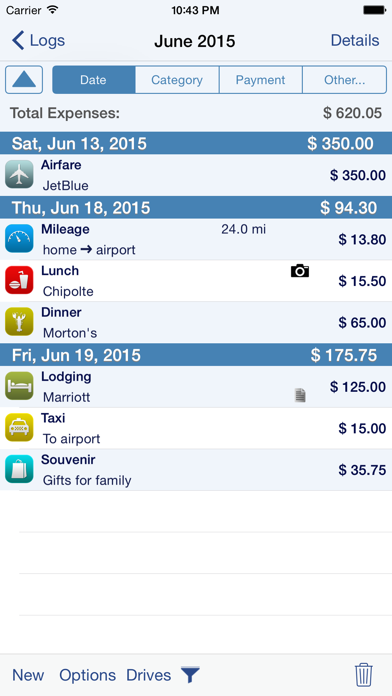
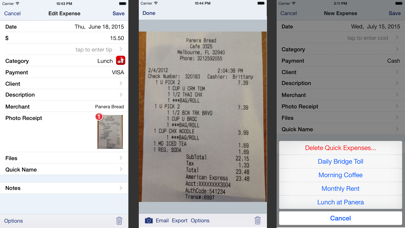
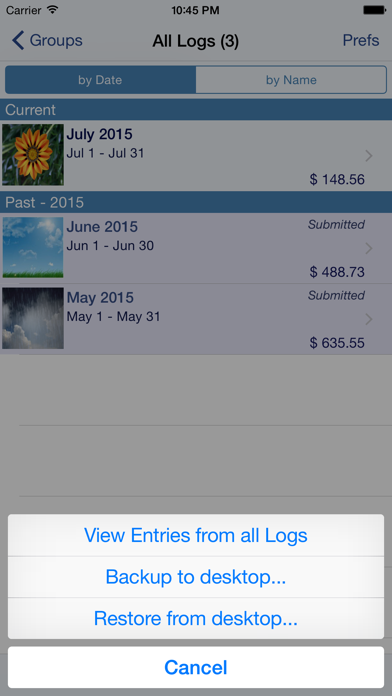
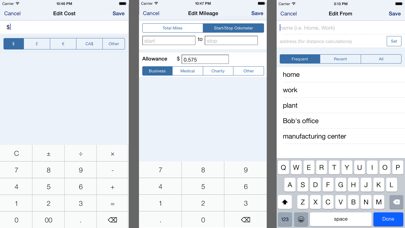
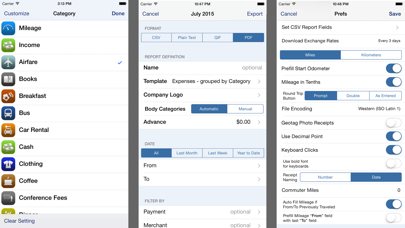
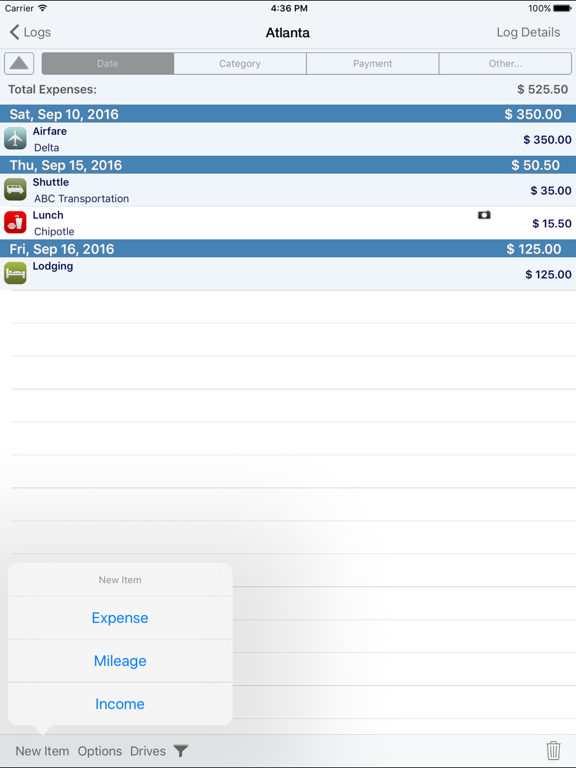
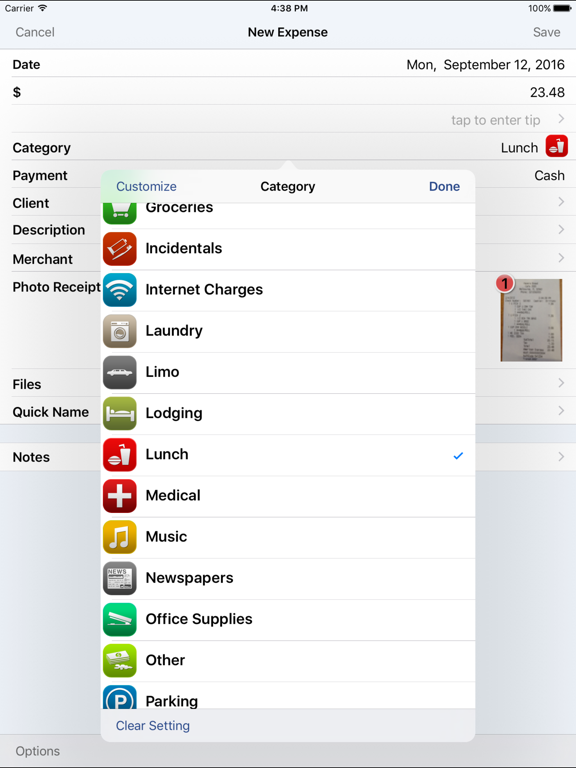
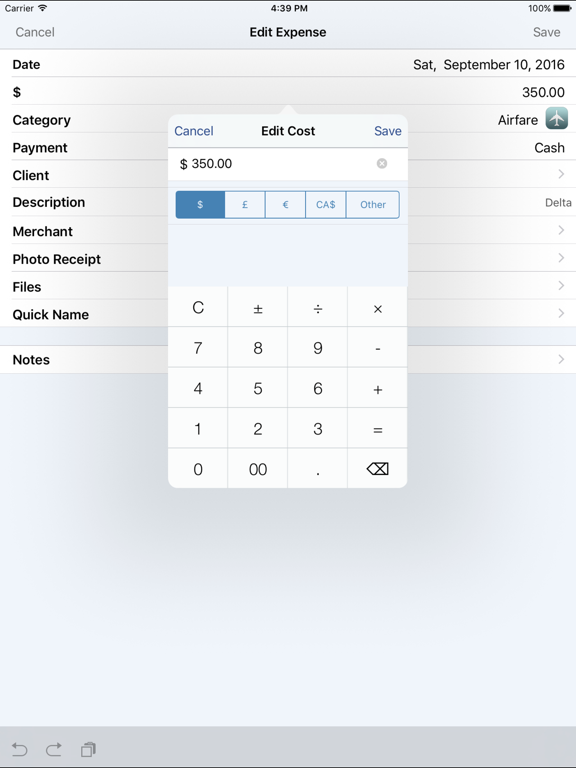
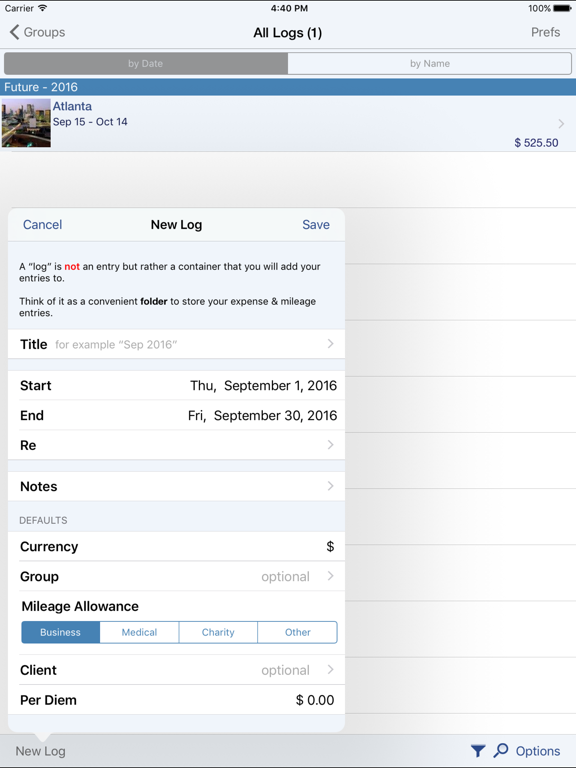
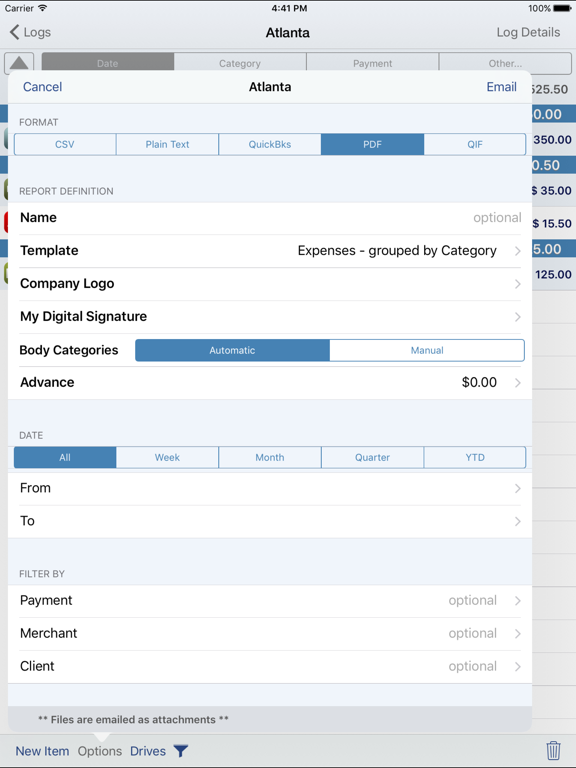
Save time & money! Track your MILEAGE and EXPENSES with the most powerful expense app available! A comprehensive, full featured app that's easy to use and extends to your desktop. XpenseTracker has been a customer favorite on the App Store since 2008. *March 2017- "BEST FINANCE APP" http://www.creditdonkey.com/finance-apps.html *XpenseTracker named "must have tax app" by H & R Block** http://tinyurl.com/HRBlockLovesXT *EventJuice UK declares "must download app" http://tinyurl.com/MustHaveForEvents *TabletPCReview.com rated XpenseTracker "Best Personal Finance App for iPad" - http://tinyurl.com/bestfinanceapp ----- XpenseTracker is a comprehensive expense tracking and reporting application for anyone wishing to track their expenses and/or mileage. Its ease of use, full features and great interface make it an essential tool for every iPhone/iPad user. Its power even extends to the desktop by allowing emailing or exporting of the expense reports and accompanying photo receipts directly to the desktop. It will save you time and money. ----- Features include: * Records all of your expenses and provides a running total for each log * Completely customize categories, sub-categories and payment types * Completely customizable fields you choose to use or not. Unused fields are hidden when adding new expenses * Sort expenses by "Date" , "Category", "Payment Type" or "Client" * For each category, the last payment type is remembered further simplifying data entry * Keeps a frequently used list for many fields * Mark a log as "reimbursed" or "submitted" * Easy mileage tracking with MANY different options: + Enter total distance or start/stop odometer reading (remembers last stop reading) + Enter start/stop addresses (app will calculate distance) + Enter more than one destination in a single entry if desired (loved by real estate agents) + Use GPS to track distances - just tell the app when you leave and arrive (available if AutoTrack is not used) * Supports ALL major currencies * Many user defined preferences * Extensive support for VAT * Email your expense reports in comma delimited (CSV) format for easy import to Excel or Numbers. Photo receipts are also emailed as JPEG attachments * Support for Quickbooks (IIF) format * Export your reports directly to your Mac or PC via Wi-Fi connection and have your file immediately appear on your desktop. The customizable CSV file can be easily imported into Excel or Numbers * Well over a dozen PDF templates for creating beautiful, finished PDF format reports * Support for sorting and exporting by client * Using the iPhone’s built-in camera, take snapshots of your receipts * Capture multiple images per expense * Automatically backup your data to iCloud * Set Password or use TouchID ----- Required Subscription A subscription to Unlimited Usage or AutoTrack (which includes unlimited usage) is required after adding 25 free entries Subscription Details: * Choose between Unlimited Usage or AutoTrack (includes unlimited usage) * AutoTrack is a feature that will automatically track your drives. All you need to do is carry your device with you * Payment charged to iTunes account at confirmation of purchase * Automatically renews unless cancelled at least 24-hours before the end of the current period * Account will be charged for renewal within 24-hours prior to the end of the current period * Each subscription is available monthly or yearly Optional Subscription - Human Scan: * Human Scan will allow you to take a picture of a receipt and have an actual human extract the key information and update your expense entry. You do NOT need this add-on if you simply want to take photos of your receipt as the app already has that built-in. Questions/Comments: Tap the Email the Author field within the app's Prefs screen ----- silverwaresoftware.com/PrivacyPolicy.html silverwaresoftware.com/TermsOfUse.html

See this store page in another country

Prices, ranks and reviews are per country. Revenue above is already worldwide.

More from Silverware Software, LLC

XpenseTracker
Finance
4.9K ratingsAnalyze →
BizXpenseTracker
Business
2.6K ratingsAnalyze →
BizXpenseTracker Pro
Business
444 ratingsAnalyze →
MileTracker Pro
Finance
242 ratingsAnalyze →
TimeTracker Pro
Business
133 ratingsAnalyze →
Flight Update Pro
Travel
5.3K ratingsAnalyze →