★★★★★Oct 9, 2026
POSI do not understand why a multimillion-dollar company uses this horrible app. It does not help the user in any way, doesn’t matter what cellphone you use or what cellphone plan you have. It is just useless.

Estimated from the grossing charts of Oct 21, 2026 in the 53 countries we track, and ratings growth on the App Store.
From our daily snapshots of every grossing chart.
| Sep 24, 2026 | not in a grossing chart |
| Sep 25, 2026 | not in a grossing chart |
| Sep 26, 2026 | not in a grossing chart |
| Sep 27, 2026 | $15.5K a month |
| Sep 28, 2026 | $7.2K a month |
| Sep 29, 2026 | not in a grossing chart |
| Sep 30, 2026 | not in a grossing chart |
| Oct 1, 2026 | not in a grossing chart |
| Oct 2, 2026 | not in a grossing chart |
| Oct 3, 2026 | not in a grossing chart |
| Oct 4, 2026 | not in a grossing chart |
| Oct 5, 2026 | $20.3K a month |
| Oct 6, 2026 | $6.9K a month |
| Oct 7, 2026 | not in a grossing chart |
| Oct 8, 2026 | not in a grossing chart |
| Oct 9, 2026 | not in a grossing chart |
| Oct 10, 2026 | not in a grossing chart |
| Oct 11, 2026 | not in a grossing chart |
| Oct 12, 2026 | $4.2K a month |
| Oct 13, 2026 | $2.4K a month |
| Oct 14, 2026 | not in a grossing chart |
| Oct 15, 2026 | not in a grossing chart |
| Oct 16, 2026 | not in a grossing chart |
| Oct 17, 2026 | not in a grossing chart |
| Oct 18, 2026 | not in a grossing chart |
| Oct 19, 2026 | not in a grossing chart |
| Oct 20, 2026 | not in a grossing chart |
| Oct 21, 2026 | not in a grossing chart |
| Oct 22, 2026 | not in a grossing chart |
| Oct 23, 2026 | not in a grossing chart |
Measured from the store, not estimated.
From the latest 400 reviews on the United States App Store, Mar 12, 2015 to Oct 9, 2026: 32% are 1 or 2 stars. Open a theme to read what people wrote.
32 of the 1 and 2 star reviews.
★★★★★ Uploading download process too long with WIFI and charging.
★★★★★ Our subscription is paid in full!!
★★★★★ App is mediocre at best, the terrible sign in process made me cancel.
21 of the 1 and 2 star reviews.
★★★★★ You are also forced into using this app frol mobile when attempting to log in from browser.
★★★★★ App is mediocre at best, the terrible sign in process made me cancel.
★★★★★ App works OK, and it's worth having, but I am disappointed that I can't do basic management tasks to ACC projects or the account on it.
19 of the 1 and 2 star reviews.
★★★★★ Constant issues uploading assets, support is useless and tells you to try reloading the photo as if you haven't already tried that.
★★★★★ No chat support or real help.
★★★★★ Very poor support, there is no way to talk to a life person.
16 of the 1 and 2 star reviews.
★★★★★ Suddenly August the App Stopped working on IPad OS 17.7.11 Even if you restart..delete the app..
★★★★★ Typing in the app and speak to text doesn't work very well either.
★★★★★ Glitchy sync process- never seems to be up-to-date.
15 of the 1 and 2 star reviews.
★★★★★ For hyper scalers and large project this app is almost unusable and syncing with latest data takes forever and a few gigs of memory.
★★★★★ Glitchy sync process- never seems to be up-to-date.
★★★★★ It downloads excessive unnecessary amounts when syncing even when every option is disabled.
14 of the 1 and 2 star reviews.
★★★★★ New update crashed our entire company.
★★★★★ After the latest update, this app is slower than molasses in the winter time.
★★★★★ Frankly, my phone is not the place to look at the model, but it sure would be handy if I could update someone's permissions while on the go.
10 of the 1 and 2 star reviews.
★★★★★ Went to use it yesterday for a punch and when I open it then it crashes right away.
★★★★★ New update crashed our entire company.
★★★★★ Everything I had is gone. All my projects. I can access them on the web. But the app is now useless.
8 of the 1 and 2 star reviews.
★★★★★ I notice often that this simple app, simply makes my iPad fairly warm also, even with it locked.
★★★★★ She does try but is limited to how much she can do.
★★★★★ This one project exceeded our page limit and locked our subscription.
47 of the 4 and 5 star reviews.
★★★★★ The functionality of the tools, the layout of the reports, the easy user interface, customizable.
★★★★★ Pros: Easy to use mostly.
★★★★★ I find it easy to use and helpful for detailing the items I needed address on job sites.
36 of the 4 and 5 star reviews.
★★★★★ It's a very useful app I wish it was more tools to be able to build my own designs but other than that I give it a ten out of ten
★★★★★ Bringing PlanGrid's field app to the Autodesk ecosystem is a game changer!
★★★★★ Extremely useful tools such as the stamps and tasks to track changes.
19 of the 4 and 5 star reviews.
★★★★★ Oh - add IFC viewing support...
★★★★★ The browser support on the iPad used to work but it no longer does and I cannot administer through the app.
★★★★★ we use plangrid on every job and adding support for our earthcam cameras and 360 photos have been a major plus.
16 of the 4 and 5 star reviews.
★★★★★ Especially nice to have instant updates to RFIs and CO'S.
★★★★★ I really hope there's a quick fix for this.
★★★★★ This application is fast and helped me move from revisions and redlines needed to make changes transparent and save time and lots of money.
10 of the 4 and 5 star reviews.
★★★★★ The functionality of the tools, the layout of the reports, the easy user interface, customizable.
★★★★★ Very frustrating UI changes that complicated once simple processes.
★★★★★ Great platform leaving miles of room for basic interface operation.
Found by matching words and phrases in the reviews, not read by a person. A review can count toward more than one theme.
Latest reviews, United States App Store.
I do not understand why a multimillion-dollar company uses this horrible app. It does not help the user in any way, doesn’t matter what cellphone you use or what cellphone plan you have. It is just useless.
Camera is useless, there’s no control over the focus, can’t get detailed photos without zooming into literally a few letters of text, which then requires you to take more photos. Constant issues uploading assets, support is useless and tells you to try reloading the photo as if you haven’t already tried that. App is so bad it makes killing yourself look like a good time.
I’m baffled why there are so many 5 star ratings on here. Why you are forced to download project files onto your local device with the mobile app for a cloud service, I have no idea. You are also forced into using this app frol mobile when attempting to log in from browser. For hyper scalers and large project this app is almost unusable and syncing with latest data takes forever and a few gigs of memory. Would only ever use on a company provided device and even then the amount of features and interface compared to the desktop website is trash.
Suddenly August the App Stopped working on IPad OS 17.7.11 Even if you restart..delete the app.. only workin on safari now Please advise
IPad Pro 10.5 running 17.7.11 iOS. Went to use it yesterday for a punch and when I open it then it crashes right away. I even did a full reset of my iPad and reinstalled the Build app and it still does this….
The pop ups keep coming on the web browser to get the app so I took time out o my day to down vote this app out of spite
Same category, earning about as much.
 mScanner Scanner Arquivos PDF$3.6K a month EST
 Traceback: Reveal No Caller ID$3.5K a month EST
 EasyBooks Invoices, Accounting$3.5K a month EST
 Canon Print inkjet Selphy$3.5K a month EST
 Optisell : Revente & Compta$3.5K a month EST
 Shiftino: Shift Checklists$3.7K a month EST
 Search Console Pro: Mobile SEO$3.5K a month EST
 Pikarta — Tarjetas Fidelidad$3.5K a month EST
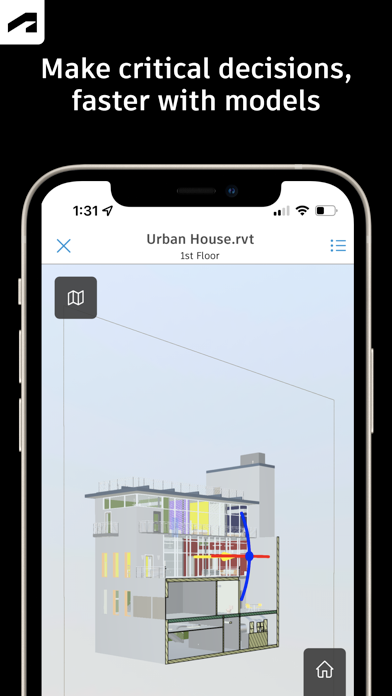
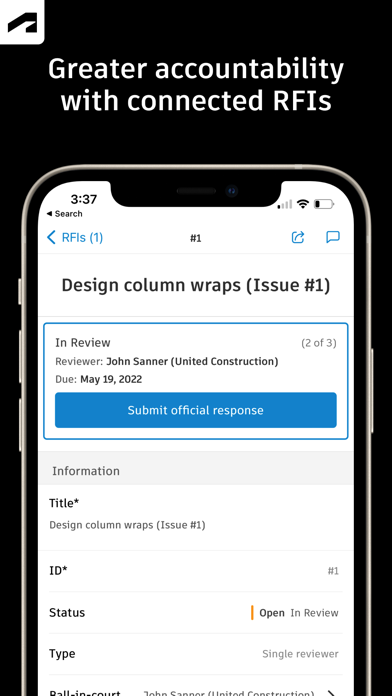
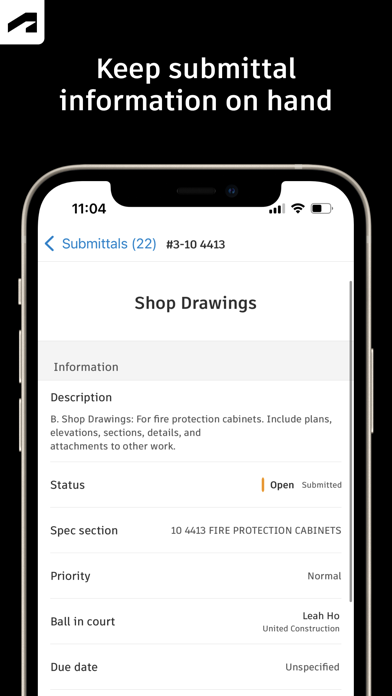
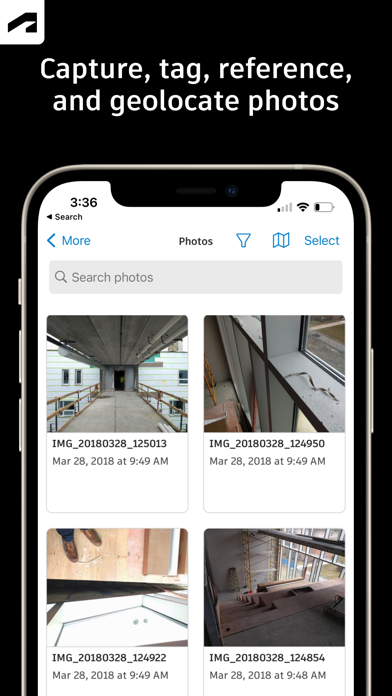
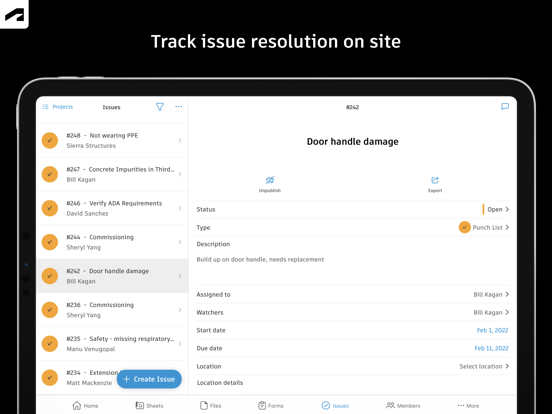

Apple Search Ads this app ran in the last 90 days, from Apple's public ad repository.
Where this app is buying and earning its users. Each link opens pre filtered.
Most repeated terms in the listing. Highlighted ones also appear in the title.
Released Feb 15, 2012. Current version shipped Oct 19, 2026.
Prices, ranks and reviews are per country. Revenue above is already worldwide.