ASO keywords
Most repeated terms in the listing. Highlighted ones also appear in the title.
und40sie26von20forma15forma build11mit8vor ort8der7build7auf7mit der6forma mobile6und modelle6zugriff auf6erfassen6dateien6mobile5vor5ort5modelle5die5der forma5sie mit5build essentials5
What's new in 8.14.2
What's New:
Autodesk Construction Cloud mobile is now the Forma mobile app.
The tools teams rely on every day continue to deliver the same trusted capabilities and performance, with no data migration and no disruption to existing workflows, licensing, integrations, or project data. The tools now operate in a more connected industry cloud that strengthens continuity across the project lifecycle.
In this release:
• Introducing Forma Build Essentials, bringing together core jobsite tools in one efficient and focused workspace. Teams can capture punch list items and issues with photos and locations, view the latest files and models, mark up drawings, and log daily reports on web or mobile.
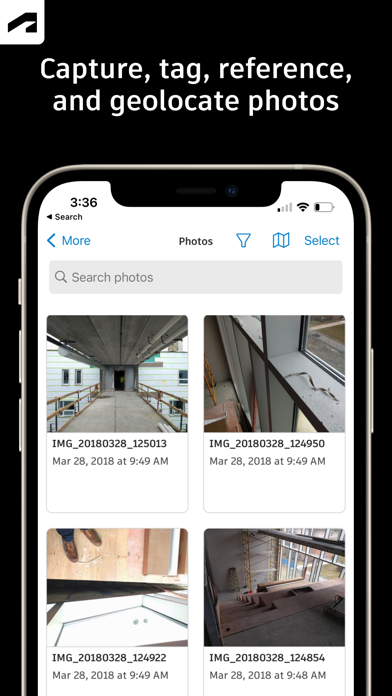
• New projects now have access to an enhanced photos experience with albums, permission controls.
• Mobile updates include faster project entry, improved photo sync, native sharing with deep links, and faster issue creation with quick create and copy and paste support.
• Additional bug fixes and performance improvements are also included in this release.
Released Feb 15, 2012. Current version shipped Oct 19, 2026.
Store description
Autodesk Inc.
Mit der Forma Mobile Construction App können Sie vor Ort Restarbeiten erfassen, Zeichnungen markieren, Tagesberichte erstellen, neue Pläne anzeigen und 3D-Modelle prüfen.
Mit der Forma Mobile App haben Sie alle Werkzeuge und Projektinfos immer dabei. Bleiben Sie mit Ihren Teams in Kontakt, verwalten Sie Projekte, und sorgen Sie dafür, dass die Arbeit vorangeht.
Mit der Forma Mobile Construction App können Sie wichtige Entscheidungen schneller treffen:
• Forma Build Essentials für eine effiziente, zielgerichtete Ausführung
• Forma Build für die Verbindung von Bauausführung und Projektmanagement
Forma Build Essentials:
Für schlanke Teams und wachsende Jobanforderungen. Projekte sind schnell eingerichtet, einfach zugänglich und für den Baustellenalltag konzipiert.
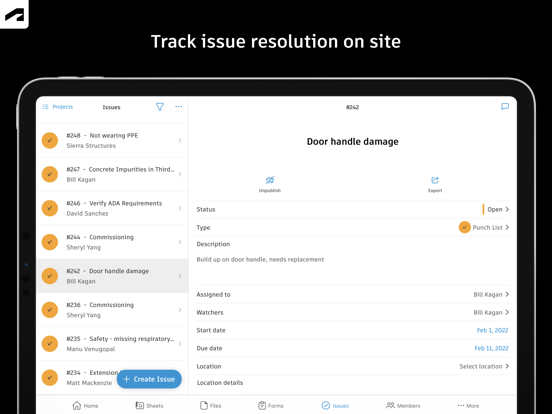
• Erfassen von Restarbeiten und Aufgaben vor Ort
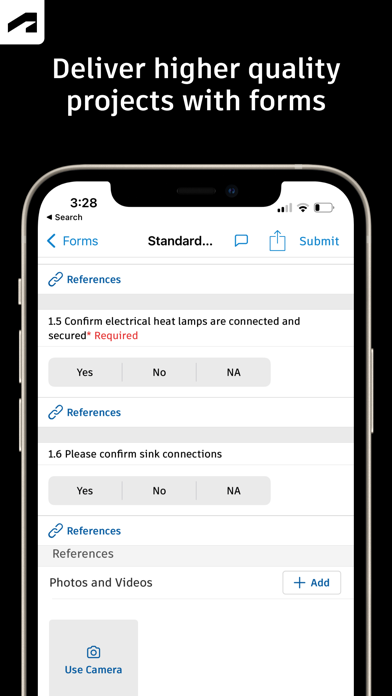
• Erstellen von Berichten, Protokollen und Formularen
• Anzeigen aktueller Konstruktionspläne, Zeichnungen, Dateien und Modelle
• Öffnen von Projektdateien und Dokumentation
Aktuelle Pläne, Dateien und Modelle
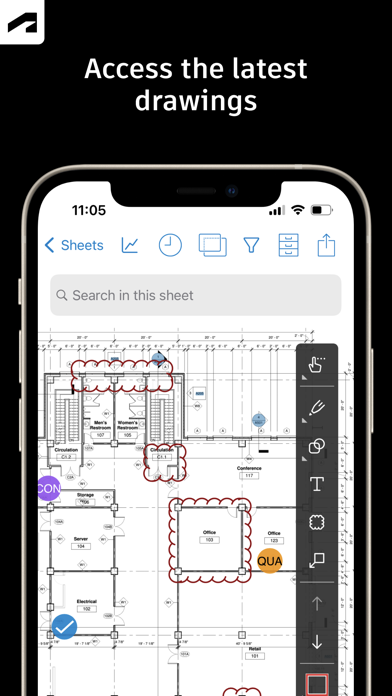
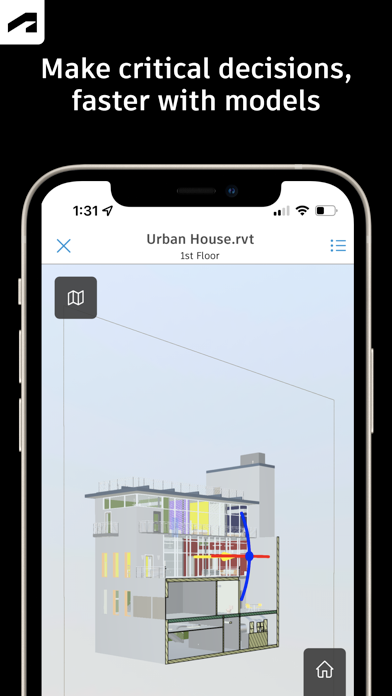
Zeigen Sie Pläne direkt vor Ort an, und markieren Sie sie. Greifen Sie auf Projektdateien zu, und prüfen Sie 3D-Modelle, um Konstruktionsabsicht und Kontext zu verstehen. Bestätigen Sie neue Versionen, bevor Sie mit der Arbeit beginnen.
• Anzeigen und Markieren von Zeichnungen
• Öffnen von Dateien, Plänen und Konstruktionsdokumenten
• Prüfen von 3D-Modellen
Restarbeiten und Aufgabenverfolgung
Erfassen Sie Restarbeiten und Aufgaben vor Ort. Verfolgen Sie Qualitätsbedenken. Protokollieren Sie Arbeitssicherheitsbeobachtungen, Beinaheunfälle und erkannte Fehler. Weisen Sie Verantwortlichkeiten zu, und verfolgen Sie Arbeiten von Anfang bis Ende.
• Protokollieren von Aufgaben mit Fotos, Standorten und Referenzen
• Zuweisen von Bauherren und Fälligkeitsdaten
• Verfolgen des Fortschritts von Anfang bis Ende
Tägliche Berichte, Checklisten und Formulare
Erfassen Sie die täglichen Aktivitäten und Bedingungen auf der Baustelle, führen Sie Qualitäts- oder Sicherheitsinspektionen durch, und fügen Sie Fotos, Unterschriften und unterstützende Dateien hinzu.
• Erstellen täglicher Berichte und Protokolle
• Erfassen von Standortbedingungen und Projektinformationen
• Hinzufügen von Fotos und Unterschriften
Schnelle mobile Arbeitsabläufe
Öffnen Sie ein Projekt, und legen Sie direkt los.
• Schneller Zugriff auf Pläne, Aufgaben, Formulare, Fotos und Modelle
• Verwendung von Kurzbefehlen für häufige Aktionen vor Ort
• Zugriff auf Projektinfos auch bei Änderungen der Konnektivität
Forma Build:
Mit Forma Build bringen Sie Büro und Baustelle zusammen, um Projekte mithilfe vernetzter Projektmanagement-Arbeitsabläufe aufeinander abzustimmen und auf Kurs zu halten.
• Enthält wichtige Baustellenfunktionen
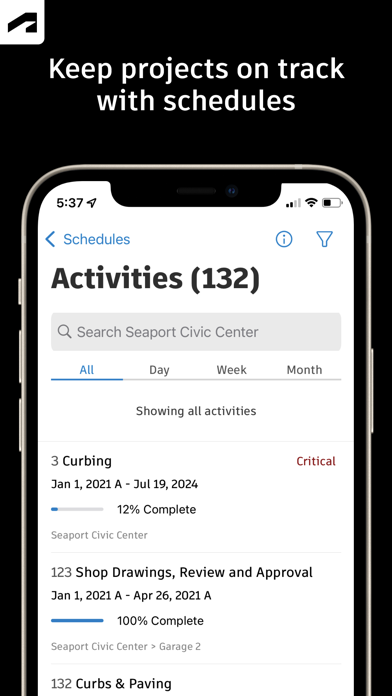
• Überprüfen von Projektzeitplänen und Arbeitsplänen
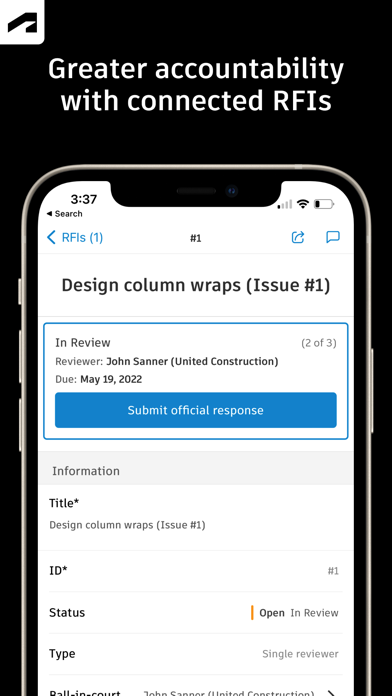
• Verwalten von Informationsanfragen und Nachverfolgen von Antworten
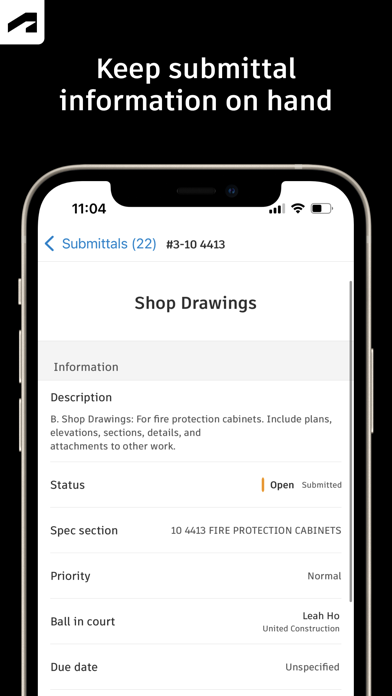
• Zugriff auf genehmigte Eingaben
• Erfassen von Besprechungsnotizen und Verwalten der Korrespondenz
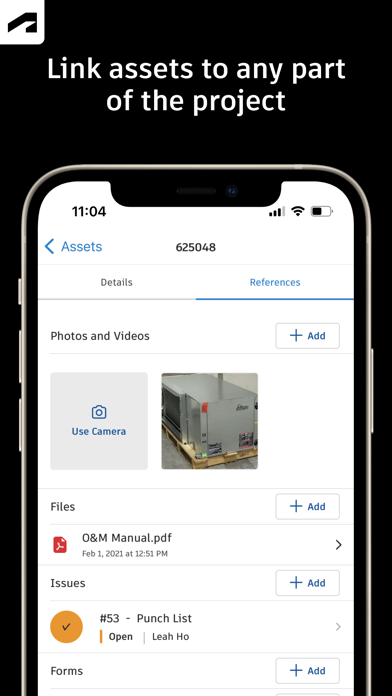
• Verfolgen von Projektobjekten
• Verwalten von Dokument- und Paketprüfungen
Über Forma verbunden:
Die Forma Mobile App verbindet Sie mit Ihren Forma-Projektinformationen, -Konstruktionsdokumenten, -Dateien und -3D-Modellen plattformübergreifend in Forma Build Essentials, Forma Build, PlanGrid, Forma Design Collaboration und Forma Data Management. Gleichzeitig erhalten Sie Zugriff auf Dateien, die in Autodesk-Werkzeugen wie Revit, Navisworks und AutoCAD erstellt wurden.
See this store page in another country
Prices, ranks and reviews are per country. Revenue above is already worldwide.