ASO keywords
Most repeated terms in the listing. Highlighted ones also appear in the title.
maps14point8points7map6support5shapes5point collections5custom url5url maps5maps offline5offline maps5area4planimeter4collections4stand alone3alone points3enhanced zoom3satellite hybrid3hybrid maps3shapes point3distance3add3data3export3
What's new in 4.4
■ Points and boundaries
‣ See each area corner’s inner angle, including reflex angles above 180°, to read complex boundaries more clearly. Enable Show angle annotations in MENU > Settings > Annotations.
‣ Everyday edits stay simple. In the point editor, open More and choose Advanced under View to compare point/photo values, resolve conflicts, and sync supported metadata.
■ Survey video
‣ Document the whole survey with location-aware video, and take photos while recording continues.
‣ Recover a missed detail as a photo and point from the exact replay frame, with the location data from that moment.
‣ Share the whole survey or just the relevant section, with the data overlays your report needs.
‣ All supported video overlays are available without Pro. Pro provides export and unlimited video storage; without Pro, you can keep one video.
■ Camera and Video
‣ Record video even in complete darkness: in video mode, tap the flashlight button to turn on the Video light. To set its brightness from 25% to 100%, open Settings > Viewfinder controls on the camera screen.
‣ In the viewfinder, tap the zoom readout to choose a lens, or drag it to zoom.
‣ Lock focus, set it by hand, or save a focus position per lens. Use a shutter delay for steadier shots, and let the camera remember your last lens and zoom.
‣ For clearer low-light photos, open Settings > Photo capture settings on the camera screen and enable Prioritize quality in low light; hold steady during capture.
‣ Assign taps or holds in Viewfinder controls to capture photos or start/stop video; set Double tap to Black screen to hide the viewfinder during recording.
■ Camera audio
‣ Capture useful sound in the field: choose an external microphone and monitor it through headphones to check what you are recording.
‣ Keep compatible music or podcasts playing while you record.
■ Video transcripts and captions
‣ On iOS 26 or later, transcribe videos on-device in supported languages, search spoken words and jump to matches, correct, copy, or share transcripts, import or export SRT subtitles, and show captions during replay or in stamped exports.
■ Offline maps
‣ Download Retina-quality maps for offline use directly from Blocoware Open Street Map. Compact WebP tiles keep downloads small and save data; map detail reaches zoom 17, with house numbers visible from zoom 16.
◆ Keep the map around every point
‣ A map snapshot preserves the surroundings of each point for quick visual reference—even after you leave the place.
◆ Terrain elevation, right on the map
‣ Move the red arrow anywhere on the map and the app now shows the terrain elevation for that exact point, next to coordinates, distance from current location, and bearing.
Released Aug 4, 2018. Current version shipped Sep 25, 2026.
Store description
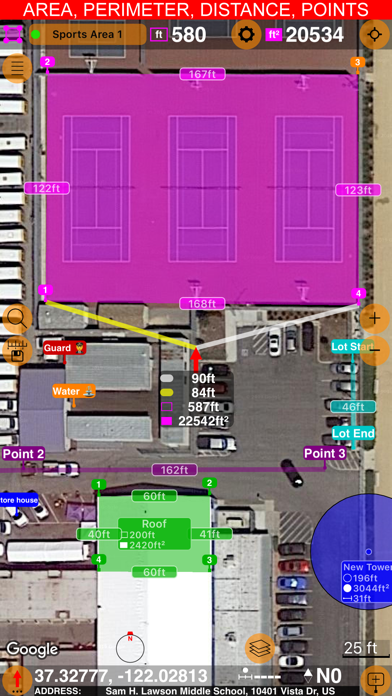
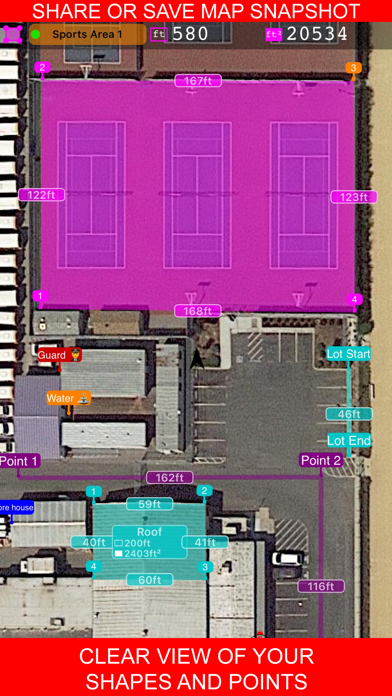
Measure distance, perimeter, and area on a map with ease. Add stand-alone points to mark locations and understand exactly what’s where. Capture photos with location, direction, altitude, and timestamp data. Share and export your projects seamlessly. Planimeter 55 is the ideal tool for measuring construction sites, roofs, lawns, fences, paving, pools, parking lots, fields, and paths. Or simply for placing stand-alone points on a map for better spatial understanding.
Why choose Planimeter 55?
• Precise control of your planned or measured areas. As you move the map, the app instantly displays the calculated area or distance, including the lengths of adjacent lines—even before you add a new point.
• Native Google Maps support for enhanced zoom. Zoom in closer on satellite and hybrid maps for high-detail measurements.
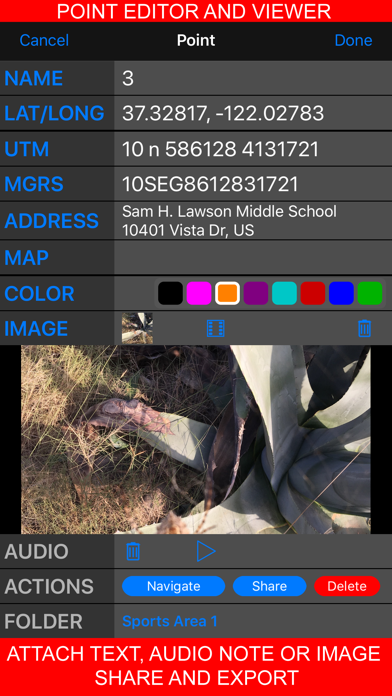
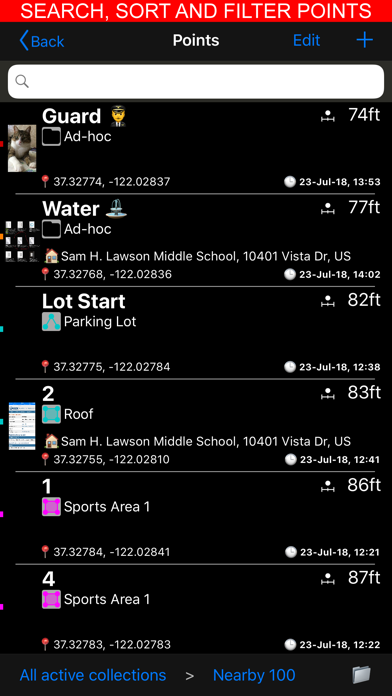
• Detailed point management. Assign individual colors to points and attach text notes, audio recordings, or images for comprehensive data collection.
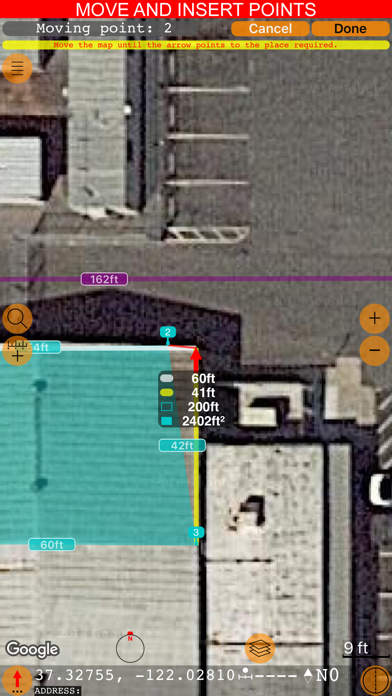
• Easy point editing. Move points directly on the main map screen (tap a point and select Move) or in the dedicated point editor. Before confirming, you’ll see the updated area, perimeter, and distance calculations in real time.
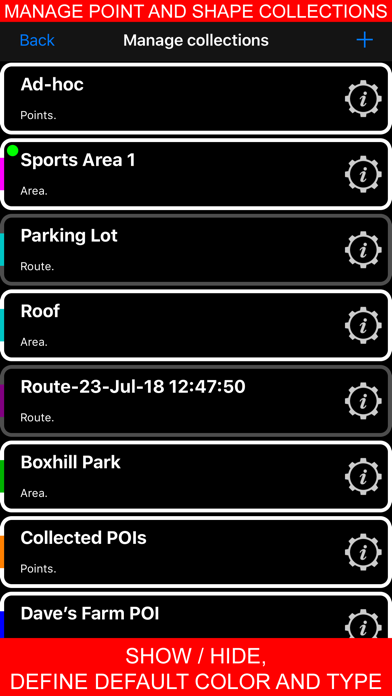
• Organize your data. Show or hide shapes and point collections to focus on what’s important for your current project.
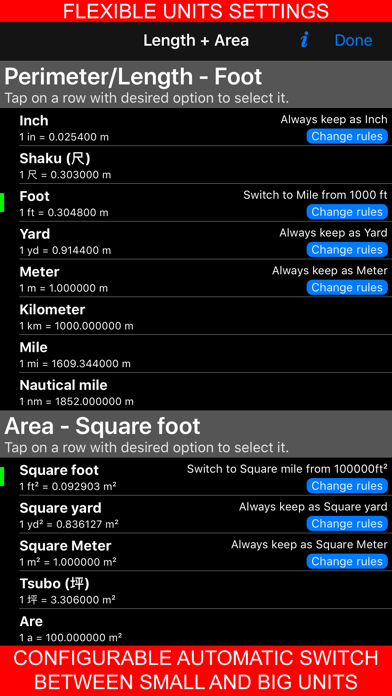
• Flexible measurement units. Customize when distances display in feet or meters versus miles or kilometers. The same flexibility applies to area units.
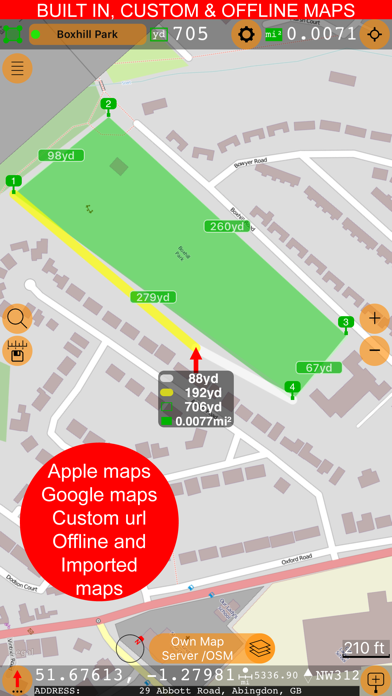
• Custom URL maps, offline maps, and map imports. Planimeter 55 includes Apple Maps and Google Maps by default. You can also add custom URL maps, download offline maps, or import your own maps (mbtiles, sqlitedb) created on your PC or Mac.
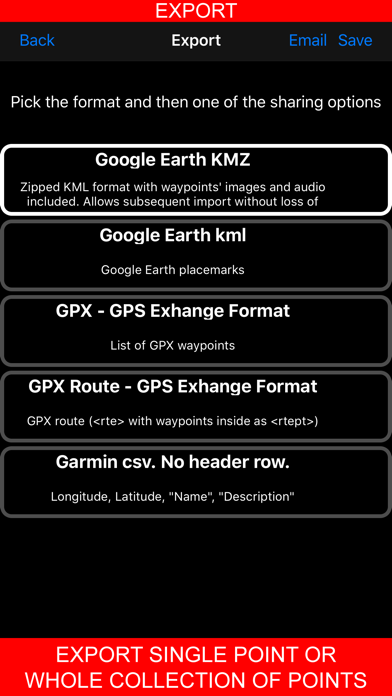
• KMZ export and import. Transfer shapes and point collections, including images and audio notes, to continue your work across multiple devices.
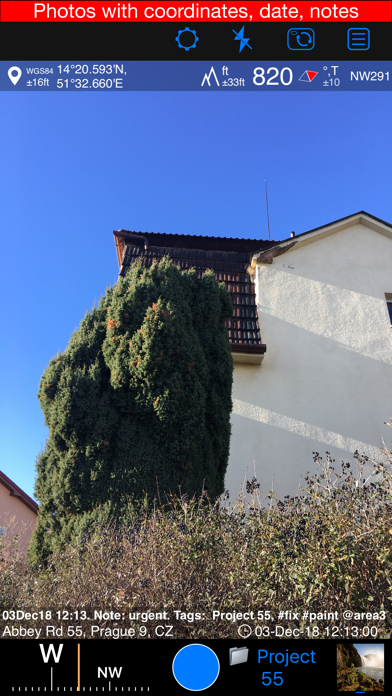
• Built-in camera tool. Attach geo-referenced photos to your points for a complete survey experience.
What’s included in the Basic Version:
• Create an unlimited number of points and temporary measurement shapes (areas or routes).
• To measure a new shape, simply discard the previous one and start again.
Unlock the Pro Pack Upgrade for even more:
• Full support for Google Maps, custom URL maps, offline maps, and imported maps (with enhanced zoom for satellite and hybrid maps).
• Save and manage multiple point collections and shapes.
• Import and export individual points or entire shapes and collections.
• Save and share map snapshots showing only the objects you’ve created—without UI buttons or tools.
Support and Help
Access Documentation or Support and Feedback via the MENU (hamburger icon) within the app. For direct support, email stan@blocoware.com. We respond to all emails within a few hours, or up to 9 hours if they arrive during CET/EU night hours.
Wishing you happy measuring!
The Planimeter 55 Team
Terms of Use: https://www.apple.com/legal/internet-services/itunes/dev/stdeula/
See this store page in another country
Prices, ranks and reviews are per country. Revenue above is already worldwide.

 GPS Camera 55. Field Survey
 Compass 55. Map & GPS kit.
 Taximeter. GPS taxi cab meter.
 GPS Team 55


