← Back to charts
Kids App Qustodio icon
APP STORE

Kids App Qustodio

Qustodio · Lifestyle · United States store
NOT IN TOP 100 HERE
View on App Store ↗ Instagram card Google Play version →
Revenue a month, worldwide EST
$3.2K
Likely $1.1K to $9.6K
▼ 91.2% in 13 days
New ratings
+0
in 1 days, 15.1K in total
Rating
2.2 of 5
7.8K ratings in this store
Countries it ranks in
0
was 0 on Oct 18, 2026

Revenue

Estimated from the grossing charts of Oct 25, 2026 in the 53 countries we track, and ratings growth on the App Store.

EST. REVENUE / YEAR · WORLDWIDE
$38.5K
115 new ratings a month on average since launch
EST. LIFETIME DOWNLOADS
274.5K to 784.2K
Estimated from ratings count
WHERE ITS USERS ARE · SHARE OF RATINGS
  • United States 7.8K ratings52%
  • Spain 1.5K ratings10%
  • United Kingdom 1.3K ratings8%
  • France 855 ratings6%
  • Canada 835 ratings6%
  • Brazil 623 ratings4%
  • Mexico 615 ratings4%
  • Australia 591 ratings4%
HOW SURE ARE WE
Not in any grossing chart, so this comes from ratings growth (115 new ratings a month on average since launch): revenue grows with new ratings, more slowly for apps that collect ratings fast. Tested on 418 apps with verified revenue: typically off by about 2 times, and big earners tend to come out low. Countries we don't track (and Google Play in China, which doesn't exist) aren't included, and neither are ads or web payments. Gross revenue before store fees.
RATINGS
7.8K
AVG RATING
2.16
PRICE
Free
AGE
11.0y
LAST UPDATE
20d ago
VERSION
182.19.0
SIZE
96 MB
AGE RATING
4+

Last 30 days

From our daily snapshots of every grossing chart and daily ratings counts.

DAYS IN A GROSSING CHART
3 / 30
COUNTRIES NOW
0 (was 0)
NEW RATINGS, LAST 1 DAYS
+0
EST. REVENUE A MONTH, DAILY · BOTH STORES EST
Show daily values
Sep 26, 2026not in a grossing chart
Sep 27, 2026not in a grossing chart
Sep 28, 2026not in a grossing chart
Sep 29, 2026not in a grossing chart
Sep 30, 2026not in a grossing chart
Oct 1, 2026not in a grossing chart
Oct 2, 2026not in a grossing chart
Oct 3, 2026not in a grossing chart
Oct 4, 2026not in a grossing chart
Oct 5, 2026not in a grossing chart
Oct 6, 2026not in a grossing chart
Oct 7, 2026not in a grossing chart
Oct 8, 2026not in a grossing chart
Oct 9, 2026not in a grossing chart
Oct 10, 2026$34.7K a month
Oct 11, 2026$18.2K a month
Oct 12, 2026not in a grossing chart
Oct 13, 2026not in a grossing chart
Oct 14, 2026not in a grossing chart
Oct 15, 2026not in a grossing chart
Oct 16, 2026not in a grossing chart
Oct 17, 2026not in a grossing chart
Oct 18, 2026not in a grossing chart
Oct 19, 2026not in a grossing chart
Oct 20, 2026not in a grossing chart
Oct 21, 2026not in a grossing chart
Oct 22, 2026not in a grossing chart
Oct 23, 2026$3.1K a month
Oct 24, 2026not in a grossing chart
Oct 25, 2026not in a grossing chart
The same estimate as the headline, saved every day. Best rank Sep 26, 2026: not ranked. Now: not ranked.
RATINGS IN THE CORE COUNTRIES, DAILY
Show daily values
Oct 23, 202615.1K ratings
Oct 24, 202615.1K ratings
15.1K on Oct 23, 2026, 15.1K on Oct 24, 2026. New ratings track new downloads, even outside the charts.

Money and momentum

Measured from the store, not estimated.

WHAT IT CHARGES
10 purchases listed
  • Qustodio 5 devices 1-year$54.99
  • Qustodio Premium 1-year license$54.99
  • Qustodio Premium 1-year license$48.99
  • Qustodio Premium 1-year$39.99
  • Qustodio 10 devices 1-year$94.99
  • Qustodio Premium 1-year$48.99
  • Qustodio Premium 1-year license$94.99
  • Qustodio 15 devices 1-year$139.99
Top in-app purchases as listed on the App Store, in local prices.
REVIEW MOMENTUM
7.7 reviews / week
  • Trendrising
  • Recent reviews average1.4 stars
  • Recent 1 and 2 star share89%
From the latest 500 written reviews, covering 454 days. The store only returns this many, so this is the most recent slice.
RELEASE CADENCE
3 updates in 90 days
  • Typical gap between releases56 days
From the last 25 versions listed on the App Store.
RATING BREAKDOWN
7.8K ratings
5★23%
4★5%
3★3%
2★4%
1★65%

What users want

From the latest 500 reviews on the United States App Store, Jul 28, 2025 to Oct 23, 2026: 89% are 1 or 2 stars. Open a theme to read what people wrote.

WHAT THEY COMPLAIN ABOUT · SHARE OF BAD REVIEWS
Bugs, things not working13%

60 of the 1 and 2 star reviews.

★★★★★ My phone glitches and it makes me run out of battery too fast this app is a scam all it does is take your battery and I dont like it at all.
★★★★★ This happens over and over again so protection that is being paid for does not work in IOS27
★★★★★ Instead of disabling your screen time it will just break all the settings in your phone until you can't use it anymore. Whoever made this app needs to do a lot better.
Limits, credits, locked features8%

36 of the 1 and 2 star reviews.

★★★★★ My parents just added it I can't text my friends it ruined my social life I already have limits on every single app why are they doing this to me I hate you for making this app it drains my battery makes it so I can't…
★★★★★ It limits me from doing normal things.
★★★★★ On top of that i feel like ever since i got this app my relationship with my parents have only gotten worse and worse it's not even about time limits it's just I can't even have an ounce of privacy and it's destroyed…
Slow, laggy, battery7%

33 of the 1 and 2 star reviews.

★★★★★ My phone glitches and it makes me run out of battery too fast this app is a scam all it does is take your battery and I dont like it at all.
★★★★★ My parents just added it I can't text my friends it ruined my social life I already have limits on every single app why are they doing this to me I hate you for making this app it drains my battery makes it so I can't…
★★★★★ this app is horrible and it drains your battery
Price and subscription6%

25 of the 1 and 2 star reviews.

★★★★★ My phone glitches and it makes me run out of battery too fast this app is a scam all it does is take your battery and I dont like it at all.
★★★★★ I wanted to put some controls on it and when I tried setting it up I would work like what the hell and I couldn't delete it worse app ever should had read the reviews.
★★★★★ I hate this so much as a teen it feels like an invasion of privacy like I do everything they've ask me I go to curfew on time and I still have it and my grades are 90 and above and I do extra chores for money and what…
Lost data, sync, backup6%

25 of the 1 and 2 star reviews.

★★★★★ it wont let me out, i cant leave, i cant get rid of the app, you guys thought of everything, i need help, help me get rid of the app for the love of god, please i need it gone.
★★★★★ I just wish I can control it but now and I can't even delete it and my mom doesn't even know how to delete it so I'm stuck with it and it deleted on her phone so now she can't control it.
★★★★★ It's lit useless and as a kid(teen) it just gets on my nerves and i almost broke my phone once because of it. This app is straight up useless and it doesnt even work well so if u want your kids to be happy with you and…
Wrong or poor results4%

16 of the 1 and 2 star reviews.

★★★★★ It's lit useless and as a kid(teen) it just gets on my nerves and i almost broke my phone once because of it.
★★★★★ Have you guys ever considered that some parents can abuse this app? With the amount of control you are giving the parent with this app, it can impact the mental health of the child too. And anyways, Apple already…
★★★★★ I'm not happy about that and wish that they wouldn't spy on children who are not doing anything wrong.
Login and account problems3%

12 of the 1 and 2 star reviews.

★★★★★ I have this app but my mother is very forgetful and forgot about this app, She forgot the password, and she told me to delete it.
★★★★★ It's always spying on my kids, even when they are typing in a password, or texting someone.
★★★★★ ALSO IT INVADES PRIVACY WHEN EVER UR EVEN TYPING IN A PASSWORD IT'S WATCHING AND IT WILL HACK YOU AND YOU CAN'T EVEN USE SPLIT SCREEN BECAUSE IT HAS A SEIZURE AND JUST BREAKS DOWN AND THEN IT'S HORRIBLE HORRIBLE…
Worse after an update1%

5 of the 1 and 2 star reviews.

★★★★★ I removed it by myself but SHE STILL KEPT IT ON MY PARENTS PHONE, so she did it without both of me and my parents consent and is breaking Illinois law btw, and she also does this is MY COMPUTER THAT I BARELY USE BTW,…
★★★★★ It blocks EVERYTHING, I can't even update my apps or download anything!
★★★★★ Not worth the money, gives misinformation, still has to update too many things, and the list goes on.
WHAT THEY ASK FOR
  • Worst app to ever touch the App Store I hope for the worst to the people that made or man,woman that made this app.I hope their life is full of horror and sadness,I hope that they go through the most painful stages of… 1★, Oct 17, 2026
  • This app works great except in the regard of being able to work with PNC, or any AI tools the app simply doesn't work with PNC, Google Drive, or any AI engine like chat GPT But it's helped keep me safe and the app does… 4★, Sep 15, 2026
  • It's pretty hard to find an app worse than this there's nothing that lets you toggle with their restricted mode is on for YouTube or not like it would be one thing to add a switch that makes it toggle, but there isn't… 1★, Sep 10, 2026
  • These are my thoughts - its perfect to not bypass your own screen time limits - i wish we could SEE what our limit is to begin with! 4★, Jul 27, 2026
  • I always have 2 ask my dad "how much time do i have on app XYZ today?" - i wish this also had a feature of digitally asking parents for extra screen time. 4★, Jul 27, 2026
  • This review is coming from a parent this app would not let me delete making me have to go a factory reset it's like a virus who ever made this app needs to make it better this did absolutely not help my kids kids… 1★, Jul 25, 2026
  • As a parent, I wish I could control what the app does. 1★, Jul 25, 2026
  • PLEASE MAKE THIS APP SO THAT IT IS NOT A THING. 1★, Jul 25, 2026
WORDS THAT KEEP COMING UP IN BAD REVIEWS
horr vel29
WHAT THEY LOVE · SHARE OF GOOD REVIEWS
Fun, addictive8%

3 of the 4 and 5 star reviews.

★★★★★ Make being away from the screen actually enjoyable instead of simply taking it away and giving them no choice.
★★★★★ You have enough time to actually do things but instead you just complain about limitations it how it's too short, just enjoy the time you do have on Facebook or Instagram or whatever you use and stop wasting your time…
★★★★★ I enjoy the screen time and tips and it helps out a lot with me getting back into things I was into before I became a cellphone zombie (yes, I will admit, I started out as an iPad kid and was VERY clingy to electronics).
Useful, it helps5%

2 of the 4 and 5 star reviews.

★★★★★ I enjoy the screen time and tips and it helps out a lot with me getting back into things I was into before I became a cellphone zombie (yes, I will admit, I started out as an iPad kid and was VERY clingy to electronics).
★★★★★ Personally, I love the screen time analysis, I find it extremely useful!
Accurate, great results5%

2 of the 4 and 5 star reviews.

★★★★★ This app works great except in the regard of being able to work with PNC, or any AI tools the app simply doesn't work with PNC, Google Drive, or any AI engine like chat GPT But it's helped keep me safe and the app does…
★★★★★ one of the oppressed here, qustodio is great and works well compared to some management services but i've been having a problem.

Found by matching words and phrases in the reviews, not read by a person. A review can count toward more than one theme.

What users say

Latest reviews, United States App Store.

★★★★★Oct 23, 2026
Ok

It does the job. It gets it done but there are some downsides. Like, right now, i got a notification saying i used up 33 gigabytes of data, but with qustodio, my phone is practically bricked. I cant use anything on cellular data and only on wifi. They need to update to fix that.

★★★★★Oct 23, 2026
horrible

terrible app

★★★★★Oct 21, 2026
As a kid rating it…

I mean, qustodio is good but, it’s kinda fake… Tbh it said “watch out for fake comments on Tanghulu master” excuse me?! Tanghulu master is a kids game… Qustodio is kinda fake itself… hope this helped.

★★★★★Oct 20, 2026
#freecdobleta

My phone glitches and it makes me run out of battery too fast this app is a scam all it does is take your battery and I dont like it at all. It ruins my peaceful doomscrolling time on tik tok because it takes my wifi and battery.

★★★★★Oct 19, 2026
Cristina Souza

Nunca baixem este aplicativo,minha filha se suicidou após eu colocar em seu celular,me arrependo todos os dias pela escolha…

★★★★★Oct 19, 2026
Você sofreu, agora aprenda a fazer cookie

Ingredientes • 3 xícaras (chá) de farinha de trigo • ½ xícara (chá) de açúcar refinado • 1 ½ xícaras (chá) de manteiga sem sal (gelada) Receitas Nestlé Modo de Preparo 1. Misturar: Em um recipiente grande, coloque a farinha de trigo, o açúcar e a manteiga gelada. 2. Amassar: Misture bem com as mãos até formar uma massa homogênea, lisa e que não grude nos dedos. 3. Modelar: Abra a massa com um rolo e use cortadores com os formatos que preferir (corações, círculos, estrelas), ou faça pequenas bolinhas e aperte de leve com um garfo.  4. Assar: Disponha os biscoitos em uma assadeira (não precisa untar) e leve ao forno pré-aquecido a 180 °C por cerca de 20 minutos, ou até que fiquem levemente dourados na parte de baixo. YouTube· 5. Esfriar: Retire do forno, espere esfriar completamente antes de manusear (eles firmam depois que esfriam) e sirva!

Apps like this

Same category, earning about as much.

Store screenshots

ScreenshotScreenshotScreenshotScreenshotScreenshotScreenshotScreenshotScreenshotScreenshotScreenshot

App Store ads

Apple Search Ads this app ran in the last 90 days, from Apple's public ad repository.

No App Store ads in the EU
None in the last 90 days.

Apple only publishes ads shown in the EU (EU Digital Services Act), with a 7 day delay. An app that advertises only outside the EU shows nothing here.

Growth research

Where this app is buying and earning its users. Each link opens pre filtered.

ASO keywords

Most repeated terms in the listing. Highlighted ones also appear in the title.

device10child10child device10qustodio9kids qustodio8kids6screen time5screen4time4family4qustodio parental3parental control3daily screen3parental3control3blocking3onto2mobile2devices2want2daily2website2search2parents2

What's new in 182.19.0

Hi Parents! We've made more improvements and fixed some minor bugs to make your Qustodio experience even better. As always, we recommend that you enable auto-updating in the App Store so both your and your kids' apps are always up-to-date. The Qustodio Team

Released Oct 29, 2015. Current version shipped Oct 5, 2026.

Store description

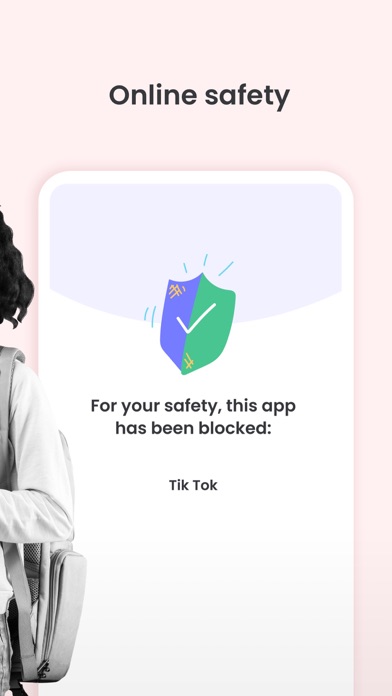
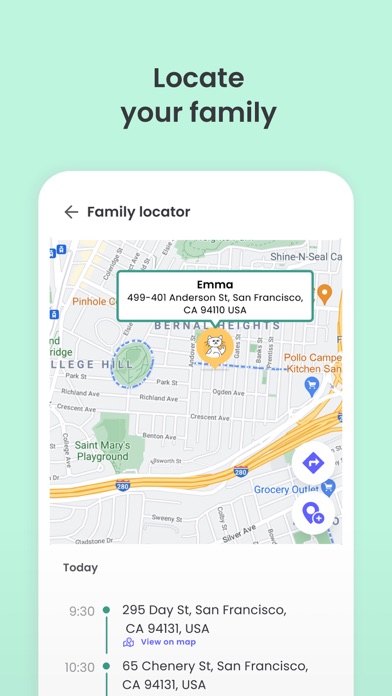
Kids App Qustodio is the companion app to Qustodio Parental Control App. Please only download this app to a device being used by a child or teen. How to get started 1. Download the Qustodio Parental Control App onto your own device (usually your mobile phone or laptop). 2. Then download this Kids App Qustodio onto any of your child’s devices you want to monitor. 3. Together, the two apps allow you to seamlessly manage your child’s daily screen time allowance on linked mobile, tablet, or desktop devices. Features include: • Daily screen time limits set by the Parent App. • Website, search and app usage monitoring on the child’s device. • Website blocking and category blocking (block games and lockout unwanted content) on the child’s device • Location tracking of the child's device • Safe search on the child’s device • Unsupported browser blocking on the child’s device • Advanced reporting provided to parents • Real-time alerts sent to parents Kids App Qustodio for iOS and macOS is password protected and cannot be uninstalled from a child’s device without parental permission. If you have any questions or need help, contact us at info@qustodio.com We take privacy and the protection of your family and children’s data extremely seriously. We do not and will not sell data to third-parties. Your child’s screen time activity is for your eyes only. Our Terms of Use are available here: https://www.qustodio.com/family/terms/ Important notes for users - The Kids App Qustodio for iOS install process will ask you to install a special MDM profile and accept special permissions in order to control the internet traffic on the device. This profile can be removed or disabled by you whenever you want. Instructions for installing, uninstalling, and configuring are on our help page. - When connecting to the internet a VPN symbol will appear on the top of the screen. The VPN connection can be disabled temporarily when needed in the Family Portal or by logging into the Kids App Qustodio on your kids' device. - Continued use of GPS running in the background for the Family Locator feature can dramatically decrease battery life.

See this store page in another country

Prices, ranks and reviews are per country. Revenue above is already worldwide.