← Back to charts
FineReader Pro: PDF Scanner icon
APP STORE

FineReader Pro: PDF Scanner

ABBYY USA Software House Inc · Business · United States store
NOT IN TOP 100 HERE
View on App Store ↗ Instagram card
Revenue a month, worldwide EST
$1.5K
Likely $501 to $4.5K
▼ 77.9% in 2 days
New ratings
Tracking
Daily counts start building from today
Rating
4.7 of 5
1.3K ratings in this store
Countries it ranks in
0
was 0 on Oct 16, 2026

Revenue

Estimated from the grossing charts of Oct 21, 2026 in the 53 countries we track, and ratings growth on the App Store.

EST. REVENUE / YEAR · WORLDWIDE
$18K
35 new ratings a month on average since launch
EST. LIFETIME DOWNLOADS
43.9K to 125.4K
Estimated from ratings count
WHERE ITS USERS ARE · SHARE OF RATINGS
  • Germany 1.4K ratings27%
  • United States 1.3K ratings25%
  • France 335 ratings7%
  • Spain 291 ratings6%
  • Brazil 287 ratings6%
  • Italy 264 ratings5%
  • United Kingdom 180 ratings4%
  • Mexico 167 ratings3%
HOW SURE ARE WE
Not in any grossing chart, so this comes from ratings growth (35 new ratings a month on average since launch): revenue grows with new ratings, more slowly for apps that collect ratings fast. Tested on 418 apps with verified revenue: typically off by about 2 times, and big earners tend to come out low. Countries we don't track (and Google Play in China, which doesn't exist) aren't included, and neither are ads or web payments. Gross revenue before store fees.
RATINGS
1.3K
AVG RATING
4.69
PRICE
$59.99
AGE
11.8y
LAST UPDATE
52d ago
VERSION
16.0.3
SIZE
127 MB
AGE RATING
4+

Last 30 days

From our daily snapshots of every grossing chart.

DAYS IN A GROSSING CHART
3 / 30
COUNTRIES NOW
0 (was 0)
EST. REVENUE A MONTH, DAILY · APP STORE EST
Show daily values
Sep 24, 2026not in a grossing chart
Sep 25, 2026not in a grossing chart
Sep 26, 2026not in a grossing chart
Sep 27, 2026not in a grossing chart
Sep 28, 2026not in a grossing chart
Sep 29, 2026not in a grossing chart
Sep 30, 2026not in a grossing chart
Oct 1, 2026not in a grossing chart
Oct 2, 2026not in a grossing chart
Oct 3, 2026not in a grossing chart
Oct 4, 2026not in a grossing chart
Oct 5, 2026not in a grossing chart
Oct 6, 2026not in a grossing chart
Oct 7, 2026not in a grossing chart
Oct 8, 2026not in a grossing chart
Oct 9, 2026not in a grossing chart
Oct 10, 2026not in a grossing chart
Oct 11, 2026$2.4K a month
Oct 12, 2026$970 a month
Oct 13, 2026$539 a month
Oct 14, 2026not in a grossing chart
Oct 15, 2026not in a grossing chart
Oct 16, 2026not in a grossing chart
Oct 17, 2026not in a grossing chart
Oct 18, 2026not in a grossing chart
Oct 19, 2026not in a grossing chart
Oct 20, 2026not in a grossing chart
Oct 21, 2026not in a grossing chart
Oct 22, 2026not in a grossing chart
Oct 23, 2026not in a grossing chart
The same estimate as the headline, saved every day. Best rank Sep 24, 2026: not ranked. Now: not ranked.

Money and momentum

Measured from the store, not estimated.

WHAT IT CHARGES
No in-app purchases
Earns from its upfront price, ads or payments outside the store.
REVIEW MOMENTUM
0.3 reviews / week
  • Trendfalling
  • Recent reviews average3.9 stars
  • Recent 1 and 2 star share22%
From the latest 187 written reviews, covering 4301 days.
RELEASE CADENCE
1 update in 90 days
  • Typical gap between releases26 days
From the last 25 versions listed on the App Store.
RATING BREAKDOWN
1.3K ratings
5★84%
4★9%
3★3%
2★1%
1★3%

What users want

From the latest 187 reviews on the United States App Store, Jan 12, 2015 to Apr 5, 2025: 22% are 1 or 2 stars. Open a theme to read what people wrote.

WHAT THEY COMPLAIN ABOUT · SHARE OF BAD REVIEWS
Worse after an update15%

6 of the 1 and 2 star reviews.

★★★★★ Update: Das automatische Senden an den cloud Dienst funktioniert für die gescannte datei, nicht für die „erkannte“ Datei.
★★★★★ Seit letztem Update nur noch Buchfunktion
★★★★★ Seit dem Update stürzt die Anwendung ständig ab und ist nicht mehr zu gebrauchen.
Login and account problems12%

5 of the 1 and 2 star reviews.

★★★★★ Bei einer Neuinstallation der App auf einem anderen kann man aber Scans nicht über seinen iCloud Account wieder zurück holen sondern fängt wieder von vorne an, obwohl die Scans in dem iCloud Ordner gespeichert sind.
★★★★★ App benötigt einen Account bei Abby um die OCR Funktion zu nutzen, ich gehe sogar davon aus, die Dokumente zur Texterkennung an Abby geschickt werden.
★★★★★ I would expect from a correct presentation of this app that one notes that important functionalities of this app require the opening an account!
No customer support7%

3 of the 1 and 2 star reviews.

★★★★★ Nach einem Problem mit dem Upload in die Dropbox habe ich mich an den europäischen Support gewendet.
★★★★★ ein versuch, den support zu kontaktieren, habe ich nach ca.
★★★★★ Nach dem Update immer noch kein Microsoft OneDrive Support.
WHAT THEY ASK FOR

No feature requests in the latest reviews.

WORDS THAT KEEP COMING UP IN BAD REVIEWS
st rzt5nicht die5zur ck5und dann4der beschreibung4ich die5nicht gut3ist nicht3nicht vorhanden3gut aber3man muss3ist der3
WHAT THEY LOVE · SHARE OF GOOD REVIEWS
Fast4%

5 of the 4 and 5 star reviews.

★★★★★ Hab die App fast täglich in Gebrauch!
★★★★★ Nutze die App fast täglich.
★★★★★ Die Logik um bereits fotografierte Dokumente in PDF zu wandeln ist unstimmig. Der Weg führt über das Kamera Button falsch.
Accurate, great results2%

2 of the 4 and 5 star reviews.

★★★★★ Tried most scanner apps available and this is so far the most accurate one delivering consistently good results.
★★★★★ The quality of scans are like from last century scanners.
Great support2%

2 of the 4 and 5 star reviews.

★★★★★ Ich nutze die Pro-App schon seit langer Zeit und bin damit sehr zufrieden. Z.B. für das Sichern von wichtigen Kassenbons als lesbare PDF-Datei und allem Möglichen ist sie mir unentbehrlich geworden. Nachdem die…
★★★★★ Vielen Dank für die schnelle Rückmeldung durch den Support.

Found by matching words and phrases in the reviews, not read by a person. A review can count toward more than one theme.

What users say

Latest reviews, United States App Store.

★★★★★Apr 5, 2025
Beste App

Habe sie seit Jahren und bin sehr zufrieden mit dieser App! Ich kann die Größe ändern und für mich das wichtigste: aus Fotos PDF‘s herstellen und diese dann mit geringeren Tintenverbrauch ausdrucken und trotzdem einen schönen Glanz zu haben.

★★★★★Apr 15, 2024
FineScanner

Super App, um Bücher einzuscannen! Wo ist Möglichkeit geblieben , zweiseitige Bücher gleichzeitig zu scannen.

★★★★★Sep 22, 2023
nicht gut

erkennt Seitenränder bei Büchern nur sporadisch und stürzt bei der manuellen Nachbearbeitung ab.

★★★★★Jul 12, 2023
Sehr gute App und schneller Support

Ich nutze die Pro-App schon seit langer Zeit und bin damit sehr zufrieden. Z.B. für das Sichern von wichtigen Kassenbons als lesbare PDF-Datei und allem Möglichen ist sie mir unentbehrlich geworden. Nachdem die OCR-Funktion vor ein paar Tagen nicht mehr funktionierte habe ich in der App über ‚Feedback‘ Kontakt mit dem sehr netten Entwicklerteam aufgenommen. Innerhalb von nicht mal 2 Tagen wurde mir mitgeteilt, dass der Fehler behoben ist. Es funktioniert alles wieder bestens. Klare Kauf-Empfehlung von mir.

★★★★★Jul 12, 2023
Error reported - and fixed

I use finereader on my laptop as well as on my iPhone since years, and always have been happy about the performance. When now all of a sudden OCR recognition did no longer work on the iPhone, I sent an error report. And believe it or not, within 10 days, the issue was fixed! Congratulations to the team: it’s the best scan app you can use…

★★★★★Jul 7, 2023
Server nicht mehr erreichbar

Der Server für die Texterkennung war die letzten Wochen mit Fehler 300 nicht erreichbar. Jetzt geht die Verbindung in den Timeout. Nicht gut.

Apps like this

Same category, earning about as much.

Store screenshots

ScreenshotScreenshotScreenshotScreenshotScreenshotScreenshotScreenshotScreenshotScreenshotScreenshot

App Store ads

Apple Search Ads this app ran in the last 90 days, from Apple's public ad repository.

Apple's ad repository couldn't be reached right now. Try again later.

Growth research

Where this app is buying and earning its users. Each link opens pre filtered.

ASO keywords

Most repeated terms in the listing. Highlighted ones also appear in the title.

pdf11scans10finereader pdf10text8pdf pro8finereader6abbyy5pro5docs5documents5mobile4capture4search4pdf jpeg3save scans3books3jpeg3business3save3ocr3smart2scanner2device2tool2

What's new in 16.0.3

Updated online processing to latest backend system

Released Jan 8, 2015. Current version shipped Sep 1, 2026.

Store description

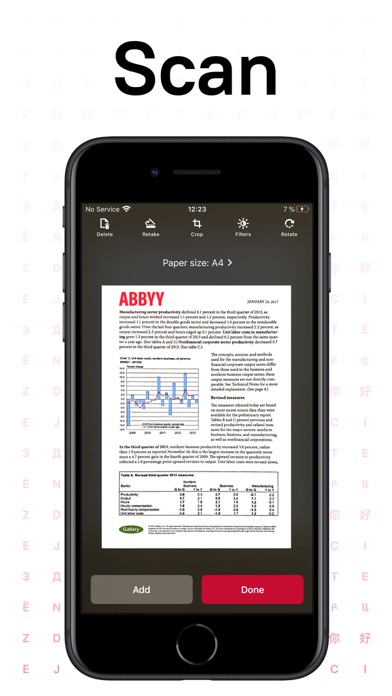
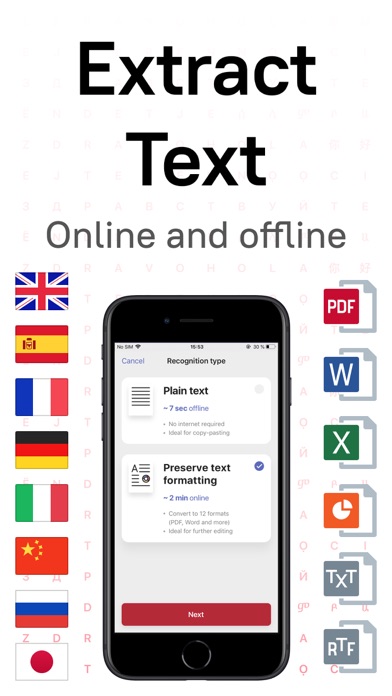
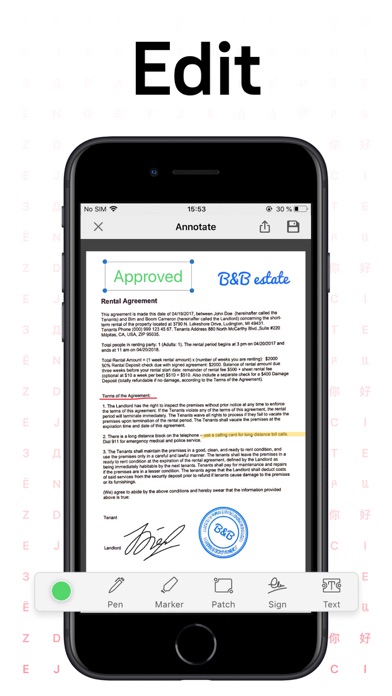
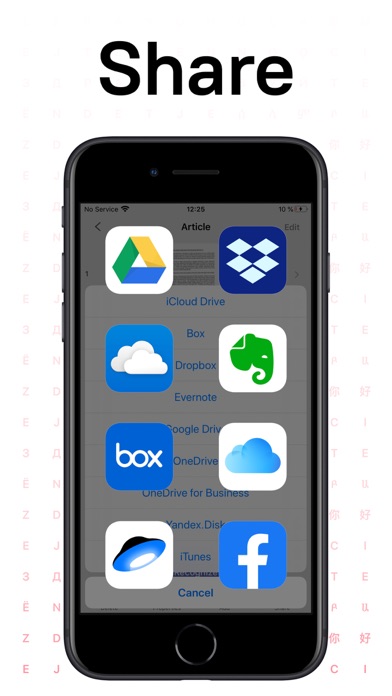
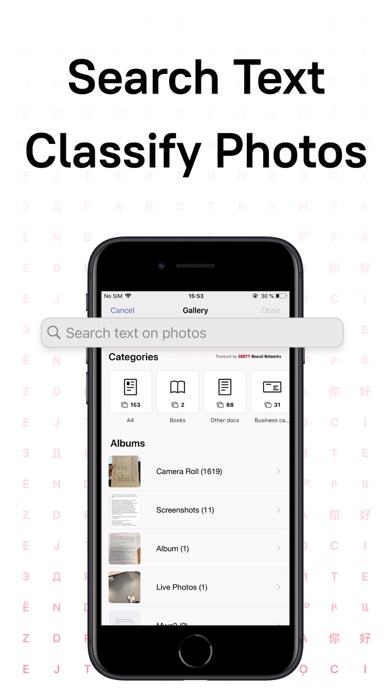
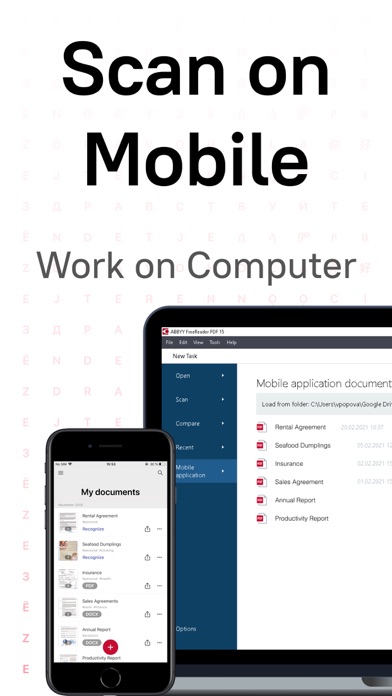
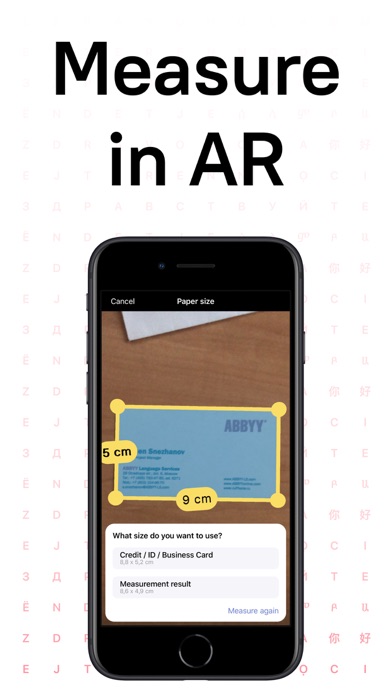
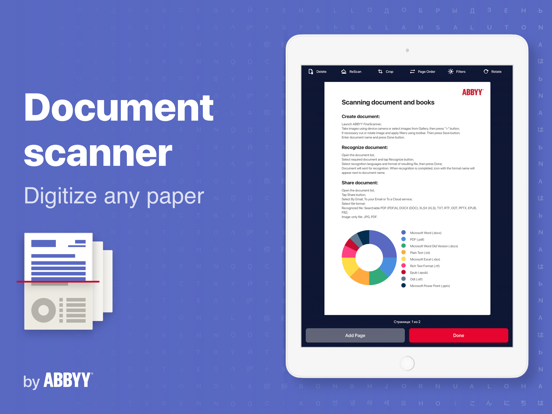
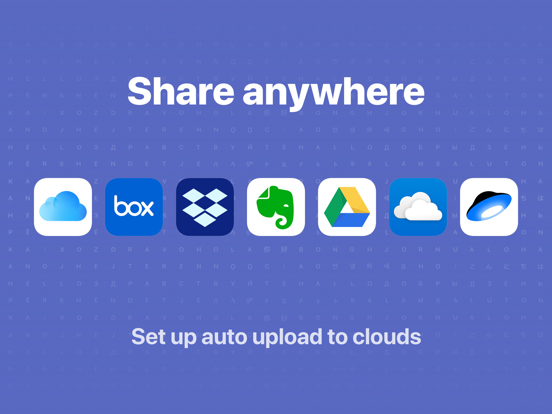
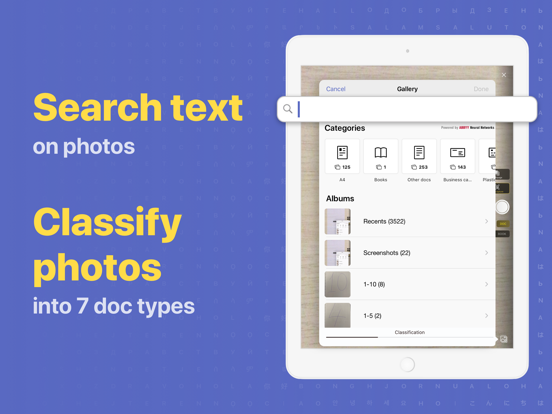
ABBYY FineReader PDF Pro - the first smart AI-powered scanner that turns your mobile device into an all-purpose tool to quickly capture docs and books, create electronic copies in PDF and JPEG, and extract texts from scans for further editing and sharing. FineReader PDF Pro - the top mobile scanner for iPhone or iPad from ABBYY, a Digital Intelligence company. *** Ranked #1 Business application in 98 countries *** *** Winner of SUPERSTAR Award in the "Document Capture" category in the Mobile Star Awards *** Use FineReader PDF Pro to scan paper documents, books, agreements, receipts, magazine articles, notes, recipes, charts, tables, slides, whiteboards, or even billboards on the street and get perfect digital copies. KEY FEATURES • PDF & JPEG. Scan any text and save scans to JPEG images or cross-platform PDF documents. • OFFLINE OCR. Quickly extract text from scans into TXT format on your device without an internet connection. • ONLINE OCR. Recognize text (OCR) on scans in 183 languages (including Latin, Cyrillic, Chinese, Japanese, and Korean alphabets) and choose from among 4 output formats. • SHARE & EXPORT. Send results by email, to FineReader PDF for Windows, save in cloud storages - iCloud Drive, Dropbox, Google Drive, Yandex.Disk, Evernote, OneDrive for Business, and more. • LIVE TEXT. Make phone calls, send emails, follow the links, and more from scanned docs. • ABBYY NEURAL NETWORK. The smart gallery will automatically classify documents into 7 types: A4, books, business cards, handwritten, IDs, other docs, and receipts. • SEARCH TEXT ON PHOTOS. Type the text from a photo into a Search field in the gallery. FineReader PDF Pro will find photos that have this text. • AR RULER. Define doc size in AR. It will be useful for non-standard documents and further printing them out in proper proportions. • SIRI SHORTCUTS. Open scans with Siri and set the flow of actions with scans using Shortcuts app. • ANNOTATE SCANS. Discover a set of easy-to-use tools to modify your PDFs: add your signature or a text box, use a highlighter, write with a pen, or conceal content with the redaction tool. • 3D TOUCH & SPOTLIGHT SEARCH SUPPORT. • PASSWORD ON PDF. Add a password for the image-only PDF files while exporting and sending via email. • MULTIPAGE DOCS. Create, edit, and enhance separate images or large multi-page documents without any additional selection on the viewfinder. • AUTO-CAPTURE AND FILTERS. Excellent visual quality with auto-capture of page boundaries and advanced image filters, which process scans in color, greyscale, or black-and-white versions. • BUILT-IN FILE STORAGE. Save scans inside the app with tags and search capabilities. • Transfer docs to your Mac or PC using Home Sharing. • AIRPRINT. Print out scans directly from your iPhone or iPad. Read us: abbyy.com/blog/mobile Facebook.com/ABBYYsoft Twitter @ABBYY_Software YouTube.com/ABBYYvideos Do you like FineReader PDF Pro? Please leave a review!

See this store page in another country

Prices, ranks and reviews are per country. Revenue above is already worldwide.

More from ABBYY USA Software House Inc

Business Card Reader
Business
20.6K ratingsAnalyze →
FineReader: PDF Scanner & OCR
Business
19.4K ratingsAnalyze →
ABBYY Business Card Reader Pro
Business
2.6K ratingsAnalyze →
FineReader PDF: OCR Converter
Productivity
0 ratingsAnalyze →
Capture Documents
Utilities
2 ratingsAnalyze →
FlexiCapture Client
Business
1 ratingsAnalyze →
ABBYY Content IQ Summit
Business
0 ratingsAnalyze →