← Back to charts
SwiftScan AI Document Scanner icon
APP STORE

SwiftScan AI Document Scanner

Maple Media Apps, LLC · Utilities · United States store
NOT IN TOP 100 HERE
View on App Store ↗ Instagram card Google Play version →
Revenue a month, worldwide EST
$35.4K
Likely $11.8K to $106.1K
▲ 41.1% in 13 days
New ratings
+0
in 1 days, 116.4K in total
Rating
4.8 of 5
18.9K ratings in this store
Countries it ranks in
9
was 7 on Oct 16, 2026

Revenue

Estimated from the grossing charts of Oct 23, 2026 in the 53 countries we track, and ratings growth on the App Store.

EST. REVENUE / YEAR · WORLDWIDE
$424.3K
Not ranked on Google Play in tracked countries
EST. LIFETIME DOWNLOADS
663K to 1.9M
Estimated from ratings count
WHERE IT EARNS · EST. / MONTH
  • Germany #37 Utilities$18.5K · 52%
  • India #57 Utilities$4.5K · 13%
  • Switzerland #51 Utilities$3.9K · 11%
  • Netherlands #68 Utilities$3.5K · 10%
  • Finland #49 Utilities$2K · 6%
  • Belgium #49 Utilities$1.6K · 5%
  • Austria #76 Utilities$686 · 2%
  • Czechia #53 Utilities$607 · 2%
HOW SURE ARE WE
Small app: combines its grossing ranks with ratings growth (772 new ratings a month on average since launch). Tested on 418 apps with verified revenue: typically off by about 2.6 times, so the range is wide. Countries we don't track (and Google Play in China, which doesn't exist) aren't included, and neither are ads or web payments. Gross revenue before store fees.
RATINGS
18.9K
AVG RATING
4.76
PRICE
Free
AGE
12.6y
LAST UPDATE
25d ago
VERSION
9.6.82
SIZE
498 MB
AGE RATING
17+

Last 30 days

From our daily snapshots of every grossing chart and daily ratings counts.

DAYS IN A GROSSING CHART
30 / 30
COUNTRIES NOW
9 (was 2)
NEW RATINGS, LAST 1 DAYS
-1
EST. REVENUE A MONTH, DAILY · BOTH STORES EST
Show daily values
Sep 24, 2026$31.1K a month
Sep 25, 2026$31.3K a month
Sep 26, 2026$31.1K a month
Sep 27, 2026$31.1K a month
Sep 28, 2026$25.1K a month
Sep 29, 2026$25.1K a month
Sep 30, 2026$25.1K a month
Oct 1, 2026$25.1K a month
Oct 2, 2026$24.9K a month
Oct 3, 2026$25.1K a month
Oct 4, 2026$24.9K a month
Oct 5, 2026$24.9K a month
Oct 6, 2026$24.7K a month
Oct 7, 2026$24.9K a month
Oct 8, 2026$24.9K a month
Oct 9, 2026$24.9K a month
Oct 10, 2026$25.1K a month
Oct 11, 2026$25.4K a month
Oct 12, 2026$26.3K a month
Oct 13, 2026$51.4K a month
Oct 14, 2026$86.5K a month
Oct 15, 2026$48.9K a month
Oct 16, 2026$77K a month
Oct 17, 2026$42.6K a month
Oct 18, 2026$58.6K a month
Oct 19, 2026$33.9K a month
Oct 20, 2026$63K a month
Oct 21, 2026$52.4K a month
Oct 22, 2026not in a grossing chart
Oct 23, 2026$35.4K a month
The same estimate as the headline, saved every day. Best rank Sep 24, 2026: #46 Utilities · DE. Now: #37 Utilities · DE.
RATINGS IN THE CORE COUNTRIES, DAILY
Show daily values
Oct 22, 2026116.4K ratings
Oct 23, 2026116.4K ratings
116.4K on Oct 22, 2026, 116.4K on Oct 23, 2026. New ratings track new downloads, even outside the charts.

Money and momentum

Measured from the store, not estimated.

WHAT IT CHARGES
10 purchases listed
  • SwiftScan VIP Monthly$5.99
  • SwiftScan Pro-Full Scanner App$6.99
  • SwiftScan Plus Monthly$7.99
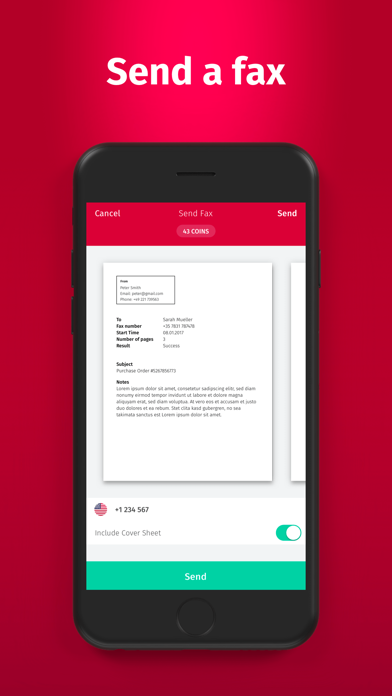
  • Credits to Fax from iPhone$1.99
  • SwiftScan Plus Annual$59.99
  • SwiftScan VIP-Full Scanner App$8.99
  • SwiftScan VIP Annual$34.99
  • SwiftScan Pro 40$3.99
Top in-app purchases as listed on the App Store, in local prices.
REVIEW MOMENTUM
1.2 reviews / week
  • Trendfalling
  • Recent reviews average2.9 stars
  • Recent 1 and 2 star share50%
From the latest 500 written reviews, covering 2911 days. The store only returns this many, so this is the most recent slice.
RELEASE CADENCE
1 update in 90 days
  • Typical gap between releases38 days
From the last 25 versions listed on the App Store.
RATING BREAKDOWN
18.9K ratings
5★86%
4★9%
3★2%
2★1%
1★2%

What users want

From the latest 500 reviews on the United States App Store, Nov 3, 2018 to Sep 10, 2026: 50% are 1 or 2 stars. Open a theme to read what people wrote.

WHAT THEY COMPLAIN ABOUT · SHARE OF BAD REVIEWS
Price and subscription52%

130 of the 1 and 2 star reviews.

★★★★★ Unable to cancel or terminate this app and recurring payment
★★★★★ Not worth the price since I don't use it that often.
★★★★★ Can't get around forced subscription pop up.
Lost data, sync, backup19%

47 of the 1 and 2 star reviews.

★★★★★ However, now years later, the app is not syncing with the iCloud account with iOS.
★★★★★ But now even the existing features have gone downhill.
★★★★★ However, I lost all functionality, features and most importantly my saved documents & files, when they changed their business model.
Worse after an update16%

39 of the 1 and 2 star reviews.

★★★★★ App is updated and i tried deleting app and reinstalling app.
★★★★★ Prior comments: Worked great for about a year, then had some issues where it crashed at every action after a recent update.
★★★★★ Camera stopped working after iOS update 17.4.1.
No customer support12%

29 of the 1 and 2 star reviews.

★★★★★ Google keeps blocking apps use and cannot contact anyone at SwiftScan to fix it
★★★★★ And after several emails to Customer Support resolutions have not resolved the issue.
★★★★★ The good is that it's fast, the bad is that the sign up is extremely cumbersome and the Tech Support is unsatisfactory, and the ugly is that you have to waste your time looking for another product
Bugs, things not working11%

28 of the 1 and 2 star reviews.

★★★★★ Google keeps blocking apps use and cannot contact anyone at SwiftScan to fix it
★★★★★ It lets you crop it, but then when you send it as a PDF, the crop is not at all what you did.
★★★★★ Camera stopped working after iOS update 17.4.1.
Limits, credits, locked features9%

22 of the 1 and 2 star reviews.

★★★★★ Also stupid upsells, links to other apps, asks for your contacts, offers fax with credits.
★★★★★ Liked the app, but now you have to pay to use.
★★★★★ I purchased credit to send a fax from the app and I was charged 15.92 for said credits.
Wrong or poor results7%

18 of the 1 and 2 star reviews.

★★★★★ SwiftScan got super greedy and blocked off all the useful features in the free version, and the subscription model is crazy -expensive. If you've got dumb money, this is the app for you!
★★★★★ Recently however, my scans are now blurry and poor quality to the point of being unusable.
★★★★★ Makes them useless for anything that requires official documentation, which is the whole reason to use this app and not just take a photo of something.
Crashes and freezes6%

14 of the 1 and 2 star reviews.

★★★★★ Prior comments: Worked great for about a year, then had some issues where it crashed at every action after a recent update.
★★★★★ Not sure how to access my docs. Used Settings to offload app then reinstall, no difference.
★★★★★ It will not open and freezes the app.
WHAT THEY ASK FOR
  • Wish it automatically recognized dates and vendors in receipts - For this I use Genius Scan, Fujitsu Scansnap. 4★, Sep 16, 2023
  • If you just need a smooth app to scan pages into a hw pdf to submit then look no further. 5★, Feb 15, 2023
  • The paid version is great for those who need to take a massive about of scans and need more organization but the free version works just fine for getting a pdf into your icloud shwere you can upload the file to any… 5★, Feb 15, 2023
  • Would be nice to opt out of this 1★, Dec 12, 2022
  • We need a way to completely disable the splash screen when entering the app. 3★, Nov 17, 2022
  • I don't need a subscription to snap an image of a document. 1★, Mar 25, 2022
  • Wonder if I can request a refund - it would be nice to see their latest sales push cost them users and money. 1★, Mar 25, 2022
  • We should have more Easter eggs and secret plot twists in utility apps! 5★, Mar 10, 2022
WORDS THAT KEEP COMING UP IN BAD REVIEWS
subscription model20pro version21latest update11features paid7already paid9subscription based8same features6pro features6years ago11business model7features already5stay away6
WHAT THEY LOVE · SHARE OF GOOD REVIEWS
Easy to use18%

39 of the 4 and 5 star reviews.

★★★★★ The app is very smooth and easy to use.
★★★★★ So easy to get a great picture and edit
★★★★★ The app is easy to use and I like the time/date stamp feature in the scanned image file name
Accurate, great results12%

26 of the 4 and 5 star reviews.

★★★★★ The app works great and I love it.
★★★★★ I've been using this app for a few years now and it works great!
★★★★★ Automatically sending copies to other services like Google Drive works well.
Fast7%

15 of the 4 and 5 star reviews.

★★★★★ The app is very smooth and easy to use.
★★★★★ If you just need a smooth app to scan pages into a hw pdf to submit then look no further.
★★★★★ Fast iPhone to pdf scanner with automatic upload.
Worth the money7%

15 of the 4 and 5 star reviews.

★★★★★ The paid version is great for those who need to take a massive about of scans and need more organization but the free version works just fine for getting a pdf into your icloud shwere you can upload the file to any…
★★★★★ Charge me a one time price for your software, one that is fair to you the developer-I don't expect it to be cheap, but please stay away from these monthly subscriptions.
★★★★★ Super easy to use, accurate scans, hassle free way to fax, and all this while maximizing personal privacy and security.
Useful, it helps5%

11 of the 4 and 5 star reviews.

★★★★★ Really appreciate app so helpful; only wish I could adjust color of information scanned otherwise pretty solid and useful.
★★★★★ The app is very smooth and easy to use. I'm looking forward to recycling all my old papers.
★★★★★ The function to automatically upload scans to a google drive folder is a game changer for me.

Found by matching words and phrases in the reviews, not read by a person. A review can count toward more than one theme.

What users say

Latest reviews, United States App Store.

★★★★★Sep 10, 2026
This app stinks

Too many in app purchases. Wouldn’t let me scan more than one document. Do NOT recommend.

★★★★★Aug 6, 2026
Good Software

Nice one to store documents

★★★★★Jul 28, 2026
Great

Amazinggggggg

★★★★★Jun 9, 2026
Light button doesn’t respond

For scanning, no matter how many times I click on the light option to turn on the LED flash, the option does not respond. Light remains gray. Please fix this annoying glitch. My device is an iPhone 13 on the latest iOS 26.5.

★★★★★May 6, 2026
Way to screw up an app over the years

Distracting icons, popups, the save PDF story is clunky with multiple icons and options overlapping instead of suggesting the Files API, auto upload still works as it used to though. Also stupid upsells, links to other apps, asks for your contacts, offers fax with credits. Truly squeezing the 2020 acquisition, eh?

★★★★★Jan 28, 2026
This app could be great

When you create a folder to scan a document into, it doesn’t automatically create that folder in OneDrive. So all files get dumped into the same folder.

Apps like this

Same category, earning about as much.

Store screenshots

ScreenshotScreenshotScreenshotScreenshotScreenshotScreenshotScreenshotScreenshotScreenshotScreenshot

App Store ads

Apple Search Ads this app ran in the last 90 days, from Apple's public ad repository.

STATUS
Running now
FIRST SEEN
Jun 16, 2026
AD VARIATIONS
80
EU COUNTRIES
18
WHERE
Search results in AT, BE, CZ, DE, DK, ES, FI, FR, GR, HR, HU, IE, IT, NL, PL, PT, RO, SE. Formats: Icon + Asset Ad, Icon Ad. Last impression Oct 18, 2026.
AD TEXT
  • Edit & Sign Docs, PDF, OCR Fax
  • Bearbeiten & Unterschreiben
  • Modifier et signer
  • Modifica e firma documenti
  • Documenten bewerken
  • Editar e assinar documentos
Ad creativeAd creativeAd creativeAd creativeAd creativeAd creative

Apple only publishes ads shown in the EU (EU Digital Services Act), with a 7 day delay. An app that advertises only outside the EU shows nothing here.

Growth research

Where this app is buying and earning its users. Each link opens pre filtered.

ASO keywords

Most repeated terms in the listing. Highlighted ones also appear in the title.

documents11scan10swiftscan8scans6save5document5quality4fax4cloud4high quality3pdf jpg3save files3files icloud3icloud drive3cloud services3lightning fast3service maplemedia3turned off3scanner3codes3pdf3translate3summarize3send3

What's new in 9.6.82

A new version of SwiftScan AI is here! Here’s what’s new: - New Widgets — Get quick access to your recent scans. Also available in an Extra Large widget on iOS 27. - Family Sharing - Current SwiftScan Plus subscription products now include the ability to share your subscription with up to 5 others. - More Scan Sizes — Easily scan documents in the right size, with new options for driver’s licenses, receipts, passports, & more. - Crop All Pages — Crop all pages in a multi-page document at once for faster, easier editing. - iPhone Duo Optimizations - Initial optimizations ahead of the iPhone Duo launch. - Improved Merge & Reorder — Streamlined the merge and document reordering experience for a smoother workflow. - General optimizations & stability improvements. Thanks for using SwiftScan AI! Have questions or feedback? Email us at contact@maplemedia.io for fast & friendly support.

Released Apr 3, 2014. Current version shipped Sep 28, 2026.

Store description

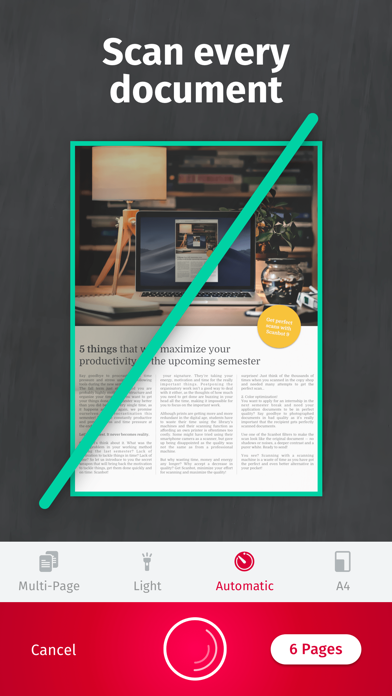
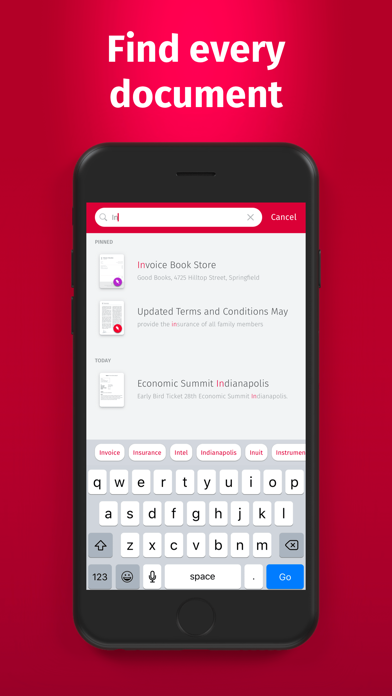
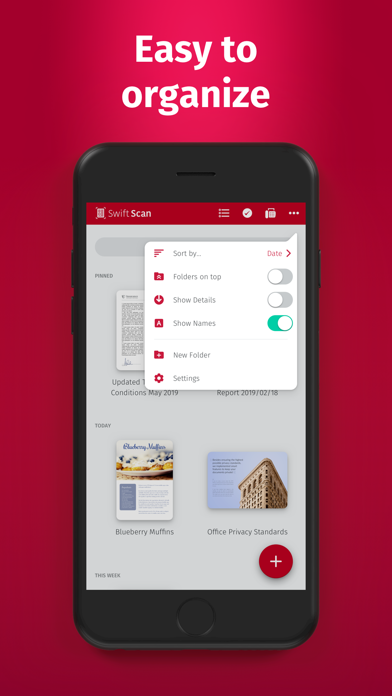
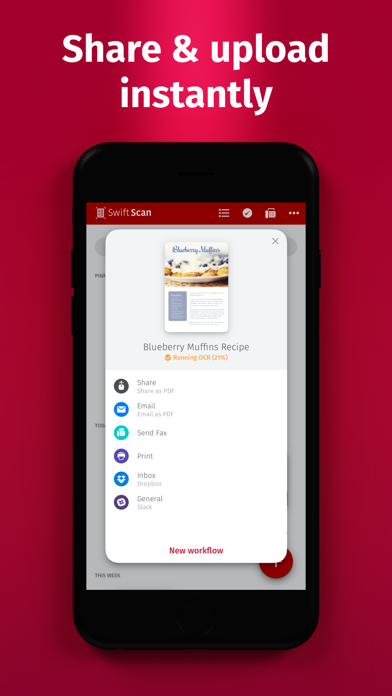
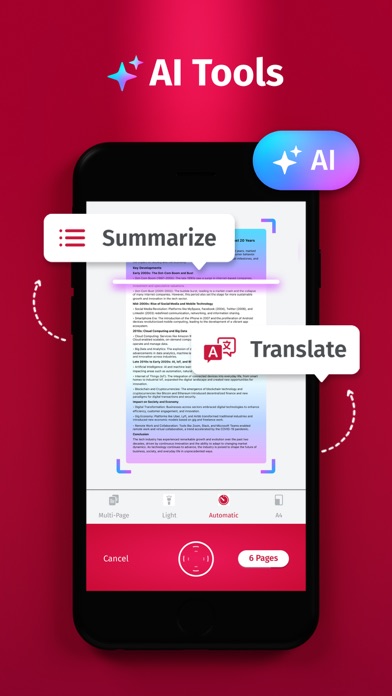
SwiftScan AI is the best mobile scanner app for documents and QR codes. Create free, high-quality PDF or JPG scans with just one tap. Use smart AI Tools to translate scans into other languages, or to summarize into brief overviews or generate longer reports. Send files via email or as a fax. Save files to iCloud Drive, Box, Dropbox, Evernote and other cloud services. SwiftScan AI packs all the power of a desktop scanner into one tiny scanner app! SwiftScan AI Features – Scan, sign, edit, save & send, summarize, translate, fax, and more! - Scan premium quality PDFs or JPGs with 200 dpi and higher - Advanced AI Tools to summarize your documents for quick comprehension, or even translate documents to another language - OCR: AI-powered OCR can extract the text of your scans to search, copy, and lookup to find things fast - Fax: send your documents as a fax right from SwiftScan - Cloud integration: save files to iCloud Drive, Dropbox, Google Drive and other cloud services - Scan QR codes: URLs, Contacts, Phone Numbers - Home Screen Widget: Shortcut widget provides instant access to scan, search, or view recent documents - Lightning fast: automatic edge detection and scanning - Scan single & multi-page documents - Enhance your scans: apply color, grayscale or black & white filters with automatic optimization - Add text, comments, annotations, or draw on documents - Insert e-signature, redact text, add pages - WebDAV and FTP, sFTP and FTPs - Edit documents: Move, rotate, add or delete pages - Encryption: PDF password protection - Passcode protection with Touch/Face ID support - Beautiful themes: select your preferred look and feel - Smart file naming based on tags you select, like dates, keywords, and more - One-tap email and print workflows Scan PRIVACY SAFE SwiftScan AI values your privacy. We will never store or save your documents, or use them for any purpose. All document-related activity happens on your device, or with the cloud backup provider you choose. Scan HIGH-QUALITY SwiftScan AI uses the most advanced scanning technology. Scans start at 200 dpi, premium quality comparable to desktop scanners. Various color modes, auto-optimization and blur-reduction help you to get the most out of your scans. Scan QUICKLY SwiftScan AI is lightning fast and incredibly easy. Hold your iPhone over any document, receipt, whiteboard, notebook, or QR code to scan and save it as a PDF or JPG quickly. The edges of the document are automatically identified so that only the document itself is scanned. It captures the best possible image in the perfect moment. Scan ANYTHING SwiftScan AI works with any type of document, from paper documents to business cards, QR codes, barcodes, notes- even whiteboards or post-its. It saves the documents that are important for you and gets rid of paper clutter. --- CONTACT & SUPPORT --- Learn more: https://maplemedia.io/ Get in touch: support@swiftscanapp.com --- LEGAL --- Terms of Service: https://maplemedia.io/terms-of-service/ Privacy Policy: https://maplemedia.io/privacy/ Subscription Terms: Payment for subscriptions will be charged to your Apple Account at confirmation of purchase. Subscription automatically renews unless auto-renew is turned off at least 24-hours before the end of the current period. Account will be charged for renewal within 24-hours prior to the end of the current period, and identify the cost of the renewal. Subscriptions may be managed by the user and auto-renewal may be turned off by going to the user's Account Settings after purchase. Any unused portion of a free trial period will be forfeited when the user purchases a subscription to that publication.

See this store page in another country

Prices, ranks and reviews are per country. Revenue above is already worldwide.

More from Maple Media Apps, LLC

Pic Stitch - Collage Editor
Photo & Video
66.3K ratingsAnalyze →
Photo Editor
Photo & Video
43.1K ratingsAnalyze →
Fooducate: Nutrition Coach
Health & Fitness
77.5K ratingsAnalyze →
Minesweeper Puzzle Bomb
Games
65.6K ratingsAnalyze →
1967: Retro Filters & Effects
Photo & Video
33.6K ratingsAnalyze →
Private Browser Deluxe
Utilities
13.7K ratingsAnalyze →
Sudoku :)
Games
59.1K ratingsAnalyze →
Lomograph - Retro Photo Editor
Photo & Video
37.4K ratingsAnalyze →
Stocks+ app
Finance
45.3K ratingsAnalyze →