ASO keywords
Most repeated terms in the listing. Highlighted ones also appear in the title.
photo13photos12collage10design9creative9create8carousel8text stickers8add7unroll6layouts6choose6backgrounds6designs6grids5text5stickers5posts5customize5elements5layout5stickers drawings5photo dumps5add text5
What's new in 1.0.4
Thanks for creating carousels, collages, stories, and posts with the Unroll app!
We’re always working to make Unroll smoother, faster, and better for your creativity. This update includes:
[New]
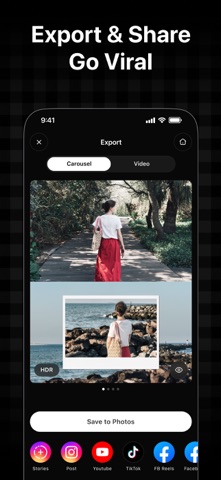
• Choose your preferred export format with our redesigned export experience.
• Sort templates by slide and photo count to find the perfect design faster.
[Optimized]
• Enjoy more precise element alignment with improved snapping.
[Fixes]
• Bug fixes and performance improvements.
Love Unroll? Rate us on the App Store! Your feedback helps us make the app even better.
Have questions, found a bug, or have an idea for a new feature? Contact us at support@pixeltouch.net or tap Contact Support in the app’s Settings.
Keep creating. Keep sharing. Keep it Unroll!
Released Sep 23, 2026. Current version shipped Oct 21, 2026.
Store description
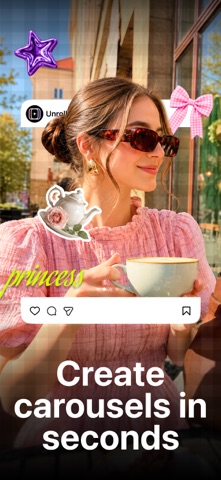
A photo is a moment. Unroll makes it a whole story. Design seamless carousels, photo collages, and creative photo stories with a wide range of templates, grids, text, stickers, drawings, and other creative tools. Arrange your photos, experiment with different layouts, and add your own touches to make each design your own.
From panoramic Instagram posts and multi-slide stories to scrapbook collages, mood boards, and photo dumps, Unroll gives you the creative freedom to bring your favorite moments together in new ways. Choose a ready-to-use template or build your own design from scratch, customize backgrounds, arrange and edit every element, and create eye-catching designs that are ready to share.
KEY FEATURES:
- Design seamless Instagram carousel posts
- Create photo collages with grids and freestyle layouts
- Combine photos in creative layouts
- Explore customizable templates and collage designs
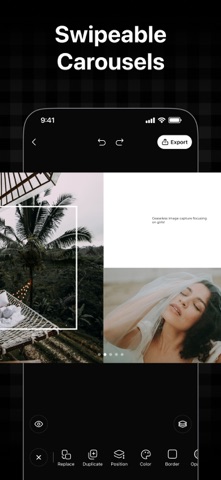
- Split wide photos into panoramic carousel posts
- Create multi-page stories and carousel designs
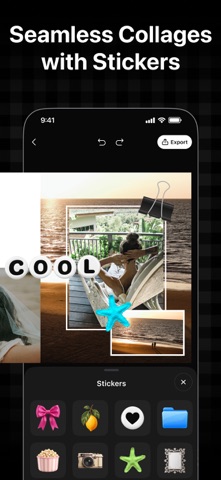
- Add text, stickers, drawings, and other creative elements
- Create photo cutouts and remove backgrounds
- Customize backgrounds with colors, gradients, and more
- Reorder, duplicate, and delete slides easily
- Use smart snapping to align photos and elements
- Design scrapbook collages, mood boards, and photo dumps
- Export and share your designs on social media
CAROUSEL MAKER
Design carousels that flow from one slide to the next. Split a wide photo across multiple slides, connect images in a continuous layout, or create panoramic posts that reveal more as you swipe. Make travel posts, photo dumps, portfolios, and other social content with layouts designed to work together.
TEMPLATES & LAYOUTS
Start with a ready-made template or build your own layout from scratch. Explore a variety of styles across Trends, Recaps, Travel, Celebrations, Paper, Scrapbook, Instant, and Seasonal collections. Add your photos, adjust the layout, and customize the details to make each design your own.
PHOTO COLLAGE MAKER
Combine your favorite photos in layouts that suit your style. Choose from photo grids and collage templates, or start with a freestyle collage from scratch for more creative control. Experiment with photo arrangements and layers to create everything from simple grids to more expressive collage designs.
CREATIVE COLLAGE EDITOR
Add the finishing touches to your designs with text, stickers, drawings, and photo cutouts. Remove backgrounds to make subjects stand out, experiment with colors and gradients, and use smart snapping to align elements neatly. Fine-tune the placement and size of each element to get your layout just right.
How to Create a Carousel?
Turn your photos into a seamless carousel in just a few steps:
- Open the Unroll app
- Choose Carousel
- Select a ratio and number of slides
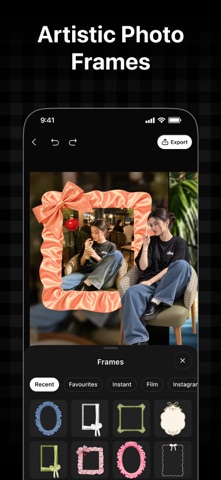
- Add frames or grids
- Choose your photos by tapping +
- Arrange and customize your photos as needed
- Add text, stickers, backgrounds, and creative elements
- Export and share your carousel
How to Create a Collage?
Turn your photos into a beautiful collage in just a few steps:
- Open the Unroll app
- Choose Collage
- Select a grid layout
- Choose your photos by tapping +
- Arrange and customize your photos as needed
- Add text, stickers, backgrounds, and creative elements
- Export and share your collage
Terms of Use:
https://unroll.design/legal/terms/
Privacy Policy:
https://unroll.design/legal/privacy/
Disclaimer: This app is free to download, with full functionality available to all users.
See this store page in another country
Prices, ranks and reviews are per country. Revenue above is already worldwide.