← Back to charts
Blur Video - AI Blur Maker icon
APP STORE

Blur Video - AI Blur Maker

Sohel Ibna Saad · Photo & Video · United States store
NOT IN TOP 100 HERE
View on App Store ↗ Instagram card
Revenue a month, worldwide EST
$3.6K
Likely $1.2K to $10.9K
New ratings
Tracking
Daily counts start building from today
Rating
4.6 of 5
2K ratings in this store
Countries it ranks in
0
was 0 on Oct 18, 2026

Revenue

Estimated from the grossing charts of Oct 25, 2026 in the 53 countries we track, and ratings growth on the App Store.

EST. REVENUE / YEAR · WORLDWIDE
$43.5K
136 new ratings a month on average since launch
EST. LIFETIME DOWNLOADS
69K to 197K
Estimated from ratings count
WHERE ITS USERS ARE · SHARE OF RATINGS
  • United States 2K ratings23%
  • France 1.2K ratings14%
  • Japan 941 ratings11%
  • Saudi Arabia 870 ratings10%
  • United Kingdom 471 ratings6%
  • Brazil 380 ratings5%
  • Turkey 318 ratings4%
  • Mexico 287 ratings3%
HOW SURE ARE WE
Not in any grossing chart, so this comes from ratings growth (136 new ratings a month on average since launch): revenue grows with new ratings, more slowly for apps that collect ratings fast. Tested on 418 apps with verified revenue: typically off by about 2 times, and big earners tend to come out low. Countries we don't track (and Google Play in China, which doesn't exist) aren't included, and neither are ads or web payments. Gross revenue before store fees.
RATINGS
2K
AVG RATING
4.58
PRICE
Free
AGE
5.1y
LAST UPDATE
51d ago
VERSION
2.1.5
SIZE
219 MB
AGE RATING
4+

Last 30 days

From our daily snapshots of every grossing chart.

DAYS IN A GROSSING CHART
1 / 30
COUNTRIES NOW
0 (was 0)
EST. REVENUE FROM CHARTS, DAILY · APP STORE ONLY EST
Show daily values
Sep 26, 2026not in a grossing chart
Sep 27, 2026not in a grossing chart
Sep 28, 2026not in a grossing chart
Sep 29, 2026not in a grossing chart
Sep 30, 2026not in a grossing chart
Oct 1, 2026not in a grossing chart
Oct 2, 2026not in a grossing chart
Oct 3, 2026not in a grossing chart
Oct 4, 2026not in a grossing chart
Oct 5, 2026not in a grossing chart
Oct 6, 2026not in a grossing chart
Oct 7, 2026not in a grossing chart
Oct 8, 2026not in a grossing chart
Oct 9, 2026not in a grossing chart
Oct 10, 2026not in a grossing chart
Oct 11, 2026not in a grossing chart
Oct 12, 2026not in a grossing chart
Oct 13, 2026not in a grossing chart
Oct 14, 2026not in a grossing chart
Oct 15, 2026not in a grossing chart
Oct 16, 2026$7.4K · 1 country
Oct 17, 2026not in a grossing chart
Oct 18, 2026not in a grossing chart
Oct 19, 2026not in a grossing chart
Oct 20, 2026not in a grossing chart
Oct 21, 2026not in a grossing chart
Oct 22, 2026not in a grossing chart
Oct 23, 2026not in a grossing chart
Oct 24, 2026not in a grossing chart
Oct 25, 2026not in a grossing chart
Best rank Sep 26, 2026: not ranked. Now: not ranked. Days at zero are days outside every grossing chart.

Money and momentum

Measured from the store, not estimated.

WHAT IT CHARGES
10 purchases listed
  • Blur Video PRO$4.99
  • Blur Video PRO$6.99
  • Blur Video Premium$2.99
  • Blur Video Premium$9.99
  • Blur Video PRO$19.99
  • Blur Video PRO$5.99
  • AI Video 400 Coins Pack$7.99
  • AI Video 900 Coins Pack$15.99
Top in-app purchases as listed on the App Store, in local prices.
REVIEW MOMENTUM
0.2 reviews / week
  • Trendrising
  • Recent reviews average3.4 stars
  • Recent 1 and 2 star share41%
From the latest 63 written reviews, covering 1869 days.
RELEASE CADENCE
5 updates in 90 days
  • Typical gap between releases16 days
From the last 25 versions listed on the App Store.
RATING BREAKDOWN
2K ratings
5★83%
4★6%
3★3%
2★2%
1★6%

What users want

From the latest 63 reviews on the United States App Store, Sep 12, 2021 to Oct 17, 2026: 41% are 1 or 2 stars. Open a theme to read what people wrote.

WHAT THEY COMPLAIN ABOUT · SHARE OF BAD REVIEWS
Price and subscription27%

7 of the 1 and 2 star reviews.

★★★★★ It cost money for everything.
★★★★★ Why do I need to spend money to track an object also the quality is trash 480 Hp really InShot is better then this
★★★★★ i paid for pro and it doesn't work any better and wasted money
Crashes and freezes12%

3 of the 1 and 2 star reviews.

★★★★★ crashes when you try to save a video
★★★★★ the commands stopped working and it's freezing constantly.
★★★★★ But it crashes as soon as you try to save all the work you did.
Bugs, things not working12%

3 of the 1 and 2 star reviews.

★★★★★ i paid for pro and it doesn't work any better and wasted money
★★★★★ the commands stopped working and it's freezing constantly.
★★★★★ Tried the free trial, and it was supposed to blur faces but goes in and out, so you can still see all the faces for a few seconds. Canceled free trial.
Limits, credits, locked features8%

2 of the 1 and 2 star reviews.

★★★★★ don't just don't you have to pay for EVERYTHING
★★★★★ I'm having trouble making the blur, blur moving objects when I tried it it was locked in place please tell me what to do with this
WHAT THEY ASK FOR
  • I wish I can trim clip's length while I'm putting blur on them (don't know if you can do that already). 4★, Jun 18, 2026
  • I wish it was something that could help me to not have to do it by second by second because AI tracking isn't fool proof however as long as I got the time it's pretty easy 5★, Mar 11, 2026
  • See it's a really good app to blur stuff out fr but i just don't like the fact you can't un-blur it…like i wish you can un-blur it 3★, Aug 4, 2023
WORDS THAT KEEP COMING UP IN BAD REVIEWS

Nothing stands out.

WHAT THEY LOVE · SHARE OF GOOD REVIEWS
Easy to use19%

7 of the 4 and 5 star reviews.

★★★★★ Worth the $20 a year especially for car content!
★★★★★ You can try this app it's very good and easy to use
★★★★★ I wish it was something that could help me to not have to do it by second by second because AI tracking isn't fool proof however as long as I got the time it's pretty easy
Worth the money14%

5 of the 4 and 5 star reviews.

★★★★★ Does exactly what it says it does and considering it's free I would say this app is one of the best for blurring out certain portions of videos like license plates.
★★★★★ Thank you to the developers that has allowed us access to this awesome hassle free app.
★★★★★ This quality app for free, no in app purchases seen, no subscription… it sounds too good to be true, but it's not.
Accurate, great results6%

2 of the 4 and 5 star reviews.

★★★★★ I love that I'm now able to blur faces in my videos as a photojournalist some people like privacy
★★★★★ This quality app for free, no in app purchases seen, no subscription… it sounds too good to be true, but it's not.
Fast6%

2 of the 4 and 5 star reviews.

★★★★★ The ease of figuring out how to use whichever option is smooth.

Found by matching words and phrases in the reviews, not read by a person. A review can count toward more than one theme.

What users say

Latest reviews, United States App Store.

★★★★★Oct 17, 2026
Best blur feature

Really impressed with this app. I needed a way to cover up faces and sensitive details in my video clips, and this app handled moving objects perfectly. Multiple blur layers, great controls.

★★★★★Aug 22, 2026
Good Blurr editing!

I love the other app too! Try this rn bro!

★★★★★Aug 21, 2026
So easy

Worth the $20 a year especially for car content!

★★★★★Aug 19, 2026
😡

It didn’t work

★★★★★Aug 19, 2026
Did not work

I downloaded the app and then when I click the app it kicked me out of the app i clicked it again and again and it did nothing and kick me out of the game

★★★★★Aug 16, 2026
1!!

You think I’m rating this good? Hell no, I ain’t paying for some like premium!!!

Apps like this

Same category, earning about as much.

Store screenshots

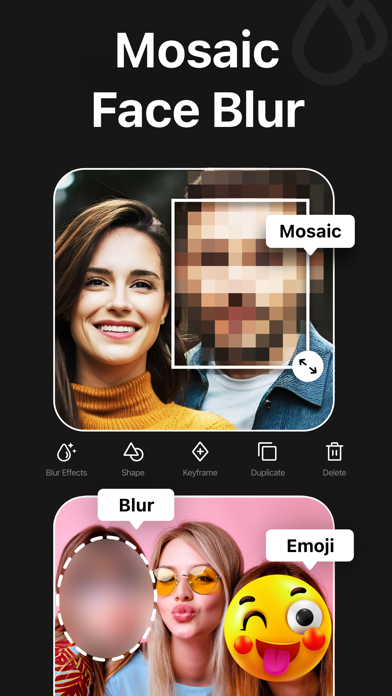
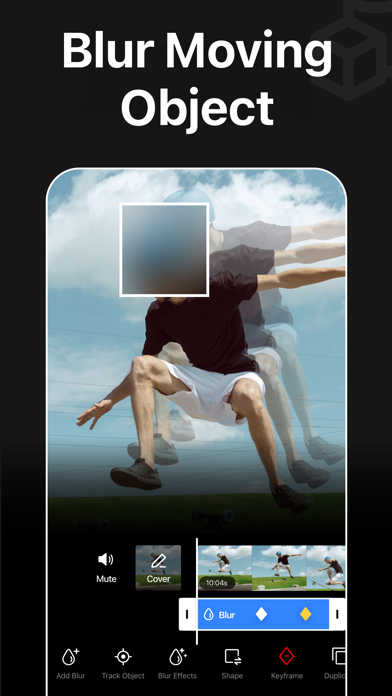
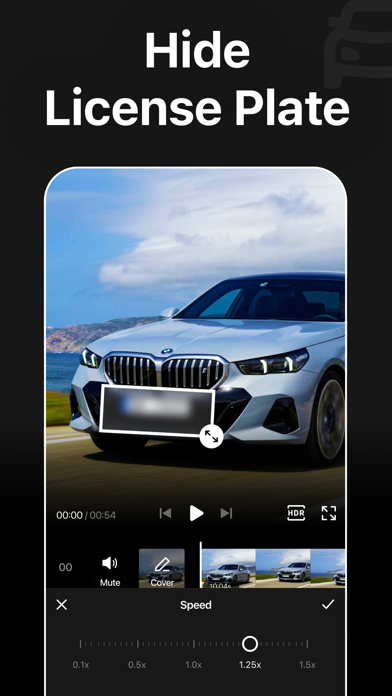
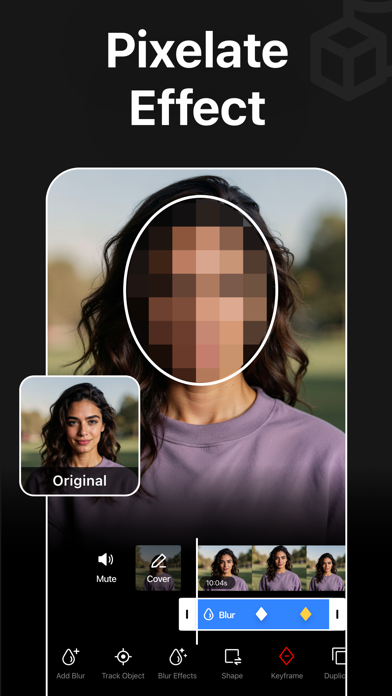
ScreenshotScreenshotScreenshotScreenshotScreenshotScreenshotScreenshotScreenshotScreenshotScreenshot

App Store ads

Apple Search Ads this app ran in the last 90 days, from Apple's public ad repository.

STATUS
Running now
FIRST SEEN
Jul 18, 2026
AD VARIATIONS
42
EU COUNTRIES
6
WHERE
Search results in BE, DE, FR, GR, IT, NL. Formats: Icon + Asset Ad, Icon Ad. Last impression Oct 20, 2026.
AD TEXT
  • Motion Blurr, Mosaic Effect
  • Mosaique Video, Flouter Visage
  • Mosaïque Video, Flouter Visage
  • Verwischen,Unschärfe,Zensieren
  • IA Sfocatura Faccia e Effetti
  • Motion Effects, Blurry Editor
Ad creativeAd creativeAd creativeAd creativeAd creativeAd creative

Apple only publishes ads shown in the EU (EU Digital Services Act), with a 7 day delay. An app that advertises only outside the EU shows nothing here.

Growth research

Where this app is buying and earning its users. Each link opens pre filtered.

ASO keywords

Most repeated terms in the listing. Highlighted ones also appear in the title.

blur20video18videos14faces10mosaic8blur faces6faces videos6objects6automatically5blur video5moving objects5blurring4moving4background4gaussian pixelate3blur effects3mosaic blur3automatically blur3blur background3objects videos3face blur3access features3pixeltouch net3net blurvideo3

What's new in 2.1.5

[New] • Now you can zoom in on your videos to apply blur more precisely. • You can now add subtitles to your videos with our new Captions feature. • You can now create engaging videos with the new Reel Maker feature. [Fixes] • Bug fixes and performance improvements.

Released Sep 12, 2021. Current version shipped Sep 4, 2026.

Store description

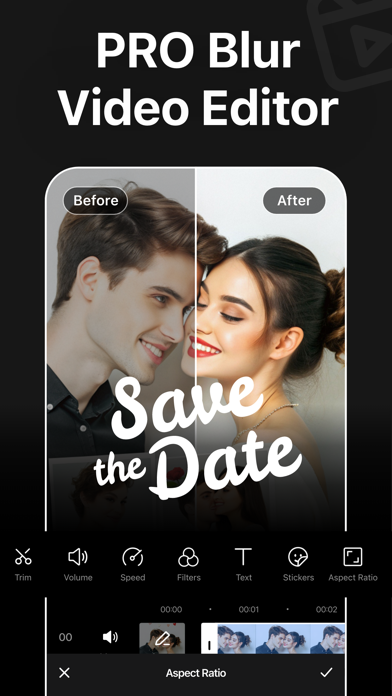
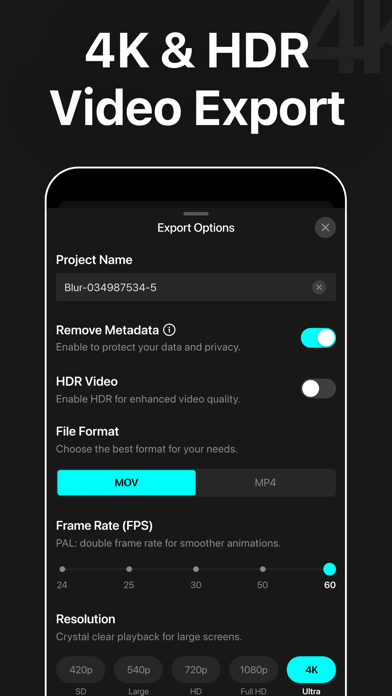
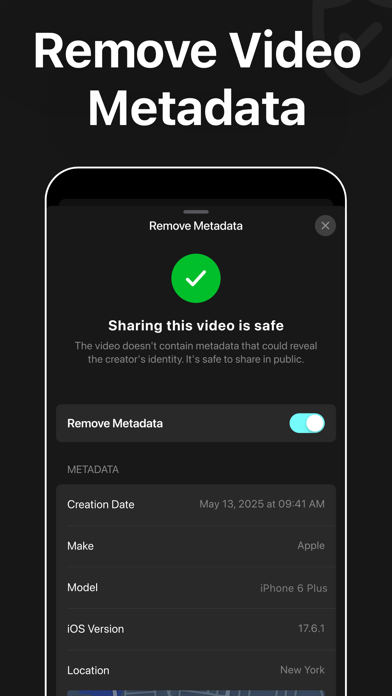
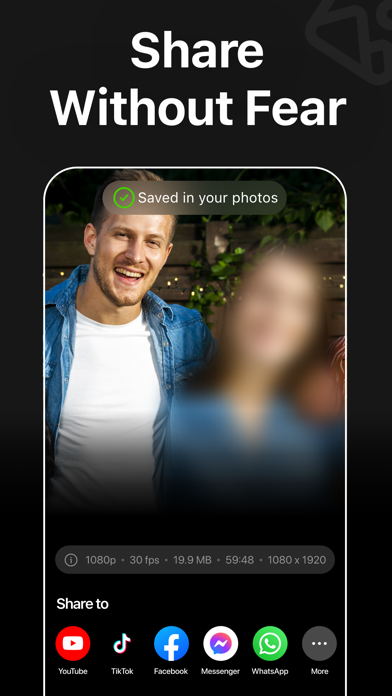
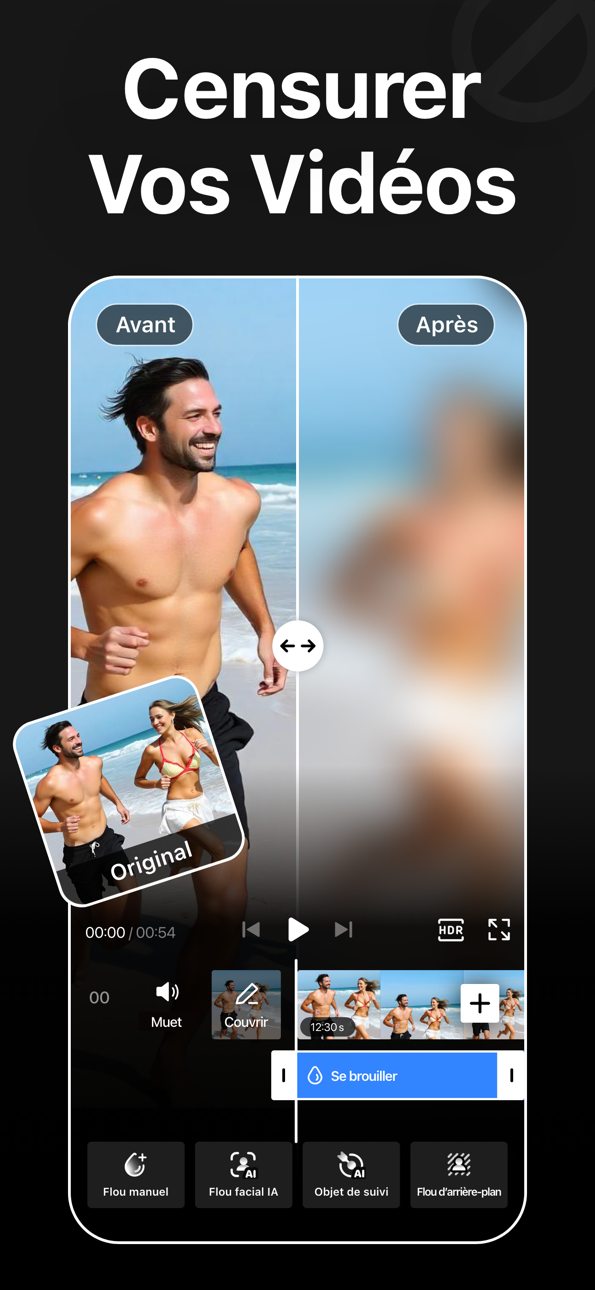
Blur Video is one of the best video mosaic + blurring apps for iPhone that lets you quickly hide people, faces, backgrounds, text, logos, car license plates, or any objects in a video like a pro. This all-in-one video editor lets you blur videos, generate AI videos from photos, and create engaging videos with professionally designed templates. Add stickers, text, and drawings to give every video a unique touch. Key Features: - Gaussian and Pixelate blur effects - Mosaic and blur faces in videos quickly and intelligently - Detect and track moving objects using AI - Automatically blur the background with AI subject detection - Rectangle and oval mosaic shapes - Use color, emoji, or photos to censor - Adjust mosaic intensity with precision - Use video keyframes to hide moving objects manually - Apply multiple stickers to your videos - Add custom text overlays over video - Export videos in 480p, 540p, 720p, 1080p and 4K resolution - Save in MP4 or MOV video format - HDR export for enhanced video quality - Remove metadata to protect data and privacy - Turn your imagination into videos using AI Video Generator - Create trendy content in seconds using premium templates - Share videos directly to Instagram, TikTok, Facebook, YouTube, and more Robust Video Blurring Blur Video app simplifies the whole blurring process. Censor faces or track objects in your videos with advanced artificial intelligence. Getting blurry faces or censored videos has never been this simple. AI Face Blur Automatically blur faces in your videos using intelligent AI detection. The mosaic app instantly identifies faces and keeps them accurately tracked throughout the entire clip, ensuring consistent, seamless blurring without any manual effort or setup. Mosaic Multiple Moving Objects Blur multiple objects in your videos with ease. Use AI-powered tracking to automatically follow moving elements, or take full control with manual keyframe tracking. Simply place keyframes where you want to hide content and fine-tune the position as the video plays for precise, professional results. Smart AI Background Blur Instantly blur the background while keeping your subject sharp and in focus. Advanced AI detection intelligently separates people from their surroundings and applies a smooth blur effect to the background. How to mosaic + blur faces in a video using the Blur Video app? With this app, you can get censored faces in videos without any hassle. Just follow the steps below to know how to blur faces in videos easily. - Open the app - Select a video from Photos - Tap the AI Face Blur button to automatically mosaic all faces - Select the blur for more control - Choose the blur shape: rectangular or oval - Change the blur effects from Overlay to Gaussian or Pixelate - Adjust the intensity of your blur with the slider - After getting the desired output, tap on the Export button to save the video Auto-Renewable Subscription Terms: Subscribe to access premium features. AI Video Generation requires Coins, available as separate in-app purchases. • Subscription Length: Weekly, Yearly • Payment is charged to your Apple ID account at confirmation of purchase. • A subscription with a free trial will automatically renew to a paid subscription unless canceled at least 24 hours before the end of the trial period. • Your Apple ID account will be charged for renewal within 24 hours before the end of the current subscription period. • You can manage or cancel subscriptions from your App Store account settings. • Any unused portion of a free trial, if offered, will be forfeited when you purchase a subscription. • By signing up for this subscription, you agree to our Terms of Use and Privacy Policy. Terms of Use: https://pixeltouch.net/blurvideo/legal/terms-of-use Privacy Policy: https://pixeltouch.net/blurvideo/legal/privacy-policy Disclaimer: This app is free to download, but a subscription is required to access premium features.

See this store page in another country

Prices, ranks and reviews are per country. Revenue above is already worldwide.

More from Sohel Ibna Saad

Blur Photo Editor
Photo & Video
10.6K ratingsAnalyze →
PixelLab: AI Background Eraser
Graphics & Design
266 ratingsAnalyze →
Inva: Invitation Maker + RSVP
Graphics & Design
237 ratingsAnalyze →
Dark Table - Presets for LR
Graphics & Design
94 ratingsAnalyze →
Vidz: Reels Templates & Maker
Photo & Video
192 ratingsAnalyze →
Unroll: Carousel Collage Maker
Graphics & Design
33 ratingsAnalyze →
AI Art: AI Photo Generator
Graphics & Design
81 ratingsAnalyze →
KapiCam - Filters for Pictures
Graphics & Design
55 ratingsAnalyze →