ASO keywords
Most repeated terms in the listing. Highlighted ones also appear in the title.
video12later12generation later10generation9pro inch6imovie6add6create5choose5pro5later pro5style4movies4videos4music4photos4movie4inch4hollywood style3style trailers3beautiful movies3imovie create3titles transitions3transitions music3
What's new in 3.0.5
• Fixes an issue where setting permissions for Photos library access could freeze iMovie.
Released Jun 24, 2010. Current version shipped Dec 16, 2024.
Store description
With a streamlined design and intuitive Multi-Touch gestures, iMovie lets you create Hollywood-style trailers and beautiful movies like never before.
Instantly create Magic Movies
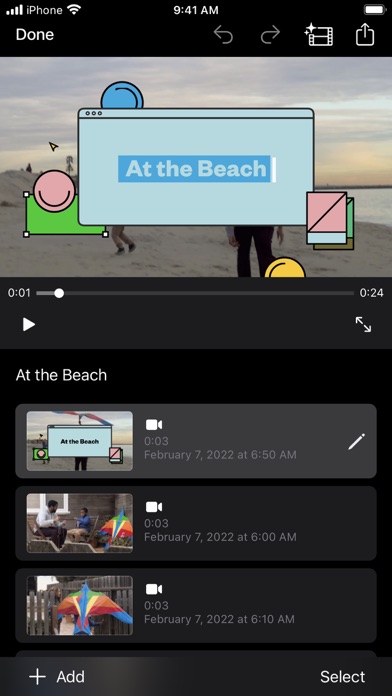
• With just a few taps, you can create and share a beautiful, custom video
• Select an album or group of videos or images and iMovie will create a video for you—no video editing required—with titles, transitions, and music
• Easily rearrange or delete clips in the simplified shot list
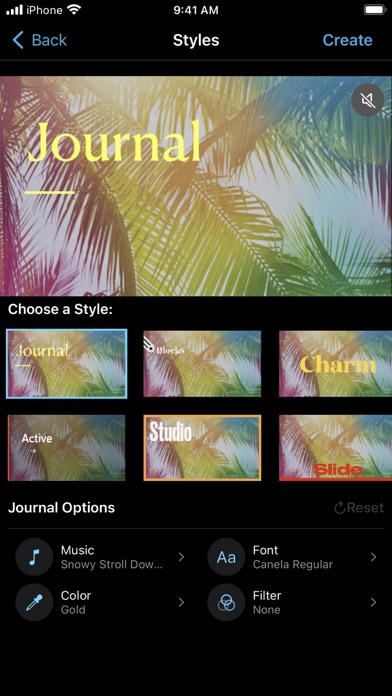
• Apply a different style to change up the look and feel of the whole video
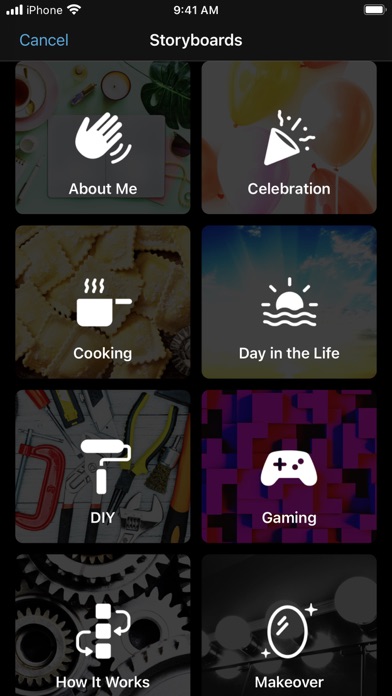
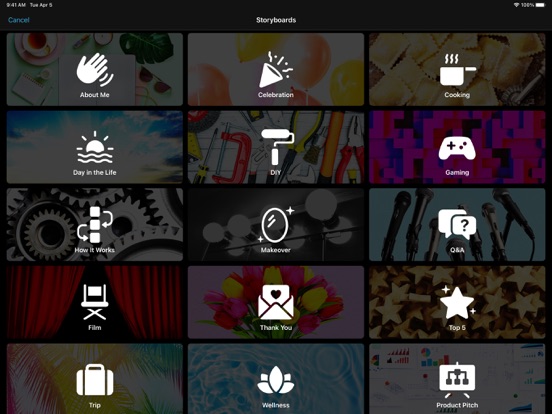
Learn storytelling with Storyboards
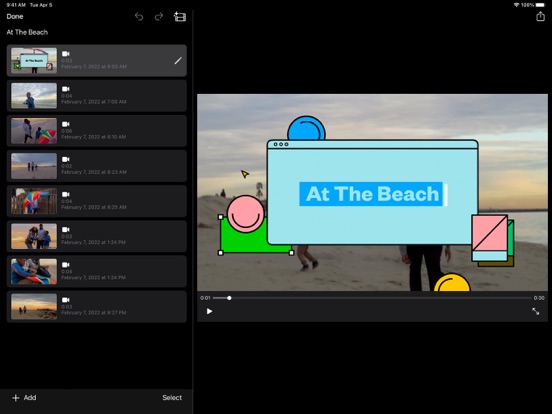
• Choose from 20 Storyboards that help you get started with popular video types
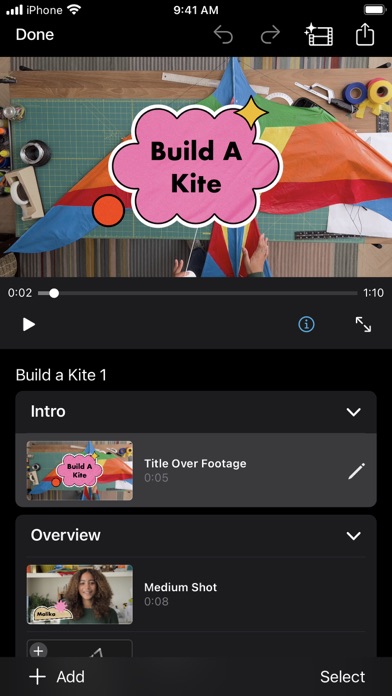
• Record video or take photos right into each placeholder clip, or add media from your Photos library
• Add, reorder, and delete clips as needed to organize and customize your story
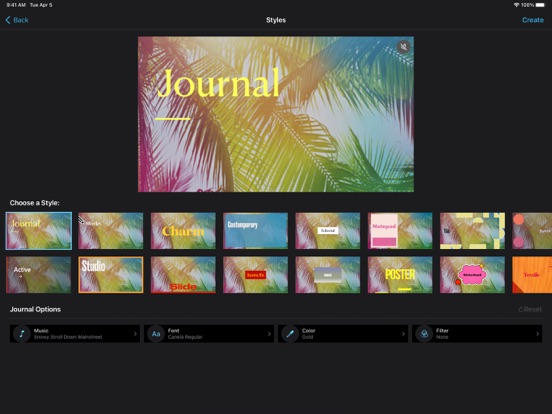
• Apply a dynamic visual style that includes title layouts, fonts, filters, color palettes, and music
Make Hollywood-style trailers
• Choose from 14 trailer templates with stunning graphics and original scores by some of the world’s top film composers
• Customize movie studio logos, cast names, and credits
• Select videos and photos for your trailer or record video right in iMovie
Create beautiful movies
• Choose from 8 unique themes with matching titles, transitions, and music
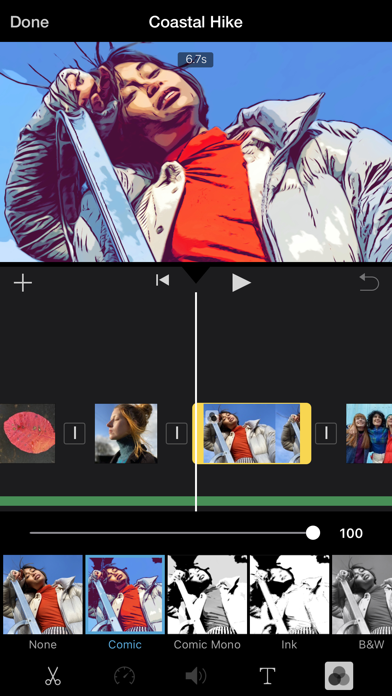
• Give your movie the perfect look with 13 Apple-designed video filters
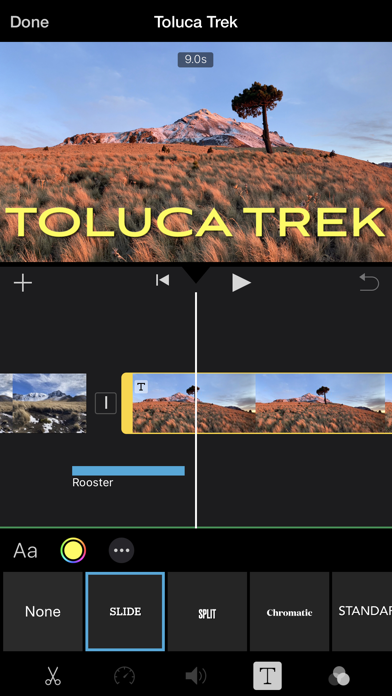
• Choose from 11 animated title styles like Split, Reveal or Pop-up
• Adjust any title by changing its font, color, size, location, and more
• Add solid, gradient, and patterned backgrounds to your movie
• Import and edit video captured in Cinematic mode on iPhone 13 or later
• Add, adjust, and delete focus points and modify the depth of field effect in video recorded in Cinematic mode*
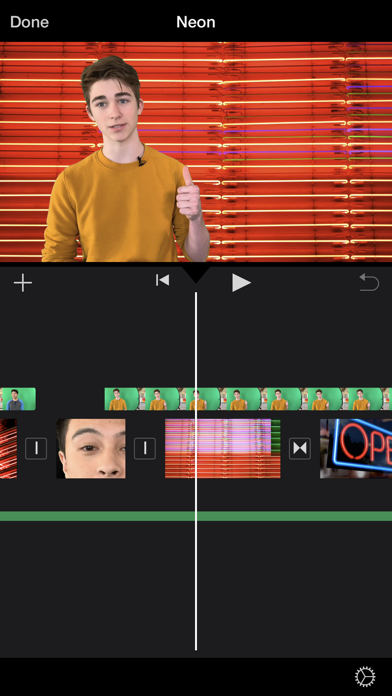
• Easily add picture in picture, green screen, and split screen effects
• Select from more than 130 soundtracks that automatically adjust to the length of your movie
• Add sound effects, songs from your music library, and your own narration
• Connect a keyboard and use simple shortcuts to edit movies quickly
• Connect a trackpad or mouse to iPad for fast and accurate moviemaking
iMovie everywhere
• Transfer projects between your iPhone and iPad using AirDrop or iCloud Drive
• Send projects to your Mac via AirDrop or iCloud Drive to finish editing with iMovie or Final Cut Pro
• Connect an external display to your iPhone or iPad and choose to mirror the iMovie interface or display your video fullscreen while you edit**
Share with friends and family
• Send videos with Mail and Messages
• Save to your Photos library in resolutions up to 4K at 60 frames per second***
• Export videos optimized for Instagram, YouTube, and other popular video destinations
* Requires iPhone XS or later, iPad mini (5th generation or later), iPad Air (3rd generation or later), iPad Pro 11-inch or iPad Pro 12.9-inch (3rd generation or later)
** External display support requires iPhone 7 or later, iPad (6th generation) or later, iPad Air 3 or later, iPad Pro 12.9-inch (2nd generation) or later
*** 4K at 60 frames per second support requires iPod touch (7th generation), iPhone SE (2nd generation), iPhone 7, iPad (6th generation) or later, iPad mini (5th generation), iPad Air 3 or later, iPad Pro 10.5-inch or later
See this store page in another country
Prices, ranks and reviews are per country. Revenue above is already worldwide.