★★★★★Oct 24, 2026
듀오에 최적화 해주세요!!아이폰 듀오에서 잘 쓰고 싶어요 제발 업데이트 해주세요 ㅠㅠ

Estimated from the grossing charts of Oct 26, 2026 in the 53 countries we track, and ratings growth on the App Store.
From our daily snapshots of every grossing chart and daily ratings counts.
| Sep 28, 2026 | $125.9K a month |
| Sep 29, 2026 | $115.3K a month |
| Sep 30, 2026 | $99.2K a month |
| Oct 1, 2026 | $51.6K a month |
| Oct 2, 2026 | $26K a month |
| Oct 3, 2026 | $11.5K a month |
| Oct 4, 2026 | $132.4K a month |
| Oct 5, 2026 | $202K a month |
| Oct 6, 2026 | $99.7K a month |
| Oct 7, 2026 | $194.2K a month |
| Oct 8, 2026 | $141.3K a month |
| Oct 9, 2026 | $145.8K a month |
| Oct 10, 2026 | $450.1K a month |
| Oct 11, 2026 | $347K a month |
| Oct 12, 2026 | $691.5K a month |
| Oct 13, 2026 | $610.2K a month |
| Oct 14, 2026 | $298.6K a month |
| Oct 15, 2026 | $632.7K a month |
| Oct 16, 2026 | $556.6K a month |
| Oct 17, 2026 | $525.2K a month |
| Oct 18, 2026 | $433.9K a month |
| Oct 19, 2026 | $261.5K a month |
| Oct 20, 2026 | $212.9K a month |
| Oct 21, 2026 | $235.2K a month |
| Oct 22, 2026 | not in a grossing chart |
| Oct 23, 2026 | $21.3K a month |
| Oct 24, 2026 | $22K a month |
| Oct 25, 2026 | $22.8K a month |
| Oct 26, 2026 | $22.8K a month |
| Oct 27, 2026 | not in a grossing chart |
| Oct 22, 2026 | 3.3K ratings |
| Oct 23, 2026 | 3.3K ratings |
| Oct 24, 2026 | 3.3K ratings |
| Oct 25, 2026 | 3.3K ratings |
| Oct 26, 2026 | 3.3K ratings |
Measured from the store, not estimated.
From the latest 500 reviews on the South Korea App Store, Apr 5, 2020 to Oct 24, 2026: 36% are 1 or 2 stars. Open a theme to read what people wrote.
31 of the 1 and 2 star reviews.
★★★★★ I use this product everyday in my iPad Pro, after the latest update the space bar is not working inside the terminal window when I remote to my computer, can you please fix it… it was working all fine before this last…
★★★★★ This app worked great until Mac released a patch for the Remote Desktop no-auth bug.
★★★★★ After updating to the latest macOS, it 'jumps' to the list of servers screen with no a single alert explaining why it cannot connect… And no updates for years… Get refund ASAP!
19 of the 1 and 2 star reviews.
★★★★★ I use this product everyday in my iPad Pro, after the latest update the space bar is not working inside the terminal window when I remote to my computer, can you please fix it… it was working all fine before this last…
★★★★★ The latest update has forced us off from being able to use jump or allow us to log into our SCADA system.
★★★★★ Installed the latest update and a Mac that I was JUST connected to had its screensaver started and now nothing I do remotely will wake/dismiss the screensaver and of course they don't show a full keyboard - they only…
18 of the 1 and 2 star reviews.
★★★★★ And the only thing that worked was Jump got my money.
★★★★★ After updating to the latest macOS, it 'jumps' to the list of servers screen with no a single alert explaining why it cannot connect… And no updates for years… Get refund ASAP!
★★★★★ If i cant figure this in another day I will just ask for a refund.
16 of the 1 and 2 star reviews.
★★★★★ I tried to contact Jump – it was not easy.
★★★★★ ChatGPT recommended this to connect to my Linux desktop. Well, after paying $15 for it, it doesn't work at all and the forums indicate the developer has no plan to fix it.
★★★★★ Jump used to be my go-to Remote Desktop app, however development seems to be stalled and the app is lacking support for modern key types and Gnome Remote Desktop.
15 of the 1 and 2 star reviews.
★★★★★ I created a new account and was notified that an email would be sent to me to explain the next steps.
★★★★★ Log in to a computer for a quick check, close app and it continues to eat my battery.
★★★★★ I used google to create my account and the app won't let me sign in through google.
11 of the 1 and 2 star reviews.
★★★★★ the battery drain is abysmal and not sustainable for good performance.
★★★★★ But absolutely demolishes my phone battery.
★★★★★ Thursday and Friday my phone's battery was getting zapped (with little use).
7 of the 1 and 2 star reviews.
★★★★★ I thought I could trust a paid application for reliability and I was wrong.
★★★★★ I wish I knew this before I paid for this useless software.
★★★★★ I can connect to my desktop using a browser, but the Jump app will not connect. I wrote to the developer and never got a reply. Don't waste your money on this!
5 of the 1 and 2 star reviews.
★★★★★ There is obviously no way to talk to a live person.
★★★★★ Jump used to be my go-to Remote Desktop app, however development seems to be stalled and the app is lacking support for modern key types and Gnome Remote Desktop.
★★★★★ I checked settings and there's no option to disable background app refresh, so it appears the only current “fix” is to force close the app immediately when you're finished using it.
23 of the 4 and 5 star reviews.
★★★★★ Einzig die Verbindung zu meinem RaspberryPI funktionierte nicht mehr, konnte aber mit dem Support schnell gelöst werden 👍 Der Preis dieser App geht von daher für mich so etwas von ok ...
★★★★★ I really thought this app was not getting any more support, but you did it.
★★★★★ One thing that lacks though, is Korean keyboard support.
22 of the 4 and 5 star reviews.
★★★★★ Works great- easy access to your computers
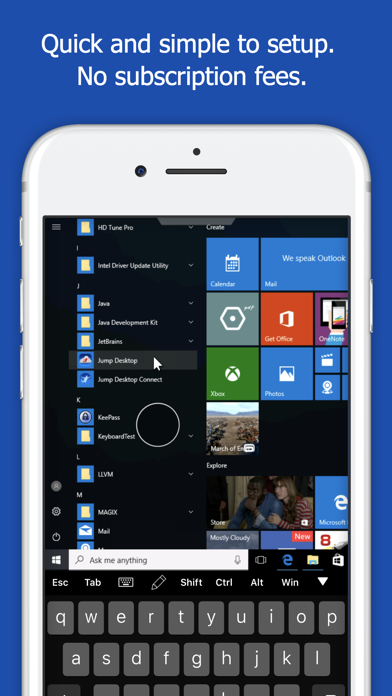
★★★★★ The controls are intuitive, it's shockingly reliable and consistent, it seems to be very well-thought out and feels like something that's made by people who actually use it for themselves.
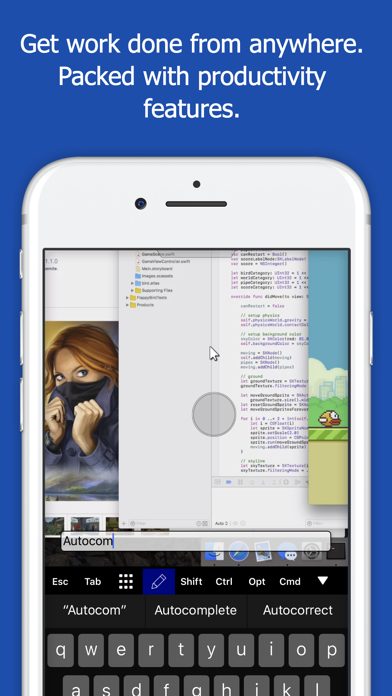
★★★★★ Setup was easy and over time, I've added various utilities to my Mac that now mean my iPad is an iPad, but also a Mac, while also an iPad.
22 of the 4 and 5 star reviews.
★★★★★ I can always count on the Jump team to deliver the highest quality and easiest to use Remote Desktop solution.
★★★★★ Works great- easy access to your computers
★★★★★ Connection and quality is overall good.
18 of the 4 and 5 star reviews.
★★★★★ Funktionell vermisse ich fast nichts- dank Cloud-Synchronisation nutze ich die entsprechende OS-X App auf meinen Macs und habe da meine gespeicherten Remote-PC auch von dort gleich im Zugriff.
★★★★★ Smooth operation, great resolution.
★★★★★ Finally one that works and fast.
13 of the 4 and 5 star reviews.
★★★★★ Way better than Chrome remote or any of the other free options… This was so worth it and no subscription makes it amazing.
★★★★★ Very affordable price too.
★★★★★ I rarely write reviews, but I've always struggled with using my Mac remotely from my iPhone, but finally I discovered Jump desktop on the Mac and bought the app worth every penny and signed in with Apple on both…
Found by matching words and phrases in the reviews, not read by a person. A review can count toward more than one theme.
Latest reviews, South Korea App Store.
아이폰 듀오에서 잘 쓰고 싶어요 제발 업데이트 해주세요 ㅠㅠ
I genuinely love Jump Desktop. It’s easily the best remote desktop app I’ve ever used, which makes giving it one star even more frustrating. On my 13-inch iPad Pro, the iPadOS status bar overlaps the macOS menu bar when connected to my Mac. This makes it difficult to see or interact with menu bar items, including Control Center on the mac. The only workaround I’ve found is enabling Guided Access, which isn’t ideal. Another issue is Command + Q. Naturally, when using my Mac remotely, I press Cmd + Q to quit an application, but this quits Jump Desktop instead. It would be great to have an option to forward this shortcut to the remote Mac. Not a deal breaker, but definitely something worth improving. To the developers: You genuinely don’t deserve a one star rating. You’ve built an incredible app, and I really appreciate your work! I’m only giving it one star to draw attention to these issues, particularly the status bar overlap. I’ll keep updating this review and will happily raise my rating once that issue is fixed. Keep up the great work!
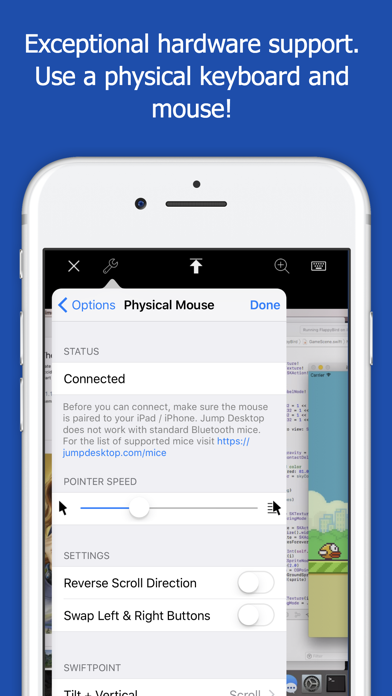
This app has upscaled my iPad incredibly. I am a windows user, so I literally have my desktop upstairs in the closet with no screen and then I remote into it from my iPad wherever I want. I have the Magic Keyboard so this app has made my iPad my daily driver for everything. I even play video games like this (mostly cozy games or management sims that don’t require absolute precision in timing). It’s improved my life so much. Sometimes I forget I’m not on my windows machine itself. Way better than Chrome remote or any of the other free options… This was so worth it and no subscription makes it amazing. Completely worth the price. If you are looking for a remote option, just do it.
Super App- den Kauf habe ich zu keinem Zeitpunkt bereut! Immer wieder wird die App weiterentwickelt- wirklich klasse (das machen viele bei einem 1x -Bezahl-Modell nicht mehr). Funktionell vermisse ich fast nichts- dank Cloud-Synchronisation nutze ich die entsprechende OS-X App auf meinen Macs und habe da meine gespeicherten Remote-PC auch von dort gleich im Zugriff. Einzig die Verbindung zu meinem RaspberryPI funktionierte nicht mehr, konnte aber mit dem Support schnell gelöst werden 👍 Der Preis dieser App geht von daher für mich so etwas von ok ... Die App kann ich somit bedenkenlos weiterempfehlen!
유명하다는 거 다 써봤지만 이거만한 게 없음 아이패드 맥 유저로서 최고
어플 처음쓸땐 괜찮았는데 또 어느순간부터 다시 안되기 시작해요 ㅠㅠ
Same category, earning about as much.
 Eco Cat App$23K a month EST
 Whiteboard: just draw together$22.4K a month EST
 PDF Converter: Reader & Editor$22.3K a month EST
 Go Translate:Voice Translator$22.3K a month EST
 PDF Scanner App: Scanner+ Docs$22.1K a month EST
 Dicte: AI Meeting Assistant$23.6K a month EST
 Magicbricks Property Search$23.6K a month EST
 Logbook Checker$23.6K a month EST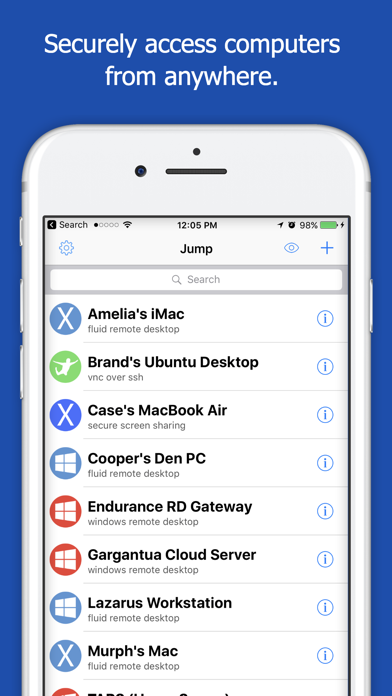

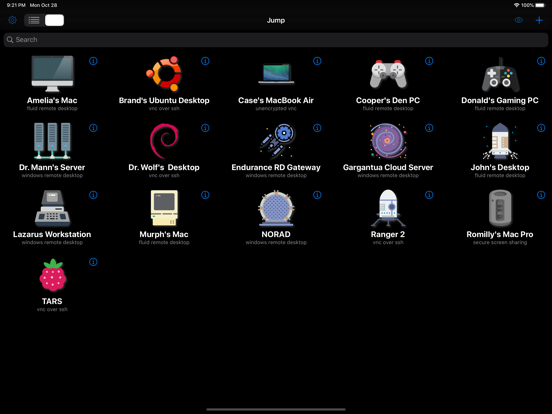
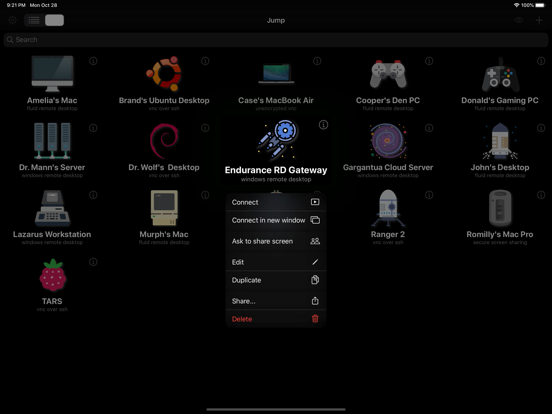
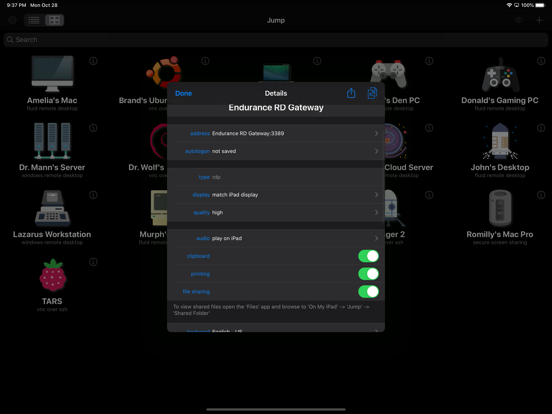

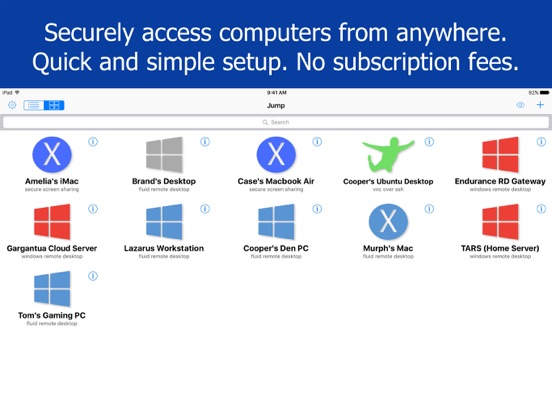
Apple Search Ads this app ran in the last 90 days, from Apple's public ad repository.
Where this app is buying and earning its users. Each link opens pre filtered.
Most repeated terms in the listing. Highlighted ones also appear in the title.
Released Apr 1, 2010. Current version shipped Oct 20, 2026.
Prices, ranks and reviews are per country. Revenue above is already worldwide.
 Jump Desktop (RDP, VNC, Fluid) Jump Desktop (RDP, VNC, Fluid)Business | Analyze → |