ASO keywords
Most repeated terms in the listing. Highlighted ones also appear in the title.
desktop11support11jump desktop10jump7remote7rdp7remote desktop6rdp vnc6supports6computer5vnc5setup5mac5bluetooth5touch4secure4easy4features4full4screen4keys4windows4desktop secure3easy setup3
What's new in 10.15.46
Jump Desktop 10 ist das größte Update für Jump Desktop auf iPhone und iPad seit Jahren.
VIRTUELLE DISPLAYS, ZUM ERSTEN MAL AUF IPHONE UND IPAD
• Einzelnes virtuelles Display gibt dem Host einen Desktop, der für Ihr Gerät gemacht ist — exakt in der Auflösung Ihres Bildschirms, mit voller Retina-Schärfe, der Drehung folgend und mit der Bildwiederholrate Ihres Bildschirms. Schluss mit dem Auseinanderziehen und Zoomen
auf einem Desktop, der für den Monitor eines anderen gebaut wurde.
• Aktivieren Sie es bei der ersten Verbindung oder jederzeit im Menü Display.
SCHÄRFERE, FLÜSSIGERE SITZUNGEN
• Hardware-Decodierung sorgt für flüssige Bewegungen und eine längere Akkulaufzeit. Wählen Sie Codec > Hardware.
• Wählen Sie Fluid 2.0, Fluid oder Hardware im neuen Menü Codec.
• Wählen Sie eine Stufe für Farbqualität: Good für Leistung, High für scharfen Text, Pro und Ultra für 10-Bit-Farbe.
• Sitzungen laufen mit bis zu 120 Bildern pro Sekunde auf iPhone- und iPad-Modellen mit ProMotion.
MEHR MÖGLICHKEITEN ZU ARBEITEN
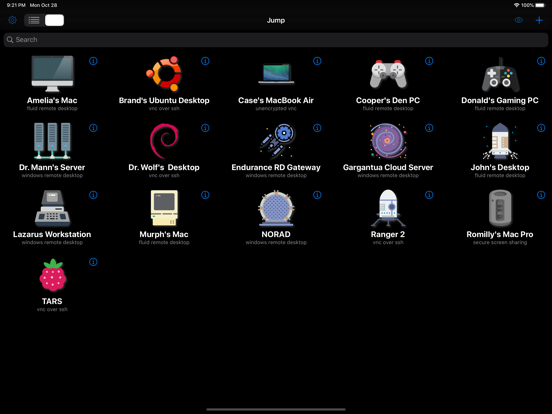
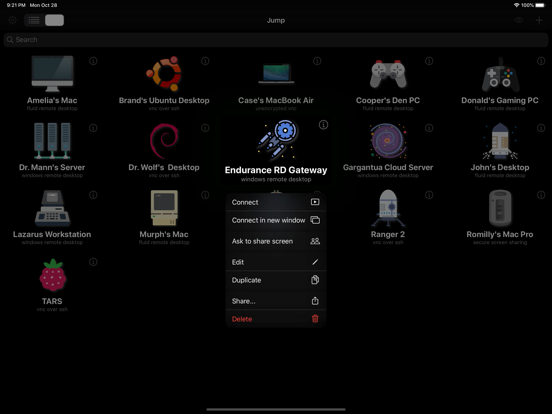
• Arbeiten Sie auf dem iPad gleichzeitig an beliebig vielen Computern, jeder in seinem eigenen Fenster. Halten Sie einen Computer gedrückt und tippen Sie dann auf Connect in new window.
• Koppeln Sie einen Gamecontroller, und der Host erkennt einen Xbox-Controller, oder verwenden Sie den Bildschirm-Controller mit verschiebbaren Layouts für Hoch- und Querformat.
• Externes Display verwenden zeigt den Bildschirm des Hosts auf einem Monitor, Fernseher oder Projektor an, während Sie die Sitzung von Ihrem iPhone oder iPad aus steuern.
• Legen Sie fest, wie lange Sitzungen im Hintergrund verbunden bleiben, von wenigen Minuten bis No Limit.
• Tippen Sie auf Einstellungen und dann auf Verbindungsstatistik anzeigen, um zu sehen, wie es um die Verbindung steht.
VERBESSERUNGEN UND FEHLERBEHEBUNGEN
• In Fluid-Sitzungen wechselt Control-Leertaste auf einer Hardwaretastatur die Tastatursprache Ihres iPhone oder iPad, wenn mehr als eine Tastatursprache aktiviert ist, wie in anderen Apps.
• Wake-on-LAN sendet weniger Weckpakete, wenn Sie sich mit einem Host verbinden.
• Behoben: Automatische Neuverbindungen weckten einen Host, den Sie in den Ruhezustand versetzt oder ausgeschaltet hatten.
• Behoben: Scrollen mit Trackpad oder Maus erfolgte in die falsche Richtung. Das Scrollen folgt jetzt der Einstellung „Natürliches Scrollen“ Ihres Geräts; falls Sie zum Ausgleich Scrollrichtung umkehren aktiviert haben, deaktivieren Sie es.
• Behoben: Die Feststelltaste einer Hardwaretastatur wechselte die Tastatursprache nicht, und die Feststelltaste des Hosts geriet mit Ihrer aus dem Takt.
• Behoben: Mit einer Tottaste eingegebene Akzentzeichen erschienen als separate Zeichen, zum Beispiel a~ statt ã.
• Behoben: Jump Desktop stürzte bei jedem Öffnen ab, wenn ein gespeicherter Computer keinen Namen hatte.
• Behoben: Abstürze beim Beenden einer Sitzung.
• Sicherheitsupdates.
BEHOBEN IN 10.15.42
• Behoben: RDP-Verbindungen zu älteren Windows-Versionen wie Windows 7, Windows Server 2008 R2 und Windows Server 2012 schlugen fehl.
• Behoben: Virtuelle Displays wurden als Display 3 und Display 4 statt als Display 1 und Display 2 nummeriert.
Alle Details: https://docs.jumpdesktop.com/whats-new
Released Apr 1, 2010. Current version shipped Oct 20, 2026.
Store description
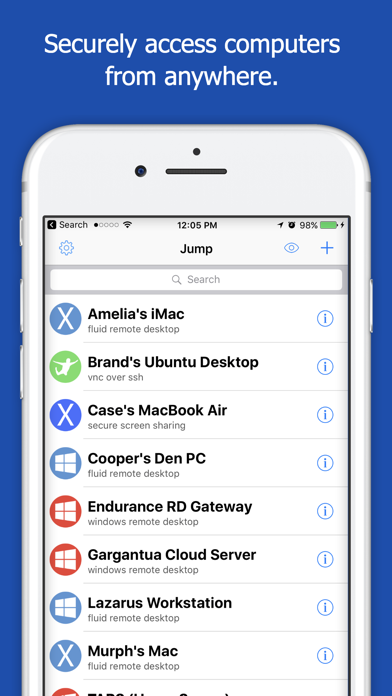
Leave your laptop behind. Enjoy the freedom to work from anywhere.
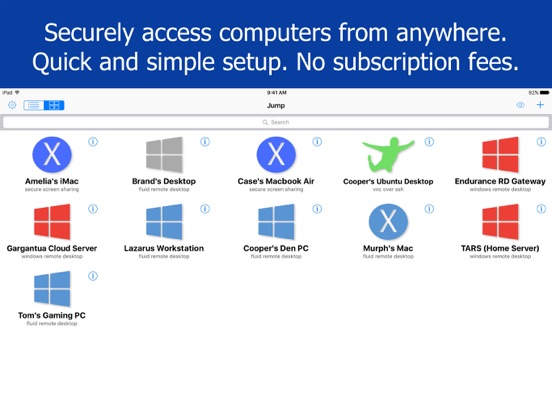
Jump Desktop is a powerful remote desktop application that lets you control your computer from your iPad, iPhone or iPod Touch. Compatible with RDP and VNC, Jump Desktop is secure, reliable and very easy to set up.
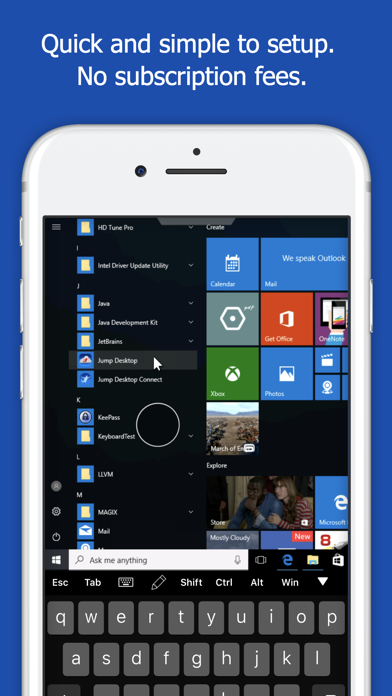
Easy setup and reliable:
Jump Desktop is very easy to setup; anyone can do it! Just visit: https://jumpdesktop.com on your PC or Mac, click the ‘Automatic Setup’ link and follow step-by-step instructions. You’ll be up and running in no time.
Secure and built on open standards:
Jump Desktop is a RDP and VNC client. You don't need to download additional software if you already have RDP or VNC configured and know the address of your computer. Just enter your IP address or hostname to connect.
Powerful features:
* Works with almost any computer and operating system
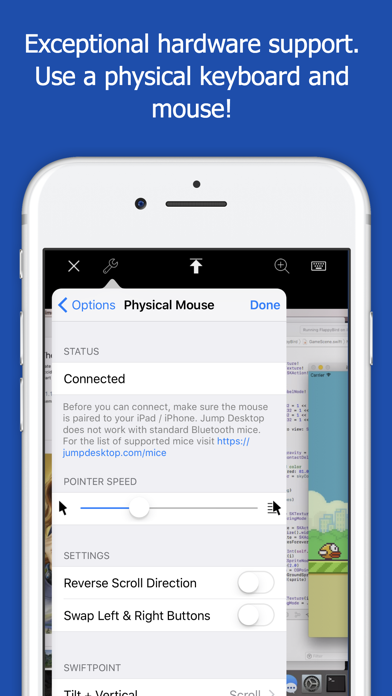
* Supports a physical mouse! Exclusive feature on the App Store! Important limitation: Jump Desktop does not work with standard Bluetooth mice and requires a specific Bluetooth mouse that pairs with iOS
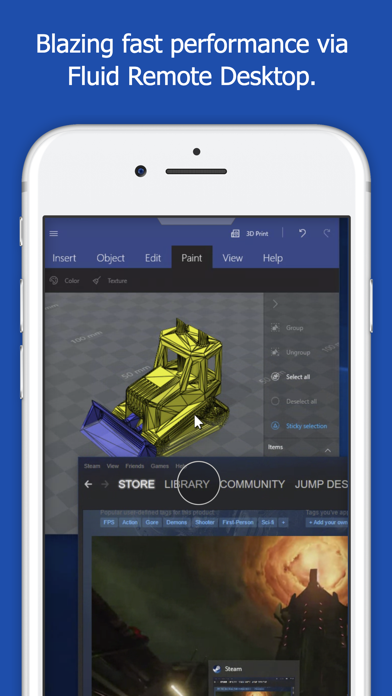
* New Fluid Remote Desktop protocol supports high performance remote desktop
* Easy and secure setup: Automatically configure your PC or Mac for remote access using Wi-Fi/3G/LTE without worrying about your router settings. Setup as many computers as you like – there are no limits!
* Built for iPad Pro, iPad, iPhone and iPod
* iPad Pro features: Full support for split-screen multitasking and Apple Pencil
* Protect your server settings using Touch ID
* Connection syncing via iCloud connection syncing
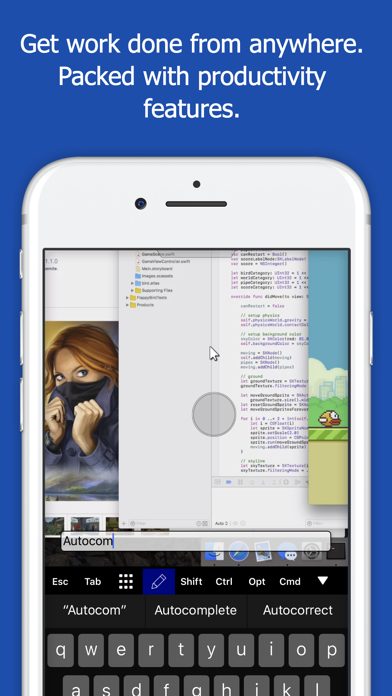
* Advanced Bluetooth keyboard: The best bluetooth keyboard support on the App Store. Shortcuts, function keys and arrow keys - everything works. Also includes macros for keys no available on bluetooth keyboards (i.e function keys)
* SSH tunneling with password and public key authentication supported
* Supports large custom screen resolutions and VGA/HDMI out
* Full mouse support via touch gestures: left, right and middle button clicks, dragging, scrolling, precision pointer movement
* Multiple gesture support - includes the ability to draw or write using your finger
* Copy/paste: Transfer text to or from your computer using the pasteboard
* HDMI/VGA support: view your desktop on the big screen using a cable or AirPlay. Jump's video out mode will let you utilize the full resolution of your external display.
* Multi-core rendering engine makes Jump Desktop one of the fastest RDP and VNC engines on the planet
* Full support for Linea and Infinea barcode and MSR scanners. Includes support for E2E encryption.
IMPORTANT NOTICE: Audio streaming and remote printing are NOT supported when connecting to Mac OS X and PCs running Windows ‘Home’ edition.
RDP features:
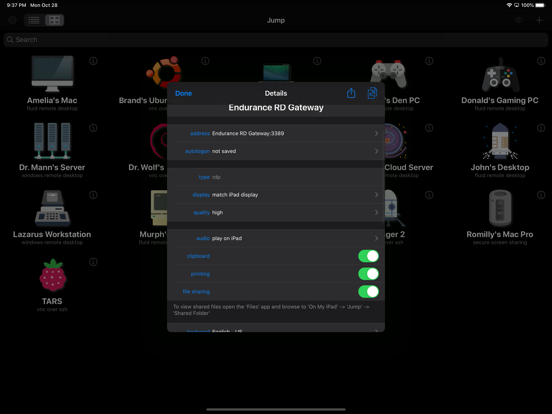
* Supports RD Gateway
* Supports custom resolutions. Set any resolution you want including Retina resolutions.
* Dynamic RDP resolution updates on Windows 8.1+
* Remote printing: Send print outs from your computer to your iPad/iPhone device (exclusive RDP print redirection feature on the App Store!)
* Drive redirection
* Audio streaming
* Console sessions
* International keyboard layouts
* Multiple monitor support on Windows 7+
* Multi-touch redirection support on Windows 8+
VNC features:
* Tested with Mac OS X, TightVNC, RealVNC, UltraVNC, Linux (Ubuntu Remote Desktop)
* Secure: Supports SSH tunneling as well as SSL encryption
* Black & white, gray scale, 8, 16 and 24-bit color to help optimize bandwidth
* Multiple monitor support
* Macs: Support locking the Mac's screen and syncing the pasteboard
See this store page in another country
Prices, ranks and reviews are per country. Revenue above is already worldwide.