← Back to charts
Jump Desktop (RDP, VNC, Fluid) icon
APP STORE

Jump Desktop (RDP, VNC, Fluid)

Phase Five Systems · Business · United States store
NOT IN TOP 100 HERE
View on App Store ↗ Instagram card Google Play version →
Revenue a month, worldwide EST
$21.3K
Likely $7.1K to $64K
▼ 95.3% in 13 days
New ratings
+1
in 1 days, 3.3K in total
Rating
4.5 of 5
1.7K ratings in this store
Countries it ranks in
21
was 21 on Oct 16, 2026

Revenue

Estimated from the grossing charts of Oct 23, 2026 in the 53 countries we track, and ratings growth on the App Store.

EST. REVENUE / YEAR · WORLDWIDE
$255.8K
Not ranked on Google Play in tracked countries
EST. LIFETIME DOWNLOADS
59.5K to 170K
Estimated from ratings count
WHERE IT EARNS · EST. / MONTH
  • China #90 Business$11.8K · 56%
  • France #88 Business$2.5K · 12%
  • Germany #61 Business$1.7K · 8%
  • Spain #57 Business$1K · 5%
  • Netherlands #94 Business$894 · 4%
  • Denmark #53 Business$634 · 3%
  • Italy #79 Business$614 · 3%
  • Hong Kong #71 Business$490 · 2%
10 more countries
  • India #78 Business$373 · 2%
  • Mexico #99 Business$347 · 2%
  • Austria #61 Business$275 · 1%
  • Indonesia #68 Business$145 · 1%
  • Czechia #39 Business$112 · 1%
  • Israel #87 Business$107 · 1%
  • Argentina #73 Business$83 · 0%
  • Greece #79 Business$62 · 0%
  • Peru #62 Business$59 · 0%
  • Thailand #77 Business$53 · 0%
HOW SURE ARE WE
Small app: combines its grossing ranks with ratings growth (17 new ratings a month on average since launch). Tested on 418 apps with verified revenue: typically off by about 2.6 times, so the range is wide. Countries we don't track (and Google Play in China, which doesn't exist) aren't included, and neither are ads or web payments. Gross revenue before store fees.
RATINGS
1.7K
AVG RATING
4.49
PRICE
$14.99
AGE
16.6y
LAST UPDATE
3d ago
VERSION
10.15.46
SIZE
54 MB
AGE RATING
4+

Last 30 days

From our daily snapshots of every grossing chart and daily ratings counts.

DAYS IN A GROSSING CHART
30 / 30
COUNTRIES NOW
21 (was 7)
NEW RATINGS, LAST 1 DAYS
+1
EST. REVENUE A MONTH, DAILY · BOTH STORES EST
Show daily values
Sep 24, 2026$64.9K a month
Sep 25, 2026$106K a month
Sep 26, 2026$86.6K a month
Sep 27, 2026$82.4K a month
Sep 28, 2026$125.9K a month
Sep 29, 2026$115.3K a month
Sep 30, 2026$99.2K a month
Oct 1, 2026$51.6K a month
Oct 2, 2026$26K a month
Oct 3, 2026$11.5K a month
Oct 4, 2026$132.4K a month
Oct 5, 2026$202K a month
Oct 6, 2026$99.7K a month
Oct 7, 2026$194.2K a month
Oct 8, 2026$141.3K a month
Oct 9, 2026$145.8K a month
Oct 10, 2026$450.1K a month
Oct 11, 2026$347K a month
Oct 12, 2026$691.5K a month
Oct 13, 2026$610.2K a month
Oct 14, 2026$298.6K a month
Oct 15, 2026$632.7K a month
Oct 16, 2026$556.6K a month
Oct 17, 2026$525.2K a month
Oct 18, 2026$433.9K a month
Oct 19, 2026$261.5K a month
Oct 20, 2026$212.9K a month
Oct 21, 2026$235.2K a month
Oct 22, 2026not in a grossing chart
Oct 23, 2026$21.3K a month
The same estimate as the headline, saved every day. Best rank Sep 24, 2026: #30 Business · KR. Now: #18 Business · KR.
RATINGS IN THE CORE COUNTRIES, DAILY
Show daily values
Oct 22, 20263.3K ratings
Oct 23, 20263.3K ratings
3.3K on Oct 22, 2026, 3.3K on Oct 23, 2026. New ratings track new downloads, even outside the charts.

Money and momentum

Measured from the store, not estimated.

WHAT IT CHARGES
No in-app purchases
Earns from its upfront price, ads or payments outside the store.
REVIEW MOMENTUM
0.9 reviews / week
  • Trendfalling
  • Recent reviews average3.8 stars
  • Recent 1 and 2 star share25%
From the latest 500 written reviews, covering 3689 days. The store only returns this many, so this is the most recent slice.
RELEASE CADENCE
5 updates in 90 days
  • Typical gap between releases45 days
From the last 25 versions listed on the App Store.
RATING BREAKDOWN
1.7K ratings
5★79%
4★8%
3★3%
2★2%
1★8%

What users want

From the latest 500 reviews on the United States App Store, Sep 16, 2016 to Oct 21, 2026: 25% are 1 or 2 stars. Open a theme to read what people wrote.

WHAT THEY COMPLAIN ABOUT · SHARE OF BAD REVIEWS
Bugs, things not working25%

32 of the 1 and 2 star reviews.

★★★★★ I use this product everyday in my iPad Pro, after the latest update the space bar is not working inside the terminal window when I remote to my computer, can you please fix it… it was working all fine before this last…
★★★★★ This app worked great until Mac released a patch for the Remote Desktop no-auth bug.
★★★★★ After updating to the latest macOS, it 'jumps' to the list of servers screen with no a single alert explaining why it cannot connect… And no updates for years… Get refund ASAP!
Price and subscription20%

26 of the 1 and 2 star reviews.

★★★★★ And the only thing that worked was Jump got my money.
★★★★★ After updating to the latest macOS, it 'jumps' to the list of servers screen with no a single alert explaining why it cannot connect… And no updates for years… Get refund ASAP!
★★★★★ If i cant figure this in another day I will just ask for a refund.
Worse after an update16%

20 of the 1 and 2 star reviews.

★★★★★ I use this product everyday in my iPad Pro, after the latest update the space bar is not working inside the terminal window when I remote to my computer, can you please fix it… it was working all fine before this last…
★★★★★ The latest update has forced us off from being able to use jump or allow us to log into our SCADA system.
★★★★★ Installed the latest update and a Mac that I was JUST connected to had its screensaver started and now nothing I do remotely will wake/dismiss the screensaver and of course they don't show a full keyboard - they only…
No customer support16%

20 of the 1 and 2 star reviews.

★★★★★ I tried to contact Jump – it was not easy.
★★★★★ ChatGPT recommended this to connect to my Linux desktop. Well, after paying $15 for it, it doesn't work at all and the forums indicate the developer has no plan to fix it.
★★★★★ Jump used to be my go-to Remote Desktop app, however development seems to be stalled and the app is lacking support for modern key types and Gnome Remote Desktop.
Login and account problems15%

19 of the 1 and 2 star reviews.

★★★★★ I created a new account and was notified that an email would be sent to me to explain the next steps.
★★★★★ Log in to a computer for a quick check, close app and it continues to eat my battery.
★★★★★ I used google to create my account and the app won't let me sign in through google.
Slow, laggy, battery11%

14 of the 1 and 2 star reviews.

★★★★★ the battery drain is abysmal and not sustainable for good performance.
★★★★★ But absolutely demolishes my phone battery.
★★★★★ Thursday and Friday my phone's battery was getting zapped (with little use).
Wrong or poor results7%

9 of the 1 and 2 star reviews.

★★★★★ I thought I could trust a paid application for reliability and I was wrong.
★★★★★ I wish I knew this before I paid for this useless software.
★★★★★ I can connect to my desktop using a browser, but the Jump app will not connect. I wrote to the developer and never got a reply. Don't waste your money on this!
Crashes and freezes5%

6 of the 1 and 2 star reviews.

★★★★★ I checked settings and there's no option to disable background app refresh, so it appears the only current “fix” is to force close the app immediately when you're finished using it.
★★★★★ Every time I drag-and-drop the connection crashes.
★★★★★ Recently it would connect, freeze, and then I am no longer able to connect even the pc is still on.
WHAT THEY ASK FOR
  • It would be great to have an option to forward this shortcut to the remote Mac. 1★, Oct 21, 2026
  • It would be great if those could be patched. 3★, Oct 14, 2026
  • Icon needs an update asap, i have to keep it hidden with faceid because it looks really bad on iOS18+, especially on iOS26+. 1★, Jul 4, 2026
  • I wish I knew this before I paid for this useless software. 1★, Jul 1, 2026
  • this is garbage and I want a refund. 1★, May 14, 2026
  • This has some good functionality for iPad, but it needs a mode that truly captures how the native iPad gestures work. 2★, Feb 3, 2026
  • this works way better functionality wise but uses 5-10x the battery, still worth it but if it can be improved would be amazing 3★, Dec 10, 2025
  • Need a quick way to VNC/Jump in but *without* keyboard and mouse being active. 3★, Nov 4, 2025
WORDS THAT KEEP COMING UP IN BAD REVIEWS
please fix5waste your money4won't work4great until3won't connect3latest update4hasn't been updated3linux support3battery drain3drag and drop3two finger3able to connect3
WHAT THEY LOVE · SHARE OF GOOD REVIEWS
Great support16%

53 of the 4 and 5 star reviews.

★★★★★ Einzig die Verbindung zu meinem RaspberryPI funktionierte nicht mehr, konnte aber mit dem Support schnell gelöst werden 👍 Der Preis dieser App geht von daher für mich so etwas von ok ...
★★★★★ I really thought this app was not getting any more support, but you did it.
★★★★★ On the wish list, would be adding microphone and game controller support to the iPad.
Easy to use14%

46 of the 4 and 5 star reviews.

★★★★★ Works great- easy access to your computers
★★★★★ The controls are intuitive, it's shockingly reliable and consistent, it seems to be very well-thought out and feels like something that's made by people who actually use it for themselves.
★★★★★ Setup was easy and over time, I've added various utilities to my Mac that now mean my iPad is an iPad, but also a Mac, while also an iPad.
Accurate, great results12%

39 of the 4 and 5 star reviews.

★★★★★ I can always count on the Jump team to deliver the highest quality and easiest to use Remote Desktop solution.
★★★★★ Works great- easy access to your computers
★★★★★ I highly recommend this app for its usefulness, quality and for the developer offering it at a reasonable price.
Fast10%

34 of the 4 and 5 star reviews.

★★★★★ Funktionell vermisse ich fast nichts- dank Cloud-Synchronisation nutze ich die entsprechende OS-X App auf meinen Macs und habe da meine gespeicherten Remote-PC auch von dort gleich im Zugriff.
★★★★★ Smooth operation, great resolution.
★★★★★ Finally one that works and fast.
Worth the money8%

27 of the 4 and 5 star reviews.

★★★★★ Way better than Chrome remote or any of the other free options… This was so worth it and no subscription makes it amazing.
★★★★★ Very affordable price too.
★★★★★ I rarely write reviews, but I've always struggled with using my Mac remotely from my iPhone, but finally I discovered Jump desktop on the Mac and bought the app worth every penny and signed in with Apple on both…

Found by matching words and phrases in the reviews, not read by a person. A review can count toward more than one theme.

What users say

Latest reviews, United States App Store.

★★★★★Oct 21, 2026
Best Remote Desktop App, but Frustrating iPadOS Issues

I genuinely love Jump Desktop. It’s easily the best remote desktop app I’ve ever used, which makes giving it one star even more frustrating. On my 13-inch iPad Pro, the iPadOS status bar overlaps the macOS menu bar when connected to my Mac. This makes it difficult to see or interact with menu bar items, including Control Center on the mac. The only workaround I’ve found is enabling Guided Access, which isn’t ideal. Another issue is Command + Q. Naturally, when using my Mac remotely, I press Cmd + Q to quit an application, but this quits Jump Desktop instead. It would be great to have an option to forward this shortcut to the remote Mac. Not a deal breaker, but definitely something worth improving. To the developers: You genuinely don’t deserve a one star rating. You’ve built an incredible app, and I really appreciate your work! I’m only giving it one star to draw attention to these issues, particularly the status bar overlap. I’ll keep updating this review and will happily raise my rating once that issue is fixed. Keep up the great work!

★★★★★Oct 20, 2026
#1 used app on my iPad

This app has upscaled my iPad incredibly. I am a windows user, so I literally have my desktop upstairs in the closet with no screen and then I remote into it from my iPad wherever I want. I have the Magic Keyboard so this app has made my iPad my daily driver for everything. I even play video games like this (mostly cozy games or management sims that don’t require absolute precision in timing). It’s improved my life so much. Sometimes I forget I’m not on my windows machine itself. Way better than Chrome remote or any of the other free options… This was so worth it and no subscription makes it amazing. Completely worth the price. If you are looking for a remote option, just do it.

★★★★★Oct 19, 2026
Immer noch gepflegt und toll - guter Service

Super App- den Kauf habe ich zu keinem Zeitpunkt bereut! Immer wieder wird die App weiterentwickelt- wirklich klasse (das machen viele bei einem 1x -Bezahl-Modell nicht mehr). Funktionell vermisse ich fast nichts- dank Cloud-Synchronisation nutze ich die entsprechende OS-X App auf meinen Macs und habe da meine gespeicherten Remote-PC auch von dort gleich im Zugriff. Einzig die Verbindung zu meinem RaspberryPI funktionierte nicht mehr, konnte aber mit dem Support schnell gelöst werden 👍 Der Preis dieser App geht von daher für mich so etwas von ok ... Die App kann ich somit bedenkenlos weiterempfehlen!

★★★★★Oct 18, 2026
Keyboard not working in the terminal after update… HELP!!!

I use this product everyday in my iPad Pro, after the latest update the space bar is not working inside the terminal window when I remote to my computer, can you please fix it… it was working all fine before this last update. Thank you.

★★★★★Oct 18, 2026
中文第三方输入法输入框不跟随光标

用IPAD PRO远程Mac桌面的时候,Mac上的中文书法的输入框还有候选字框都只出现在左下角而不能跟随在输入光标附近,很割裂

★★★★★Oct 17, 2026
ruined app

i've used this app for years; who's bright idea was it to take a one step process for changing displays on a multi display remote connection from one step to three steps; ridiculous

Apps like this

Same category, earning about as much.

Store screenshots

ScreenshotScreenshotScreenshotScreenshotScreenshotScreenshotScreenshotScreenshotScreenshotScreenshot

App Store ads

Apple Search Ads this app ran in the last 90 days, from Apple's public ad repository.

Apple's ad repository couldn't be reached right now. Try again later.

Growth research

Where this app is buying and earning its users. Each link opens pre filtered.

ASO keywords

Most repeated terms in the listing. Highlighted ones also appear in the title.

desktop17jump desktop13remote desktop13support11remote10supports10jump9rdp6secure5setup5encryption5features5monitor5desktop supports5high performance5fluid remote5monitor support5computer4vnc4easy4fluid4mac4connection4multiple4

What's new in 10.15.46

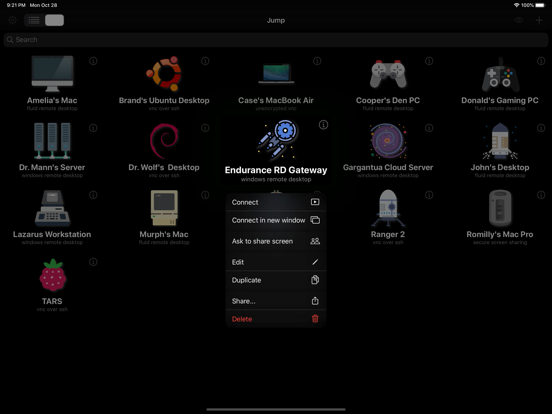
Jump Desktop 10 is the biggest update to Jump Desktop for iPhone and iPad in years. VIRTUAL DISPLAYS, FOR THE FIRST TIME ON IPHONE AND IPAD • A Single Virtual Display gives the host a desktop made for your device — your screen's exact resolution, full Retina sharpness, following rotation and running at your screen's refresh rate. No more pinching and zooming around a desktop built for someone else's monitor. • Turn it on the first time you connect, or any time from the Display menu. SHARPER, SMOOTHER SESSIONS • Hardware decoding keeps motion smooth and your battery lasting longer. Choose Codec > Hardware. • Choose Fluid 2.0, Fluid or Hardware from the new Codec menu. • Pick a Color Quality level: Good for performance, High for sharp text, Pro and Ultra for 10-bit color. • Sessions run at up to 120 frames per second on ProMotion iPhone and iPad models. MORE WAYS TO WORK • On iPad, work on as many computers as you want at the same time, each in its own window. Touch and hold a computer, then tap Connect in new window. • Pair a game controller and the host sees an Xbox controller, or use the on-screen controller with movable portrait and landscape layouts. • Use External Display puts the host's screen on a monitor, TV or projector while you control the session from your iPhone or iPad. • Choose how long sessions stay connected in the background, from a few minutes up to No Limit. • Tap Settings, then Show Connection Stats, to see how the connection is doing. IMPROVEMENTS AND FIXES • In Fluid sessions, Control+Space on a hardware keyboard switches the keyboard language on your iPhone or iPad when more than one keyboard language is turned on, as in other apps. • Wake-on-LAN sends fewer wake packets when you connect to a host. • Fixed automatic reconnects waking a host you had put to sleep or shut down. • Fixed scrolling with a trackpad or mouse going in the wrong direction. Scrolling now follows your device's Natural Scrolling setting; if you turned on Reverse Scroll Direction to compensate, turn it off. • Fixed Caps Lock on a hardware keyboard not switching keyboard languages, and the host's Caps Lock getting out of step with yours. • Fixed accented characters typed with a dead key coming out as separate characters, for example a~ instead of ã. • Fixed Jump Desktop crashing every time it opened when a saved computer had no name. • Fixed crashes when a session ends. • Security updates. FIXED IN 10.15.42 • Fixed RDP connections to older Windows versions, such as Windows 7, Windows Server 2008 R2 and Windows Server 2012, failing to connect. • Fixed virtual displays being numbered Display 3 and Display 4 instead of Display 1 and Display 2. Full details: https://docs.jumpdesktop.com/whats-new

Released Apr 1, 2010. Current version shipped Oct 20, 2026.

Store description

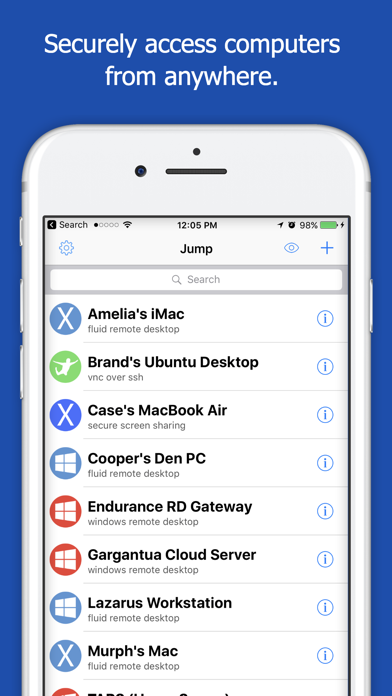
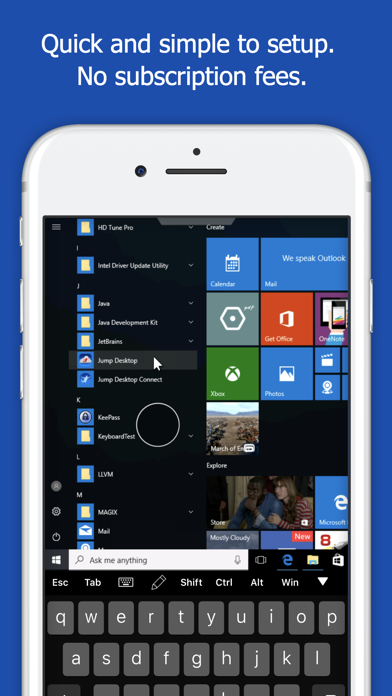
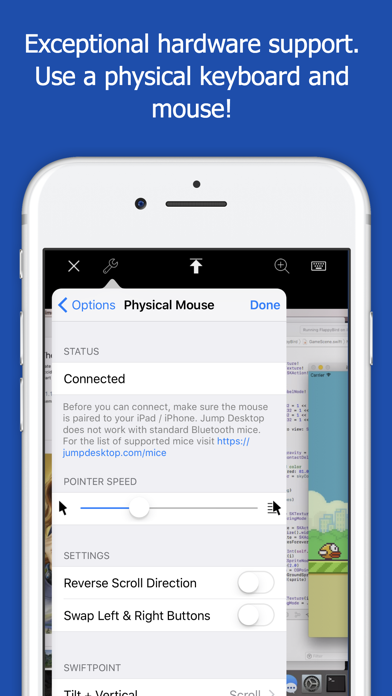
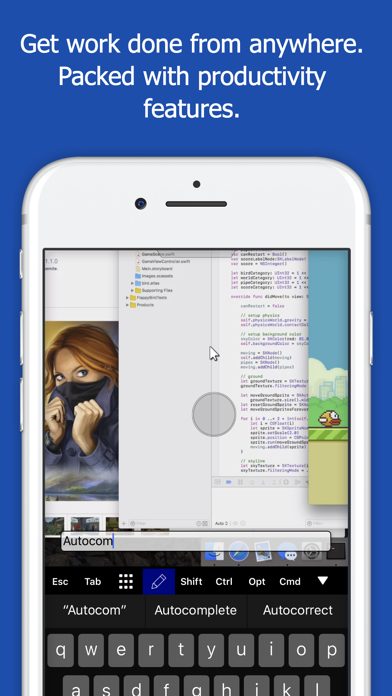
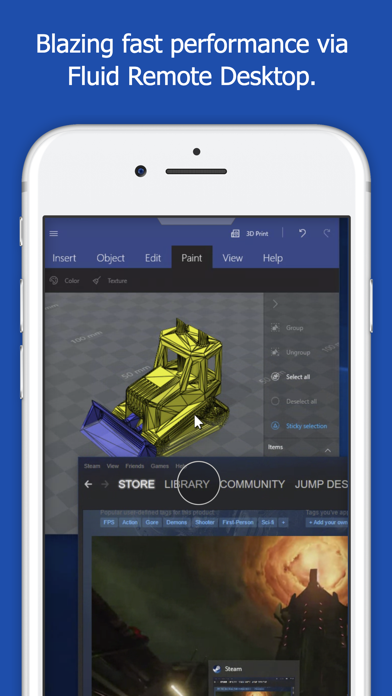
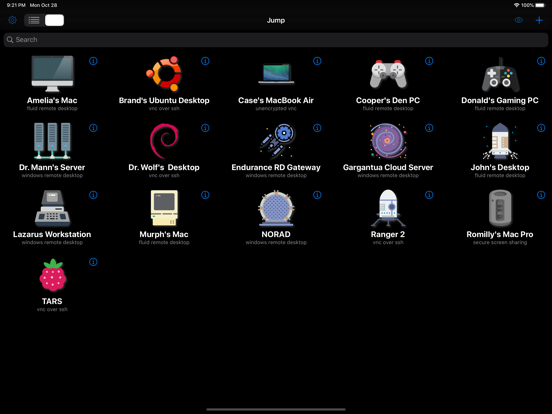
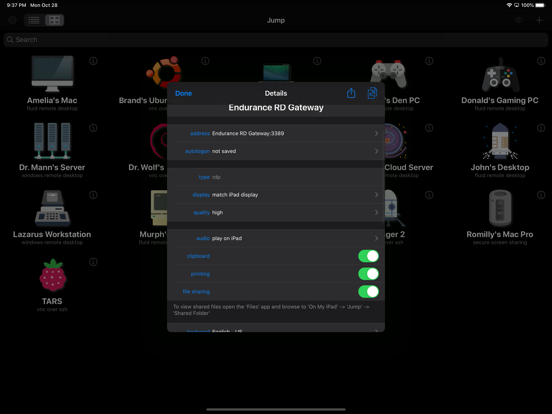
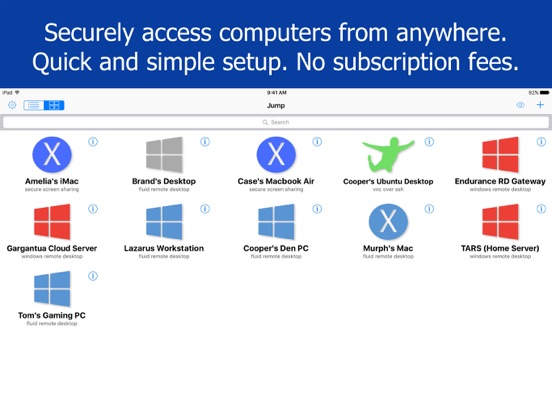
Leave your laptop behind. Enjoy the freedom to work from anywhere. Jump Desktop is a remote desktop application that lets you securely connect to any computer in the world. Compatible with both RDP and VNC, Jump Desktop is secure, reliable and very easy to set up. Jump Desktop also supports our own, high performance, next generation remote desktop protocol called Fluid Remote Desktop. Easy setup and reliable: Jump Desktop is very easy to setup; anyone can do it! Just visit: https://jumpdesktop.com on your PC or Mac, click the ‘Automatic Setup’ link and follow step-by-step instructions. You’ll be up and running in no time. Also - not subscriptions! Secure: Jump encrypts the connection between computers to ensure privacy and security. Automatic connections are always encrypted by default. Supports NLA, TLS/SSL encryption for RDP. SSH Tunnelling and SSL/TLS encryption for VNC. Fluid Remote Desktop uses DTLS for secure connections. Powerful features: * Works with almost any computer and operating system. * Supports physical mice! On iOS 13 and iPadOS, Jump Desktop supports the accessibility mouse with some limitations. Jump Desktop also supports special physical mice with no limitations. For more information visit https://jumpdesktop.com/mice. * Fluid Remote Desktop protocol supports high performance remote desktop and audio. * Easy and secure setup: Automatically configure your PC or Mac for remote access using Wi-Fi/3G/LTE without worrying about your router settings. Setup as many computers as you like – there are no limits! * Built for iPad Pro, iPad, iPhone and iPod * iPad Pro features: Full support for split-screen multitasking and Apple Pencil. * Open multiple simultaneous connections * Live connection previews * Protect your server settings using Touch ID * Connection syncing via iCloud connection syncing * Advanced Bluetooth keyboard: The best bluetooth keyboard support on the App Store. Shortcuts, function keys and arrow keys - everything works. Also includes macros for keys no available on bluetooth keyboards (i.e function keys) * SSH tunneling with password and public key authentication supported * Supports large custom screen resolutions and VGA/HDMI out * Full mouse support via touch gestures: left, right and middle button clicks, dragging, scrolling, precision pointer movement * Multiple gesture support - includes the ability to draw or write using your finger * Copy/paste: Transfer text to or from your computer using the pasteboard * HDMI/VGA external monitor support: View your desktop on an external monitor using a cable or AirPlay. Jump Desktop will let you utilize you external display as a true monitor (not as a mirror like other apps on the store). * Multi-core rendering engine makes Jump Desktop one of the fastest RDP and VNC engines on the planet * Full support for Linea and Infinea barcode and MSR scanners. Includes support for E2E encryption. RDP features: * Supports RD Gateway * Supports custom resolutions. Set any resolution you want including Retina resolutions. * Dynamic RDP resolution updates on Windows 8.1+ * Remote printing: Send print outs from your computer to your iPad/iPhone device (exclusive RDP print redirection feature on the App Store!) * Folder sharing * Audio streaming * Console sessions * International keyboard layouts * Multiple monitor support on Windows 7+ * Multi-touch redirection support on Windows 8+ Fluid Features: * Super high performance, adaptive remote desktop * Audio streaming * Strong encryption built into the protocol * Connect from anywhere, even restricted networks without requiring networking knowledge * Clipboard sharing VNC features: * Tested with Mac OS X, TightVNC, RealVNC, UltraVNC, Linux (Ubuntu Remote Desktop) * Secure: Supports SSH tunneling as well as SSL encryption * Black & white, gray scale, 8, 16 and 24-bit color to help optimize bandwidth * Multiple monitor support * Macs: Support locking the Mac's screen and syncing the pasteboard

See this store page in another country

Prices, ranks and reviews are per country. Revenue above is already worldwide.

More from Phase Five Systems

Jump Desktop (RDP, VNC, Fluid)
Business
0 ratingsAnalyze →