← Back to charts
Txt2PDF - TXT File to PDF icon
APP STORE

Txt2PDF - TXT File to PDF

kim juyoung · Utilities · Brazil store
NOT IN TOP 100 HERE
View on App Store ↗ Instagram card
Revenue a month, worldwide
Too small to estimate
Not enough chart or ratings data
New ratings
Tracking
Daily counts start building from today
Rating
0.0 of 5
0 ratings in this store
Countries it ranks in
0
was 0 on Oct 20, 2026

Revenue

Estimated from the grossing charts of Oct 26, 2026 in the 53 countries we track, and ratings growth on the App Store.

EST. REVENUE / MONTH · WORLDWIDE
Unranked
Not in any grossing chart, and it sells nothing in the store (no in-app purchases, free download). Any revenue comes from ads or payments outside the store, which we can't see.
EST. LIFETIME DOWNLOADS
n/a
Estimated from ratings count
RATINGS
0
AVG RATING
n/a
PRICE
Grátis
AGE
8.6y
LAST UPDATE
237d ago
VERSION
1.28
SIZE
103 MB
AGE RATING
+4

Last 30 days

From our daily snapshots of every grossing chart.

DAYS IN A GROSSING CHART
0 / 30
COUNTRIES NOW
0 (was 0)
EST. REVENUE FROM CHARTS, DAILY · APP STORE ONLY EST
Show daily values
Sep 28, 2026not in a grossing chart
Sep 29, 2026not in a grossing chart
Sep 30, 2026not in a grossing chart
Oct 1, 2026not in a grossing chart
Oct 2, 2026not in a grossing chart
Oct 3, 2026not in a grossing chart
Oct 4, 2026not in a grossing chart
Oct 5, 2026not in a grossing chart
Oct 6, 2026not in a grossing chart
Oct 7, 2026not in a grossing chart
Oct 8, 2026not in a grossing chart
Oct 9, 2026not in a grossing chart
Oct 10, 2026not in a grossing chart
Oct 11, 2026not in a grossing chart
Oct 12, 2026not in a grossing chart
Oct 13, 2026not in a grossing chart
Oct 14, 2026not in a grossing chart
Oct 15, 2026not in a grossing chart
Oct 16, 2026not in a grossing chart
Oct 17, 2026not in a grossing chart
Oct 18, 2026not in a grossing chart
Oct 19, 2026not in a grossing chart
Oct 20, 2026not in a grossing chart
Oct 21, 2026not in a grossing chart
Oct 22, 2026not in a grossing chart
Oct 23, 2026not in a grossing chart
Oct 24, 2026not in a grossing chart
Oct 25, 2026not in a grossing chart
Oct 26, 2026not in a grossing chart
Oct 27, 2026not in a grossing chart
Best rank Sep 28, 2026: not ranked. Now: not ranked. Days at zero are days outside every grossing chart.

Money and momentum

Measured from the store, not estimated.

WHAT IT CHARGES
No in-app purchases
Earns from its upfront price, ads or payments outside the store.
REVIEW MOMENTUM
0.0 reviews / week
  • Recent reviews average1.8 stars
  • Recent 1 and 2 star share80%
From the latest 5 written reviews, covering 2788 days.
RELEASE CADENCE
0 updates in 90 days
  • Typical gap between releases77 days
From the last 25 versions listed on the App Store.

What users say

Latest reviews, Brazil App Store.

★★★★★Aug 23, 2023
Useless App

Apple remove this garbage what the heck

★★★★★Jul 12, 2023
Scam

Scam run away

★★★★★Apr 16, 2020
How about to provide basic instruction on how to convert text message to pdf

Please read above . Sorry but I am not tech gig and can’t figure without proper instruction. Super frustrating

★★★★★Mar 11, 2020
Garbage

I want my money back! USELESS piece of Chinese crap. Doesn’t do anything - SCAM

★★★★★Mar 10, 2019
Completly useless

Do not purchase this app. Its a rip-off and you cannot import any text to convert to Pdf. Don’t waste your money. No good. It does not deserve a star or .1000 th of a star. I stand by my review of this app. If the developer is so confident of the app and its not a ripoff then refund my money to my apple account as the app had no option to up load any text into it to convert to pdf. If they have integrity then refund my money. It is absolutely useless and a ripoff do not purchase.

Store screenshots

ScreenshotScreenshotScreenshotScreenshot

App Store ads

Apple Search Ads this app ran in the last 90 days, from Apple's public ad repository.

No App Store ads in the EU
None in the last 90 days.

Apple only publishes ads shown in the EU (EU Digital Services Act), with a 7 day delay. An app that advertises only outside the EU shows nothing here.

Growth research

Where this app is buying and earning its users. Each link opens pre filtered.

ASO keywords

Most repeated terms in the listing. Highlighted ones also appear in the title.

file17files14txt12txt file11txt files6convert6pdf5cloud5message5messages5click5convert txt5paper4support4file pdf3file txt3image files3converted files3convert pages3file support3zip file3import files3message imessage3message input3

What's new in 1.28

- Fixed reported crashes and bugs.

Released Mar 26, 2018. Current version shipped Mar 3, 2026.

Store description

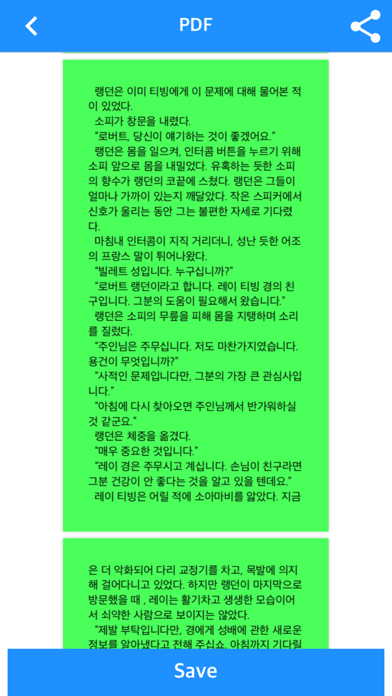
Txt file to PDF file Txt files into image files Apps that can convert txt files You can upload txt files via iTunes, wifi, ftp, or Cloud apps. Converted files can be sent to or copied from iTunes, mail, or other apps. Converts txt file with txt extension to PDF / Image. Supports various options such as font, color, margin, password Various paper support: A0 ~ A4, B0 ~ B4, iPhone / iPad Up to 20mbyte file can be converted For files over 20 mbyte, use "File Split function" to split the files. ** Including in-app purchases ** Convert 10 pages as a sample before in-app purchases With in-app purchases, you can successfully convert all pages. Please experience the sample and purchase first. If the text file encoding is strange, what language do you use with the file Please send it to junhuloveapple@gmail.com. ** Characteristic ** - txt file support - Convert txt files to PDF - Convert the txt file to a Zip file containing multiple image files - Password in PDF / Zip file - Text color, background color - Text size, font, line spacing, Bold - Right and left margins - Letter left / right / center alignment - Automatic character encoding according to iPhone's language setting - A0 ~ A4 paper - B0 to B4 paper - iPhone / iPad size paper - Up to 20mbyte txt file support - File splitting function: Divide files of 2MB or more into files of fixed size - Upload via PC web browser (WIFI) - Supports import of files from iCloud, Google Drive, Dropbox, One Drive, Box, and other cloud apps - FTP support: browse, download - Upload files to iTunes file share - Webdav, SMB, Synology Nas (iOS 13+) ** To import files from the cloud, first install the cloud app on your iPhone and log in. ** If the file is large and the number of pages is large, the conversion time may be long. ** How to get a message in the iMessage app ** You must manually copy the messages in iMessage into a txt file. (The app can't get it automatically.) 1. Long-click a message (iMessage app) 2. Click "Other" in the pop-up menu at the bottom (under Copy) 3. Switch to checkable status of multiple messages 4. Check the messages you want (there is no function to check all) 5. Click the Send button in the bottom right corner 6. Switch to the screen to send new messages 7. The message input window shows the messages just checked. 8. Copy the message in the message input window 9. Back in the Txt2PDF app, click the cloud icon at the bottom and click "Clipboard" 10. Convert the generated txt file to pdf

See this store page in another country

Prices, ranks and reviews are per country. Revenue above is already worldwide.

More from kim juyoung

Manga Viewer - CBZ(CBR) Reader
Book
25 ratingsAnalyze →
Text Viewer - txt file viewer
Book
3 ratingsAnalyze →
Offle - MP3 & MP4 Repeat Play
Education
1 ratingsAnalyze →
WatchMPlay - Mp3 Music Player
Music
1 ratingsAnalyze →
WebToon Reader - WebComic File
Book
0 ratingsAnalyze →
Hangul Study - Basic Korean
Education
0 ratingsAnalyze →
QR Password - QR, password
Utilities
0 ratingsAnalyze →
LinkYPlayer - Link Player
Music
0 ratingsAnalyze →
EBook Viewer - ePub Novel File
Book
0 ratingsAnalyze →