← Back to charts
Juno Connect: Jupyter Client icon
APP STORE

Juno Connect: Jupyter Client

Rational Matter · Developer Tools · India store
#90 GROSSING · DEVELOPER TOOLS
View on App Store ↗ Instagram card
Revenue a month, worldwide EST
$967
Likely $322 to $2.9K
▼ 94.1% in 15 days
New ratings
+0
in 3 days, 1.7K in total
Rating
4.5 of 5
40 ratings in this store
Countries it ranks in
28
was 32 on Oct 18, 2026

Revenue

Estimated from the grossing charts of Oct 25, 2026 in the 53 countries we track, and ratings growth on the App Store.

EST. REVENUE / YEAR · WORLDWIDE
$11.6K
16 new ratings a month on average since launch
EST. LIFETIME DOWNLOADS
1.4K to 4K
Estimated from ratings count
WHERE ITS USERS ARE · SHARE OF RATINGS
  • United States 633 ratings37%
  • Japan 316 ratings19%
  • Germany 128 ratings8%
  • South Korea 116 ratings7%
  • United Kingdom 113 ratings7%
  • Canada 65 ratings4%
  • France 65 ratings4%
  • Australia 47 ratings3%
HOW SURE ARE WE
Not in any grossing chart, so this comes from ratings growth (16 new ratings a month on average since launch): revenue grows with new ratings, more slowly for apps that collect ratings fast. Tested on 418 apps with verified revenue: typically off by about 2 times, and big earners tend to come out low. Countries we don't track (and Google Play in China, which doesn't exist) aren't included, and neither are ads or web payments. Gross revenue before store fees.
RATINGS
40
AVG RATING
4.53
PRICE
₹ 499
AGE
8.8y
LAST UPDATE
1498d ago
VERSION
1.6.13
SIZE
15 MB
AGE RATING
17+

Last 30 days

From our daily snapshots of every grossing chart and daily ratings counts.

DAYS IN A GROSSING CHART
30 / 30
COUNTRIES NOW
28 (was 10)
NEW RATINGS, LAST 3 DAYS
+0
EST. REVENUE A MONTH, DAILY · APP STORE EST
Show daily values
Sep 26, 2026not in a grossing chart
Sep 27, 2026not in a grossing chart
Sep 28, 2026not in a grossing chart
Sep 29, 2026not in a grossing chart
Sep 30, 2026not in a grossing chart
Oct 1, 2026not in a grossing chart
Oct 2, 2026not in a grossing chart
Oct 3, 2026not in a grossing chart
Oct 4, 2026not in a grossing chart
Oct 5, 2026not in a grossing chart
Oct 6, 2026not in a grossing chart
Oct 7, 2026not in a grossing chart
Oct 8, 2026not in a grossing chart
Oct 9, 2026not in a grossing chart
Oct 10, 2026$16.5K a month
Oct 11, 2026not in a grossing chart
Oct 12, 2026not in a grossing chart
Oct 13, 2026not in a grossing chart
Oct 14, 2026not in a grossing chart
Oct 15, 2026not in a grossing chart
Oct 16, 2026not in a grossing chart
Oct 17, 2026not in a grossing chart
Oct 18, 2026not in a grossing chart
Oct 19, 2026not in a grossing chart
Oct 20, 2026not in a grossing chart
Oct 21, 2026not in a grossing chart
Oct 22, 2026not in a grossing chart
Oct 23, 2026not in a grossing chart
Oct 24, 2026$967 a month
Oct 25, 2026$967 a month
The same estimate as the headline, saved every day. Best rank Sep 26, 2026: #38 Developer Tools · MX. Now: #60 Developer Tools · SG.
RATINGS IN THE CORE COUNTRIES, DAILY
Show daily values
Oct 22, 20261.7K ratings
Oct 23, 20261.7K ratings
Oct 24, 20261.7K ratings
Oct 25, 20261.7K ratings
1.7K on Oct 22, 2026, 1.7K on Oct 25, 2026. New ratings track new downloads, even outside the charts.

Money and momentum

Measured from the store, not estimated.

WHAT IT CHARGES
No in-app purchases
Earns from its upfront price, ads or payments outside the store.
REVIEW MOMENTUM
0.3 reviews / week
  • Trendfalling
  • Recent reviews average3.8 stars
  • Recent 1 and 2 star share20%
From the latest 132 written reviews, covering 3196 days.
RELEASE CADENCE
0 updates in 90 days
  • Typical gap between releases49 days
From the last 25 versions listed on the App Store.
RATING BREAKDOWN
40 ratings
5★75%
4★15%
3★3%
2★3%
1★5%

What users want

From the latest 132 reviews on the India App Store, Jan 24, 2018 to Jun 30, 2026: 20% are 1 or 2 stars. Open a theme to read what people wrote.

WHAT THEY COMPLAIN ABOUT · SHARE OF BAD REVIEWS
Bugs, things not working33%

9 of the 1 and 2 star reviews.

★★★★★ Jupyter notebookには接続できるが 肝心のノートはFailed to display notebookと言われ表示できない。 またCoCalcに接続できないのも不便
★★★★★ Didn't work and it has bug.
★★★★★ Ich kann leider kein einziges Notebook öffnen, somit ist die App nutzlos für mich. Auf github wird eine Lösung vorgeschlagen, diese kommt für mich jedoch nicht in Frage.
No customer support15%

4 of the 1 and 2 star reviews.

★★★★★ So it doesn't support Jupyter Lab, huh?
★★★★★ So far, i cannot find an option to add cocalc anywhere in the actual app interface- reached out twice, no response yet.
★★★★★ No ssh tunnel support it suggests to buy other apps for that.
Missing features15%

4 of the 1 and 2 star reviews.

★★★★★ Also there's no way to remove the server you created.
★★★★★ It is very frustrating to see a notebook there that I've worked an hour on and no way to save it.
★★★★★ Also missing features to set pw for a custom server
Price and subscription11%

3 of the 1 and 2 star reviews.

★★★★★ Pretty basic thing, by considering this price is too high.
★★★★★ This app does not Add Any value over and above what you get by simply rusing safari as a client. No ssh tunnel support it suggests to buy other apps for that.
★★★★★ This app does not provide anything extra. I was hoping to get azure notebook on the go but it still gives the same errors when trying to run programs
Worse after an update11%

3 of the 1 and 2 star reviews.

★★★★★ Will update when/if i get a response
★★★★★ I really enjoy it and it comes in handy bit there's no update for some time :-(
★★★★★ This app doesn't appear to work with Jupyter Notebooks version 7 or greater (Jupyter Lab 4). I paid for it but never got to use it I don't want to downgrade my working environment.
Lost data, sync, backup7%

2 of the 1 and 2 star reviews.

★★★★★ I've lost work a number of times when the Juno simply can't connect to Azure Notebooks and keeps saying save failed and reconnect failed.
WHAT THEY ASK FOR
  • My main feature suggestion is that it might be cool to lean into the iPad's capabilities, and add an integrated drawing control to the app, for inserting quick hand-drawn sketches into a notebook. 5★, Sep 8, 2025
  • Would be nice to get this modality running at some point. 3★, Sep 1, 2025
  • Just hope the author can add support for Notebook 7.x soon, and provide some more useful and sleek features like those in Juno. 5★, Dec 25, 2023
  • Two improvements I would love to see 4★, Apr 30, 2021
  • I wish we could have the ability to keep multiple notebooks open at once from different sources in tabs. 3★, Nov 25, 2020
  • I would love to see Juno work well as a more robust and native front end to that, even though I understand that Lab is still pretty new and complex. 4★, Nov 9, 2020
  • I wish that it was just one big, comprehensive pdf so that ctrl-f could solve my problems instantly. 4★, Oct 19, 2020
  • Needless to say, I wish I hadn't given them my money. 4★, Oct 13, 2019
WORDS THAT KEEP COMING UP IN BAD REVIEWS
jupyter lab4
WHAT THEY LOVE · SHARE OF GOOD REVIEWS
Useful, it helps14%

13 of the 4 and 5 star reviews.

★★★★★ Very useful especially when I get eye strain from computer screen
★★★★★ Just hope the author can add support for Notebook 7.x soon, and provide some more useful and sleek features like those in Juno.
★★★★★ Extremely useful app to learn CS programming and additional functionality that I really enjoyed
Great support14%

13 of the 4 and 5 star reviews.

★★★★★ My only complaint about it, really, is my fear that it will go away, because it is not popular enough to support sustained development.
★★★★★ Just hope the author can add support for Notebook 7.x soon, and provide some more useful and sleek features like those in Juno.
★★★★★ I'd love to support them.
Looks great11%

10 of the 4 and 5 star reviews.

★★★★★ So far interface has been great and really looking forward to text size change integrated into the app so I can fit more text on my screen.
★★★★★ I like the clean and comfortable design.
★★★★★ The UI may not be what you're used to but the implementation is very nice.
Easy to use7%

7 of the 4 and 5 star reviews.

★★★★★ It has a more “user friendly” way of doing package management.
★★★★★ Very easy to connect to your own jupyter server and work on notebooks.
★★★★★ As a simple Jupyter notebook client, this works extremely well, and re-connects well to my notebook server after having a period of no activity, which has been an unexpected constant hurdle to doing real work on my new…
Fast5%

5 of the 4 and 5 star reviews.

★★★★★ My main feature suggestion is that it might be cool to lean into the iPad's capabilities, and add an integrated drawing control to the app, for inserting quick hand-drawn sketches into a notebook.
★★★★★ Fantastically smooth workflow, coding, and on top of all that, the app is maintained by a responsive and passionate developer.
★★★★★ The interface is nice and smooth, and it renders things well.

Found by matching words and phrases in the reviews, not read by a person. A review can count toward more than one theme.

What users say

Latest reviews, India App Store.

★★★★★Jun 30, 2026
I'd like to see support for Jupyter Lab

So it doesn't support Jupyter Lab, huh? I messed up...

★★★★★Apr 9, 2026
love it

So useful

★★★★★Apr 3, 2026
Can‘t load notebook

I can connect to my jupyter server and it correctly lists the available notebooks etc. But the notebook view itself does unfortunately not load. I can’t use this app. Edit: I could fix the connection issues eventually. Connecting to a server exposed via tailscale did not work and I had to change my setup to use a https reverse proxy. Now it does work fine most of the time, but occasionally there are errors and the error messages of this app are very unhelpful to diagnose and fix any problems. I would appreciate more informative error messages.

★★★★★Mar 12, 2026
I like it

Now getting the hang of it

★★★★★Jan 15, 2026
表示されない

Jupyter notebookには接続できるが 肝心のノートはFailed to display notebookと言われ表示できない。 またCoCalcに接続できないのも不便

★★★★★Nov 5, 2025
Does not respond to support requests

Per the screenshots and other documentation this app natively supports integration with "cocalc" which is a type of virtual computing service. So far, i cannot find an option to add cocalc anywhere in the actual app interface- reached out twice, no response yet. Will update when/if i get a response

Apps like this

Same category, earning about as much.
Store screenshots

ScreenshotScreenshotScreenshotScreenshotScreenshotScreenshotScreenshotScreenshot

App Store ads

Apple Search Ads this app ran in the last 90 days, from Apple's public ad repository.

No App Store ads in the EU
None in the last 90 days.

Apple only publishes ads shown in the EU (EU Digital Services Act), with a 7 day delay. An app that advertises only outside the EU shows nothing here.

Growth research

Where this app is buying and earning its users. Each link opens pre filtered.

ASO keywords

Most repeated terms in the listing. Highlighted ones also appear in the title.

jupyter15juno connect13connect10juno9code8jupyter server8notebook6computational5lets5server5text5data5connect lets5remote jupyter5local port5port forwarding5code editor5cloud4computing4full4notebooks4programming4python4cloud based3

What's new in 1.6.13

This release fixes several issues related to keyboard and scrolling.

Released Jan 24, 2018. Current version shipped Sep 18, 2022.

Store description

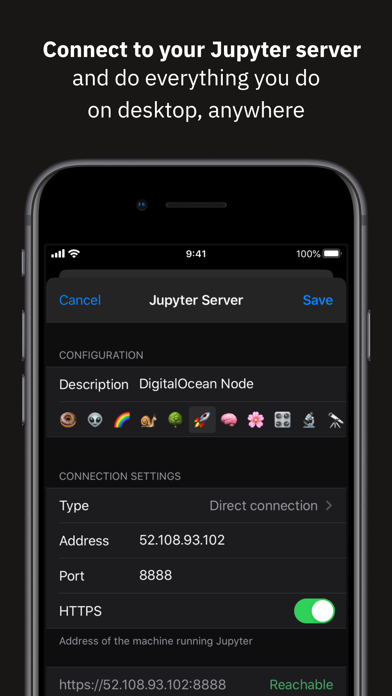
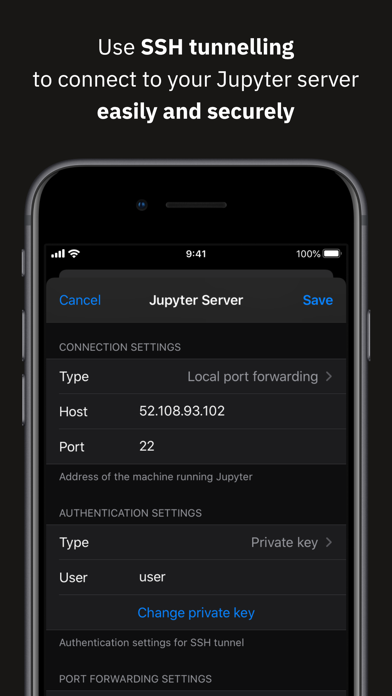
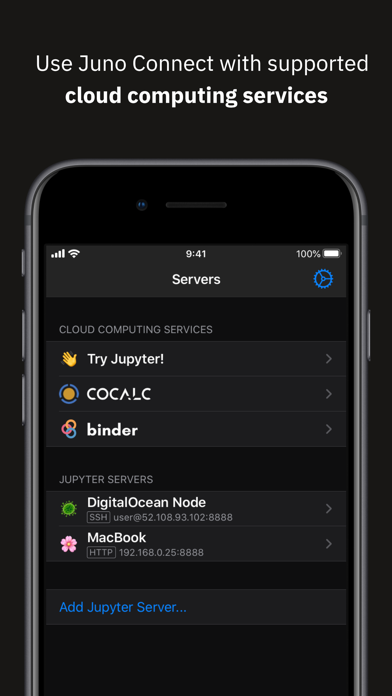
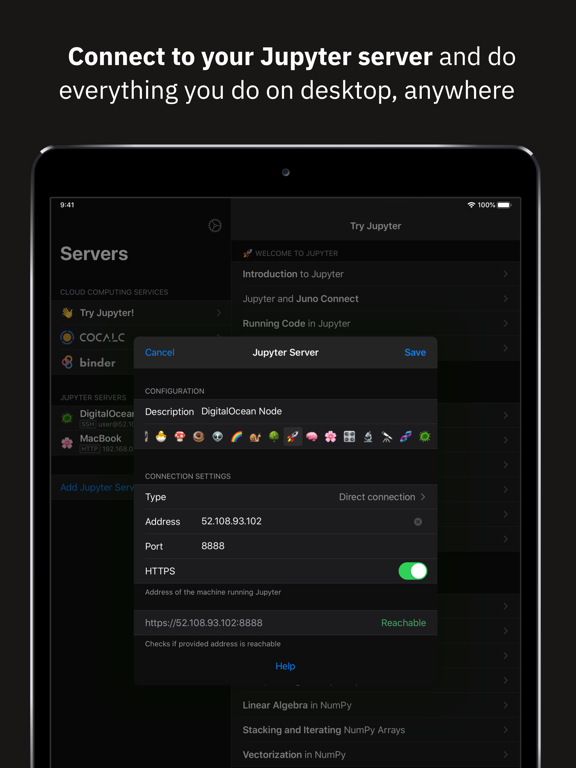
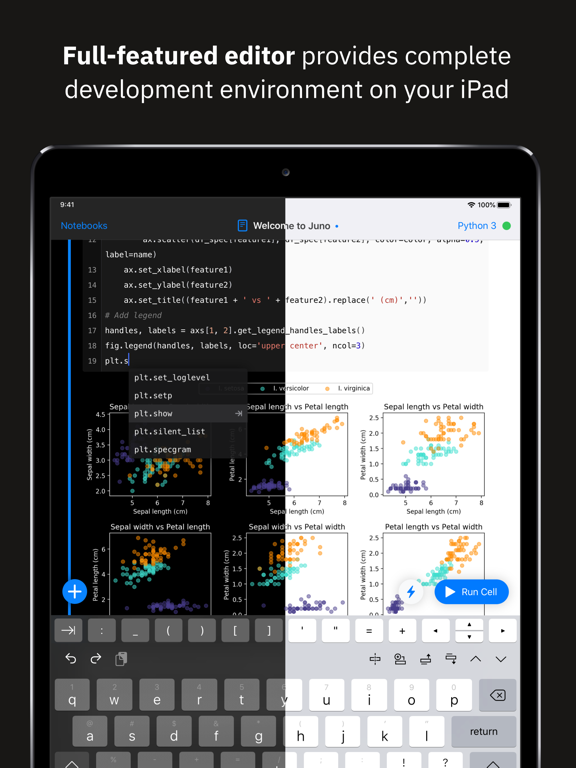
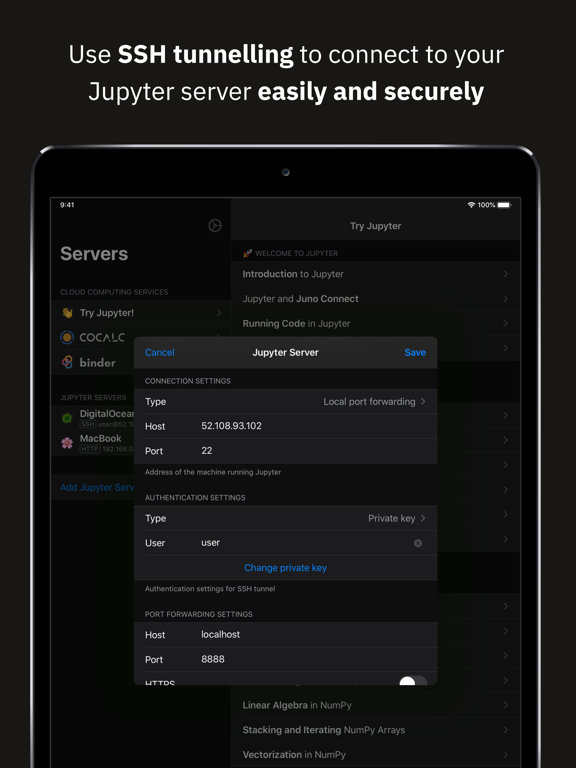
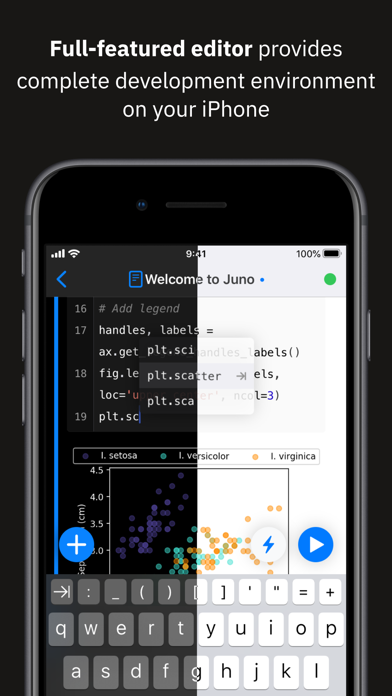
Juno Connect is a client app for Jupyter, a cloud-based computational environment. Juno Connect lets you leverage the computing power of a remote Jupyter server right from your iPhone or iPad. With Juno Connect you can: • Connect to cloud-computing services, such as CoCalc, Binder, SageMaker, Gradient or NAAS • Add and configure your own remote Jupyter servers • Leverage SSH tunneling with local port forwarding for secure connections • Take full advantage of your keyboard and trackpad in our full-featured code editor • Utilise full multitasking capabilities on iPad When you run code in Juno Connect, the actual computing is happening on a remote Jupyter server, giving you access to virtually unlimited computational resources from your iPhone or iPad. You can either connect to your own Jupyter server — directly via HTTP/HTTPS, or by establishing an SSH tunnel with local port forwarding — or use cloud computing services, such as CoCalc, Binder, SageMaker, Gradient or NAAS. And if you would rather execute code on device instead, check out our other app Juno, it lets you work with Jupyter notebooks autonomously on your iPhone or iPad. Juno Connect offers a full-featured notebook and code editor, providing a complete development environment on your iPad or iPhone. it supports Dark Mode and Dynamic Type, offers extended on-screen keyboard and works beautifully with all hardware keyboards and trackpads. Juno Connect lets you reach your Jupyter server easily and securely with SSH tunnel using local port forwarding. You can launch Juno Connect in Split-screen mode alongside other apps on iPad — run notebooks with documentation, terminal, or other code editor in front of you. WHAT IS JUPYTER? Jupyter is an interactive cloud-based computational environment, where you can combine code execution, rich text, mathematics, plots and rich media. It works with Jupyter notebooks, a computational document format that allows storing live code, markdown text, plots, images and equations in LaTeX — all wrapped into a single notebook file. Notebook documents keep record of all inputs and outputs of the interactive programming session, and the rich output generated by running R, Python or Julia scripts (including HTML, images, video, and plots) is embedded into the Jupyter notebook document. They are especially convenient if you are coding in Python for data analysis, machine learning, or computational science in general. A notebook consists of a sequence of cells, each representing either a narrative text in a form of markdown text or HTML, or a coding script with a text or media output. This makes notebooks both human-readable documents with the analysis description and the results (figures, tables, etc), as well as executable scripts for data analysis or plain programming. You can use Jupyter notebook as a document with optional executable code in it, or simply as a programming playground for data manipulation and experiments. Jupyter supports countless programming languages, including Python, R, Julia, and Scala. Jupyter lets you leverage big data tools, such as Apache Spark, from Python, R, and Scala — or explore that same data with pandas, scikit-learn, ggplot2, PyTorch and TensorFlow. And, of course, Juno Connect lets you use whichever language kernels and libraries are installed on your Jupyter server right on your iPhone or iPad.

See this store page in another country

Prices, ranks and reviews are per country. Revenue above is already worldwide.

More from Rational Matter

Python IDE & Jupyter – Juno
Developer Tools
66 ratingsAnalyze →
Learn to Code – Tinkerstellar
Education
48 ratingsAnalyze →
Juno
Education
0 ratingsAnalyze →