★★★★★Apr 9, 2026
love itSo useful

Estimated from the grossing charts of Oct 24, 2026 in the 53 countries we track, and ratings growth on the App Store.
From our daily snapshots of every grossing chart and daily ratings counts.
| Sep 25, 2026 | not in a grossing chart |
| Sep 26, 2026 | not in a grossing chart |
| Sep 27, 2026 | not in a grossing chart |
| Sep 28, 2026 | not in a grossing chart |
| Sep 29, 2026 | not in a grossing chart |
| Sep 30, 2026 | not in a grossing chart |
| Oct 1, 2026 | not in a grossing chart |
| Oct 2, 2026 | not in a grossing chart |
| Oct 3, 2026 | not in a grossing chart |
| Oct 4, 2026 | not in a grossing chart |
| Oct 5, 2026 | not in a grossing chart |
| Oct 6, 2026 | not in a grossing chart |
| Oct 7, 2026 | not in a grossing chart |
| Oct 8, 2026 | not in a grossing chart |
| Oct 9, 2026 | not in a grossing chart |
| Oct 10, 2026 | $16.5K a month |
| Oct 11, 2026 | not in a grossing chart |
| Oct 12, 2026 | not in a grossing chart |
| Oct 13, 2026 | not in a grossing chart |
| Oct 14, 2026 | not in a grossing chart |
| Oct 15, 2026 | not in a grossing chart |
| Oct 16, 2026 | not in a grossing chart |
| Oct 17, 2026 | not in a grossing chart |
| Oct 18, 2026 | not in a grossing chart |
| Oct 19, 2026 | not in a grossing chart |
| Oct 20, 2026 | not in a grossing chart |
| Oct 21, 2026 | not in a grossing chart |
| Oct 22, 2026 | not in a grossing chart |
| Oct 23, 2026 | not in a grossing chart |
| Oct 24, 2026 | not in a grossing chart |
| Oct 22, 2026 | 1.7K ratings |
| Oct 23, 2026 | 1.7K ratings |
| Oct 24, 2026 | 1.7K ratings |
Measured from the store, not estimated.
From the latest 80 reviews on the Brazil App Store, Feb 10, 2018 to Apr 9, 2026: 19% are 1 or 2 stars. Open a theme to read what people wrote.
6 of the 1 and 2 star reviews.
★★★★★ Didn't work and it has bug.
★★★★★ Connecting to a instance of a Jupyter lab fails as it attempts to connect to “<server>:<server-port>/tree?” rather than /lab/tree
★★★★★ This app doesn't appear to work with Jupyter Notebooks version 7 or greater (Jupyter Lab 4). I paid for it but never got to use it I don't want to downgrade my working environment.
3 of the 1 and 2 star reviews.
★★★★★ It is very frustrating to see a notebook there that I've worked an hour on and no way to save it.
★★★★★ Also missing features to set pw for a custom server
★★★★★ Maybe I'm missing something, but the app doesn't appear to be able to do anything at all (other than display its own documentation) without paying $9.99 for Pro.
2 of the 1 and 2 star reviews.
★★★★★ I've lost work a number of times when the Juno simply can't connect to Azure Notebooks and keeps saying save failed and reconnect failed.
2 of the 1 and 2 star reviews.
★★★★★ Will update when/if i get a response
★★★★★ This app doesn't appear to work with Jupyter Notebooks version 7 or greater (Jupyter Lab 4). I paid for it but never got to use it I don't want to downgrade my working environment.
11 of the 4 and 5 star reviews.
★★★★★ My only complaint about it, really, is my fear that it will go away, because it is not popular enough to support sustained development.
★★★★★ Just hope the author can add support for Notebook 7.x soon, and provide some more useful and sleek features like those in Juno.
★★★★★ I'd love to support them.
10 of the 4 and 5 star reviews.
★★★★★ Very useful especially when I get eye strain from computer screen
★★★★★ Just hope the author can add support for Notebook 7.x soon, and provide some more useful and sleek features like those in Juno.
★★★★★ Extremely useful app to learn CS programming and additional functionality that I really enjoyed
6 of the 4 and 5 star reviews.
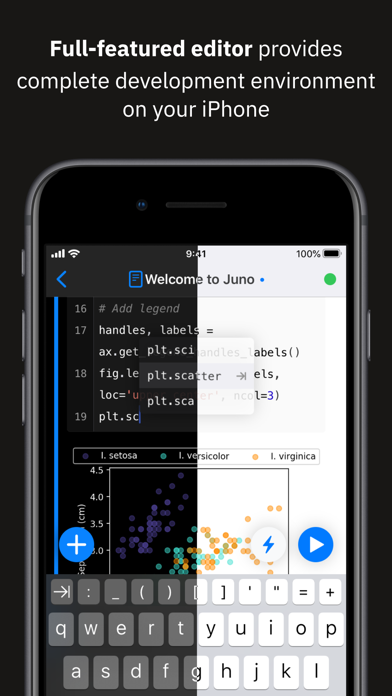
★★★★★ So far interface has been great and really looking forward to text size change integrated into the app so I can fit more text on my screen.
★★★★★ I like the clean and comfortable design.
★★★★★ The UI may not be what you're used to but the implementation is very nice.
5 of the 4 and 5 star reviews.
★★★★★ It has a more “user friendly” way of doing package management.
★★★★★ As a simple Jupyter notebook client, this works extremely well, and re-connects well to my notebook server after having a period of no activity, which has been an unexpected constant hurdle to doing real work on my new…
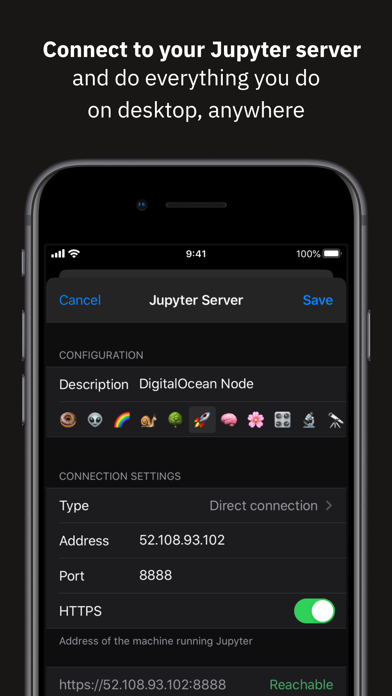
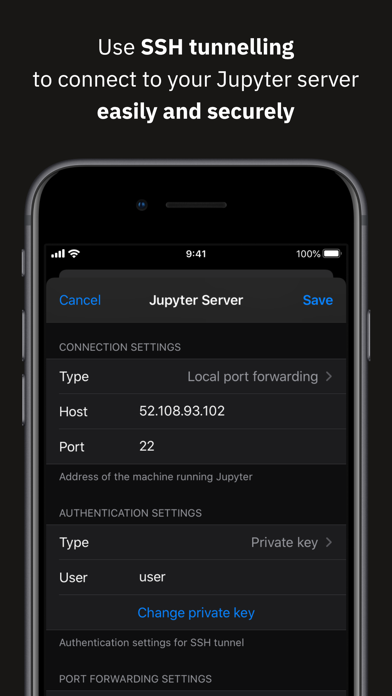
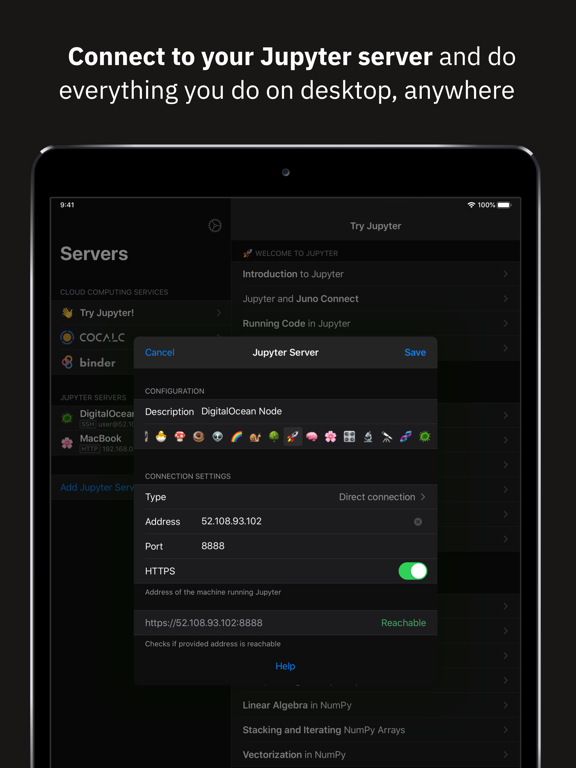
★★★★★ The developer's setup instructions are very straightforward and I was able to set up and connect to a remote VM with a Jupyter instance running using a Digital Ocean droplet in a matter of minutes.
5 of the 4 and 5 star reviews.
★★★★★ My main feature suggestion is that it might be cool to lean into the iPad's capabilities, and add an integrated drawing control to the app, for inserting quick hand-drawn sketches into a notebook.
★★★★★ Fantastically smooth workflow, coding, and on top of all that, the app is maintained by a responsive and passionate developer.
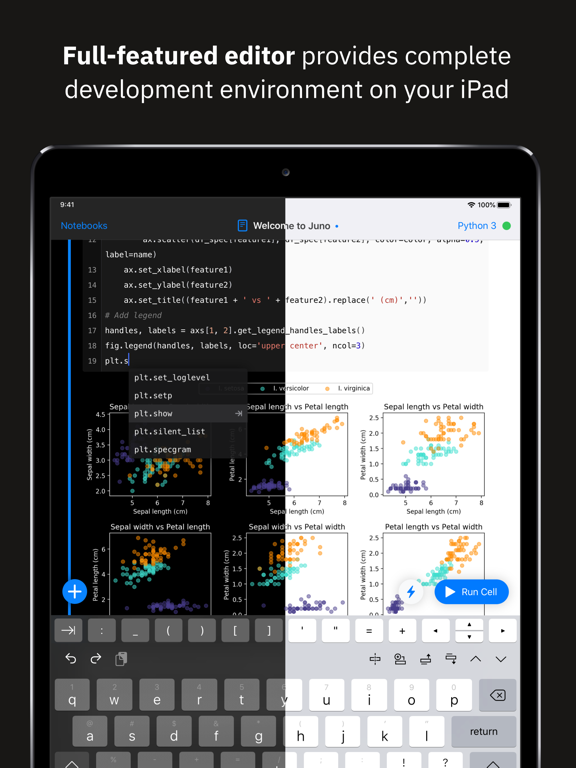
★★★★★ The interface is nice and smooth, and it renders things well.
Found by matching words and phrases in the reviews, not read by a person. A review can count toward more than one theme.
Latest reviews, Brazil App Store.
So useful
Now getting the hang of it
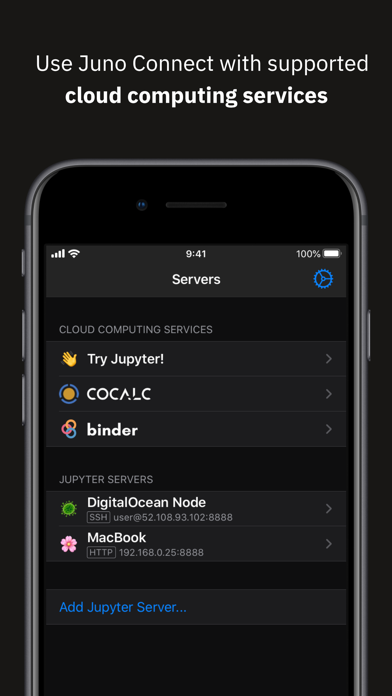
Per the screenshots and other documentation this app natively supports integration with "cocalc" which is a type of virtual computing service. So far, i cannot find an option to add cocalc anywhere in the actual app interface- reached out twice, no response yet. Will update when/if i get a response
So far interface has been great and really looking forward to text size change integrated into the app so I can fit more text on my screen. I have faced some bugs in the app related to restart and run all command. Clicking this breaks the connection causing an infinite loop and disconnect and reconnect with no cells being run. Another bug has been highlighted code when in cell. I face issues with highlighting multiple lines which is kinda annoying since this seems like something really basic feature. Also faced a small issue with creating a jupyter notebook file on the server (button does not seem to work). While this might make the app seem terrible, just know even with these issues, this app has a made it a joy to take my ipad with me on the go to my classes and being able to edit, run, and create new models!!!
This is one of my favorite apps on my iPad. It takes Jupyter notebooks from being rather awkward on the iPad, to being a real joy to use. And it turns the iPad into a convenient tablet device for analysis which no other device can exactly replace. In other words, it combines these two products in a way that creates a unique and new version of each one, and it's great! My only complaint about it, really, is my fear that it will go away, because it is not popular enough to support sustained development. I hope it sticks around. My main feature suggestion is that it might be cool to lean into the iPad's capabilities, and add an integrated drawing control to the app, for inserting quick hand-drawn sketches into a notebook. This could also be a way to add equations for OCR in the notebook.
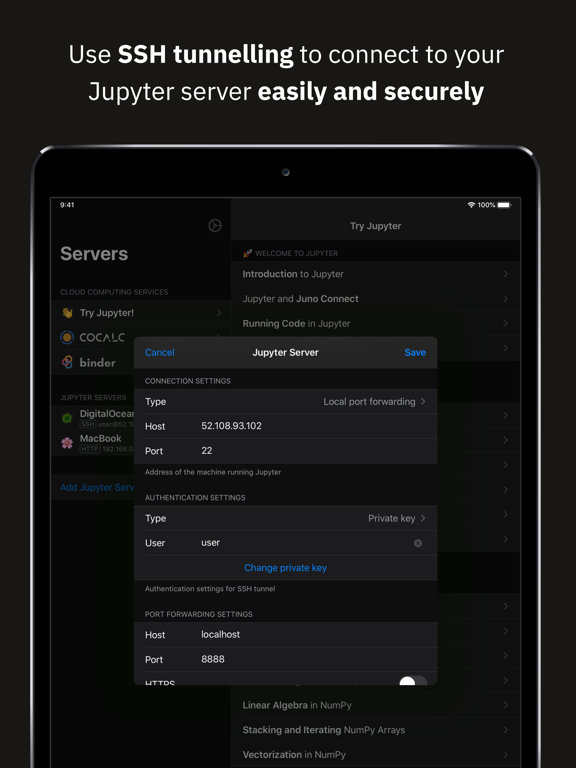
I tried to connect to my local Jupyter server using ssh fort forwarding. Didn’t work and it has bug. It can’t connect to Jupyter lab.
Same category, earning about as much.

Apple Search Ads this app ran in the last 90 days, from Apple's public ad repository.
Where this app is buying and earning its users. Each link opens pre filtered.
Most repeated terms in the listing. Highlighted ones also appear in the title.
Released Jan 24, 2018. Current version shipped Sep 18, 2022.
Prices, ranks and reviews are per country. Revenue above is already worldwide.


