← Back to charts
JUMP PAINT by MediBang icon
GOOGLE PLAY

JUMP PAINT by MediBang

MediBang Inc. · Art & Design · United Kingdom store
NOT IN TOP 100 HERE
View on Google Play ↗ Instagram card
Revenue a month, worldwide
Too small to estimate
Not enough chart or ratings data
New ratings
Tracking
Daily counts start building from today
Rating
3.4 of 5
6.4K ratings in this store
Countries it ranks in
0
was 0 on Oct 15, 2026

Revenue

Estimated from the grossing charts of Oct 21, 2026 in the 53 countries we track.

EST. REVENUE / MONTH · WORLDWIDE
Unranked
Not in a grossing chart in any country we track, so there is no rank to estimate from. Most unranked apps earn far less than charted ones, often close to nothing.
LIFETIME INSTALLS (GOOGLE)
1.3M
About 11.9K per month on average since launch
RATINGS
6.4K
AVG RATING
3.42
PRICE
Free
IN APP PURCHASES
No
CONTAINS ADS
No
LAST UPDATE
247d ago
RELEASED
Jun 21, 2017
CONTENT RATING
PEGI 3

Last 29 days

From our daily snapshots of every grossing chart.

DAYS IN A GROSSING CHART
0 / 29
COUNTRIES NOW
0 (was 0)
EST. REVENUE FROM CHARTS, DAILY · GOOGLE PLAY ONLY EST
Show daily values
Sep 24, 2026not in a grossing chart
Sep 25, 2026not in a grossing chart
Sep 26, 2026not in a grossing chart
Sep 27, 2026not in a grossing chart
Sep 28, 2026not in a grossing chart
Sep 29, 2026not in a grossing chart
Sep 30, 2026not in a grossing chart
Oct 1, 2026not in a grossing chart
Oct 2, 2026not in a grossing chart
Oct 3, 2026not in a grossing chart
Oct 4, 2026not in a grossing chart
Oct 5, 2026not in a grossing chart
Oct 6, 2026not in a grossing chart
Oct 7, 2026not in a grossing chart
Oct 8, 2026not in a grossing chart
Oct 9, 2026not in a grossing chart
Oct 10, 2026not in a grossing chart
Oct 11, 2026not in a grossing chart
Oct 12, 2026not in a grossing chart
Oct 13, 2026not in a grossing chart
Oct 14, 2026not in a grossing chart
Oct 15, 2026not in a grossing chart
Oct 16, 2026not in a grossing chart
Oct 17, 2026not in a grossing chart
Oct 18, 2026not in a grossing chart
Oct 19, 2026not in a grossing chart
Oct 20, 2026not in a grossing chart
Oct 21, 2026not in a grossing chart
Oct 22, 2026not in a grossing chart
Best rank Sep 24, 2026: not ranked. Now: not ranked. Days at zero are days outside every grossing chart.

Money and momentum

Measured from the store, not estimated.

WHAT IT CHARGES
No in-app purchases
Earns from its upfront price, ads or payments outside the store.
REVIEW MOMENTUM
0.9 reviews / week
  • Trendfalling
  • Recent reviews average3.4 stars
  • Recent 1 and 2 star share36%
From the latest 442 written reviews, covering 3409 days.
RATING BREAKDOWN
6.4K ratings
5★42%
4★13%
3★13%
2★10%
1★23%

What users want

From the latest 442 reviews on the United Kingdom Google Play, Jun 22, 2017 to Oct 8, 2026: 36% are 1 or 2 stars. Open a theme to read what people wrote.

WHAT THEY COMPLAIN ABOUT · SHARE OF BAD REVIEWS
Login and account problems24%

38 of the 1 and 2 star reviews.

★★★★★ I won't even let me sign up
★★★★★ When I installed the app I opened the chapter 1 and it was asking for my Google account when I typed my email account it was showing an error I typed multiple times but it didn't work so I typed my phone number then it…
★★★★★ Can't log in, can't sign up either
Bugs, things not working16%

25 of the 1 and 2 star reviews.

★★★★★ but already on the second use the application began to show strange glitches.
★★★★★ When I installed the app I opened the chapter 1 and it was asking for my Google account when I typed my email account it was showing an error I typed multiple times but it didn't work so I typed my phone number then it…
★★★★★ This great app...But this app is allways says is "An error has occured.Please check your settings and try again"Please please fix this problem
Slow, laggy, battery12%

19 of the 1 and 2 star reviews.

★★★★★ IM STUCK ON DEFAULT AHH LOADING
★★★★★ Too laggy when I'm trying to draw
★★★★★ Never got past loading screen, it just says that an error has occurred and closes the app.
Crashes and freezes6%

9 of the 1 and 2 star reviews.

★★★★★ IM STUCK ON DEFAULT AHH LOADING
★★★★★ wont even let me create an account....keep crashing....terrible...
★★★★★ app crashes when I try to log in
Wrong or poor results4%

6 of the 1 and 2 star reviews.

★★★★★ it would be the perfect app for mangas, but its useless because of it loosing your work randomly, inacceptable, should be fixed or removed from the app store
★★★★★ But I hate the fact that it's useless without internet connection.
★★★★★ Terrible, it keeps telling me there's an error and I can't draw even though I already made a functional account, it's just a waste of time, this is giving me a headache, I unistalled this moments after, I'm very…
Lost data, sync, backup3%

5 of the 1 and 2 star reviews.

★★★★★ I lost my works due to sudden log out...and can't recover
★★★★★ All my savings were gone , now I have to redo gradinga and colour tone 😞
★★★★★ Since I sorta permanently lost my art due to not being able to get back in the app.
Limits, credits, locked features2%

3 of the 1 and 2 star reviews.

★★★★★ It sucks I have to limit myself to practically nothing.
★★★★★ Now I can't touch my artwork any more cause it's locked on the account.
★★★★★ In the notebook ia great, though a bit limited.
WHAT THEY ASK FOR
  • The apps was running good without facing any bug or somethings but i would recommend if you adding the dark themes and it would be better because its getting uncomfortable with the light themes. 5★, May 16, 2025
  • As someone who likes to be surrounded by nature when they draw, it would be nice if this was changed for use anywhere. 4★, Apr 13, 2025
  • please give me more tips and training! 5★, Jul 17, 2024
  • Fantastic, love the addition of the tutorial, let's just hope the Devs might add some character framing🙏 5★, Feb 13, 2022
  • Please add offline mode, I want to be able to travel and work on comics 3★, Nov 10, 2021
  • This really needs a dark mode 4★, Aug 19, 2021
  • Learn to do your own comics/manga Simple steps May need more steps but still good Gives you alot of options to show you the how to 5★, Jun 29, 2021
  • I don't usually rate things but please give me back my google account or at least tranfer my info.I don't want to make an account and it doesn't have my stuff on jump paint. 1★, May 9, 2021
WORDS THAT KEEP COMING UP IN BAD REVIEWS
loading screen13please fix10check your settings5won't let4settings and try4didn't work3error has occured3there's an error3screen takes forever3long to open3please check4medibang paint5
WHAT THEY LOVE · SHARE OF GOOD REVIEWS
Easy to use5%

12 of the 4 and 5 star reviews.

★★★★★ App is very easy to use and understand,it's quick and regularly updates all it's features.
★★★★★ Apart from the ads, it's very easy to use, and it has many different types of brushes and pens.
★★★★★ Pretty decent free drawing app and easy ui
Useful, it helps5%

12 of the 4 and 5 star reviews.

★★★★★ Wow very helpful for me to draw
★★★★★ Please update, and maybe give it something a bit more unique like a different interface and more helpful manga creating functionality.
★★★★★ It helps me get the feel of manga
Looks great3%

7 of the 4 and 5 star reviews.

★★★★★ Pretty decent free drawing app and easy ui
★★★★★ Ur a miracle,beautiful....u areee and i want u to know babyyyy,ah i love u like a love song baby
★★★★★ Please update, and maybe give it something a bit more unique like a different interface and more helpful manga creating functionality.
Worth the money2%

6 of the 4 and 5 star reviews.

★★★★★ best free app for manga drawing
★★★★★ Best FREE app to make manga!
★★★★★ It's just a great app, nothing to talk about, and it's free💁
Fun, addictive2%

4 of the 4 and 5 star reviews.

★★★★★ Honestly, I enjoy this app very much.
★★★★★ It is fun practicing my drawing with the characters I like~ The fact that all the pens/brushes, tones and backgrounds were free is amazing.
★★★★★ What I enjoy the most out of it is the fact that you can save colors next to the color wheel instead of always using the pipe, which is truly useful.

Found by matching words and phrases in the reviews, not read by a person. A review can count toward more than one theme.

What users say

Latest reviews, United Kingdom Google Play.

★★★★★Oct 8, 2026

Can we remove the need for internet connection? Wasn't really minding it before but when I didn't have access to wifi and data for a few hours it really bothered me. Jump paint's the only app my device can run without heating up too much for long periods

★★★★★Aug 18, 2026

best app

★★★★★Aug 5, 2026

I've been using this software for years now, along with Medibang & Clip Studio. I recently got a new laptop (which was chromebook gifted). Come to find out I cant use ANYTHING on this laptop. each software or app I could download on websites I have to get them here (goodbye, steam) and JUMPPAINT wont even open. none of the apps except ibis open. It sucks I have to limit myself to practically nothing. it'd be nice if they'd make downloads more easier and divrese than just a app store like a phone

★★★★★Jul 18, 2026

keeps stopping pls dont download on intel rasswell chromebk yet

★★★★★Jul 16, 2026

Best app

★★★★★Jul 10, 2026

I like this app but I encountered an issue with the color copy and when I tried to message them about it they wouldn't let me. it was simple at first but then wouldn't let me submit it until I had either made an account or logged in. I did that and when it took me back to the page it had deleted my whole explanation of the issue. it's a really annoying issue too. *edit- now none of the colors are working.

Store screenshots

ScreenshotScreenshotScreenshotScreenshot

Growth research

Where this app is buying and earning its users. Each link opens pre filtered.

ASO keywords

Most repeated terms in the listing. Highlighted ones also appear in the title or short description.

jump12jump paint10paint9manga7features5creating4illustrations4medibang4draw4brushes4brush4pen4different4weekly shonen3shonen jump3manga illustrations3tones backgrounds3past present3present jump3medibang paint3illustrations manga3many features3pens3tones3

What's new in 6.6

- Fixed a rare crash that occurred when the app was moved to the background. - Minor improvements to the Start Guide.

Store description

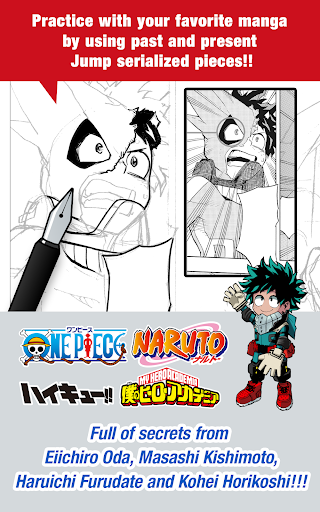
■A completely free app for creating official Weekly Shonen Jump manga and illustrations!! G-pens, Mapping Pens, Tones and Backgrounds are all free to use!! ■Practice with your favorite manga by using past and present Jump serialized pieces!! Full of secrets from past and present Jump authors like One Piece's Eiichiro Oda and My Hero Academia's Kohei Horikoshi!! ■Learn techniques on how to create a manga from Jump's editorial department!! Loads of lessons on story, character creation and dialogue!! ■You can also enter Jump contests!! The app will give you information on each contest. Don't miss out!! What is JUMP PAINT? It's the ultimate app for creating manga and illustrations -- a collaboration between MediBang Paint (12 million downloads) and Weekly Shonen Jump. JUMP PAINT was developed to provide an environment for creators to draw anytime and anywhere using MediBang Paint's features. JUMP PAINT is the perfect paint software for creating illustrations and manga. It comes with many features to enjoy drawing illustrations and manga, like a multitude of brushes, materials and manga fonts. ■ Draw Anywhere!   ・With JUMP PAINT you can have almost all the features of a desktop painting program in your pocket.   ・Despite being packed with so many features, the interface of JUMP PAINT has been designed especially for the iPhone in mind.   ・The UI can be closed and opened in one touch.   ・The sleek interface allows users to change brush sizes or color modes with ease. ■ Painting Tools   ・90 free brushes!!   ・In addition to the Pen, Pencil, Watercolor, Blur, Smudge, G Pen, Mapping Pen, Rotation Symmetry and Edge Pens, we have added over 50 different kinds of brushes, including the Brush, Flat Brush, Round Brush, Acrylic, School Pen, and Soft Pastel.   ・Force Fade In and Out make your lines sharp even if you’re drawing with your fingers. ・Users can create their own custom brushes. ■ Free Resources ・800 different types of free tones and backgrounds. ・Premade clouds, buildings, and vehicles are included. ・Tones can be added with one simple touch. ■ Layers ・Comes with layers complete with blending modes. ・Can be used to preserves different elements of you work. ■ Comic Fonts ・Use them to change the atmosphere of your comics. ・Use them to define your character’s moods or personalities. ・50 fonts used by industry professionals available. ■ Comic Creation ・Just drag across the screen to create comic panels. ・Freely transform their shape. ■ User Friendly ・Includes customizable shortcuts ・Geared towards first time users. ・Has an interface designed to give artists room to draw. ・One touch to access full-screen mode. ■ Other Tools ・Guides for drawing in perspective, or creating lines, and curves. ・Correction to stabilize your line strokes. ■ Photo Reference   ・You can take photos in the app and use them as references on a different layer.   ・Use them for reference or learning how to draw new things. ■ Cloud Storage ・You can backup and manage your data safely. ・Easily transfer your work. ■ Manage Project ・Save and manage multipage documents. ■ Syncability ・You can sync your preset settings with the PC version of JUMP PAINT. ■ Team Creation ・You can collaborate on work with friends no matter where you are. ■ Auto Recovery ・Your data is automatically backed up if your device crashes. IMPORTANT In order to use the app’s cloud features a MediBang account is required(https://medibang.com/).

See this store page in another country

Prices, ranks and reviews are per country. Revenue above is already worldwide.

More from MediBang Inc.

MediBang Paint:Draw Art, Comic
3.7 ★
Analyze →
MediBang Paletta:Drawing App
4.8 ★
Analyze →
MediBang Colors coloring book
4.1 ★
Analyze →
MangaName/ Draw draft of comic
3.2 ★
Analyze →