ASO keywords
Most repeated terms in the listing. Highlighted ones also appear in the title.
notes21note19notepad9list9inkpad8inkpad notepad8button7create6write5tap5search5paper notepad5shopping list5notes online5note tap5top note5phone4shopping4online4screen4backup4lists4share4title4
What's new in 6.5.16
- Redesigned home screen with a cleaner look and a new search experience.
- Ask Inkpad AI or search your notes directly from the home screen.
- The search bar tucks away while you scroll, giving your notes more room.
- Sync status and actions are now easier to see in the notes list header.
- General bug fixes and stability improvements.
Released Jul 27, 2015. Current version shipped Oct 19, 2026.
Store description
InkPad Notepad is the simple, elegant, easy way to keep notes on your phone, or on the web.
Once upon a time, you had to write down notes in a paper notepad and carry it around with you. If you wrote a shopping list or to do list, you might go to the store and discover you had forgotten your notepad. But how often do you forget to bring your mobile phone with you? Introducing InkPad, the notepad you’ll only forget as often as your phone!
Inkpad Notepad let's you access your notes online on our website. You can create or edit notes from the convenience of your computer's web browser, and always have access to your notes from your phone when you're offline too.
CREATE NOTES
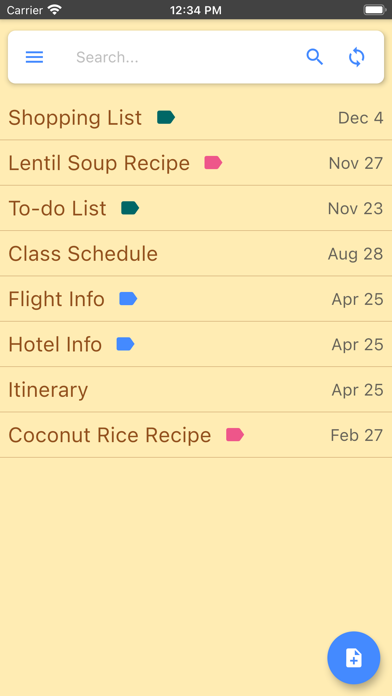
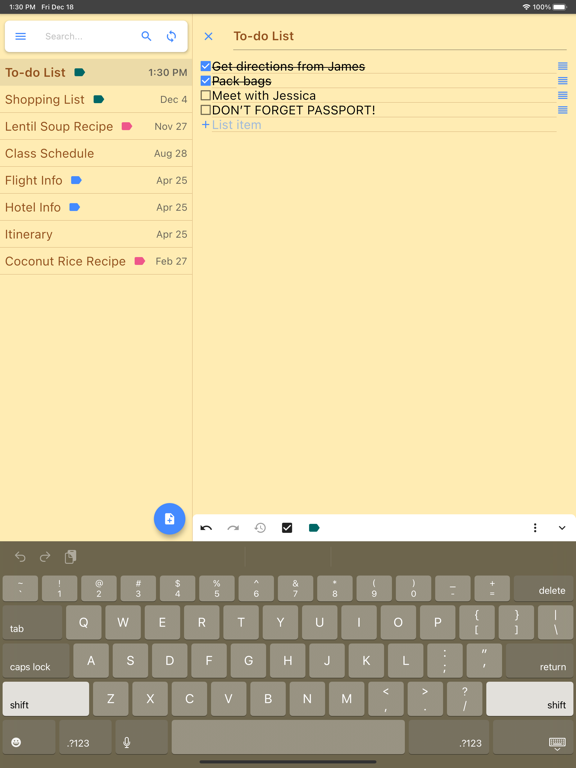
InkPad is designed to look like a paper notepad, and is just as simple to use. When you open InkPad, you’ll see a list of all notes you’ve created. To add a new note, tap on the “+” button at the bottom of the screen.
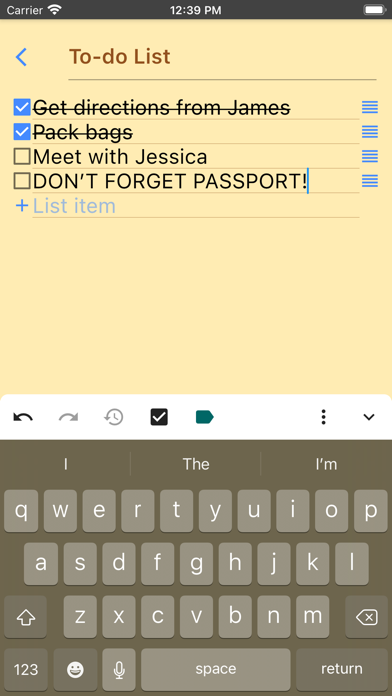
CREATE TO DO LIST
Create a note as usual, then select the "to do list" button at the top of the note screen.
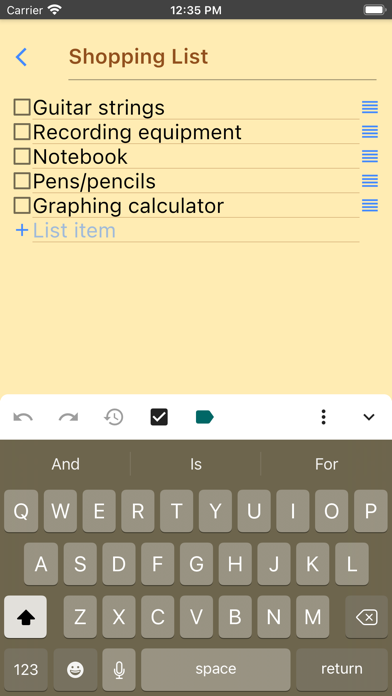
CREATE SHOPPING LIST
Create a note as usual, then select the "shopping list" button at the top of the note.
EDIT NOTE OR TO DO LIST
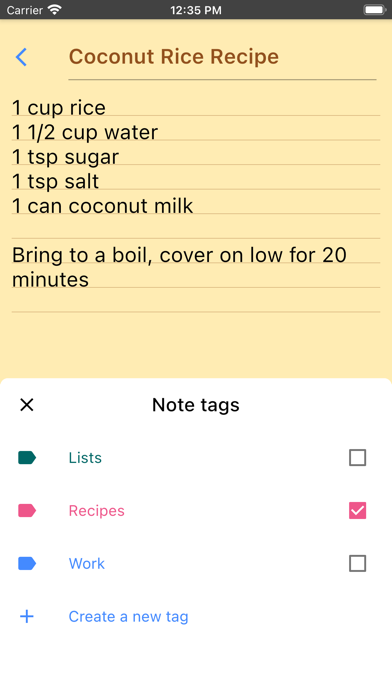
Now you can write your note. Just like a paper notepad, you don’t have to do anything special to save your notes, they are auto-saved for you.
SAVE
As mentioned above, notes are auto-saved. You don’t have to do anything special to save them.
SYNC NOTES ONLINE
Inkpad Notepad lets you sync/backup notes online. You can access your online notes on our website by signing in with the same account you selected in the mobile app.
SEARCH YOUR NOTES OR TO DO LISTS
Inkpad Notepad now gives you an option to search your notes or to do lists. From the home screen, tap on the search icon, then begin writing. As you write, the list of notes will be filtered to only display notes containing the search keyword. Press the "X" button to clear the note search, and view all notes as usual.
SHARE NOTES
At the bottom of each note is a “share” button. Tapping it brings up all the ways to share. Typical ways include email, SMS, etc.
CHANGE NOTE’S TITLE
To change a notes title, tap on the title area at the top of that note.
DELETE NOTE
If you don’t want a note any longer, you can delete it in several ways: 1) Open the note, tap the “delete” button at the bottom of the page. 2) From the main notes screen, swipe-left the title of a note, then tap on “delete”.
BACKUP NOTES
To backup a note, press the share button and email to yourself the note you want to backup.
TYPICAL USES
Write To do lists, shopping lists, addresses, email, SMS, Twitter updates*, write lyrics, poems, or even a novel if you feel like it! The uses are limited only by your imagination.
Follow @InkpadNotes on twitter and facebook to receive updates about InkPad Note pad.
*Assumes separate Twitter client is installed, Twitter cannot post note pad content longer than 140 characters.
Privacy Policy: https://www.inkpadnotepad.com/privacy
Terms of Use: https://www.inkpadnotepad.com/terms
See this store page in another country
Prices, ranks and reviews are per country. Revenue above is already worldwide.