ASO keywords
Most repeated terms in the listing. Highlighted ones also appear in the title.
gpx10gpx tracker8track6stop6tracker5tracks5tracing trip5item right5tracing4trip4screen4format4tracker simple3xcode compatible3simple configuration3whenever stop3stop recording3menu bar3bar item3right side3side choose3tracks screen3tag based3simple3
What's new in 1.3.4
Added the support for Garmin BaseCamp. To export your data for Garmin Basecamp, turn on the switch "Garmin Compatibility" and export your tracks in trk format.
Released Nov 3, 2014. Current version shipped Mar 24, 2019.
Store description
GPX Tracker is a simple to use but powerful tool that helps you to track your ways. If you drive a car, biking or even outdoor on a walking or hiking tour, GPX Tracker will be tracing your geo data.
Once developed as a creator for XCode compatible GPX formatted files, the feature list is growing but it is still as simple to use.
Configuration
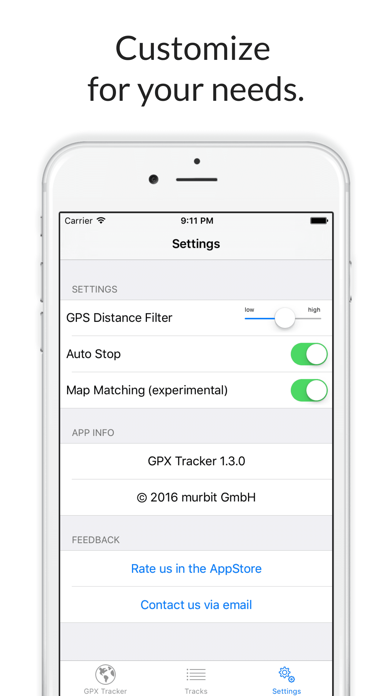
GPX Tracker has a simple configuration interface.
* Distance Filter - specifies the minimum distance between two way points in meters.
* Auto Stop - If you ever forget to turn off the recorder, don't mind. GPX Tracker figures out whenever you stop traveling and stops tracing your trip to save energy.
* Reminder - If this feature is turned on, you will receive a message whenever you stop by for a few minutes to remind you on stopping the track tracing.
Trip Tracking
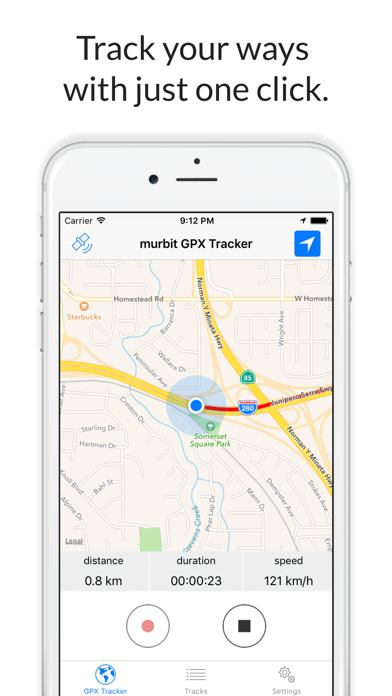
The main screen has a start/stop button. Simply press this button once for tracing a new trip and a second time whenever you want to stop recording data.
On the top of the screen, you will see the traveled miles or kilometers depending on your locale system configuration.
With the menu bar item on the right side you can choose different user tracking modes for the maps.
Tracks
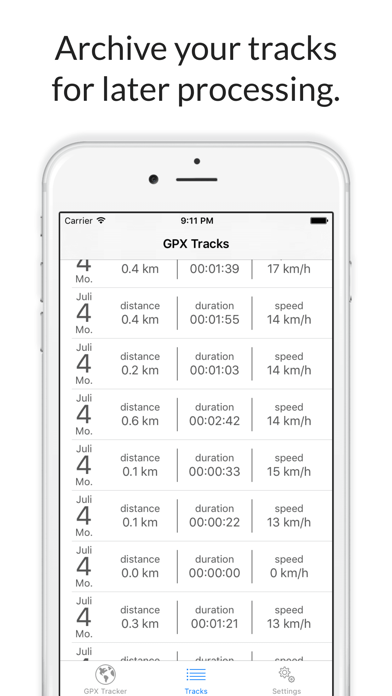
The Tracks screen provides a list of tracks recorded. The will show the date and time of recording, the duration of the trip and its distance.
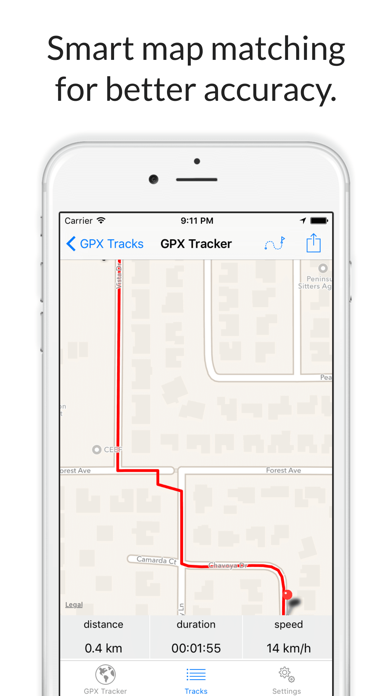
If you tap on one of the trips, it will be displayed on a map. From there on, you can press the menu bar item on the right side to choose an export format and send the generated
file by email.
Back in the Tracks screen, you can easily delete a recorded track by swiping the desired item from the right to the left.
Track Export Formats
There are two output formats available.
* XCode compatible "wpt"-tag based GPX files. This format can be used for the iOS Simulator by added the generated gpx file to an XCode iOS Project.
* Common GPX "trk"-tag based format. The track will consist of a collection of "trkpt" tags within a "trk" element. This format should be fine for any application that processes gpx tracks.
GPX Tracker is free but ad supported.
Please note: Continued use of GPS running in the background can dramatically decrease battery life. GPS will be stopped automatically, as soon as you stop recording a track.
See this store page in another country
Prices, ranks and reviews are per country. Revenue above is already worldwide.