← Back to charts
Procreate Pocket icon
APP STORE

Procreate Pocket

Savage Interactive Pty Ltd · Graphics & Design · United States store
#69 GROSSING · GRAPHICS & DESIGN
View on App Store ↗ Instagram card
Revenue a month, worldwide EST
$4.8K
Likely $1.6K to $14.5K
▲ 39.9% in 11 days
New ratings
Tracking
Daily counts start building from today
Rating
3.8 of 5
12.8K ratings in this store
Countries it ranks in
48
was 46 on Oct 16, 2026

Revenue

Estimated from the grossing charts of Oct 21, 2026 in the 53 countries we track, and ratings growth on the App Store.

EST. REVENUE / YEAR · WORLDWIDE
$57.8K
No Google Play version found
EST. LIFETIME DOWNLOADS
446.6K to 1.3M
Estimated from ratings count
WHERE IT EARNS · EST. / MONTH
  • India #46 Graphics & Design$2.3K · 49%
  • Nigeria #20 Graphics & Design$1K · 21%
  • Kazakhstan #33 Graphics & Design$816 · 17%
  • Ukraine #58 Graphics & Design$401 · 8%
  • Pakistan #67 Graphics & Design$249 · 5%
HOW SURE ARE WE
Small app: combines its grossing ranks with ratings growth (93 new ratings a month on average since launch). Tested on 418 apps with verified revenue: typically off by about 2.6 times, so the range is wide. Countries we don't track (and Google Play in China, which doesn't exist) aren't included, and neither are ads or web payments. Gross revenue before store fees.
RATINGS
12.8K
AVG RATING
3.84
PRICE
$5.99
AGE
11.9y
LAST UPDATE
4d ago
VERSION
5.0
SIZE
1151 MB
AGE RATING
4+

Last 30 days

From our daily snapshots of every grossing chart.

DAYS IN A GROSSING CHART
30 / 30
COUNTRIES NOW
45 (was 19)
EST. REVENUE A MONTH, DAILY · APP STORE EST
Show daily values
Sep 24, 2026$416 a month
Sep 25, 2026$360 a month
Sep 26, 2026not in a grossing chart
Sep 27, 2026not in a grossing chart
Sep 28, 2026$4K a month
Sep 29, 2026$4K a month
Sep 30, 2026$4K a month
Oct 1, 2026$4K a month
Oct 2, 2026$4K a month
Oct 3, 2026$4K a month
Oct 4, 2026$4K a month
Oct 5, 2026$4K a month
Oct 6, 2026$4K a month
Oct 7, 2026$4K a month
Oct 8, 2026$4K a month
Oct 9, 2026$4K a month
Oct 10, 2026$4K a month
Oct 11, 2026$4K a month
Oct 12, 2026$4K a month
Oct 13, 2026$5.9K a month
Oct 14, 2026$6.2K a month
Oct 15, 2026$2.8K a month
Oct 16, 2026$4.9K a month
Oct 17, 2026$8.7K a month
Oct 18, 2026$5.3K a month
Oct 19, 2026$3.5K a month
Oct 20, 2026$3K a month
Oct 21, 2026$5.5K a month
Oct 22, 2026not in a grossing chart
Oct 23, 2026not in a grossing chart
The same estimate as the headline, saved every day. Best rank Sep 24, 2026: #19 Graphics & Design · KR. Now: #23 Graphics & Design · NG.

Money and momentum

Measured from the store, not estimated.

WHAT IT CHARGES
No in-app purchases
Earns from its upfront price, ads or payments outside the store.
REVIEW MOMENTUM
4.0 reviews / week
  • Trendsteady
  • Recent reviews average3.3 stars
  • Recent 1 and 2 star share33%
From the latest 500 written reviews, covering 868 days. The store only returns this many, so this is the most recent slice.
RELEASE CADENCE
4 updates in 90 days
  • Typical gap between releases85 days
From the last 25 versions listed on the App Store.
RATING BREAKDOWN
12.8K ratings
5★54%
4★15%
3★8%
2★5%
1★17%

What users want

From the latest 500 reviews on the United States App Store, Jun 7, 2024 to Oct 21, 2026: 33% are 1 or 2 stars. Open a theme to read what people wrote.

WHAT THEY COMPLAIN ABOUT · SHARE OF BAD REVIEWS
Price and subscription25%

42 of the 1 and 2 star reviews.

★★★★★ i paid money for this app years ago, how DARE you do this to me.
★★★★★ If it was possible to get a refund, I 100% would.
★★★★★ Thes mf charged me $6 bucks for nothing
Worse after an update20%

33 of the 1 and 2 star reviews.

★★★★★ please for the love of god UNDO THIS UPDATE.
★★★★★ the new update is god awful.
★★★★★ The 5.0.0 update genuinely ruined the app for me.
Bugs, things not working12%

20 of the 1 and 2 star reviews.

★★★★★ the undo (double finger tap) is ALSO broken and i cannot do multiple rapidly, it takes too long to register.
★★★★★ The bucket tool doesn't work anymore.
★★★★★ the new UI is just not working.
Lost data, sync, backup10%

16 of the 1 and 2 star reviews.

★★★★★ they completely changed the layout and deleted my custom brushes which are the only buttons i use.
★★★★★ I lost projects, there was a Jurassic degrees in quality of life features.
★★★★★ To my horror with this most recent update, the entire ui has been changed, I am forced into light mode, and all my Previous brushes are deleted.
Crashes and freezes8%

13 of the 1 and 2 star reviews.

★★★★★ The new update only works half the time and crashes super often
★★★★★ I can't soon as I upload a photo and I try to add it paste of a little photo thing onto the photo it freezes.
★★★★★ so admittedly i mostly use this app for tweaking the colors or pictures really quick and sometimes small hand doodles BUT all of a sudden the photo button in the home screen (that normally lets your canvas start as a…
Missing features7%

11 of the 1 and 2 star reviews.

★★★★★ the UI is awful, not thought out, and there's no way to change it back.
★★★★★ The old version was much better, cleaner, could actually see what I was clicking, and could actually draw without worrying half my screen is being taken over by stuff I can't change or close.
★★★★★ i downloaded this to sketch out comics on the go but theres no way to type in a font size or copy style so it's actually impossible to use it for that.
Wrong or poor results5%

9 of the 1 and 2 star reviews.

★★★★★ Obviously fake review's promoting it.
★★★★★ So basically it's useless.
★★★★★ not sure what's gone wrong since the last time opening the app.
Slow, laggy, battery4%

7 of the 1 and 2 star reviews.

★★★★★ That's six years of work down the drain.
★★★★★ all the tools used to just be at the top of the screen but now it hides them at the other side of the screen for no reason and you have to press like 2 buttons just to get to the color wheel and using the fill tool…
★★★★★ It is actually awful and slow, not only does it have a long delay but it then bounces and recoils across the screen and is so unnecessary and honestly if you have to use the feature multiple times in a row, it becomes…
WHAT THEY ASK FOR
  • i wish there was a way to undo an update because otherwise this app is my favorite drawing app. 1★, Oct 21, 2026
  • This new update is absolutely ridiculous, please bring back the previous version of the app!! 2★, Oct 21, 2026
  • Add the old layout it had since I downloaded this app in 2024. 4★, Oct 21, 2026
  • PLEASE make it so that you can switch between the old layout and new. 1★, Oct 21, 2026
  • Wish there was a way to go back to the old version. 1★, Oct 20, 2026
  • If possible, I hope they can add a Legacy UI option in Preferences. 4★, Oct 20, 2026
  • The painting select screen is blindingly white; please bring dark mode back 3★, Oct 20, 2026
  • I loved this app, then it updated, the interface sucks, it's difficult to use and is very laggy and ugly, I really think it would be better if you added an option to use the old interface. 1★, Oct 20, 2026
WORDS THAT KEEP COMING UP IN BAD REVIEWS
undo button20new update11waste of money5money back5please fix9horrible update4fill tool3update completely3worst update3update ever3annoying please3way to undo3
WHAT THEY LOVE · SHARE OF GOOD REVIEWS
Easy to use10%

26 of the 4 and 5 star reviews.

★★★★★ I've been using this app for so long, and it's been super useful, however the new UI brought it further from the original version and is nowhere near as intuitive as it once was.
★★★★★ Could we add an undo button with easy access?
★★★★★ This app is easy to use if you just follow the tutorial, and it has many tools for artists and many brushes and even lets you make your own custom brushes and it is a wonderful, easy to use, simple app that makes you…
Fun, addictive6%

16 of the 4 and 5 star reviews.

★★★★★ I only have one question for the developers, will the pressure of the brushes get any better, although they are nice I don't really enjoy how some work, I would appreciate if they could not be as intense in some way to…
★★★★★ I'm really enjoying the app so far, I would just like to have the ability to change which side the brush opacity and size sliders are on when using portrait mode.
★★★★★ It's very fun and all but my erase button doesn't work?
Worth the money6%

15 of the 4 and 5 star reviews.

★★★★★ this app is bad ( I LOVE IT ONCE YOU BUY IT,ITS FREE FOREVER, THE SMUDGE IS VERY NICE AND MADE ME BETTER AT ART
★★★★★ I always wanted a professional app and this one is it, very cheap for all that you get and able to add more with no issue.
★★★★★ Hey developers, can you add the font “DEATH CROW” and make it available as a FREE font?
Looks great5%

14 of the 4 and 5 star reviews.

★★★★★ I have made beautiful artworks on this and I can blame it on the old layout.
★★★★★ I've been using this for about a year and a half now on both my old iPhone 11 and my current iPhone 17 and it's been amazing on both, but the new UI from the update i got this morning is really messing with the process…
★★★★★ New UI looks nice… just had hard time figuring out how to add colors from a photo to color palette but simply had to hold and press on photo to grab color.
Useful, it helps5%

13 of the 4 and 5 star reviews.

★★★★★ I've been using this app for so long, and it's been super useful, however the new UI brought it further from the original version and is nowhere near as intuitive as it once was.
★★★★★ It would be so helpful if there was an undo and redo button.
★★★★★ I really love everything about this app, it's rather intuitive and has a lot of interesting brushes that are actually really helpful, but I have one small problem with it.

Found by matching words and phrases in the reviews, not read by a person. A review can count toward more than one theme.

What users say

Latest reviews, United States App Store.

★★★★★Oct 21, 2026
2026 Update is BAD. please UNDO IT

everything is wrong now. i cant use the fill tool properly anymore, the layout is incorrect and ignores my years of muscle memory. once again my FILL BUCKET TOOL (when i drag the colored dot into a shape to FILL IT) has PHYSICAL RESISTANCE AGAINST ME TRYING TO USE IT. the undo (double finger tap) is ALSO broken and i cannot do multiple rapidly, it takes too long to register. many other things are now BROKEN. please for the love of god UNDO THIS UPDATE. i cant draw anything easily. i paid money for this app years ago, how DARE you do this to me. this app is what i use to draw and you’ve RUINED IT. please put it back to how it was.

★★★★★Oct 21, 2026
update

the new update is god awful. they completely changed the layout and deleted my custom brushes which are the only buttons i use. i wish there was a way to undo an update because otherwise this app is my favorite drawing app.

★★★★★Oct 21, 2026
Incredible up to 5

The 5.0.0 update genuinely ruined the app for me. I lost projects, there was a Jurassic degrees in quality of life features. The bucket tool doesn’t work anymore. Absolutely horrible disappointing update I have lost faith in this program. It’s been with me for six years. That’s six years of work down the drain. Digital art was my lifeline.

★★★★★Oct 21, 2026
Great app ruined by update.

I loved procreate pocket. I’ve been using it for years and appreciated the functionality and convenience. The reliability and familiarity of the UI was crucial to that — however, the latest update completely destroyed that. The layout is egregious and the new animations are especially unnecessary and creates a delay. I hope to see a legacy UI option in a future update.

★★★★★Oct 21, 2026
A Few? …Loose Screws!

Despite what they’re advertising, it’s far more complicated to use than it was before. This new update is absolutely ridiculous, please bring back the previous version of the app!! It wasn’t perfect but it wasn’t unnecessarily complicated, like it is now.

★★★★★Oct 21, 2026
Update broke everything

Used to be my favourite programme to draw on. Worked smoothly, everything was pretty intuitive. The new update only works half the time and crashes super often

Apps like this

Same category, earning about as much.

Store screenshots

ScreenshotScreenshotScreenshotScreenshotScreenshotScreenshotScreenshotScreenshotScreenshot

App Store ads

Apple Search Ads this app ran in the last 90 days, from Apple's public ad repository.

No App Store ads in the EU
None in the last 90 days.

Apple only publishes ads shown in the EU (EU Digital Services Act), with a 7 day delay. An app that advertises only outside the EU shows nothing here.

Growth research

Where this app is buying and earning its users. Each link opens pre filtered.

ASO keywords

Most repeated terms in the listing. Highlighted ones also appear in the title.

import9color9time lapse6brushes6time6procreate5art5page5create4layer4export4share4image4lapse4procreate pocket3import export3import adobe3adobe photoshop3real time3page assist3lapse replay3work3creative3add3

What's new in 5.0

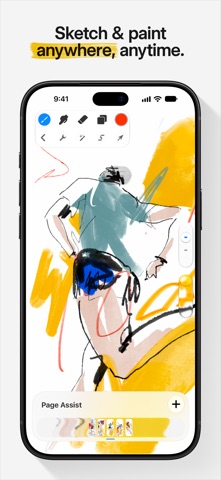
Great things come to those who wait. There's a fresh new look and so many features in Procreate Pocket 5, including brush libraries, Page Assist, and exciting hardware compatibility, that we better get into it. New Brushes There's over 150 new brushes in the Procreate Library created by our in-house Brush Developer Kyle T. Webster. It’s like being handed the keys to your own fully stocked art store; one that’s filled with brushes and styles that combine real-world familiarity with the endless possibilities of digital art. The beloved Classic brush library is still available by pinching inwards, or tapping ... and Show all libraries. Brush Search Find just the brush you need by swiping down in the brush library and start typing text or emoji. Brush Libraries Add another level of organisation to your brushes. Build collections of the brush sets you need for a project or art style. To access, create, edit, or share libraries, use the pinch gesture in the Brushes panel. Stroke Stabilisation Combine standard Stabilisation with Motion Filtering for ultra smooth and stable stroke creation. Set stabilisation app-wide, or apply to individual brushes in Brush Studio. Page Assist Ideal for creating storyboards, comics, books or use it as a sketchbook. Keep your focus on a single page or quickly flick through to where you need to be. Import PDFs and mark up your documents. Colour History Quickly jump back to your most recently used colours. Recent Brushes All of the brushes you've been using are now just a tap away. Plus you can pin your favorites so they’re always available. Brush Size Memory Save your chosen brush size or opacity by tapping + in the preview. Creatives, tattoo artists and inkers can now keep every line beautifully even and consistent as you save up to four size or opacity memories within any brush across paint, smudge and erase. Brush file management Sleep better at night by protecting your precious brush collection. Backup, organize and share them right in the Files app. Choose from storing your brushes On My iPhone or in iCloud Drive, and if you change your mind, you can move them later in the Actions menu. New Brush Studio settings Procreate Pocket brush settings are now fully compatible with iPad. You can remove anti-aliasing with alpha threshold; perfect for pixel art. We’ve also added more controls for spacing, shape roundness, stroke jitter, and per brush pressure curves. With the new Preview tab in Brush Studio, you can make further adjustments to how your brush thumbnails appear in the brush library. Colour Cards Name each swatch in your palette automatically by shade and colour, or customise the name by tapping on it. You can also turn on colour naming notifications in Settings for a description every time you pick a colour. So much more: - VoiceOver Support - Customisable onion skin colours - Feedback sounds - Dynamic brush scaling It's fabulous to see Procreate Pocket back to its former glory. Now go make something on the train with the new brushes #ProcreateArtist

Released Dec 17, 2014. Current version shipped Oct 19, 2026.

Store description

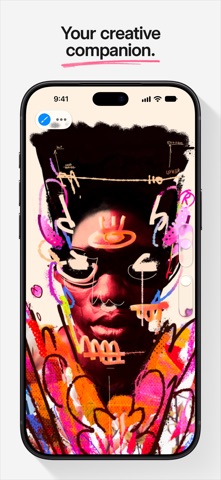
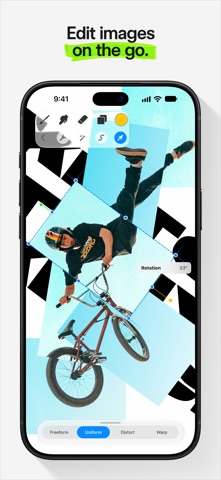
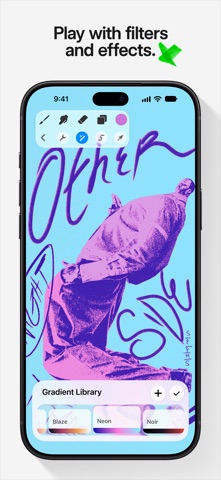
App of the Year winner Procreate Pocket is the most feature-packed and versatile art app ever designed for iPhone. Procreate Pocket has everything you need to create expressive sketches, gorgeous illustrations, design concepts, enhanced photos, and beautiful animations. Offering hundreds of handmade brushes, a suite of intuitive artistic tools, and an advanced layer system. Work on the couch, on the train, at the beach, or while waiting in line for coffee. It’s a creative companion in the palm of your hand. Highlights: • Sketch ideas when inspiration strikes • Create engaging photo collages and draw-overs • Add filters and captivating effects to your images • Mark-up documents and give feedback on the fly Breakthrough brushes: • Packed with hundreds of beautifully crafted brushes • Organize your brushes into sets and libraries • Over 100 customizable settings for every brush • Import and export custom Procreate brushes • Import Adobe® Photoshop® brushes, and run them faster than Photoshop® Full-featured layering system: • Layer your art for precise control over details and composition • Create Layer Masks and Clipping Masks for non-destructive editing • Stay organized by combining layers into Groups • Select multiple layers to move or Transform objects simultaneously • Access over 25 layer blend modes for industry-grade compositing Color without compromise: • Fill your line work with ColorDrop and SwatchDrop • Disc, Classic, Harmony, Value, and Palette color panels • Import color profiles for color matching • Assign Color Dynamics to any brush Precision design tools: • Revolutionary QuickShape feature for perfect shapes • Add vector text to your illustrations • Easily import all your favorite fonts • Crop and resize your canvas for perfect composition • Perspective, Isometric, 2D, and Symmetry visual guides • Drawing Assist perfects your strokes in real time • StreamLine and stabilization smooths strokes for beautiful calligraphy and expert inking Animation and Page Assist • Easy frame-by-frame animation with customizable onion skinning • Create storyboards, GIFs, animatics, and simple animations • Sketch page-by-page concepts, or begin a comic, with Page Assist • Import, edit, and share PDFs Dramatic finishing effects: • Gradient Map — remap your image’s colors with a customizable gradient • Glitch, Chromatic Aberration, Glow, and Halftone add new dimensions to your work • Gaussian and Motion Blur filters for depth and movement, or use Sharpen for perfect clarity • Advanced Noise filter gives you more control for a classic, retro look • Adjust Hue, Saturation, or Brightness in real time • Powerful image adjustments including Color Balance, Curves, and HSB • Bring your art to life with the fun, intuitive, and creative Warp, Symmetry, and Liquify Dynamics Time-lapse replay • Relive your creative journey with Procreate’s Time-lapse Replay • Export your Time-lapse recording in 4K for high-quality video production • Share a shorter 30-second Time-lapse on your socials Reference Companion: • Keep a full canvas or reference image with you at all times • Paint on your face with AR • Color-pick right from the reference window Import assets and share your creations: • Import or export your art as Adobe® Photoshop® PSD files • Import Adobe® ASE and ACO Color Palettes • Import image files such as JPG, PNG, and TIFF • Export your working files in layered .procreate or PSD file formats • Share your art as TIFF, transparent PNG, multi-page PDF, web-ready JPEG, and animated GIFs, PNGs, and MP4s Accessibility • Global stroke stabilization, Dynamic Type, VoiceOver, and color naming

See this store page in another country

Prices, ranks and reviews are per country. Revenue above is already worldwide.