ASO keywords
Most repeated terms in the listing. Highlighted ones also appear in the title.
music10shared sets6sets6leader6shared5backing5stage reader5backing tracks5follow leader5full access5stage4reader4share4follow4sheet music3copy codes3backing track3monthly annual3lifetime full3sets follow3stagereader music3music php3sheet3page3
What's new in 1.0.4
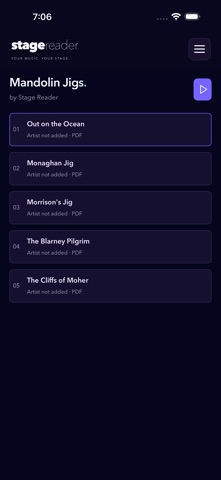
My Sets now shows a blue music note for sheet music or a matching blue speaker when a backing track is attached. Backing-track setup stays in My Music and the reader. Updated feature information and help.
Follow the Leader: choose Auto-join or Request to join, keep following screens controlled by the leader, and reconnect automatically after connection loss. Leaders can remove a device. Copy, show a QR code or use Share for leader invitations and shared sets. The native welcome screen can scan invitation and shared-set QR codes. Free guests can follow a Full Access leader.
Released Oct 13, 2026. Current version shipped Oct 18, 2026.
Store description
Your music. Your stage.
Keep your sheet music together, arrange the running order and focus on playing. Stage Reader gives your PDFs and images a clear home on your phone, tablet and the web.
• Organise music in folders and create setlists.
• Share a PDF or image from another app into Stage Reader, then choose My Music, an existing folder or a new folder.
• Read scores with clear page controls, margin trimming and a distraction-free view.
• Prepare sets for offline reading before the performance.
• Configure keyboard and compatible page-turning controls.
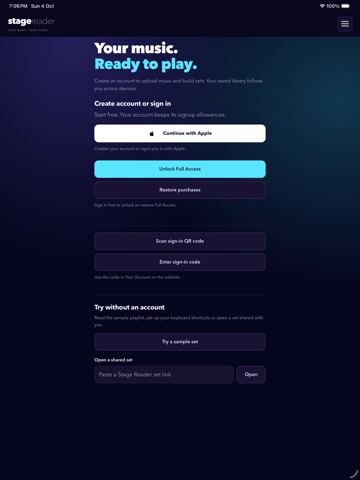
• Sign in to the same Stage Reader account across your devices and the website, including scanning or typing a sign-in code.
• Manage shared sets in one place, with optional passwords and expiry dates. Invite others with Copy, QR codes or the device share sheet.
• Add private MP3 backing tracks with waveform trimming, preview, countdown and playback shortcuts. My Sets shows a blue note for sheet music or a matching blue speaker when a backing track is attached. Configure backing tracks in My Music or the reader.
• Start Follow the Leader beside the menu and invite up to 12 free guest screens with Copy, QR codes or Share. Choose Auto-join or Request to join. Followers have only Exit; the leader controls the score and page and can remove a device. Approved devices reconnect after network loss while the same app screen remains open.
• Scan leader invitation and shared-set QR codes from the native welcome screen.
• Try the sample set without creating an account.
Start free. Optional Monthly, Annual and Lifetime Full Access plans provide more room and enable set sharing, saving shared sets, backing tracks and leading Follow the Leader sessions. Guests can read shared sets and follow for free. Your Account shows the piece and storage allowances that apply to your account. Both limits apply. Store purchases can be restored and connected to the same account on the website.
Monthly and Annual Full Access are auto-renewing subscriptions. The local price and billing period are shown before purchase. Subscriptions renew unless cancelled through your store account settings before the next renewal. Lifetime Full Access is a one-time purchase.
An internet connection is needed for sign-in, uploads, synchronisation and purchase verification. Prepare the music you need before going offline. Password-protected shared sets and Follow the Leader require an online connection. Backing-track audio plays on the leader’s device and can use its connected Bluetooth speaker. Upload and share only music you have permission to use.
Privacy: https://stagereader.music/privacy.php
Terms: https://stagereader.music/terms.php
Apple Standard EULA: https://www.apple.com/legal/internet-services/itunes/dev/stdeula/
See this store page in another country
Prices, ranks and reviews are per country. Revenue above is already worldwide.