← Back to charts
1Writer - Markdown Text Editor icon
APP STORE

1Writer - Markdown Text Editor

Ngoc Luu · Productivity · Brazil store
NOT IN TOP 100 HERE
View on App Store ↗ Instagram card
Revenue a month, worldwide EST
$570
Likely $190 to $1.7K
New ratings
Tracking
Daily counts start building from today
Rating
4.6 of 5
7 ratings in this store
Countries it ranks in
0
was 0 on Oct 18, 2026

Revenue

Estimated from the grossing charts of Oct 25, 2026 in the 53 countries we track, and ratings growth on the App Store.

EST. REVENUE / YEAR · WORLDWIDE
$6.8K
5.3 new ratings a month on average since launch
EST. LIFETIME DOWNLOADS
245 to 700
Estimated from ratings count
WHERE ITS USERS ARE · SHARE OF RATINGS
  • United States 393 ratings47%
  • Germany 113 ratings13%
  • United Kingdom 87 ratings10%
  • Japan 77 ratings9%
  • Australia 31 ratings4%
  • Italy 23 ratings3%
  • Spain 21 ratings2%
  • France 20 ratings2%
HOW SURE ARE WE
Not in any grossing chart, so this comes from ratings growth (5.3 new ratings a month on average since launch): revenue grows with new ratings, more slowly for apps that collect ratings fast. Tested on 418 apps with verified revenue: typically off by about 2 times, and big earners tend to come out low. Countries we don't track (and Google Play in China, which doesn't exist) aren't included, and neither are ads or web payments. Gross revenue before store fees.
RATINGS
7
AVG RATING
4.57
PRICE
R$ 29,90
AGE
13.2y
LAST UPDATE
396d ago
VERSION
3.3.8
SIZE
19 MB
AGE RATING
+17

Last 30 days

From our daily snapshots of every grossing chart.

DAYS IN A GROSSING CHART
0 / 30
COUNTRIES NOW
0 (was 0)
EST. REVENUE FROM CHARTS, DAILY · APP STORE ONLY EST
Show daily values
Sep 26, 2026not in a grossing chart
Sep 27, 2026not in a grossing chart
Sep 28, 2026not in a grossing chart
Sep 29, 2026not in a grossing chart
Sep 30, 2026not in a grossing chart
Oct 1, 2026not in a grossing chart
Oct 2, 2026not in a grossing chart
Oct 3, 2026not in a grossing chart
Oct 4, 2026not in a grossing chart
Oct 5, 2026not in a grossing chart
Oct 6, 2026not in a grossing chart
Oct 7, 2026not in a grossing chart
Oct 8, 2026not in a grossing chart
Oct 9, 2026not in a grossing chart
Oct 10, 2026not in a grossing chart
Oct 11, 2026not in a grossing chart
Oct 12, 2026not in a grossing chart
Oct 13, 2026not in a grossing chart
Oct 14, 2026not in a grossing chart
Oct 15, 2026not in a grossing chart
Oct 16, 2026not in a grossing chart
Oct 17, 2026not in a grossing chart
Oct 18, 2026not in a grossing chart
Oct 19, 2026not in a grossing chart
Oct 20, 2026not in a grossing chart
Oct 21, 2026not in a grossing chart
Oct 22, 2026not in a grossing chart
Oct 23, 2026not in a grossing chart
Oct 24, 2026not in a grossing chart
Oct 25, 2026not in a grossing chart
Best rank Sep 26, 2026: not ranked. Now: not ranked. Days at zero are days outside every grossing chart.

Money and momentum

Measured from the store, not estimated.

WHAT IT CHARGES
No in-app purchases
Earns from its upfront price, ads or payments outside the store.
REVIEW MOMENTUM
0.5 reviews / week
  • Trendfalling
  • Recent reviews average4.3 stars
  • Recent 1 and 2 star share13%
From the latest 362 written reviews, covering 4797 days.
RELEASE CADENCE
0 updates in 90 days
  • Typical gap between releases54 days
From the last 25 versions listed on the App Store.
RATING BREAKDOWN
7 ratings
5★86%
4★0%
3★0%
2★14%
1★0%

What users want

From the latest 362 reviews on the Brazil App Store, Sep 7, 2013 to Aug 15, 2026: 13% are 1 or 2 stars. Open a theme to read what people wrote.

WHAT THEY COMPLAIN ABOUT · SHARE OF BAD REVIEWS
Lost data, sync, backup35%

16 of the 1 and 2 star reviews.

★★★★★ I tried syncing md files with Proton Drive and it corrupted files multiple times even waiting for the sync to finish.
★★★★★ Installed on new iPhone 12 and it syncs to Dropbox great at first but within a day it loses the folder and reverts to /Documents locally and I can't navigate back to Dropbox folders.
★★★★★ absolut fehlerhaften automatischen Synchronisation überhaupt nicht brauchbar
Bugs, things not working30%

14 of the 1 and 2 star reviews.

★★★★★ The editor generally works great. But the current version when interfacing with Dropbox keeps crashing especially when switching files or directories. Very disappointing. Pretty much unusable on my phone.
★★★★★ Doesn't seem to work anymore.
★★★★★ Arguably the best part of MultiMarkdown, and it doesn't work.
No customer support15%

7 of the 1 and 2 star reviews.

★★★★★ Maybe there is a way to easily use this with one of the business versions of Dropbox but it's not obvious. I easily connected to my business account but it uses my dedicated “personal” folder. I can't figure out how to…
★★★★★ The documentation was unclear, and I wanted to save the next person some time: as of now this app is incompatible with files stored in Google Drive. I have Google Drive linked with my local (iOS) file system, and…
★★★★★ Can't sync files I have in Google drive. Not useful without it.
Price and subscription11%

5 of the 1 and 2 star reviews.

★★★★★ Unfortunately this is not something you can find out until after you pay for the app, and you can't get a refund.
★★★★★ I have bought that app-thing and installed it on iPhone 7+ and iPad Pro It is in English on my iPhone and in German on my iPad I wrote a note on my iPhone that can be found at once on iCloud Impossible to find that…
★★★★★ Disappointed I can't get my money back now.
Crashes and freezes9%

4 of the 1 and 2 star reviews.

★★★★★ But the current version when interfacing with Dropbox keeps crashing especially when switching files or directories.
★★★★★ Now the app crashes every time I open it on a few year old iPad.
★★★★★ This app is too expensive for sloppy crashes like this
Login and account problems4%

2 of the 1 and 2 star reviews.

★★★★★ I easily connected to my business account but it uses my dedicated “personal” folder.
★★★★★ Hangs entering my Evernote Login on my iPad and gives me an arrow trying to enter login for iCloud.
Wrong or poor results4%

2 of the 1 and 2 star reviews.

★★★★★ Couldn't find instructions to check if I am doing something wrong, though the interface seems pretty straight-forward.
★★★★★ I mistakenly put it in the wrong place, and when I deleted it, 1Writer deleted every file in my Dropbox except the new 1Writer folder that was now in the correct place.
Worse after an update4%

2 of the 1 and 2 star reviews.

★★★★★ I was really loving this app until this new update.
★★★★★ I hope the developer can update it and fix the crashing problem as soon as possible.
WHAT THEY ASK FOR
  • I wish it were prettier and I could tweak a few visual things, but I'd much rather live with the utilitarian design that works than enjoy an aesthetic app where I can't find anything I saved. 5★, May 8, 2026
  • Like other reviewers, I wish it had toolbar buttons to select the current line and to move the current or selected lines up or down. 4★, Feb 18, 2025
  • When this happens, I need to add it back to the Folders screen (by tapping Add Folder button and choosing the iCloud option) and then set my database folder again as the default folder (by going to Settings > Default… 4★, Aug 28, 2023
  • My needs are a simple text message editor that can handle larger files, which it does really well. 5★, Jan 19, 2023
  • It would be nice if this would work soon without this detour. 3★, Aug 2, 2022
  • I wish i could turn it off. 3★, Jun 14, 2022
  • Great for power users or simple needs alike. 5★, Mar 30, 2021
  • I do however wish they supported Google Drive sync and had an app for Android, but other than those two things I have no complaints. 5★, Mar 9, 2021
WORDS THAT KEEP COMING UP IN BAD REVIEWS
please fix3google drive3ipad pro3
WHAT THEY LOVE · SHARE OF GOOD REVIEWS
Easy to use17%

50 of the 4 and 5 star reviews.

★★★★★ Simple, stable, and most of all, it respects the file system as my organizational system, it doesn't want me to create a “library” or a “vault” and work within that.
★★★★★ In general navigation isn't as intuitive as aiWriter, and it isn't as feature rich… that said it is more affordable.
★★★★★ Powerful where you need it, simple and elegant everywhere else.
Great support16%

48 of the 4 and 5 star reviews.

★★★★★ This is the smoothest and most beautiful Markdown editor I've ever seen, and its support for WebDAV is simply perfect!
★★★★★ Upgrading to iOS 26 broke Dropbox support.
★★★★★ I am a longtime SimpleNote user because of its library features and cross platform support, but have become increasingly dissatisfied with it not having a toolbar on iOS and now dealing with CAPTCHA on Windows.
Looks great15%

45 of the 4 and 5 star reviews.

★★★★★ I wish it were prettier and I could tweak a few visual things, but I'd much rather live with the utilitarian design that works than enjoy an aesthetic app where I can't find anything I saved.
★★★★★ This is the smoothest and most beautiful Markdown editor I've ever seen, and its support for WebDAV is simply perfect!
★★★★★ I really like the features and design of this app.
Fast9%

27 of the 4 and 5 star reviews.

★★★★★ No frills or clutter, fast, stable for years.
★★★★★ Thank you so much for the quick bug fix.
★★★★★ While WebDAV is present if you don't use it at install it is hard to find. In general navigation isn't as intuitive as aiWriter, and it isn't as feature rich… that said it is more affordable. Still, with offline…
Accurate, great results8%

22 of the 4 and 5 star reviews.

★★★★★ I did a lot of research for this. I wanted a markdown editor with preview that can sync between devices especially with Dropbox for no subscription. I also wanted to be able to readily share stuff as a nice-looking…
★★★★★ This is the only app I've found that works well enough for note taking in plain text and syncs via Dropbox so I can use vscode for my notetaking on pc.
★★★★★ Works great for syncing with other plaintext editors on my (non-Apple) devices, like vim and obsidian.

Found by matching words and phrases in the reviews, not read by a person. A review can count toward more than one theme.

What users say

Latest reviews, Brazil App Store.

★★★★★Aug 15, 2026
Doesn’t Support Dropbox for Teams

Maybe there is a way to easily use this with one of the business versions of Dropbox but it’s not obvious. I easily connected to my business account but it uses my dedicated “personal” folder. I can’t figure out how to get to the shared team folders.

★★★★★May 8, 2026
Tried the rest, came back to the best

Simple, stable, and most of all, it respects the file system as my organizational system, it doesn’t want me to create a “library” or a “vault” and work within that. It just lets me edit text files on my system. I wish it were prettier and I could tweak a few visual things, but I’d much rather live with the utilitarian design that works than enjoy an aesthetic app where I can’t find anything I saved. (Looking at a certain blue and white, opinionated app from a Japanese design firm.)

★★★★★Apr 28, 2026
Top

1Writer hatte ich mal vor geraumer Zeit mir zugelegt, und bin durch Zufall wieder drauf gestoßen. Habe völlig vergessen was für ein guter MD Editor 1Writer ist. Und in der Zwischenzeit hat sich auch eine Menge getan, im positiven Sinne. Bin sehr zufrieden, und kann ihn ruhigen Gewissens weiter empfehlen. 👍

★★★★★Apr 4, 2026
match obsidian folder

可以找到obsidian的文件夹。不错!

★★★★★Feb 6, 2026
GREAT APP

This is the smoothest and most beautiful Markdown editor I've ever seen, and its support for WebDAV is simply perfect! Does the author have any plans to continue updating it? For example, could it be adapted to the latest iOS and iPadOS 26?

★★★★★Nov 20, 2025
Fantastic little markdown editor

Rock solid, reliable, affordable, and still maintained without feature bloat. Strong integration with the Files app, and it respects my font preferences in Settings. Its flexible organizational features make it an excellent repository for plain text notes of all kinds, regardless of their extension or what app I produced them in.

Store screenshots

ScreenshotScreenshotScreenshotScreenshotScreenshotScreenshotScreenshotScreenshotScreenshotScreenshot

App Store ads

Apple Search Ads this app ran in the last 90 days, from Apple's public ad repository.

No App Store ads in the EU
None in the last 90 days.

Apple only publishes ads shown in the EU (EU Digital Services Act), with a 7 day delay. An app that advertises only outside the EU shows nothing here.

Growth research

Where this app is buying and earning its users. Each link opens pre filtered.

ASO keywords

Most repeated terms in the listing. Highlighted ones also appear in the title.

text17document91writer8create7support6dropbox5markdown5great5text editor5custom actions5markdown syntax5features4research4custom4actions4selection4replace4search4documents4support custom3plain text3rich text3dropbox generate3find replace3

What's new in 3.3.8

Bug fixes.

Released Aug 14, 2013. Current version shipped Sep 24, 2025.

Store description

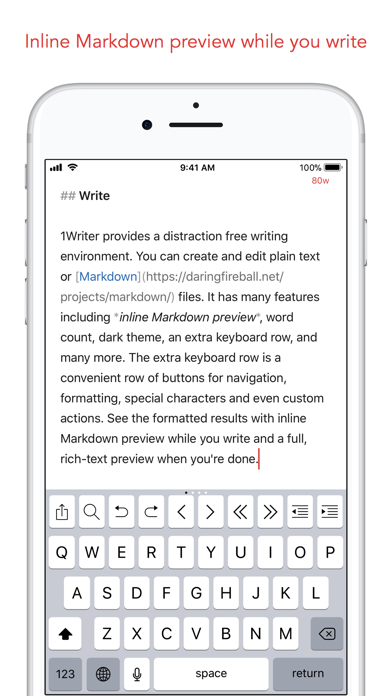
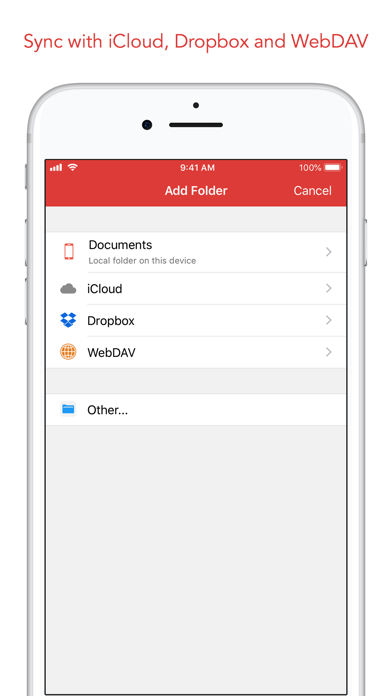
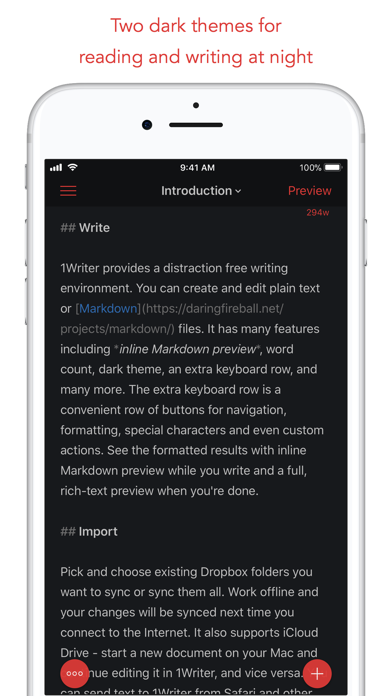
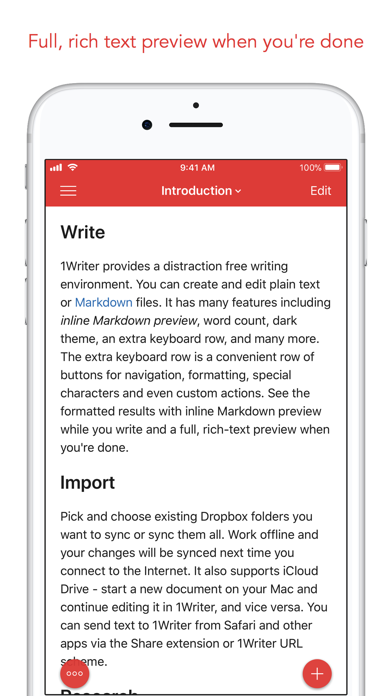
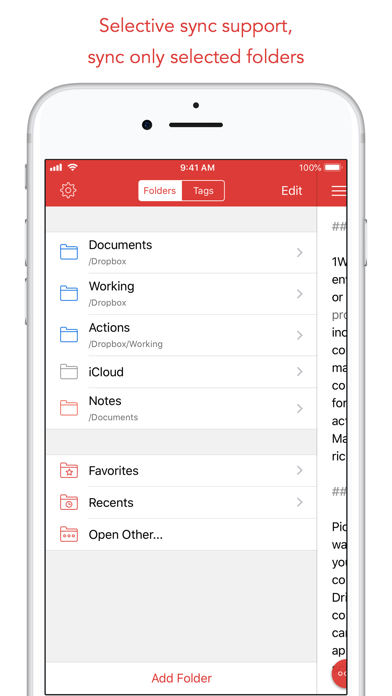
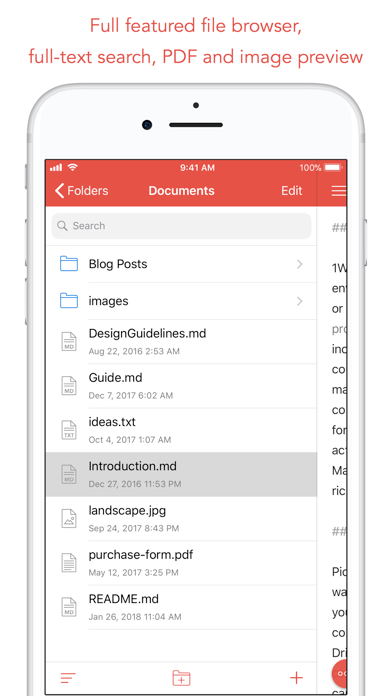
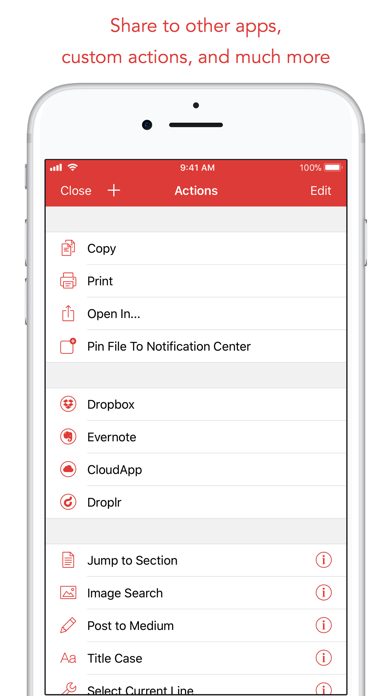
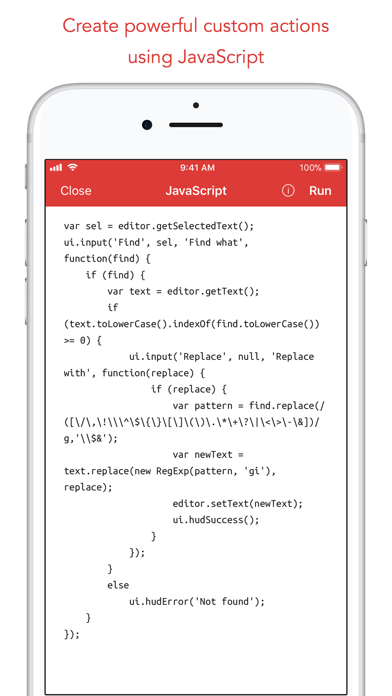
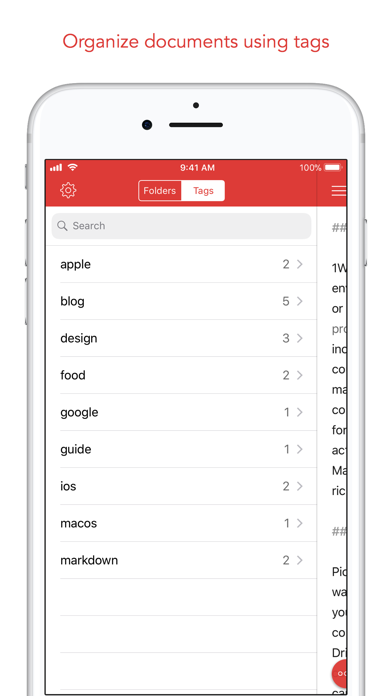
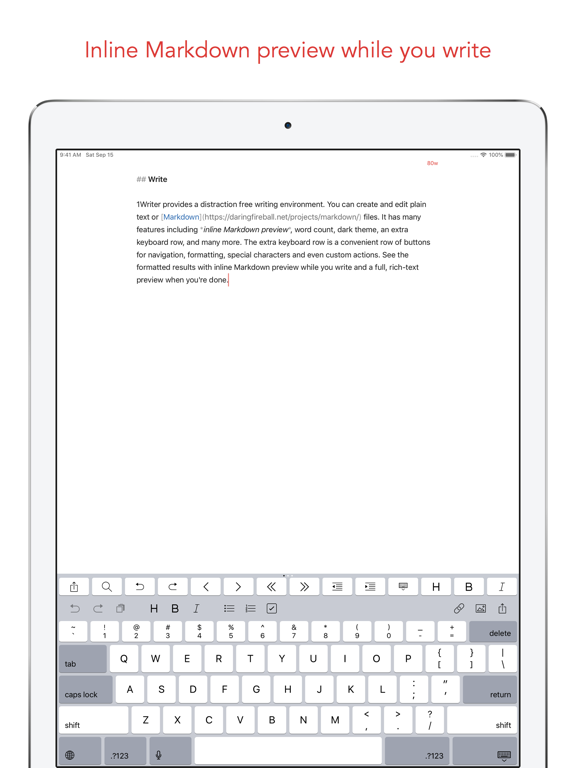
1Writer combines all the basic text editing features you would expect with all the advanced features you will ever need. Use 1Writer to write, research, revise, and share your ideas with maximum efficiency. - - - - - - - - - - "The only Dropbox- and Markdown-enabled text editor for iPhone that’s clicked with me has been 1Writer. It’s simple, looks great, and gets the job done." - TheSweetSetup.com "Really great app, really recommend it." - Federico Viticci, MacStories.net "The app interface is beautiful and distraction-free, with loads of other awesome features lurking beneath its simple exterior. It's now my go-to iPhone text editor." - Chris Gonzales, ToolsandToys.net "For users that want a great visual experience paired with great support for custom actions and third party apps, 1Writer is an excellent choice." - iMore.com "1Writer is the most powerful text editor available for iPhone." - Phillip Gruneich - - - - - - - - - - CREATE - Write :: generate and edit plain text or Markdown files. - Preview :: see the formatted results with Markdown syntax highlighting while you write and a full, rich-text preview when you're done. - Extended keyboard :: a convenient row of buttons for navigation, formatting, special characters (customizable--pick the characters you use the most). - Insert photo :: pick a photo or take a new one, and 1Writer will upload it to Dropbox and generate the Markdown-syntax to add it to your document--all in a single action! - Snippets :: TextExpander Touch support. - Custom URL actions :: insert a document template, encode a selection and replace the original text, look up synonyms and much more. - JavaScript :: create even more powerful custom actions using JavaScript—text manipulation, perform a find & replace, interact with the clipboard—the possibilities are endless. IMPORT - Sync with iCloud, Dropbox and WebDAV. - Share extension :: send text to 1Writer from other apps. In Safari, the extension uses the current URL, page title and selected text to create a new document. - Create, append, prepend, or replace text directly from other apps using the 1Writer URL scheme. EXPORT - CloudApp and Dropbox :: generate a link to share your document in plain text or PDF. - Evernote :: pick your notebook, add tags and turn a text selection or the entire document into a new, rich-text note. - Copy HTML :: put the formatted text for your document directly on the clipboard. - Custom actions :: open a web search, tweet a selection, save a series of items in a list and much more. PERSONALIZE - Support Dark Mode on iOS 13. - 2 dark themes for more comfortable reading and writing at night. - Choose from 20 different fonts. - Bookmark and sync the Dropbox/WebDAV folders you want to have quick access to the sub-folders and documents you need. - Use a passcode or Touch ID/Face ID to protect the app from unauthorized users. RESEARCH - In-app web browser :: research, look up information without having to leave the app. - Bookmarks :: create and access your favorite websites. - Save the current text selection to the clipboard in Markdown syntax. - 1Password support :: login to all your accounts using the 1Password extension. EVEN MORE GREAT FEATURES - Drag and drop. - Open in Place. - Multiple windows on iOS 13. - MultiMarkdown. - Search documents from Spotlight. - Find & replace within document. - Photo and PDF preview. - Today widget :: access your recent documents from the Notification Center or create a new document in one tap. - Checklist support :: create a list of things to do or topics to research, and easily check them off. - Full-text search and hashtag support :: search within a folder to find the document you need, and view related documents that have the same tag.

See this store page in another country

Prices, ranks and reviews are per country. Revenue above is already worldwide.