ASO keywords
Most repeated terms in the listing. Highlighted ones also appear in the title.
remote12control11screen8keyboard touchpad8smart7supported7remote control6supported tvs6screen mirroring6quick streaming6streaming casting6tvs6full6casting6access6features5keyboard5touchpad5quick5streaming5universal remote5control supported5full keyboard5photos videos5
What's new in 1.0.5
Bug Fixes and Performance improvement
Released Aug 6, 2026. Current version shipped Sep 16, 2026.
Store description
Universal All TV Remote App
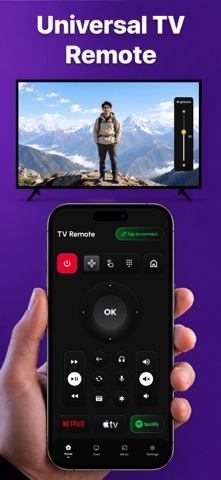
Control your Smart TV from your iPhone with Universal All TV Remote App. Use your phone as a smart TV remote, connect to supported TVs, control your screen, cast media, and enjoy screen mirroring in one simple app.
Whether your physical remote is lost, broken, out of battery, or not nearby, this app helps you control your TV quickly using your iPhone.
Key Features
Smart TV Remote Control
Use your iPhone as a remote control for supported Smart TVs. Control TV functions with a simple and easy remote layout.
Easy TV Connection
Connect your iPhone and Smart TV using the same Wi-Fi network. Find available devices and start controlling your TV in seconds.
Control TV Functions
Use remote controls for navigation, volume, channels, power, menu, back, input, and other supported TV actions depending on your TV model.
Full Keyboard & Touchpad
Use keyboard and touchpad controls for easier navigation, searching, typing and browsing on supported TVs.
Screen Mirroring
Mirror your iPhone screen to your Smart TV and view your phone content on a bigger screen.
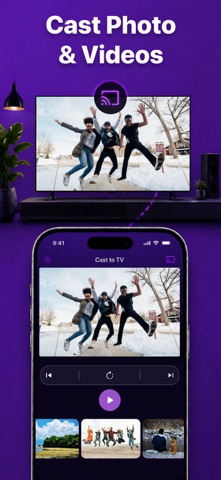
Cast Photos & Videos
Cast photos, videos, and media from your iPhone to your TV for a better viewing experience.
Quick Streaming & Casting
Access quick streaming and casting tools to enjoy media on your TV faster and more easily.
Perfect For
Replacing a lost TV remote
Controlling Smart TV from iPhone
Casting photos and videos to TV
Screen mirroring from phone to TV
Using keyboard and touchpad controls
Watching media on a bigger screen
Quick TV navigation and control
Premium Access
Upgrade to Premium to unlock the full experience and use all premium features available in the app.
Weekly Subscription
$9.99 per week
Unlock full access, control all supported TVs, use full keyboard and touchpad, and access quick streaming and casting features.
Yearly Subscription
$34.99 per year
Unlock full access, control all supported TVs, use full keyboard and touchpad, and access quick streaming and casting features.
Payment will be charged to your Apple ID account at confirmation of purchase. Subscription automatically renews unless auto-renewal is turned off at least 24 hours before the end of the current billing period. You can manage or cancel your subscription anytime in your App Store account settings.
Important Note
Feature availability may vary depending on your TV model, Wi-Fi network, device compatibility, app version, and supported TV features. Some TVs may require permission, pairing, or confirmation before remote control, casting, or screen mirroring can work.
This app is not affiliated with or endorsed by any TV brand, manufacturer, or streaming service.
Privacy Policy, Terms & Support
Privacy Policy:
https://sites.google.com/view/privay-universal-tv-remote/home
Terms & Conditions:
https://sites.google.com/view/terms-condition-tv-remote-app/home
Support:
https://docs.google.com/document/d/15gQk1uW_zFs2E7fnutteIcG8exs0d6y7sZomxASFcgE/edit?usp=sharing
See this store page in another country
Prices, ranks and reviews are per country. Revenue above is already worldwide.