← Back to charts
MIDIRack icon
APP STORE

MIDIRack

Kai Aras · Music · United States store
NOT IN TOP 100 HERE
View on App Store ↗ Instagram card
Revenue a month, worldwide EST
$1.8K
Likely $592 to $5.3K
▼ 62.6% in 1 days
New ratings
+0
in 1 days, 16 in total
Rating
4.8 of 5
9 ratings in this store
Countries it ranks in
1
was 0 on Oct 17, 2026

Revenue

Estimated from the grossing charts of Oct 24, 2026 in the 53 countries we track, and ratings growth on the App Store.

EST. REVENUE / YEAR · WORLDWIDE
$21.3K
No Google Play version found
EST. LIFETIME DOWNLOADS
315 to 900
Estimated from ratings count
WHERE IT EARNS · EST. / MONTH
  • Indonesia #90 Music$1.8K · 100%
HOW SURE ARE WE
Small app: combines its grossing ranks with ratings growth (7.5 new ratings a month on average since launch). Tested on 418 apps with verified revenue: typically off by about 2.6 times, so the range is wide. Countries we don't track (and Google Play in China, which doesn't exist) aren't included, and neither are ads or web payments. Gross revenue before store fees.
RATINGS
9
AVG RATING
4.78
PRICE
$7.99
AGE
65d
LAST UPDATE
51d ago
VERSION
1.1
SIZE
28 MB
AGE RATING
4+

Last 30 days

From our daily snapshots of every grossing chart and daily ratings counts.

DAYS IN A GROSSING CHART
2 / 30
COUNTRIES NOW
1 (was 0)
NEW RATINGS, LAST 1 DAYS
+0
EST. REVENUE A MONTH, DAILY · APP STORE EST
Show daily values
Sep 25, 2026not in a grossing chart
Sep 26, 2026not in a grossing chart
Sep 27, 2026not in a grossing chart
Sep 28, 2026not in a grossing chart
Sep 29, 2026not in a grossing chart
Sep 30, 2026not in a grossing chart
Oct 1, 2026not in a grossing chart
Oct 2, 2026not in a grossing chart
Oct 3, 2026not in a grossing chart
Oct 4, 2026not in a grossing chart
Oct 5, 2026not in a grossing chart
Oct 6, 2026not in a grossing chart
Oct 7, 2026not in a grossing chart
Oct 8, 2026not in a grossing chart
Oct 9, 2026not in a grossing chart
Oct 10, 2026not in a grossing chart
Oct 11, 2026not in a grossing chart
Oct 12, 2026not in a grossing chart
Oct 13, 2026not in a grossing chart
Oct 14, 2026not in a grossing chart
Oct 15, 2026not in a grossing chart
Oct 16, 2026not in a grossing chart
Oct 17, 2026not in a grossing chart
Oct 18, 2026not in a grossing chart
Oct 19, 2026not in a grossing chart
Oct 20, 2026not in a grossing chart
Oct 21, 2026not in a grossing chart
Oct 22, 2026not in a grossing chart
Oct 23, 2026$4.7K a month
Oct 24, 2026$1.8K a month
The same estimate as the headline, saved every day. Best rank Sep 25, 2026: not ranked. Now: #90 Music · ID.
RATINGS IN THE CORE COUNTRIES, DAILY
Show daily values
Oct 23, 202616 ratings
Oct 24, 202616 ratings
16 on Oct 23, 2026, 16 on Oct 24, 2026. New ratings track new downloads, even outside the charts.

Money and momentum

Measured from the store, not estimated.

WHAT IT CHARGES
1 purchase listed
  • Graph Editor Unlock$7.99
Top in-app purchases as listed on the App Store, in local prices.
REVIEW MOMENTUM
0.6 reviews / week
  • Recent reviews average4.6 stars
  • Recent 1 and 2 star share0%
From the latest 5 written reviews, covering 63 days.
RELEASE CADENCE
4 updates in 90 days
  • Typical gap between releases4 days
From the last 4 versions listed on the App Store.
RATING BREAKDOWN
9 ratings
5★89%
4★0%
3★11%
2★0%
1★0%

What users say

Latest reviews, United States App Store.

★★★★★Sep 16, 2026
Great concept... when it works.

List of weird/broken things after 10h of making patches: (1) Can't rename modules in the Graph Editor when my iPad is in landscape. Landscape only. However, when modules are renamed, they do not always show up as their new name in the Surface Builder. Pretty rough, because Graphs get complicated quickly, and it's hard to tell what things are from their default name. (2) Snap module does not work, as far as I can tell. You cannot quantize notes timing-wise to your rhythm. Sucks if you're doing generative MIDI, which is the main reason to buy this app over KB-1 IMO. (3) CC Math > Invert does not work. Sidechaining MIDI (eg muting a hi-hat when a kick hits) must be done some other way that I haven't figured out or is impossible. (4) None of the "-scope" views display Node Parameter values, despite having controls to be bound to those values. Obviously I want to see how a value is changing over time if I'm modulating it -- but I can't. (5) The Bounce Generator does not have physics between the balls or even different starting points when you add more balls. Sounds silly, but it means that a 4-ball generator just plays the same rhythm, transposed slightly differently. This seems incorrect (see any other physics-based MIDI tool), bordering on false advertising. I have a dozen other friction points -- try setting a specific Note output with the default Slider or Knob, good luck! -- but most of them boil down to differing UI sensibility. I sent a support email to the address on their website ("we read every message!") but have not received a response after three days. You might be on your own if you buy this one. Given that $15 + $15 is Premium-Tier in the iOS music scene, I'd hold off on this one. Drambo, Imaginando LK, and Prism Sequencer are much more mature and will do this kinda thing without the admittedly-awesome Graph Editor + Surface Builder workflow. Still, I'd love to see MidiRack live up to its concept. It's just not there, not yet.

★★★★★Sep 1, 2026
I really enjoy this app but…

I really need dotted and triplet notes for all note divisions. It’s something I request for all apps but midi including dotted and triplet notes is perhaps more important to me. Looking forward to see what happens with this app going forward. It reminds me a little bit like working in the note grid for bitwig.

★★★★★Aug 29, 2026
Great creative and deep tool.

I bought it soon after it was released and loved the deep modular routing possibilities with an intuitive interface. I was concerned when the touch response on the sequencer lanes wasn’t always working . Kai responded instantly to my questions and fixed it days later (works perfect now!) Also, I asked about file management and preset folders and he added that stuff now with the latest update. What more could you ask for from a developer.

★★★★★Aug 22, 2026
If you make music with an iPad you need this

Thank you Kai for putting together such a great piece of work. Everything works flawlessly so far.

★★★★★Aug 22, 2026
S U P E R B

hot out of the fryer, and this meal was ready to serve. ambitious for any music dev—but he nailed it. I definitely recommend the node editor IAP to reap the maximum benefits of the app; moreover, the upgrade sits humbly out of your way, never pressuring a purchase. for the record, a very thoughtfully executed 'cheatsheet' seamlessly loads within the app when needed for nodular reference, leaving your creativity uninterrupted. incredibly lightweight on DSP, too. thus far weighs in on my mind as one of the important iOS releases this year. I had been wondering what would follow Mr. LoFi... but was in no way anticipating an entire workflow reconfiguration. you've outdone yourself, Kai! thank you for this incredible release!

Apps like this

Same category, earning about as much.

Store screenshots

ScreenshotScreenshotScreenshotScreenshotScreenshotScreenshotScreenshotScreenshotScreenshotScreenshot

App Store ads

Apple Search Ads this app ran in the last 90 days, from Apple's public ad repository.

Apple's ad repository couldn't be reached right now. Try again later.

Growth research

Where this app is buying and earning its users. Each link opens pre filtered.

ASO keywords

Most repeated terms in the listing. Highlighted ones also appear in the title.

midi12mpe9per6surface5keyboard5suite5graph5grid5step5synth5keyboard suite5send midi5per step5custom4send4pads4drum4knobs faders3custom control3control surface3chord pads3seaboard ribbon3strings grid3knob per3

What's new in 1.1

Now on iPhone. The app and the AUv3 plug-in run on iPhone in landscape, with a folding menubar, a full-screen lane editor, and a surface thats optimized for the small screen. New - Presets sync with iCloud and appear in Files as named .midirackpatch files. Organise them in folders, import and export them. - Multi-page control surfaces with named pages and page-select buttons. - Strings grid in any key: pick a root and scale, and glide stays pitch-true. - Custom drum pad layouts: set every pad's note and label, or learn from your kit. - Bluetooth MIDI pairing in MIDI Ports. - Dockable inspector you can float or hide. Inspectors and the surface scroll by scrollbar so sliders never pan the view (switch back in Settings). - Play from your computer keyboard: QWERTY piano, Z/X octave, C/V velocity, 1–8 and Q–I for drum pads. - XY mode on the Seaboard and Strings surfaces: left-right sends pressure, up-down sends slide, independently. - Apple Pencil expression: force plays the keys and pads, and drives pressure separately from slide on the MPE surfaces. Custom response curves per keyboard, with a live preview pad. - CC pickers list standard controller names. Fixed - AUv3 failing to load in some hosts on iOS 18. - AUv3 fits small host windows: compact chrome, a minimum size, and a scrolling surface. - Keyboards and sequencer UI at one row high. - Release bounce when dragging surface controls, and keys triggering through sheets.

Released Aug 20, 2026. Current version shipped Sep 3, 2026.

Store description

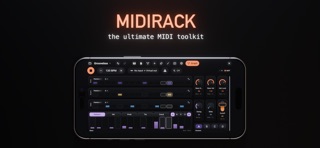
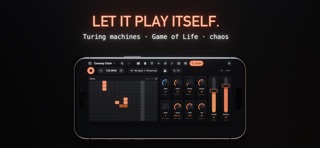
MIDIRack is a MIDI toolkit for iPad. Build a custom touch surface from the KB-1 keyboard suite, an all-new sequencer suite, knobs, faders, buttons and more — then unlock a visual MIDI processing graph (one time in-app purchase) and wire it into anything, from a simple custom controller to a full-on groovebox or a self-playing generative composer. Play it on its own and send MIDI anywhere, as an AUv3 plugin in your favourite host or a standalone instrument. THE BASE APP — PERFORMANCE SURFACE Design a custom control surface on a snapping grid: • The KB-1 keyboard suite — piano, diatonic chord pads, scale-locked keyboard, MPE Seaboard ribbon, MPE Strings grid (4ths), and a 4×4 GM drum-pad grid. Each is its own routable node with latch and octave shift. Successor to the KB-1 Expressive Keyboard Suite. • A suite of sequencers — drum, melody, chord, analog and CC step grids and a Matrix note grid, with a moving playhead, swing and microtiming. Per-step velocity, probability, tie and trigger conditions; pattern chaining and 4-pad scene switching for full arrangements; a knob-per-step analog machine that re-roots live as you play. • Knobs, faders, XY pads, buttons and live visualizers — bind to raw MIDI CC or graph parameters. On its own: a rich custom control surface builder — send MIDI and CC to any synth, app or hardware, no graph required. WITH YOUR DESKTOP DAW Expressive MPE hardware costs hundreds. MIDIRack turns the iPad you already own into a controller for Logic, Live, Bitwig, Cubase or any desktop DAW: • Two MPE surfaces — the Seaboard ribbon and the Strings grid send per-note pitch bend, slide and pressure to any MPE-capable instrument on your desk. • A controller that changes per track — MPE ribbon for the lead, drum pads for the beat, chord pads for the progression, faders mapped to CC for a mix move. Rearrange in seconds; save a surface per project. • Sequence it too — clock the step lanes to your DAW and drive its tracks. • Easy to connect — one USB cable to a Mac via IDAM (Inter-Device Audio and MIDI), or wirelessly over Bluetooth MIDI. No driver, no helper app. UNLOCK — MIDI GRAPH (in-app purchase) Wire MIDI In → processors → MIDI Out on a visual canvas: • 60+ node kinds — arpeggiators, scale/key quantizers, transposers, chords, echoes, swing, humanize, euclidean rhythms, random/generative melodies, LFOs, CC tools, an analog knob-per-step sequencer, a Matrix sequencer and a Counter. • Built-in instruments — Synth, Drums, a Sampler and a loop Slicer make sound right in the graph; no external synth required. • Emergence generators — Conway's Game of Life, Turing machine, Wolfram rules, Markov, bouncing balls, Lorenz attractor — for evolving, living patterns. • Presets — factory patches grouped by category (control surfaces, generators, keyboards, utilities): Amen Engine, Starfield, Conway Choir, Turing Bass, Cellular Drums… Save your own. ROUTING & MPE • MIDI Out exposes all 16 channels plus an MPE connector — multitimbral, multi-instrument setups. The built-in synth responds to MPE. • Every keyboard is its own node — process and route each one independently. PLAYS OUT OF THE BOX • Built-in polyphonic synth, drum kit, sampler & slicer or send MIDI to your gear via CoreMIDI and an always-on virtual port.

See this store page in another country

Prices, ranks and reviews are per country. Revenue above is already worldwide.

More from Kai Aras

KB-1 Keyboard Suite
Music
270 ratingsAnalyze →
RE-1 Tape Machine
Music
132 ratingsAnalyze →
MIDISpy
Music
5 ratingsAnalyze →
VOLT Synth
Music
193 ratingsAnalyze →
Agonizer
Music
203 ratingsAnalyze →
ShockWave - Synth Module
Music
188 ratingsAnalyze →
RP-1 Delay
Music
16 ratingsAnalyze →
RF-1 Reverb
Music
12 ratingsAnalyze →
Popsicle FX
Music
37 ratingsAnalyze →