ASO keywords
Most repeated terms in the listing. Highlighted ones also appear in the title.
markdown14documents10files9markdot8markdown files8html pdf6open6pdf5anyone5viewer editor5preview4editor4export4html4document4generated files3readmes technical3open preview3edit markdown3lightweight markdown3markdown viewer3export finished3documents html3technical documentation3
What's new in 1.2.0
- We’ve expanded file support so you can open and edit various text files, including TXT, LOG, and PATCH.
- We’ve added support for 10 languages, including Simplified Chinese, Japanese and Deutsch.
Released Jul 7, 2026. Current version shipped Sep 6, 2026.
Store description
From AI-generated .md files to READMEs, technical docs, and quick notes.
Open, preview, and edit Markdown files with Markdot, a lightweight Markdown viewer and editor. Continue working with your preferred AI apps, then export finished documents to HTML or PDF.
Read light. Write light. Markdot.
-
Recommended for:
- Anyone who regularly opens and edits AI-generated .md files
- Developers working with READMEs, technical documentation, and Markdown notes
- Anyone looking for a fast, lightweight tool for Markdown
- Anyone looking for a lightweight Markdown viewer and editor
- Anyone who wants to continue editing Markdown documents with AI
- Anyone who needs to export Markdown files to HTML or PDF
- Students and researchers reviewing documents with LaTeX equations
-
[KEY FEATURES]
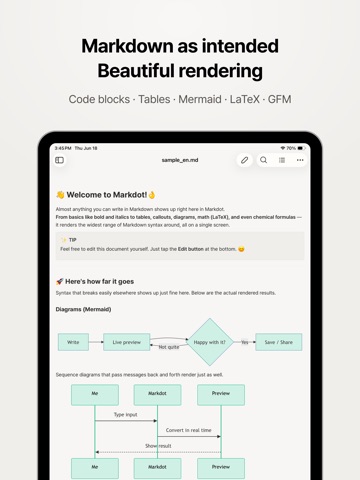
More than a simple text editor — Markdot renders your Markdown beautifully.
● Open and preview .md files instantly
Open .md files received through email, messaging apps, or other apps and view them as clean, formatted documents in Markdot.
● Rich Markdown rendering
Render code blocks, tables, Mermaid diagrams, LaTeX equations, chemical formulas, GFM, and more.
● Switch instantly between preview and editing
Switch to editing mode without losing your place in the document. In landscape mode, Split View displays the Markdown source and preview side by side with synchronized scrolling.
● Automatic table of contents and document search
Automatically generate a table of contents based on document headings. Search within the viewer or editor to quickly find information in long AI-generated documents and technical documentation.
● Browse documents with a file tree
View multiple Markdown files in a folder using the file tree. Navigate between folders and open relative links to browse connected project documents, including GitHub repositories and project READMEs.
● Export to HTML or PDF
Export finished Markdown documents to HTML or PDF. Customize the page size, margins, fonts, and other PDF settings for reports, assignments, and shared documents.
● Automatically detect external changes
Changes made to a file in another app are automatically reflected in Markdot. If you have unsaved edits, Markdot prevents external changes from overwriting your work.
● Work completely offline
Open and edit Markdown files stored on your device without an internet connection. No account or cloud sync is required.
-
[PRIVACY]
- Your data is processed locally on your device. Markdot does not upload your documents to its servers or cloud storage, and no account is required.
- If you use Agent Connection, your selected document may be shared with the external AI app you choose.
[APP PERMISSIONS]
- Markdot only requests permission to access the Markdown files you choose to open.
Terms of Use: https://www.apple.com/legal/internet-services/itunes/dev/stdeula/
See this store page in another country
Prices, ranks and reviews are per country. Revenue above is already worldwide.