← Back to charts
PDF Editor & Files Converter. icon
APP STORE

PDF Editor & Files Converter.

Sofiya Pliskun · Business · United States store
NOT IN TOP 100 HERE
View on App Store ↗ Instagram card
Revenue a month, worldwide EST
$4.2K
Likely $1.4K to $12.6K
▼ 55.9% in 12 days
New ratings
+7
in 14 days, 213 in total
Rating
4.5 of 5
70 ratings in this store
Countries it ranks in
1
was 0 on Oct 20, 2026

Revenue

Estimated from the grossing charts of Oct 26, 2026 in the 53 countries we track, and ratings growth on the App Store.

EST. REVENUE / YEAR · WORLDWIDE
$50.5K
No Google Play version found
EST. LIFETIME DOWNLOADS
2.5K to 7K
Estimated from ratings count
WHERE IT EARNS · EST. / MONTH
  • Austria #97 Business$4.2K · 100%
HOW SURE ARE WE
Small app: combines its grossing ranks with ratings growth (31 new ratings a month on average since launch). Tested on 418 apps with verified revenue: typically off by about 2.6 times, so the range is wide. Countries we don't track (and Google Play in China, which doesn't exist) aren't included, and neither are ads or web payments. Gross revenue before store fees.
RATINGS
70
AVG RATING
4.51
PRICE
Free
AGE
207d
LAST UPDATE
12d ago
VERSION
1.5
SIZE
50 MB
AGE RATING
4+

Last 30 days

From our daily snapshots of every grossing chart and daily ratings counts.

DAYS IN A GROSSING CHART
7 / 30
COUNTRIES NOW
0 (was 0)
NEW RATINGS, LAST 7 DAYS
+2
EST. REVENUE A MONTH, DAILY · APP STORE EST
Show daily values
Sep 28, 2026not in a grossing chart
Sep 29, 2026not in a grossing chart
Sep 30, 2026not in a grossing chart
Oct 1, 2026not in a grossing chart
Oct 2, 2026not in a grossing chart
Oct 3, 2026$9.8K a month
Oct 4, 2026not in a grossing chart
Oct 5, 2026not in a grossing chart
Oct 6, 2026not in a grossing chart
Oct 7, 2026not in a grossing chart
Oct 8, 2026not in a grossing chart
Oct 9, 2026not in a grossing chart
Oct 10, 2026not in a grossing chart
Oct 11, 2026not in a grossing chart
Oct 12, 2026not in a grossing chart
Oct 13, 2026not in a grossing chart
Oct 14, 2026$9.6K a month
Oct 15, 2026not in a grossing chart
Oct 16, 2026$5.9K a month
Oct 17, 2026$4.4K a month
Oct 18, 2026not in a grossing chart
Oct 19, 2026not in a grossing chart
Oct 20, 2026not in a grossing chart
Oct 21, 2026not in a grossing chart
Oct 22, 2026not in a grossing chart
Oct 23, 2026not in a grossing chart
Oct 24, 2026$4.3K a month
Oct 25, 2026$4.2K a month
Oct 26, 2026$4.2K a month
Oct 27, 2026not in a grossing chart
The same estimate as the headline, saved every day. Best rank Sep 28, 2026: not ranked. Now: not ranked.
RATINGS IN THE CORE COUNTRIES, DAILY
Show daily values
Oct 13, 2026206 ratings
Oct 14, 2026207 ratings
Oct 15, 2026209 ratings
Oct 16, 2026209 ratings
Oct 17, 2026210 ratings
Oct 18, 2026210 ratings
Oct 20, 2026211 ratings
Oct 21, 2026212 ratings
Oct 22, 2026213 ratings
Oct 23, 2026213 ratings
Oct 24, 2026213 ratings
Oct 25, 2026213 ratings
Oct 26, 2026213 ratings
Oct 27, 2026213 ratings
206 on Oct 13, 2026, 213 on Oct 27, 2026. New ratings track new downloads, even outside the charts.

Money and momentum

Measured from the store, not estimated.

WHAT IT CHARGES
5 purchases listed
  • Smart PDF Editor$4.99
  • Smart PDF Editor$19.99
  • Smart PDF Editor$14.99
  • Smart PDF Editor$29.99
  • Smart PDF Editor$9.99
Top in-app purchases as listed on the App Store, in local prices.
REVIEW MOMENTUM
0.1 reviews / week
  • Recent reviews average1.0 stars
  • Recent 1 and 2 star share100%
From the latest 3 written reviews, covering 145 days.
RELEASE CADENCE
2 updates in 90 days
  • Typical gap between releases4 days
From the last 15 versions listed on the App Store.
RATING BREAKDOWN
70 ratings
5★81%
4★7%
3★1%
2★1%
1★9%

What users say

Latest reviews, United States App Store.

★★★★★Oct 15, 2026
It doesn't work

I'm trying to fix some errors in a job and it doesn't work, it doesn't allow me to delete what's wrong to fix it

★★★★★Jul 9, 2026
Doesn’t work

Horrible app

★★★★★Jun 4, 2026
Calidad baja

Mala calidad de la imagen

Apps like this

Same category, earning about as much.

Store screenshots

ScreenshotScreenshotScreenshotScreenshot

App Store ads

Apple Search Ads this app ran in the last 90 days, from Apple's public ad repository.

Apple's ad repository couldn't be reached right now. Try again later.

Growth research

Where this app is buying and earning its users. Each link opens pre filtered.

ASO keywords

Most repeated terms in the listing. Highlighted ones also appear in the title.

document9documents9pdfs8edit5need5multiple5pages5contracts5text5pdf4scan4page4signatures4files4desktop software3research papers3images pdfs3text editing3direct pdf3modify existing3file conversion3word documents3receipts contracts3handwritten notes3

What's new in 1.5

Huge stability improvements, improved document quality

Released Apr 3, 2026. Current version shipped Oct 15, 2026.

Store description

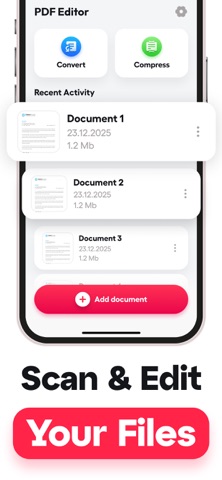
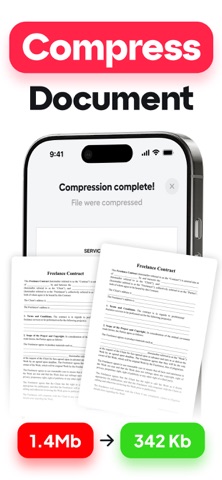
How do you edit a PDF when you only have your phone? What if you need to scan multiple pages into one document for work? PDF Editor handles document editing, scanning, and conversion directly on your mobile device without requiring desktop software or cloud uploads. Designed for professionals, students, and anyone who needs to work with documents on the go. Whether you are signing contracts, combining research papers, or converting images to PDFs for email attachments, this app provides the tools you need. HOW IT WORKS The app uses advanced optical character recognition to scan physical documents with your camera, automatically detecting page boundaries and correcting perspective distortion. Text editing works through direct PDF manipulation, allowing you to modify existing content or add new text, signatures, and annotations. File conversion processes happen locally on your device, supporting formats including JPEG, PNG, Word documents, and Excel spreadsheets. KEY FEATURES Document Scanning with Auto-Enhancement — Point your camera at any document and the app automatically detects edges, corrects lighting, and removes shadows. Works with receipts, contracts, handwritten notes, whiteboards, and multi-page documents. Direct PDF Text Editing — Modify existing text in PDFs without converting to other formats first. Change font sizes, colors, and alignment while maintaining original document layout. Page Management and Organization — Merge multiple PDFs into single files, split large documents, reorder pages by dragging, delete unwanted pages, and rotate pages to correct orientation. Multi-Format File Conversion — Convert images to PDFs, Word documents to PDFs, Excel files to PDFs, and PDFs back to editable Word format. Batch convert multiple files simultaneously. Digital Signature Integration — Create and save multiple signature styles, sign documents with finger or stylus, position signatures anywhere on the page with tamper-evident security. WHO USES THIS APP Business professionals who travel frequently and need to sign contracts, review proposals, or send documentation while away from their office computers. College students managing research papers and assignments who need to combine PDFs, annotate readings, and convert handwritten notes to digital format. Real estate agents who handle multiple contracts daily and need to quickly edit terms, add signatures, and scan property documents. Small business owners processing invoices, receipts, and contracts who want to digitize paper documents without expensive desktop software. HOW TO GET STARTED 1. Download and open the app to access the main document library 2. Tap the camera icon to scan your first document or import existing files 3. Use the edit tools to modify text, add signatures, or organize pages SUBSCRIPTION Annual Plan: $19.99 per year — less than $2 per month Weekly Plan: $4.99 per week Payment charged to iTunes Account at purchase confirmation. Subscription auto-renews unless cancelled 24 hours before period ends. Manage subscriptions in iTunes Account settings. Privacy Policy: https://docs.google.com/document/d/1Y5OkX_3hJjDIzl5hY31wqtL76fMD2Dm0S8SnmN4ZfOQ/edit?usp=sharing Terms of Use: https://docs.google.com/document/d/1B6mlOnVehBJoKdsB1YTD6MqdFw3h0T4InDxe9Lf6140/edit?usp=sharing

See this store page in another country

Prices, ranks and reviews are per country. Revenue above is already worldwide.