ASO keywords
Most repeated terms in the listing. Highlighted ones also appear in the title.
photos6photomate clean5clean4photos library3photomate3library3resolution3data3mac2identical2edited2copies2blurry2first2find2images2offline2vision2hashing2duplicates2byte2files2quality2low2
What's new in 1.1
Improved Duplicate Detection
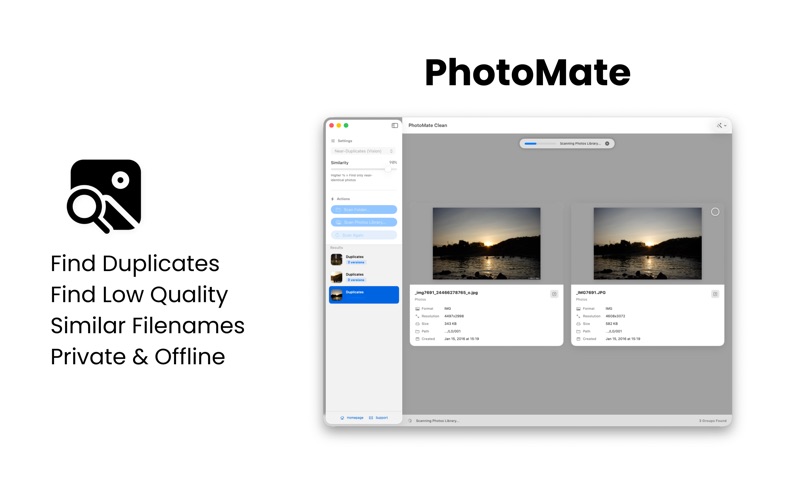
- Visual Fingerprinting: We've implemented a new Difference Hashing (dHash) algorithm. PhotoMate now creates a unique visual signature for every photo, allowing it to detect identical-looking images even if they have different filenames, metadata, or formats.
- Enhanced Precision: The "Near-Duplicates" mode is now smarter. At high similarity settings, the app uses double-verification (Vision + dHash) to ensure that only truly identical photos are grouped, preventing "false positives" like two different photos of the same subject.
- Smarter Defaults: We've tuned the default visual similarity to 90%, providing a better balance of speed and accuracy right out of the box.
New Features
- Similar Filenames Mode: A brand-new scan mode! Easily find related shots or different versions of the same file by matching a specific number of leading characters in the filename. Perfect for organizing bursts or edited exports.
- Refined UI Controls:
- The similarity slider has been reversed to be more intuitive: 100% (High Similarity) is now on the right.
- The new "Min Characters" slider for filename matches shows the exact count instead of a percentage.
Performance & Reliability
- Improved Apple Photos Library scanning with more robust exact-match logic.
- Optimized visual grouping for faster processing of large libraries.
- Fixed an issue where some images were incorrectly cropped during the scanning process.
Released Mar 24, 2026. Current version shipped Jun 1, 2026.
Store description
Reclaim your storage and organize your memories with PhotoMate Clean.
Is your Mac or Photos Library cluttered with thousands of identical shots, edited copies, or blurry photos? PhotoMate Clean is a professional, privacy-first utility designed to help you find and safely remove unwanted images entirely offline.
Using advanced Vision AI and secure file hashing, PhotoMate Clean identifies duplicates that other apps miss - even if they’ve been resized, compressed, or edited.
KEY FEATURES:
Smart Visual Similarity: Our Vision AI engine finds photos that look the same, allowing you to keep only the best shot from a series.
Exact Duplicate Detection: Uses industrial-grade SHA-256 hashing to find byte-for-byte identical files instantly.
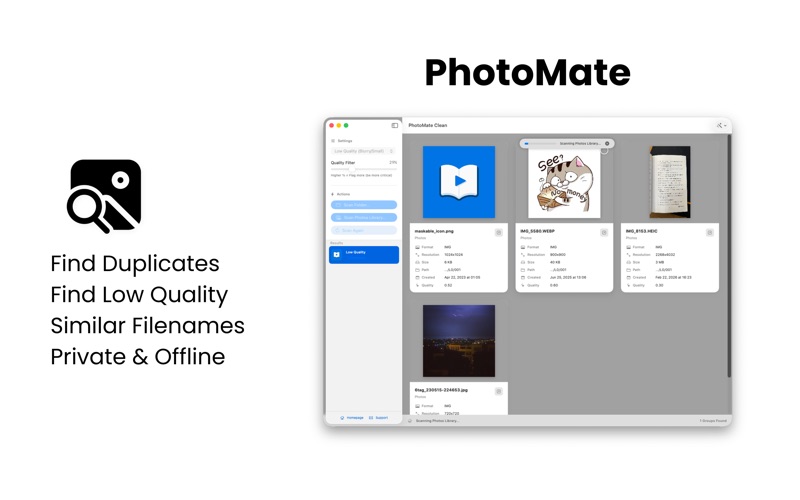
Quality Filter: Automatically flags blurry, low-light, or tiny low-quality images that are just taking up space.
Magic Select: Let the app do the heavy lifting. One click marks all "worse" versions for removal while protecting your highest-resolution "Master" copies.
Side-by-Side Review: Compare duplicates with full resolution previews and detailed EXIF data (Resolution, Camera Model, Location).
Safe Deletion: All removed files are moved to the macOS Trash, never permanently deleted without your control.
Apple Photos Integration: Full support for your system Photos Library and external folders.
PRIVACY FIRST:
100% Offline: All image analysis happens locally on your Mac.
No Cloud Uploads: Your photos never leave your device.
No Data Tracking: We don't collect analytics or personal data.
Clean your photo library intelligently - with control, speed, and absolute privacy.
See this store page in another country
Prices, ranks and reviews are per country. Revenue above is already worldwide.