★★★★★Nov 11, 2025
Quick & Easy in a Pinch …My goto app 90% of the time! It just worked! Hopefully the app is still supported on the Mac as I haven’t seen any updates for quite a while now.
Estimated from the grossing charts of Oct 21, 2026 in the 53 countries we track, and ratings growth on the App Store.
From our daily snapshots of every grossing chart.
| Sep 24, 2026 | not in a grossing chart |
| Sep 25, 2026 | not in a grossing chart |
| Sep 26, 2026 | not in a grossing chart |
| Sep 27, 2026 | not in a grossing chart |
| Sep 28, 2026 | not in a grossing chart |
| Sep 29, 2026 | not in a grossing chart |
| Sep 30, 2026 | not in a grossing chart |
| Oct 1, 2026 | not in a grossing chart |
| Oct 2, 2026 | not in a grossing chart |
| Oct 3, 2026 | not in a grossing chart |
| Oct 4, 2026 | not in a grossing chart |
| Oct 5, 2026 | not in a grossing chart |
| Oct 6, 2026 | not in a grossing chart |
| Oct 7, 2026 | not in a grossing chart |
| Oct 8, 2026 | not in a grossing chart |
| Oct 9, 2026 | not in a grossing chart |
| Oct 10, 2026 | not in a grossing chart |
| Oct 11, 2026 | not in a grossing chart |
| Oct 12, 2026 | not in a grossing chart |
| Oct 13, 2026 | not in a grossing chart |
| Oct 14, 2026 | not in a grossing chart |
| Oct 15, 2026 | not in a grossing chart |
| Oct 16, 2026 | not in a grossing chart |
| Oct 17, 2026 | not in a grossing chart |
| Oct 18, 2026 | not in a grossing chart |
| Oct 19, 2026 | not in a grossing chart |
| Oct 20, 2026 | not in a grossing chart |
| Oct 21, 2026 | not in a grossing chart |
| Oct 22, 2026 | not in a grossing chart |
| Oct 23, 2026 | not in a grossing chart |
Measured from the store, not estimated.
From the latest 55 reviews on the Germany App Store, Jul 25, 2013 to Nov 11, 2025: 13% are 1 or 2 stars. Open a theme to read what people wrote.
3 of the 1 and 2 star reviews.
★★★★★ It was a waste of money and apple doesn't refund.
★★★★★ No thanks I'd like my money back.
★★★★★ I own this app for the iPad and was honestly expecting more with such a difference in price.
2 of the 1 and 2 star reviews.
★★★★★ It crashes all the time and freezes your other open apps until you force quit.
★★★★★ Even with it's ultra simple features and bare bones apporach the app still relentlessly crashes and can't handle retriving my photos smoothly to make it worth my time.
2 of the 1 and 2 star reviews.
★★★★★ I think these reviews are fake. It was a waste of money and apple doesn't refund. I requested a refund in less than a day of trying to work with it and apple denied the refund.
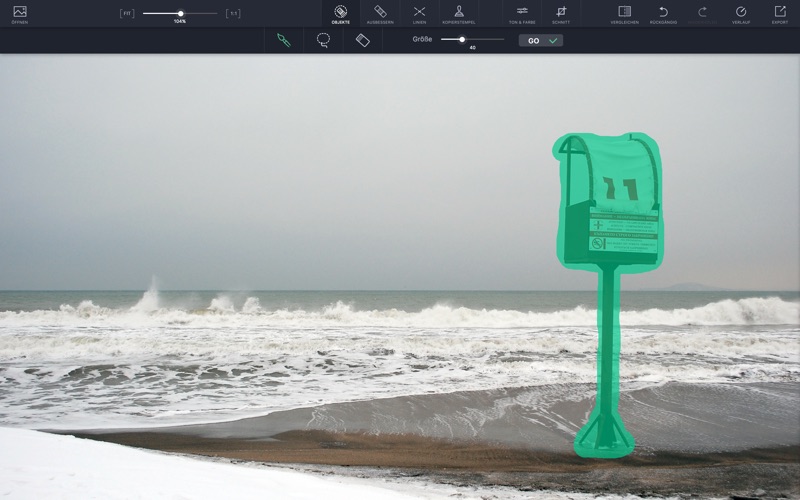
★★★★★ **WARNING** DO NOT PURCHASE for object removal. Object removal feature does not properly remove the objects. It simply clones the edges to the center of the object being removed. So the result is a horrible replacement…
2 of the 1 and 2 star reviews.
★★★★★ I think these reviews are fake.
★★★★★ this makes the picture useless.
Nothing stands out.
14 of the 4 and 5 star reviews.
★★★★★ My goto app 90% of the time! It just worked! Hopefully the app is still supported on the Mac as I haven't seen any updates for quite a while now.
★★★★★ I have Photoshop, but this little program is easy to jump in when you need some easy fixes.
★★★★★ This app makes removing unwanted objects super easy.
5 of the 4 and 5 star reviews.
★★★★★ My goto app 90% of the time! It just worked! Hopefully the app is still supported on the Mac as I haven't seen any updates for quite a while now.
★★★★★ It is so fast and easy to export your images.
★★★★★ I have been using TouchRetouch since it first came out on all my Apple products, MacBook, iPhone and iPad and is fantastic and quick.
4 of the 4 and 5 star reviews.
★★★★★ One of the best apps for removing unwanted lines or objects from a picture. However, unlike the IOS version for ipads and iphones the mac version doesn't have the mesh removal. Would like to see that added to the mac…
★★★★★ I've been using this tool for a long time, no complaints. There was some compatibility issue with the macOS Big Sur early on but it was promptly resolved.
★★★★★ I'm using this app to edit photos for my album (which is a pretty big deal!) I haven't had to toil all day to acheive realistic effects.
3 of the 4 and 5 star reviews.
★★★★★ The retouch feature is much better than Apple's, and the Clone feature is a lifesaver.
★★★★★ I use primarily for my real estate photography and it always helps when I have to do a post photo shoot cleanup to get rid of my reflections in mirrors and also to tidy up some rooms of random clutter.
3 of the 4 and 5 star reviews.
★★★★★ I used it for line removal to eliminate high power line from a photo of a beautiful sunrise—perfect.
★★★★★ It is the very best way to "clean up" any digital photo.
★★★★★ Touch retouch is a go to extension and standalone app to have in your graphic design arsenal.
Found by matching words and phrases in the reviews, not read by a person. A review can count toward more than one theme.
Latest reviews, Germany App Store.
My goto app 90% of the time! It just worked! Hopefully the app is still supported on the Mac as I haven’t seen any updates for quite a while now.
I have an old Mac Pro. It had a massive boot & main board failure. I could no longer re-load PS6. Few good photo editors available for OS Mojave. THIS app is a really welcome positive alternative. Still learning it's suprising and extensive features. At this proce-point I didn't hesitate. Very glad I got it.
I have Photoshop, but this little program is easy to jump in when you need some easy fixes.
Works amazing every single time.
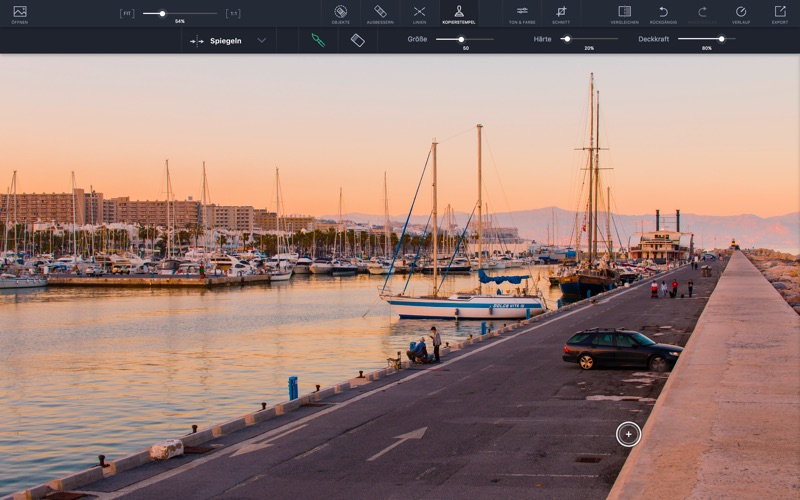
Perfect software for my desktop for photo editing. Was looking for something specifically that did clone stamp out there, and it was hard to find! Then I found this app, and it has been very efficient for my photo editing needs!
I think these reviews are fake. It was a waste of money and apple doesn’t refund. I requested a refund in less than a day of trying to work with it and apple denied the refund.



Apple Search Ads this app ran in the last 90 days, from Apple's public ad repository.
Apple only publishes ads shown in the EU (EU Digital Services Act), with a 7 day delay. An app that advertises only outside the EU shows nothing here.
Where this app is buying and earning its users. Each link opens pre filtered.
Most repeated terms in the listing. Highlighted ones also appear in the title.
Released Jul 23, 2013. Current version shipped Aug 1, 2023.
Prices, ranks and reviews are per country. Revenue above is already worldwide.