← Back to charts
MediBang Paletta:Drawing App icon
APP STORE

MediBang Paletta:Drawing App

MediBang inc. · Graphics & Design · United States store
NOT IN TOP 100 HERE
View on App Store ↗ Instagram card Google Play version →
Revenue a month, worldwide EST
$2K
Likely $658 to $5.9K
New ratings
Tracking
Daily counts start building from today
Rating
4.5 of 5
1.1K ratings in this store
Countries it ranks in
0
was 0 on Oct 16, 2026

Revenue

Estimated from the grossing charts of Oct 23, 2026 in the 53 countries we track, and ratings growth on the App Store.

EST. REVENUE / YEAR · WORLDWIDE
$23.7K
55 new ratings a month on average since launch
EST. LIFETIME DOWNLOADS
37.7K to 107.7K
Estimated from ratings count
WHERE ITS USERS ARE · SHARE OF RATINGS
  • United States 1.1K ratings61%
  • South Korea 278 ratings16%
  • Mexico 100 ratings6%
  • Indonesia 66 ratings4%
  • Australia 64 ratings4%
  • Saudi Arabia 57 ratings3%
  • France 42 ratings2%
  • India 30 ratings2%
HOW SURE ARE WE
Not in any grossing chart, so this comes from ratings growth (55 new ratings a month on average since launch): revenue grows with new ratings, more slowly for apps that collect ratings fast. Tested on 418 apps with verified revenue: typically off by about 2 times, and big earners tend to come out low. Countries we don't track (and Google Play in China, which doesn't exist) aren't included, and neither are ads or web payments. Gross revenue before store fees.
RATINGS
1.1K
AVG RATING
4.52
PRICE
Free
AGE
2.8y
LAST UPDATE
11d ago
VERSION
4.19
SIZE
143 MB
AGE RATING
4+

Last 30 days

From our daily snapshots of every grossing chart.

DAYS IN A GROSSING CHART
0 / 30
COUNTRIES NOW
0 (was 0)
EST. REVENUE FROM CHARTS, DAILY · BOTH STORES ONLY EST
Show daily values
Sep 24, 2026not in a grossing chart
Sep 25, 2026not in a grossing chart
Sep 26, 2026not in a grossing chart
Sep 27, 2026not in a grossing chart
Sep 28, 2026not in a grossing chart
Sep 29, 2026not in a grossing chart
Sep 30, 2026not in a grossing chart
Oct 1, 2026not in a grossing chart
Oct 2, 2026not in a grossing chart
Oct 3, 2026not in a grossing chart
Oct 4, 2026not in a grossing chart
Oct 5, 2026not in a grossing chart
Oct 6, 2026not in a grossing chart
Oct 7, 2026not in a grossing chart
Oct 8, 2026not in a grossing chart
Oct 9, 2026not in a grossing chart
Oct 10, 2026not in a grossing chart
Oct 11, 2026not in a grossing chart
Oct 12, 2026not in a grossing chart
Oct 13, 2026not in a grossing chart
Oct 14, 2026not in a grossing chart
Oct 15, 2026not in a grossing chart
Oct 16, 2026not in a grossing chart
Oct 17, 2026not in a grossing chart
Oct 18, 2026not in a grossing chart
Oct 19, 2026not in a grossing chart
Oct 20, 2026not in a grossing chart
Oct 21, 2026not in a grossing chart
Oct 22, 2026not in a grossing chart
Oct 23, 2026not in a grossing chart
Best rank Sep 24, 2026: not ranked. Now: not ranked. Days at zero are days outside every grossing chart.

Money and momentum

Measured from the store, not estimated.

WHAT IT CHARGES
1 purchase listed
  • Paletta: Perpetual License$9.99
Top in-app purchases as listed on the App Store, in local prices.
REVIEW MOMENTUM
1.0 reviews / week
  • Trendsteady
  • Recent reviews average3.6 stars
  • Recent 1 and 2 star share22%
From the latest 141 written reviews, covering 1017 days.
RELEASE CADENCE
6 updates in 90 days
  • Typical gap between releases13 days
From the last 25 versions listed on the App Store.
RATING BREAKDOWN
1.1K ratings
5★73%
4★15%
3★6%
2★1%
1★4%

What users want

From the latest 141 reviews on the United States App Store, Jan 11, 2024 to Oct 18, 2026: 22% are 1 or 2 stars. Open a theme to read what people wrote.

WHAT THEY COMPLAIN ABOUT · SHARE OF BAD REVIEWS
Price and subscription23%

7 of the 1 and 2 star reviews.

★★★★★ Also one day could you please add Bluetooth controller support like with custom button mapping like pc for those of us that can't afford expensive devices like tour box?
★★★★★ Where do I start, for starters it functions like the other shoddy ripoff of procreate, hipaint.
★★★★★ I wish you could just buy a lifetime subscription in MediBang paint.
Lost data, sync, backup19%

6 of the 1 and 2 star reviews.

★★★★★ I like the brushes but half of my progress for my drawing was deleted and I got a notification in the app saying I had 5 minutes left to finish my drawing so you only get 1 hour to draw.
★★★★★ It has deleted at least 3 ENTIRE canvases of artwork, just gone and no chance to get it back.
★★★★★ I had two artworks finished in there but when I returned they were gone, if I hadn't saved them in my gallery I wouldn't even have them anymore.
Slow, laggy, battery13%

4 of the 1 and 2 star reviews.

★★★★★ Want to say I enjoy this app but I'm finding that the brushes and selection tool have a delay to them and it's starting to become frustrating while drawing, along with having to press buttons several times in order to…
★★★★★ It lags considerably and I'm struggling to move between layers, with it crashing at more than once occasion.
★★★★★ I've tried to make some art on it but I struggle to finish them due to it being laggy and how the layout bothers me.
Bugs, things not working10%

3 of the 1 and 2 star reviews.

★★★★★ Tools not responsive and can't find anything in this update wish I hadn't bought oh well
★★★★★ But it has become more and more buggy as time goes on.
★★★★★ Let me just say that this app works perfectly and all the tool do what they're supposed to but the one major issue is that there's a bug that deletes your art pieces even if you save them.
Limits, credits, locked features10%

3 of the 1 and 2 star reviews.

★★★★★ It's just that the game itself is good but the game only gives you like a short of time to draw and you get 30 minutes or you have to pay to get it
★★★★★ Honestly, it's disappointing that this app is FREE and literally has a time limit on how long you can use it.
Too many ads6%

2 of the 1 and 2 star reviews.

★★★★★ Please to god get rid of the ads that won't let you use the whole app til you watch them, and let more freedom to use it whenever you'd like
★★★★★ The ads make it unusable.
Worse after an update6%

2 of the 1 and 2 star reviews.

★★★★★ Tools not responsive and can't find anything in this update wish I hadn't bought oh well
★★★★★ So just found out medibang had a new update—new icon and everything.
WHAT THEY ASK FOR
  • I really like this app, Medibang you did your thing with this one ,but I do wish that yall could add a Lasso tool if possible , that would help me so much with the app, I really love and appreciate it if yall could… 5★, Sep 6, 2026
  • My Ibis paint freezes but this is a really great drawing app more controls and good brushes but why do we need a time limit??? 4★, Aug 7, 2026
  • Please add a way to record the drawing process pls 4★, Jul 5, 2026
  • Also one day could you please add Bluetooth controller support like with custom button mapping like pc for those of us that can't afford expensive devices like tour box? 2★, May 24, 2026
  • ok the app is cool and all, like its easy to get used to but please add speedpaints/timelapse!! 4★, May 6, 2026
  • i like posting my art like speedpaints so please add them !! 4★, May 6, 2026
  • I have been using this app and its free version for a while, the only thing it's missing for me to finally give it five stars is the Timelapse option like the old free app, I wish to record my artworks! 4★, May 1, 2026
  • I wish it had the recording feature the free version has, I like the interface on the pro more, but I would like to record my drawing progress 4★, Dec 21, 2025
WORDS THAT KEEP COMING UP IN BAD REVIEWS

Nothing stands out.

WHAT THEY LOVE · SHARE OF GOOD REVIEWS
Easy to use18%

16 of the 4 and 5 star reviews.

★★★★★ Here are some reasons why I LOVE this drawing app!!!#1: The layout of the the app when u start a new canvas is very simple and easy to understand.
★★★★★ This app is amazing, easy to use for beginners and features many brush options, such as hair, sparkle, etc.
★★★★★ The whole version of the app was 9.99 the brushes are customizable n stuff.
Looks great12%

11 of the 4 and 5 star reviews.

★★★★★ interface is simple, easy on the eyes, which is a big plus for me personally.
★★★★★ I wish it had the recording feature the free version has, I like the interface on the pro more, but I would like to record my drawing progress
★★★★★ I love the customizable UI, but the app seems to lack a time-lapse feature.
Fun, addictive9%

8 of the 4 and 5 star reviews.

★★★★★ Layers, many fun to use brushes.
★★★★★ This app is amazing,and I really like it,but there's just one thing:JK THIS APP IS GREAT
★★★★★ I enjoy how there's more brushes for me to use, and how smooth everything in this app can get.
Worth the money8%

7 of the 4 and 5 star reviews.

★★★★★ Has all the bells and whistles i need for art. Layers, many fun to use brushes. Easy to learn, it takes some tinkering and googling if you're generally new to art apps but not much. interface is simple, easy on the…
★★★★★ It's a nice app and free.
★★★★★ Ok so first off it's 7 dollars so get honestly it's a good price what really got me was how we could customize our layout and what we wish to have out it's so nice I know many people talk about how the selection of…
Useful, it helps4%

4 of the 4 and 5 star reviews.

★★★★★ It's a nice app and free. Recommended if you don't mind a few ads.
★★★★★ It would be really helpful
★★★★★ The print manuscript guide is most helpful.🙇🏻

Found by matching words and phrases in the reviews, not read by a person. A review can count toward more than one theme.

What users say

Latest reviews, United States App Store.

★★★★★Oct 18, 2026
DONT DOWNLOAD THIS IS TRACKS YOU

I have had this app over 2 years and then when I was going the look for more drawing apps I searched up worst drawing apps and this was there then I scrolled down to see if it tracks you and it did and it tracks you through out your apps and what your doing if you reading the comments like my dad thought me too DO NOT DANWNLOAD THIS APP I really love my dad because he thought me that people who create apps mostly make them to track you please don not download this app it will track you until you switch devises please don’t make apps to track people it’s really an invasion of private stuff like it’s really mean please don’t download this app.

★★★★★Sep 24, 2026
This app is pretty good!

Here are some reasons why I LOVE this drawing app!!!#1: The layout of the the app when u start a new canvas is very simple and easy to understand. You can even add, move, and take out some of the little bubbles that our your art tools! #2: They have a good variety of brushes and tools. There are so many brushes and things I wouldn't even think of. (I lowk found a brush with ghosts lol) BUT, aside from the pros, there is one con that I have. Sometimes when I click something fast or "unexpected", the system has to load or reboot for a few seconds. (I think it says "backing up" or smt like that) anyways this is my review!! (Srry it's long...)

★★★★★Sep 16, 2026
I like it!

i like it a lot it didn’t cost too much to have no ads, i just want a light mode and more adjustable sensitivity. other than that it reminds me of drawing on medibang with my drawing tablet so i love it!

★★★★★Sep 8, 2026
Symmetry issue (((

I was really excited to see the new symmetry feature added, I've been waiting for it for a long time. However, when I started using it, I noticed an issue: the lines don't mirror properly. When drawing a simple symmetrical shape (like a heart), the left and right sides don't match, which defeats the purpose of the feature. Please look into this and fix it so that the symmetry is truly accurate and mirror‑perfect. Thank you for your work on the program.

★★★★★Sep 7, 2026
My awesome not bogus review

It’s awesome dude like better than a cheeseburger and fries or something with a lemonade as a side drink

★★★★★Sep 6, 2026
Kenren000

I really like this app, Medibang you did your thing with this one ,but I do wish that yall could add a Lasso tool if possible , that would help me so much with the app, I really love and appreciate it if yall could add an animation section for this app. Thank you for reading this.

Store screenshots

ScreenshotScreenshotScreenshotScreenshotScreenshotScreenshotScreenshotScreenshotScreenshotScreenshot

App Store ads

Apple Search Ads this app ran in the last 90 days, from Apple's public ad repository.

No App Store ads in the EU
None in the last 90 days.

Apple only publishes ads shown in the EU (EU Digital Services Act), with a 7 day delay. An app that advertises only outside the EU shows nothing here.

Growth research

Where this app is buying and earning its users. Each link opens pre filtered.

ASO keywords

Most repeated terms in the listing. Highlighted ones also appear in the title.

medibang paletta16medibang13paletta10brushes8art7generation later6work6experience6later6generation4work medibang3medibang paint3default brushes3blending modes3transforms screen3bid farewell35th generation3crafted3designed3creative3interface3intuitive3save3tool3

What's new in 4.19

[New Features] - Added color set sharing function - Added function to create materials - Added parallel translation and numerical display to the move tool - Added layer type and color badge display to the layer list [Improvements] - Improved the ability to immediately input text when creating new text - Improved the ability to set styles with the text tool even when no text is selected - Improved the guidance display when using old fonts - Improved the ease of resizing floating layers [Bug Fixes] - Fixed a bug where the drawing settings tab state of the shape tool was not maintained when the screen was rotated - Fixed a bug where the same image could not be imported consecutively - Fixed an issue where the ruler was sometimes not displayed - Fixed a bug where the division number slider and numerical value did not return when mesh deformation was reset - Fixed a bug where the stopwatch and timer display was not hidden when the setting to hide the UI during drawing was ON - Fixed a bug where the app would crash when the camera was launched in an environment where the camera was not available - Fixed an issue where tapping text while using the hand tool would not launch the text tool - [iPad] Fixed a bug where the position of the keyboard in the text editing window would shift after closing it - Fixed an issue where tapping anywhere other than the slider handle would move the handle to that position. - Fixed a bug in Custom Noise (Type 2) where the slider and numerical display/movement were out of sync. - Fixed a bug in Custom Noise (Type 2) where the numerical value was abbreviated as "-...0" when the offset was -200 or less.

Released Jan 11, 2024. Current version shipped Oct 13, 2026.

Store description

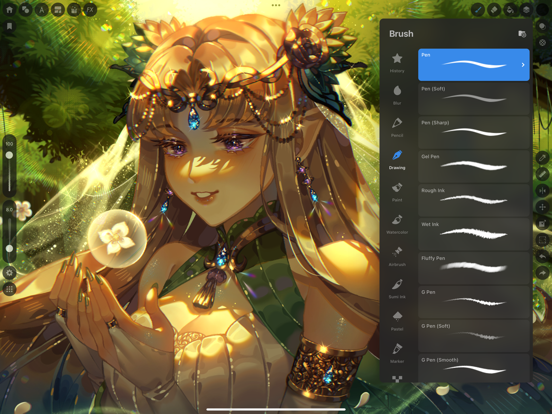
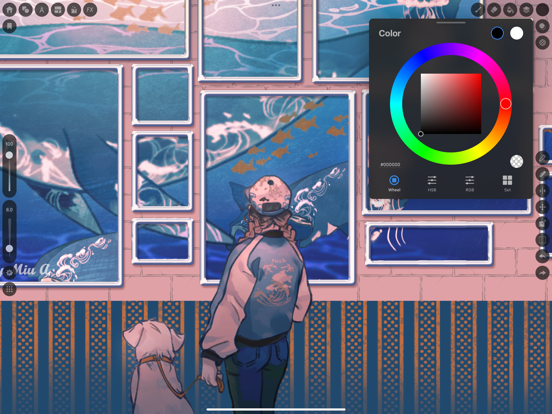
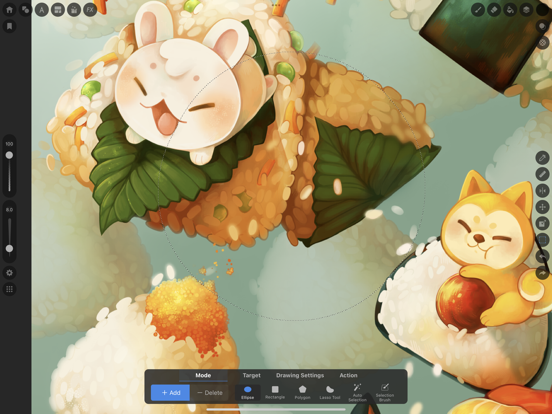
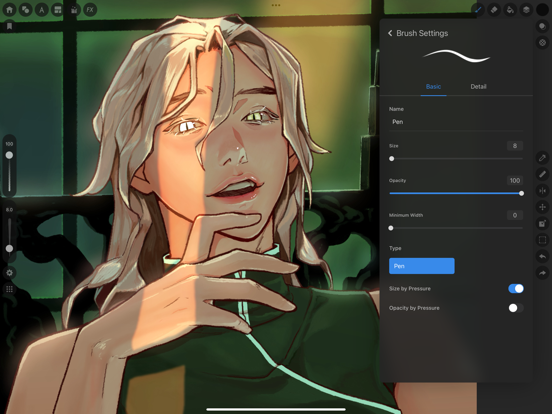
No intrusive ads to interrupt your flow. Free for 2 hours every day. You can extend your usage time after 2 hours by watching ads. Draw for yourself, in your time, by you like. MediBang Paletta is the painting app for you. We made this for you. The latest work in the MediBang Paint series, which boasts 100 million downloads. This is a new proposal from MediBang. The app's beautiful canvas is waiting for you to create art. Today, try MediBang Paletta and watch your improvement skyrocket! Crafted by the minds behind MediBang Paint, MediBang Paletta gives you a perfectly designed experience to reach creative heights never thought possible, no subscription required. Key Highlights: ・User-Friendly Interface: Work effortlessly with an intuitive interface. ・World-Class Brushes: Enjoy meticulously crafted brushes for the iPad experience. ・Auto-Save: Never worry about losing a sketch again. ・Nuanced Layering: Exercise precise control over your art. Your Perfect Brushes ・Customizable Default Brushes: Tailor any default brushes to match your style. ・Stabilization Tool: Create your smoothest lines ever. ・Creative Effects: Add intricate details with cool effect and stamp brushes. ・Pen Pressure Settings: Responsive and adjustable settings to suit you. ・Unique Brushes: Explore dozens of brushes designed exclusively for MediBang Paletta's brush engine. Effortless Layers and Colors ・Clipping Masks: Edit without compromising your initial art. ・Layer Groups: Keep your work neat and tidy. ・Blending Modes: Nearly 20 blending modes to adjust your art as you desire. Professional Finishing Touches ・Artistic Filters: Add captivating effects to give your work a professional look. ・Blur Tool: Achieve softness, movement, and depth. ・Easy Edits: Refine your work's proportions using the Transformation Tool. Intuitive and Lightweight ・Artist-First Design: Enjoy an app designed with giving you the best artistic experience in mind. ・Simplicity is Key: Focus on your creativity with a simple, lightweight interface that transforms your screen into a studio. ・Efficient Storage: Save your work in MediBang Paletta export it to the Files app. ・No Lag: Bid farewell to brush lag and slow loading times forever. Share Your Masterpieces ・Pro Export: Import or export your art in various formats, including Adobe® Photoshop® PSD files. ・Seamless Saving and Backups: Save your art locally in MediBang Paletta and find your files backed up to the app itself in the event of a crash. Operating Environment ・OS: iOS 18 or later ・Recommended Devices: iPhone13 or later / iPad 9th generation or later / iPad Air 5th generation or later / iPad mini 6th generation or later / iPad Pro 5th generation or later *App performance may vary depending on the device condition Crafted by visionaries and tailored for artists, MediBang Paletta is here to provide the ultimate digital art experience. With a canvas and tools that are convenient yet unobtrusive, this app transforms your iPad screen into an inviting workspace, allowing your creativity to flow freely. Every element is meticulously decided by MediBang Paletta's designers to ensure the most immersive and intuitive experience that maximizes all the best parts of working on the iPad for the individual creator experience. MediBang Paletta is more than just an app, it's a creator-centric space that gives you what you need to translate vision into reality. No compromises or limitations—just pure creative freedom. Bid farewell to confusing design, and software bloat. Say hello to MediBang Paletta.

See this store page in another country

Prices, ranks and reviews are per country. Revenue above is already worldwide.