← Back to charts
Pomodoro Focus Timer - YouCan icon
APP STORE

Pomodoro Focus Timer - YouCan

Vilius Bundulas · Productivity · United States store
NOT IN TOP 100 HERE
View on App Store ↗ Instagram card
Revenue a month, worldwide EST
$473
Likely $158 to $1.4K
New ratings
Tracking
Daily counts start building from today
Rating
4.6 of 5
74 ratings in this store
Countries it ranks in
0
was 0 on Oct 20, 2026

Revenue

Estimated from the grossing charts of Oct 26, 2026 in the 53 countries we track, and ratings growth on the App Store.

EST. REVENUE / YEAR · WORLDWIDE
$5.7K
3.3 new ratings a month on average since launch
EST. LIFETIME DOWNLOADS
2.6K to 7.4K
Estimated from ratings count
WHERE ITS USERS ARE · SHARE OF RATINGS
  • United States 74 ratings57%
  • France 15 ratings12%
  • Canada 11 ratings9%
  • Australia 6 ratings5%
  • Brazil 5 ratings4%
  • Italy 4 ratings3%
  • India 4 ratings3%
  • Saudi Arabia 4 ratings3%
HOW SURE ARE WE
Not in any grossing chart, so this comes from ratings growth (3.3 new ratings a month on average since launch): revenue grows with new ratings, more slowly for apps that collect ratings fast. Tested on 418 apps with verified revenue: typically off by about 2 times, and big earners tend to come out low. Countries we don't track (and Google Play in China, which doesn't exist) aren't included, and neither are ads or web payments. Gross revenue before store fees.
RATINGS
74
AVG RATING
4.59
PRICE
Free
AGE
3.4y
LAST UPDATE
783d ago
VERSION
2.3.0
SIZE
29 MB
AGE RATING
4+

Last 30 days

From our daily snapshots of every grossing chart.

DAYS IN A GROSSING CHART
0 / 30
COUNTRIES NOW
0 (was 0)
EST. REVENUE FROM CHARTS, DAILY · APP STORE ONLY EST
Show daily values
Sep 28, 2026not in a grossing chart
Sep 29, 2026not in a grossing chart
Sep 30, 2026not in a grossing chart
Oct 1, 2026not in a grossing chart
Oct 2, 2026not in a grossing chart
Oct 3, 2026not in a grossing chart
Oct 4, 2026not in a grossing chart
Oct 5, 2026not in a grossing chart
Oct 6, 2026not in a grossing chart
Oct 7, 2026not in a grossing chart
Oct 8, 2026not in a grossing chart
Oct 9, 2026not in a grossing chart
Oct 10, 2026not in a grossing chart
Oct 11, 2026not in a grossing chart
Oct 12, 2026not in a grossing chart
Oct 13, 2026not in a grossing chart
Oct 14, 2026not in a grossing chart
Oct 15, 2026not in a grossing chart
Oct 16, 2026not in a grossing chart
Oct 17, 2026not in a grossing chart
Oct 18, 2026not in a grossing chart
Oct 19, 2026not in a grossing chart
Oct 20, 2026not in a grossing chart
Oct 21, 2026not in a grossing chart
Oct 22, 2026not in a grossing chart
Oct 23, 2026not in a grossing chart
Oct 24, 2026not in a grossing chart
Oct 25, 2026not in a grossing chart
Oct 26, 2026not in a grossing chart
Oct 27, 2026not in a grossing chart
Best rank Sep 28, 2026: not ranked. Now: not ranked. Days at zero are days outside every grossing chart.

Money and momentum

Measured from the store, not estimated.

WHAT IT CHARGES
5 purchases listed
  • Unlimite access$17.99
  • Unlimited Access$8.99
  • Unlimited Access$0.99
  • Unlimited Access$1.99
  • Unlimited Access$12.99
Top in-app purchases as listed on the App Store, in local prices.
REVIEW MOMENTUM
0.0 reviews / week
  • Recent reviews average3.6 stars
  • Recent 1 and 2 star share20%
From the latest 5 written reviews, covering 1079 days.
RELEASE CADENCE
0 updates in 90 days
  • Typical gap between releases11 days
From the last 16 versions listed on the App Store.
RATING BREAKDOWN
74 ratings
5★78%
4★9%
3★8%
2★1%
1★3%

What users say

Latest reviews, United States App Store.

★★★★★Sep 4, 2024
No sound?

I’ve just updated my app today and I see other comments from months ago where people are asking for a sound alert when the timer ends. I still don’t have any sound, and I have the sound and vibrate notifications turned on in the app. What’s the fix for this?

★★★★★May 14, 2024
good

good

★★★★★Apr 29, 2024
Video

Hello could you guys make a short video explaining all the full features of the app and if possible add a way to track how many times you complete a Pomodoro i don’t know if you get that in the full version and also if the app can be made for the apple watch. Love the app so far.

★★★★★Jan 19, 2024
Needs sound+ notification

Love how the app works. Literally the only thing it needs is a notification when the timer is up. I keep missing my breaks

★★★★★Nov 13, 2023
A Timer With No Notifications?

Love the design; seems like it will be helpful to me; but there is no sound notation when a session ends. Isn’t that the point? (Yes notification’s we’re permitted in my settings)

Store screenshots

ScreenshotScreenshotScreenshotScreenshotScreenshot

App Store ads

Apple Search Ads this app ran in the last 90 days, from Apple's public ad repository.

Apple's ad repository couldn't be reached right now. Try again later.

Growth research

Where this app is buying and earning its users. Each link opens pre filtered.

ASO keywords

Most repeated terms in the listing. Highlighted ones also appear in the title.

work15pomodoro15work study11focus10productivity10timer10flip clock10time9flip8study7clock7pomodoro timer6session6task6sessions5set5minute5break5pomodoro flip5pomodoro technique5track4flow4study sessions3study flow3

What's new in 2.3.0

Performance improvements

Released May 23, 2023. Current version shipped Sep 4, 2024.

Store description

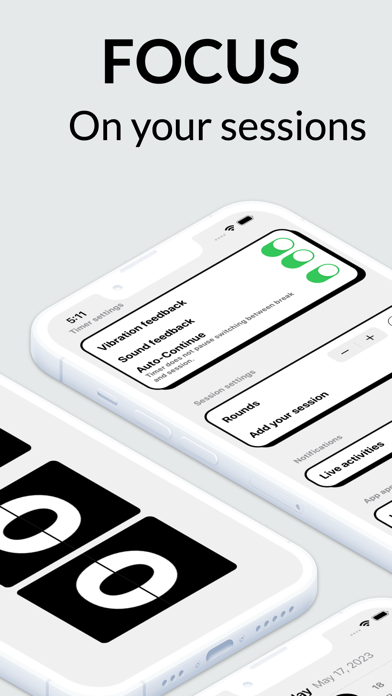
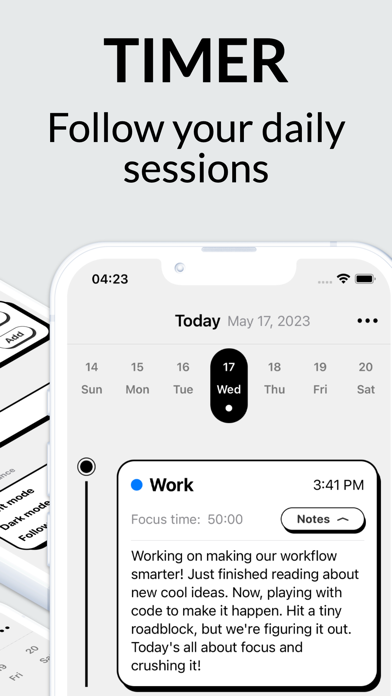
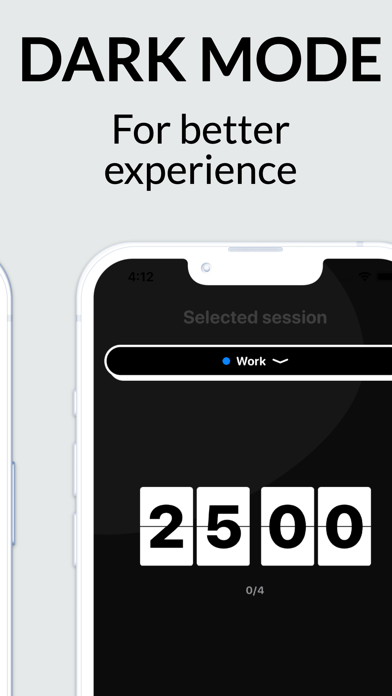
Welcome to our amazing Focus & Productivity App, designed to supercharge your work and study sessions. This powerful Pomodoro Timer is packed with features to help you stay on track and achieve your goals. With our app, simply set the duration, dive into your tasks, and experience unstoppable focus. Do you often find yourself losing focus? Do distractions derail your work or study flow? Step into a world of effective time management with the Pomodoro Flip Clock - a minimalist, distraction-free timer that facilitates your work, study, or any activity that demands your undivided attention. Harness the power of the Pomodoro Technique - a time-proven method to boost productivity and keep your focus sharp. Set your timer for 25-minute work sessions with a 5-minute break in between, or customize the session lengths to fit your own rhythm. Watch as your productivity increases and your work or study flow improves. Key features include: #1 Pomodoro Timer: Just flip the tomato to start your sessions. Track your time, stay focused, and enjoy the satisfaction of productive work or study sessions. #2 Flip Clock: Elegant, visually appealing flip clock to help you manage time better. Watch the minutes flip by as you immerse yourself in work or study. #3 Customizable Session Lengths: Adjust your focus sessions and breaks to best suit your personal productivity rhythms. #4 Minimalist Design: Clean, clutter-free interface that makes it easy for you to concentrate on what truly matters. #5 Productivity Tracker: Keep an eye on your productivity trends and make changes to your work or study habits as needed. The Pomodoro Technique is a well-structured time management method designed to maximize productivity and focus. Here's a quick tutorial on how to use it: SELECT A TASK: Choose a task or set of tasks you intend to work on, whether it be studying for an exam or a work-related project. SET THE POMODORO TIMER: Using a traditional timer, flip clock, or a tomato-shaped timer (pomodoro), set a 25-minute session. This is your time to focus on the selected task without interruption. WORK ON THE TASK: Dedicate the next 25 minutes entirely to your chosen task. If a distraction pops up, write it down for later and immediately get back to your task. END WORK WHEN THE TIMER ENDS: As soon as your pomodoro timer rings, stop working. This marks the end of one "Pomodoro" session. TAKE A SHORT BREAK: After completing a pomodoro, take a 5-minute break. This allows your mind to rest and prepares you for the next session. Repeat the Process: After your break, reset the timer and begin another 25-minute focus session. LONG BREAKS: After completing four pomodoros, take a longer break—usually 15 to 30 minutes. This helps to prevent burnout and maintains a high level of productivity. TRACK YOUR PROGRESS: Keep track of the number of pomodoros you complete in a day. This provides a clear picture of your productivity flow. REMEMBER, the goal of the Pomodoro Technique is not to finish tasks—it's to work on them with full attention and without distractions. By breaking your work into manageable intervals (pomodoros), you train your brain to focus for short periods and improve your attention span over time. Download Pomodoro Flip Clock today, and let the humble tomato help you optimize your time, maximize your focus, and boost your productivity. This is more than just a clock; it's a lifestyle upgrade. Whether you are deep into your work, studying for exams, or simply want to manage your time better, Pomodoro Flip Clock is your key to a more focused, productive, and fulfilling life. Experience the joy of being in the flow - download now! Terms and Conditions: https://viliusbundulas.wixsite.com/youcan---pomodoro-fo/termsof-use Privacy Policy: https://viliusbundulas.wixsite.com/youcan---pomodoro-fo/privacy-policy

See this store page in another country

Prices, ranks and reviews are per country. Revenue above is already worldwide.

More from Vilius Bundulas

RolePlay AI: Chatbot
Entertainment
190 ratingsAnalyze →
Wallpapers 27: 4k backgrounds
Graphics & Design
297 ratingsAnalyze →
Photo cleaner - Clean Cut
Utilities
163 ratingsAnalyze →
Beam Tanning - Safe Sun
Weather
26 ratingsAnalyze →
Pushup Tracker & musclebooster
Health & Fitness
6 ratingsAnalyze →
Žaliai Baltas Vilnius
Sports
0 ratingsAnalyze →