← Back to charts
Slowify: Music Speed Changer icon
APP STORE

Slowify: Music Speed Changer

Better Notes, LLC · Music · United States store
NOT IN TOP 100 HERE
View on App Store ↗ Instagram card
Revenue a month, worldwide EST
$419
Likely $140 to $1.3K
New ratings
Tracking
Daily counts start building from today
Rating
4.4 of 5
72 ratings in this store
Countries it ranks in
0
was 0 on Oct 19, 2026

Revenue

Estimated from the grossing charts of Oct 26, 2026 in the 53 countries we track, and ratings growth on the App Store.

EST. REVENUE / YEAR · WORLDWIDE
$5K
2.3 new ratings a month on average since launch
EST. LIFETIME DOWNLOADS
2.5K to 7.2K
Estimated from ratings count
WHERE ITS USERS ARE · SHARE OF RATINGS
  • United States 72 ratings79%
  • Germany 7 ratings8%
  • Australia 6 ratings7%
  • France 3 ratings3%
  • Japan 2 ratings2%
  • Mexico 1 ratings1%
HOW SURE ARE WE
Not in any grossing chart, so this comes from ratings growth (2.3 new ratings a month on average since launch): revenue grows with new ratings, more slowly for apps that collect ratings fast. Tested on 418 apps with verified revenue: typically off by about 2 times, and big earners tend to come out low. Countries we don't track (and Google Play in China, which doesn't exist) aren't included, and neither are ads or web payments. Gross revenue before store fees.
RATINGS
72
AVG RATING
4.38
PRICE
Free
AGE
3.6y
LAST UPDATE
61d ago
VERSION
1.2.1
SIZE
43 MB
AGE RATING
4+

Last 30 days

From our daily snapshots of every grossing chart.

DAYS IN A GROSSING CHART
1 / 30
COUNTRIES NOW
0 (was 0)
EST. REVENUE FROM CHARTS, DAILY · APP STORE ONLY EST
Show daily values
Sep 27, 2026not in a grossing chart
Sep 28, 2026not in a grossing chart
Sep 29, 2026not in a grossing chart
Sep 30, 2026not in a grossing chart
Oct 1, 2026not in a grossing chart
Oct 2, 2026not in a grossing chart
Oct 3, 2026not in a grossing chart
Oct 4, 2026not in a grossing chart
Oct 5, 2026not in a grossing chart
Oct 6, 2026not in a grossing chart
Oct 7, 2026not in a grossing chart
Oct 8, 2026not in a grossing chart
Oct 9, 2026not in a grossing chart
Oct 10, 2026not in a grossing chart
Oct 11, 2026not in a grossing chart
Oct 12, 2026not in a grossing chart
Oct 13, 2026not in a grossing chart
Oct 14, 2026$3K · 1 country
Oct 15, 2026not in a grossing chart
Oct 16, 2026not in a grossing chart
Oct 17, 2026not in a grossing chart
Oct 18, 2026not in a grossing chart
Oct 19, 2026not in a grossing chart
Oct 20, 2026not in a grossing chart
Oct 21, 2026not in a grossing chart
Oct 22, 2026not in a grossing chart
Oct 23, 2026not in a grossing chart
Oct 24, 2026not in a grossing chart
Oct 25, 2026not in a grossing chart
Oct 26, 2026not in a grossing chart
Best rank Sep 27, 2026: not ranked. Now: not ranked. Days at zero are days outside every grossing chart.

Money and momentum

Measured from the store, not estimated.

WHAT IT CHARGES
2 purchases listed
  • Pro Membership (Monthly)$3.99
  • Pro Membership (yearly)$24.99
Top in-app purchases as listed on the App Store, in local prices.
REVIEW MOMENTUM
0.0 reviews / week
  • Recent reviews average3.7 stars
  • Recent 1 and 2 star share33%
From the latest 3 written reviews, covering 724 days.
RELEASE CADENCE
1 update in 90 days
  • Typical gap between releases14 days
From the last 6 versions listed on the App Store.
RATING BREAKDOWN
72 ratings
5★76%
4★10%
3★1%
2★0%
1★13%

What users say

Latest reviews, United States App Store.

★★★★★Sep 20, 2026
Amazing for getting ready for shows

I’ve had such a great time practicing for covers using this app. It slows things down while keeping the pitch, allowing me to really practice and study my covers.

★★★★★Sep 20, 2026
Doesn’t work

Doesn’t make any sound after moving the time forward or pressing stop and play button a few times. It only plays music/sounds. After that it stops making sounds

★★★★★Nov 1, 2024
My favorite app for studying & learning solos

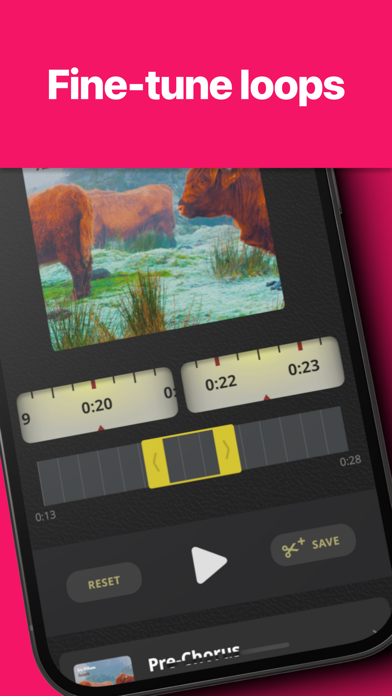
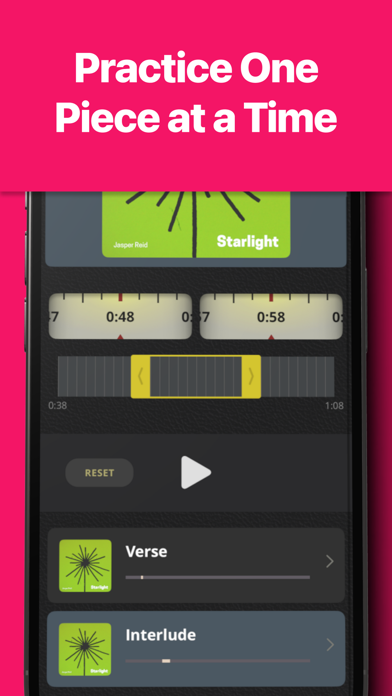
There are a ton of free websites that will let you take a section of a YouTube video, slow it down, and loop it. That's an incredibly great approach for figuring out how to play a part and then practicing it and getting it accurate. You start out going so slow you don't make ANY mistakes at first - so REALLY slow - then gradually speed up, playing along. If you start making mistakes, slow down again until 100%. (Also, practice some of the time to a metronome/click/drum track instead of always accompanying the original.) This method WORKS. And Slowify makes doing it SO much easier. First it has an excellent UI for setting the start and end of each section - grab handles to make big jumps, and very clever large scroll knobs for making fine adjustments to the start and end points - SO much easier and quicker to select the part I want to focus on. And when you are adjusting the start and end points, it immediately plays so you can audition the new boundary and keep tweaking - without taking your finger off the control! Beautiful, thoughtful UI. And the same lovely scroll control for setting the playback speed exactly where I want it, makes it easy to speed up _just_ as much as I can without making mistakes. And if that's not enough, once I've set a loop on a specific part, I can name and save that precise loop in this song - like "intro riff" and "verse 1 ending lick" and then any time I want to practice I just click on the saved loop and it's ready to go. Slowify would be worth it just for the improved interface for setting the start and end of loops, it saves so much time. But it's even more worthwhile than that, because it makes it so easy to practice in ways that are proven to be much more effective at learning and improving FASTER. This means that using Slowify can be the difference between actually getting better, by practicing in ways that work, vs just being stuck not getting better from just banging away at it at full speed. And THAT is what makes Slowify a must-have app for learning.

Apps like this

Same category, earning about as much.

Store screenshots

ScreenshotScreenshotScreenshotScreenshotScreenshotScreenshotScreenshotScreenshotScreenshotScreenshot

App Store ads

Apple Search Ads this app ran in the last 90 days, from Apple's public ad repository.

Apple's ad repository couldn't be reached right now. Try again later.

Growth research

Where this app is buying and earning its users. Each link opens pre filtered.

ASO keywords

Most repeated terms in the listing. Highlighted ones also appear in the title.

song10slow down10slow6down6music5time5slowify5tap5favorite4video4link4playing4song music3fine tune3loopable song3song clips3alongside heroes3verse chorus3off renewal3slowifyapp service3pitch3learn3songs3alongside3

What's new in 1.2.1

We've fine-tuned Slowify to work great with iOS 26!

Released Mar 30, 2023. Current version shipped Aug 26, 2026.

Store description

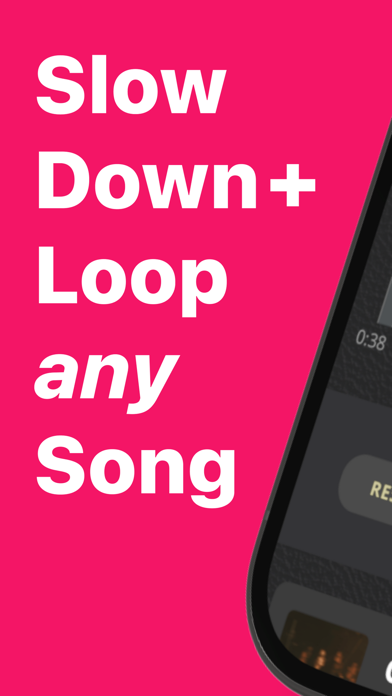
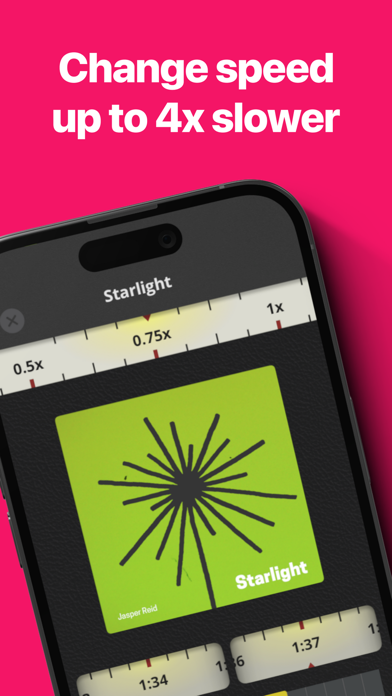
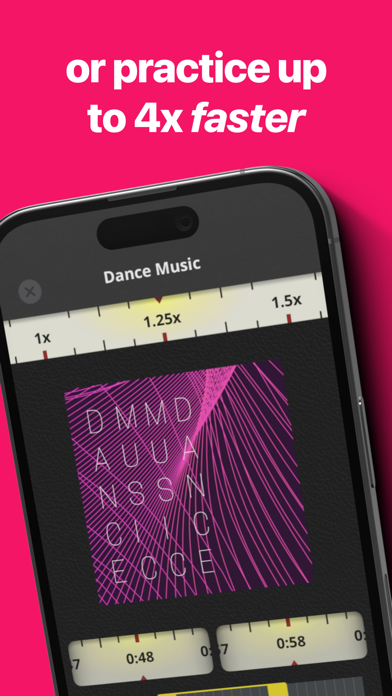
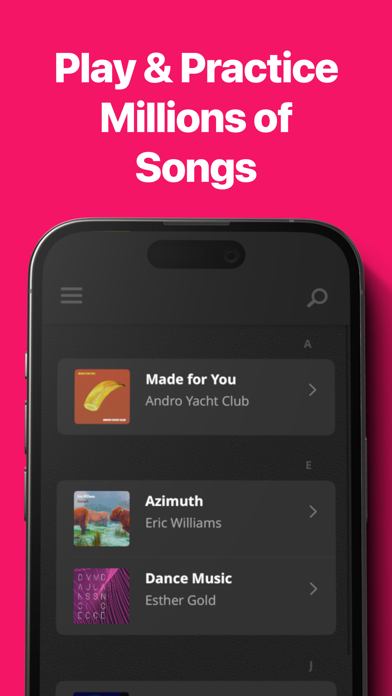
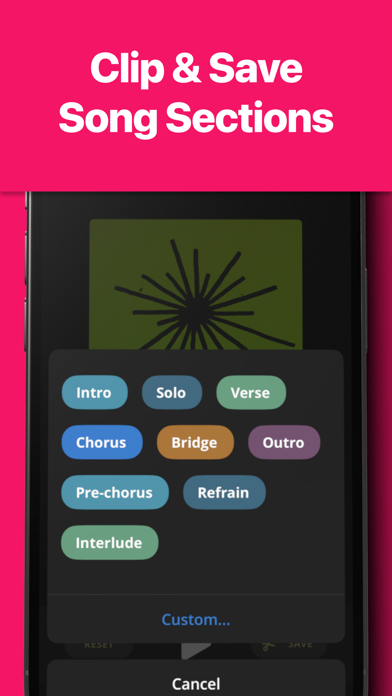
Slow down any song from Apple music by up to 4x, without altering the pitch. Fine-tune loopable song clips, to master one section at a time. Slowify is the best way to learn your favorite songs and play alongside your heroes. SLOW DOWN AND LOOP VIDEOS Slow down videos from YouTube, Instagram, TikTok, and more. Slowify includes one-tap searches from any song to find guitar tutorials, live versions, lyrics, and more. Just tap one of the pre-populated search fields below any song. Learning a solo? Play along on TikTok, Instagram or YouTube. Or find concert footageto see exactly where your favorite guitarist puts a capo. Save any video or link and it will appear directly below your Apple Music song and album art. Curate your own lessons and links. Slow down ANY video up to 400%, while creating looping regions to play along, one piece at a time. Watching a video in Safari or another app you want to loop and slow down? Just copy the link, then tap "Paste Link" to instantly start playing. With Slowify, any video becomes a duet. CONTROL TEMPO, MAINTAIN PITCH Adjust the tempo of any song without changing its pitch. This means you can slow down or speed up your favorite music as you learn, while playing alongside the original artists. Shred your favorite guitar solos, rap alongside your heroes, or master a piano concerto up to four times slower than the original. Or challenge yourself by playing faster--at up to 4x the speed. PRECISION LOOPING FOR FOCUSED PRACTICE Musicians learn by practicing one thing at a time. Bring that discipline to any song in your music library with loopable Song Clips. Just drag the yellow handles to select any part of a song. Then use precision dials to fine-tune the start and end points. Slowify will seamlessly loop each verse, chorus, and solo until you're playing perfectly in time, at whatever tempo you choose. ALL THE SONGS FIT TO PLAY Just link Slowify to Apple Music to search over 100 million songs, saved automatically to your dashboard. And two-tap save lets you move between verse, chorus, bridge, and solo with just one tap. MEMBERSHIPS THAT WORK FOR YOU Creating and saving loops and basic speed control is free for all users. A Pro Membership subscription provides access to pro features, like changing song tempos by a full 4x faster or slower. If you decide to purchase a subscription, an initial payment will be charged to your iTunes account. Your subscription will automatically renew unless auto-renew is turned off at least 24 hours before the end of the current subscription period. Your account will be charged for renewal within 24 hours prior to the end of each subscription period, at a rate of $3.99 per month or $24.99 per year. You can turn off auto-renewal at any time via your iTunes Account Settings. You can find our privacy policy at https://slowifyapp.com/privacy, and our terms of service at https://slowifyapp.com/terms-of-service.

See this store page in another country

Prices, ranks and reviews are per country. Revenue above is already worldwide.

More from Better Notes, LLC

ChordBank: Learn Guitar Chords
Music
6.3K ratingsAnalyze →
ScaleBank: Guitar Scales
Music
1K ratingsAnalyze →
Better Notes + Lists and Todos
Productivity
143 ratingsAnalyze →
UkeBank - Ukulele Chords
Music
87 ratingsAnalyze →
Guitar Tabs & Chords - TabBank
Music
269 ratingsAnalyze →
Alt Tunings - Guitar Chords
Music
8 ratingsAnalyze →