← Back to charts
Poison Maps icon
APP STORE

Poison Maps

CCS Ltd · Navigation · United States store
NOT IN TOP 100 HERE
View on App Store ↗ Instagram card
Revenue a month, worldwide
Too small to estimate
Not enough chart or ratings data
New ratings
Tracking
Daily counts start building from today
Rating
4.4 of 5
7 ratings in this store
Countries it ranks in
0
was 0 on Oct 16, 2026

Revenue

Estimated from the grossing charts of Oct 23, 2026 in the 53 countries we track, and ratings growth on the App Store.

EST. REVENUE / MONTH · WORLDWIDE
Unranked
Not in any grossing chart, and too few ratings (19) to read its growth. Most apps at this stage earn little or nothing.
EST. LIFETIME DOWNLOADS
245 to 700
Estimated from ratings count
RATINGS
7
AVG RATING
4.43
PRICE
$1.99
AGE
13.8y
LAST UPDATE
3124d ago
VERSION
3.0.8
SIZE
1347 MB
AGE RATING
4+

Last 30 days

From our daily snapshots of every grossing chart.

DAYS IN A GROSSING CHART
0 / 30
COUNTRIES NOW
0 (was 0)
EST. REVENUE FROM CHARTS, DAILY · APP STORE ONLY EST
Show daily values
Sep 24, 2026not in a grossing chart
Sep 25, 2026not in a grossing chart
Sep 26, 2026not in a grossing chart
Sep 27, 2026not in a grossing chart
Sep 28, 2026not in a grossing chart
Sep 29, 2026not in a grossing chart
Sep 30, 2026not in a grossing chart
Oct 1, 2026not in a grossing chart
Oct 2, 2026not in a grossing chart
Oct 3, 2026not in a grossing chart
Oct 4, 2026not in a grossing chart
Oct 5, 2026not in a grossing chart
Oct 6, 2026not in a grossing chart
Oct 7, 2026not in a grossing chart
Oct 8, 2026not in a grossing chart
Oct 9, 2026not in a grossing chart
Oct 10, 2026not in a grossing chart
Oct 11, 2026not in a grossing chart
Oct 12, 2026not in a grossing chart
Oct 13, 2026not in a grossing chart
Oct 14, 2026not in a grossing chart
Oct 15, 2026not in a grossing chart
Oct 16, 2026not in a grossing chart
Oct 17, 2026not in a grossing chart
Oct 18, 2026not in a grossing chart
Oct 19, 2026not in a grossing chart
Oct 20, 2026not in a grossing chart
Oct 21, 2026not in a grossing chart
Oct 22, 2026not in a grossing chart
Oct 23, 2026not in a grossing chart
Best rank Sep 24, 2026: not ranked. Now: not ranked. Days at zero are days outside every grossing chart.

Money and momentum

Measured from the store, not estimated.

WHAT IT CHARGES
No in-app purchases
Earns from its upfront price, ads or payments outside the store.
REVIEW MOMENTUM
0.0 reviews / week
  • Recent reviews average4.3 stars
  • Recent 1 and 2 star share14%
From the latest 7 written reviews, covering 3973 days.
RELEASE CADENCE
0 updates in 90 days
  • Typical gap between releases142 days
From the last 13 versions listed on the App Store.
RATING BREAKDOWN
7 ratings
5★86%
4★0%
3★0%
2★0%
1★14%

What users say

Latest reviews, United States App Store.

★★★★★Feb 2, 2018
Watch App Blank

This app doesn’t appear to work on the watch. The menu appears but when I select any POI category the map page is totally black.

★★★★★Sep 29, 2017
This is the POI app you're looking for...

Whether you're looking for food, lodging, fuel, this app has it all...every conceivable POI you can think of and not just in the USA, but in the entire world. Looking for a restaurant in Budapest, Hungary? Done. Need a hotel in Bombay, India? Done. Searching for gas in Santiago, Chile? No problem. The interface is also really clean, all labels are easy to read. The usage of actual company logos on maps is a nice touch. And if you're wondering if Poison Maps POI are superior to Apple and Google maps, the answer is a resounding yes. All in all, a five star app, that's invaluable for domestic and international travelers. Buy it, you won't regret it!

★★★★★Apr 19, 2017
Very useful POI Map

I am surprised that this app does not have more downloads and reviews. It is a very useful map for the traveler or tourist who may be looking for Points of Interest along the way or wherever they are staying. POI categories include Amenities, Food, Leisure, Motoring (including fuel and parking), Shops, Tourism, Transport and Various. It also has the ability to add user created POI's. So whether traveling or playing tourist in your own state, Poison maps is a useful tool for finding a new coffee shop, cafe, pub, park, etc. Try it, you will like it :)

★★★★★Aug 1, 2016
POIson Maps app--Love it!

This world map displaying Points of Interest is so useful! Detailed information as to everything in my community, not to mention the world at large (pin, bookmark, get info, etc.) Local businesses, restaurants, gas stations, stores--everything! And it's all offline, too (make sure your device has enough space for download). Very inexpensive price. Highly recommend POIson Maps!

★★★★★Mar 22, 2016
Great App!!

This app is a great idea and well implemented

★★★★★Dec 11, 2015
Hidden gem

I'm glad I stumbled on this app after reading a recent post on the latest 3D touch additions. Very deep application with significant map content and novel UI. Very fast, including watch app. Well done

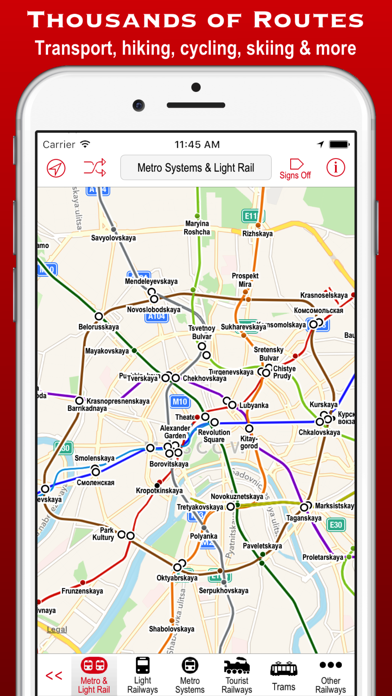
Store screenshots

ScreenshotScreenshotScreenshotScreenshotScreenshotScreenshotScreenshotScreenshotScreenshotScreenshot

App Store ads

Apple Search Ads this app ran in the last 90 days, from Apple's public ad repository.

Apple's ad repository couldn't be reached right now. Try again later.

Growth research

Where this app is buying and earning its users. Each link opens pre filtered.

ASO keywords

Most repeated terms in the listing. Highlighted ones also appear in the title.

pois8routes5poi5want5map5maps4much4unique4touch4watch4pois routes3hills towns3bottom screen3scanner modes3nearest pois3few taps3category3allows3taps3radar3scanner3mode3includes2offline2

What's new in 3.0.8

Now compatible with iPhone X and Apple Watch 3. Updated with the latest data from OpenStreetMap: Now almost 30 million POIs and 4 million miles of routes for use even when offline!

Released Jan 14, 2013. Current version shipped Apr 4, 2018.

Store description

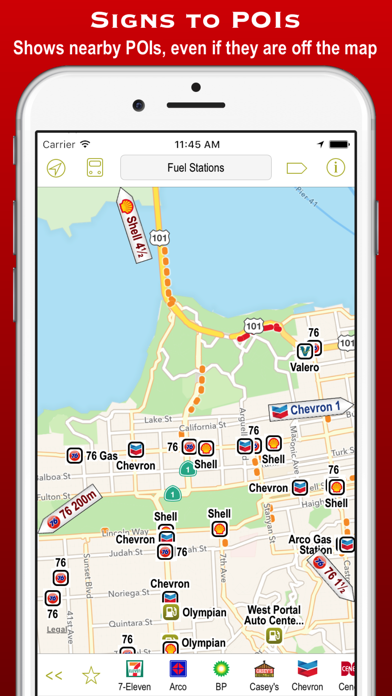
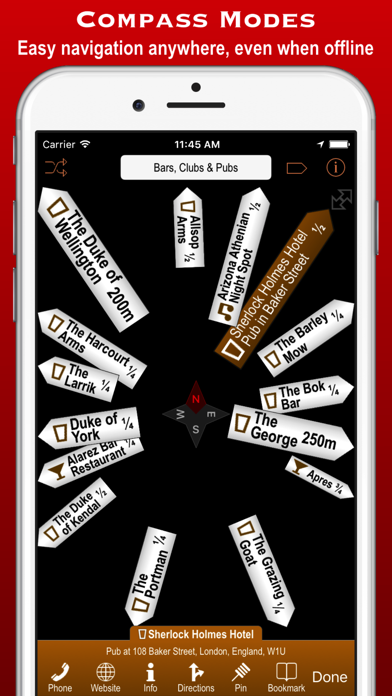
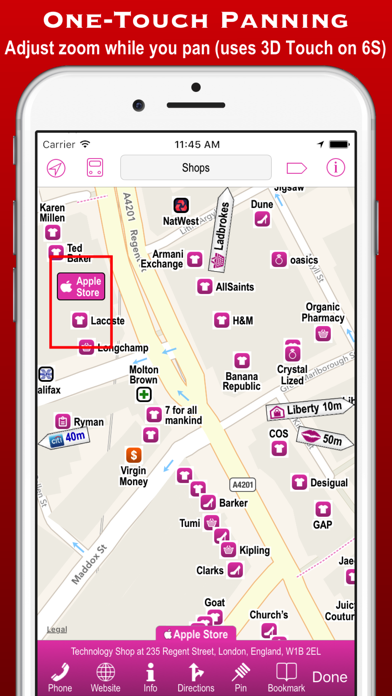
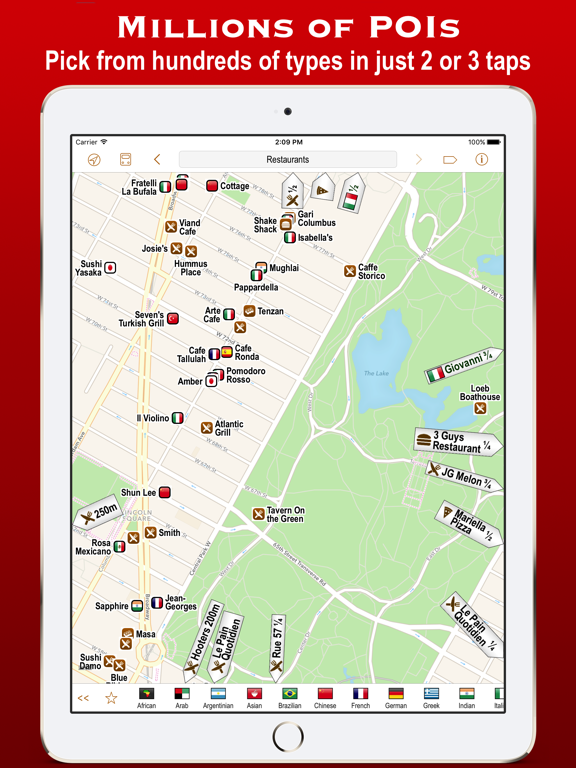
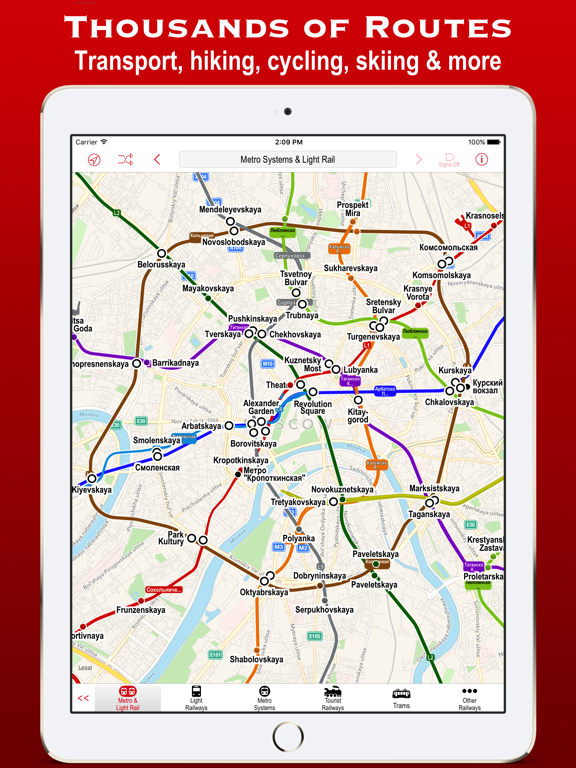
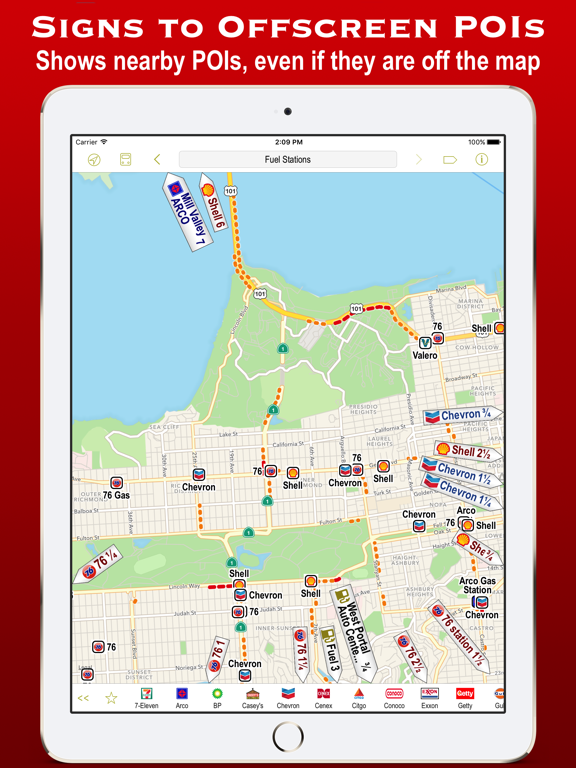
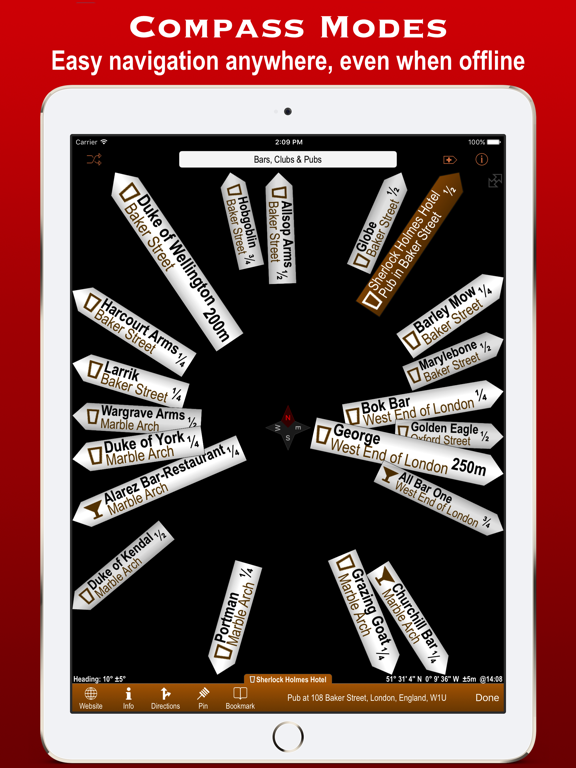
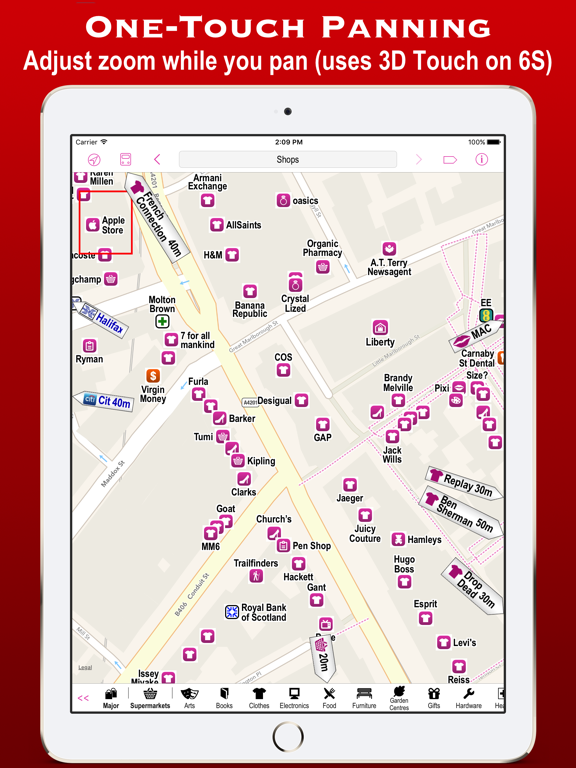
Poison Maps (“POIs on Maps”) is the ultimate app for finding Points of Interest anywhere in the world. It includes millions of POIs and routes, all stored on your device for use even when offline. The app contains every possible category of POI: food, hotels, banks, toilets, fuel stations, tourist attractions, leisure, parking, shops, hills, towns, transport, hospitals, churches, schools, libraries, civic buildings, rescue services, and much much more. It also contains 4 million miles of colour-coded routes, such as railways, subway maps, bus routes, cycle routes, hiking trails and ski pistes. The POIs and routes are all taken from the fantastic OpenStreetMap project. The app includes many unique features: • a toolbar at the bottom of the screen that allows you to display what you want in just 2 or 3 taps; • signs pointing to offscreen POIs, so that you never miss a nearby POI; • compass, radar and scanner modes that display the nearest POIs in different ways; • a unique gesture that allows rapid panning by temporarily zooming out (using 3D Touch when available); • back and forward buttons that help you retrace what you have looked at (like on a browser); • an Apple Watch app that shows what you want in only a few taps (or just one tap of the complication); Compass mode simply shows signs to the POIs. This is particularly useful when you just want to know what is around you or which way to head, and you haven’t got time to inspect a map, such as when cycling or hiking. It also works offline and is perfect for people who hate maps: they just follow the sign to where they want to go. It is also great at viewpoints to identify what hills, towns and structures you can see. Radar mode and Scanner modes are similar but also include a map that rotates around the current position. They include radar “rings” to show the distances from the current position. Scanner mode uniquely positions the GPS dot at the bottom of the screen so that you can see much more information in the direction that you are pointing. The unique panning gesture requires just one touch of one finger instead of the multi-finger gymnastics required by the traditional “pinch to zoom” approach (although that is still available). It also provides a quick way of zooming out and back in again when you are not sure what area the map is showing. It is a brilliant and completely original use of 3D Touch but also works fine on iPhones without it (using a long touch). The Apple Watch app also allows you to select any category in just a few taps. When you have selected a category then the nearest POIs are shown on a mini-map with the details listed below. The watch app also provides navigation to a POI, and you can even phone a POI from the watch! These are just some of the unique aspects of the app. All the usual map features are also provided, such as super-fast searching, directions, bookmarks, POI information, favouriting of brands, and much more. You can even create your own POIs, such as where you parked your car. Note: This is the full global version – if you want to give the app a try first then please click on the 'Related' link above and install one of the regional versions. Not only can you try the app for free, but these versions only take up about the same space as 2 or 3 music albums.

See this store page in another country

Prices, ranks and reviews are per country. Revenue above is already worldwide.

More from CCS Ltd

WorkOutDoors
Health & Fitness
1.7K ratingsAnalyze →
Poison Maps - North America
Navigation
6 ratingsAnalyze →
Poison Maps - Southern Europe
Navigation
1 ratingsAnalyze →
Poison Maps - UK & Ireland
Navigation
2 ratingsAnalyze →
Poison Maps - Northern Europe
Navigation
1 ratingsAnalyze →
Poison Maps - Eastern Europe
Navigation
1 ratingsAnalyze →