★★★★★Apr 16, 2021
Good learning tool.Great for answering the question “where are you in relation to the VOR or ILS? Especially good for those tricky reverse sensing problems when on an ILS. Back Course.

Estimated from the grossing charts of Oct 24, 2026 in the 53 countries we track, and ratings growth on the App Store.
From our daily snapshots of every grossing chart and daily ratings counts.
| Sep 26, 2026 | not in a grossing chart |
| Sep 27, 2026 | not in a grossing chart |
| Sep 28, 2026 | not in a grossing chart |
| Sep 29, 2026 | not in a grossing chart |
| Sep 30, 2026 | not in a grossing chart |
| Oct 1, 2026 | not in a grossing chart |
| Oct 2, 2026 | not in a grossing chart |
| Oct 3, 2026 | not in a grossing chart |
| Oct 4, 2026 | not in a grossing chart |
| Oct 5, 2026 | not in a grossing chart |
| Oct 6, 2026 | not in a grossing chart |
| Oct 7, 2026 | not in a grossing chart |
| Oct 8, 2026 | not in a grossing chart |
| Oct 9, 2026 | not in a grossing chart |
| Oct 10, 2026 | not in a grossing chart |
| Oct 11, 2026 | not in a grossing chart |
| Oct 12, 2026 | not in a grossing chart |
| Oct 13, 2026 | not in a grossing chart |
| Oct 14, 2026 | not in a grossing chart |
| Oct 15, 2026 | not in a grossing chart |
| Oct 16, 2026 | not in a grossing chart |
| Oct 17, 2026 | not in a grossing chart |
| Oct 18, 2026 | not in a grossing chart |
| Oct 19, 2026 | not in a grossing chart |
| Oct 20, 2026 | not in a grossing chart |
| Oct 21, 2026 | not in a grossing chart |
| Oct 22, 2026 | not in a grossing chart |
| Oct 23, 2026 | not in a grossing chart |
| Oct 24, 2026 | not in a grossing chart |
| Oct 25, 2026 | not in a grossing chart |
| Oct 22, 2026 | 90 ratings |
| Oct 23, 2026 | 90 ratings |
| Oct 24, 2026 | 90 ratings |
Measured from the store, not estimated.
From the latest 63 reviews on the United States App Store, Mar 28, 2011 to Apr 16, 2021: 19% are 1 or 2 stars. Open a theme to read what people wrote.
5 of the 1 and 2 star reviews.
★★★★★ But the price point is off base.
★★★★★ Negative Transfer of Learning is expensive!
★★★★★ Waste of money, all of about 5 minutes of use and its done.
3 of the 1 and 2 star reviews.
★★★★★ Update: Your response is nonsense.
★★★★★ Nav Trainer 3.4.1 IPad Pro 9.7 v.11.1.2 • Settings > Instruments “BIG \/ SMALL” does not work. • Motion sensors still changes heading at warp speed. Absolutely useless. • If you are going to provide an option for…
2 of the 1 and 2 star reviews.
★★★★★ • Settings > Instruments “BIG \/ SMALL” does not work.
★★★★★ Stuck with non working app after upgrading iPad.
2 of the 1 and 2 star reviews.
★★★★★ Don't get me wrong— there's nothing wrong with the app.
2 of the 1 and 2 star reviews.
★★★★★ If it was a better imitation it would be quite useful, but this is missing too much functionality.
★★★★★ It is also missing 45 degree benchmarks.
Nothing stands out.
10 of the 4 and 5 star reviews.
★★★★★ It is very user friendly, helps you understand and create navigation scenarios and even use it to demonstrate and explain about the navigation instruments to your student !
★★★★★ Useful tool for ground school.
★★★★★ Its so realistic and useful for navigation training and exercises for VOR interception and ILS approach training
8 of the 4 and 5 star reviews.
★★★★★ It is very user friendly, helps you understand and create navigation scenarios and even use it to demonstrate and explain about the navigation instruments to your student !
★★★★★ This app is simple yet does an excellent job of helping you visualize the relationship between what the gauges show and the plane's actual position.
★★★★★ This is a tremendously simple, intuitive, and powerful app for those of us who get a little spatially confused by abstract geometry represented by a static image.
4 of the 4 and 5 star reviews.
★★★★★ Worth every penny and a great study partner for the FAA knowledge exams.
★★★★★ Price is low considering the great value.
★★★★★ Worth every cent and well written.
3 of the 4 and 5 star reviews.
★★★★★ Other than that works well
★★★★★ Its so realistic and useful for navigation training and exercises for VOR interception and ILS approach training
★★★★★ Works great to introduce NDB nav and approaches
Found by matching words and phrases in the reviews, not read by a person. A review can count toward more than one theme.
Latest reviews, United States App Store.
Great for answering the question “where are you in relation to the VOR or ILS? Especially good for those tricky reverse sensing problems when on an ILS. Back Course.
I use this extensively to test VOR knowledge. It is perfect.
The CDI needle has very low resolution. It ticks in 1 degree increments. One dot is 2 degrees, so from full deflection to intercept is only 10 ticks... it looks terrible. The CDI does not move fluidly in an analogue manner like in real-life. There is not as much trend information as in real-life. Not good. Update: Your response is nonsense. I’ve used plenty of modern digital displays like Garmin G5 and G1000 and while the OBS is only capable of selecting a course in 1 degree increments, the CDI needle itself still moves fluidly in an analogue manner as bearing to the station is changed. Stop making excuses. The instrument in this app does not behave the same as a real life VOR indicator in virtually any GA airplane.
Don’t get me wrong— there’s nothing wrong with the app. But the price point is off base. This is a $1.99 app at most.
It doesn’t work at ios11. Please fix it.
Nav Trainer 3.4.1 IPad Pro 9.7 v.11.1.2 • Settings > Instruments “BIG \/ SMALL” does not work. • Motion sensors still changes heading at warp speed. Absolutely useless. • If you are going to provide an option for turning via the motions sensors, use an algorithm which works similar to a real control wheel/yoke. [Ref. X-Plane 10 for iPad] • Add delay variable when rolling in/out of standard rate. [Ref. VOR Tracker] • Based upon most textbooks (FAA, Jeppesen, ASA, Rod Machado, etc.) and typical training aircraft with ‘standard’ instrument configurations, the HI should be either on top or bottom—not in the middle of the NAV instruments. If you disagree, make the option to place any instrument in any of the tree locations. [Ref. IFR Trainer] • My guess, however I could be wrong, it’s general aviation students/pilots or CFIs using this app. Having to press twice to achieve a standard rate of 3 degrees per second is distractive. Put an option in Settings to set the default to match the pilot’s preference. ! Based upon the Law of Primacy, train the student’s eyes, motions, and thinking (even with simple trainers) according to norms/standards from the very beginning. Negative Transfer of Learning is expensive! “It’s an iPad typically held in the left/right hand” is a poor excuse. ! “This is not a flight simulator” is not an excuse for making something that could have been made otherwise and better with a little research, foresight and testing by a few CFIs / CFI-Is.
Same category, earning about as much.
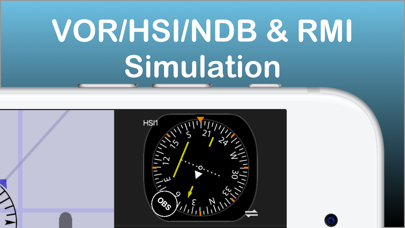
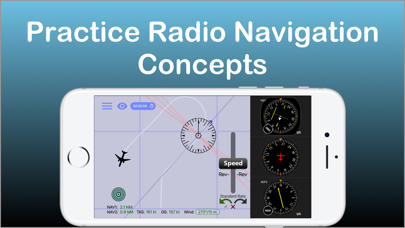
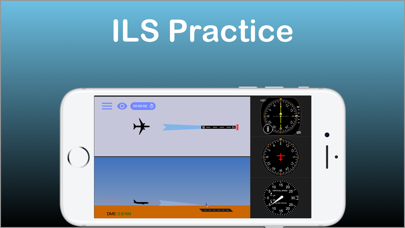
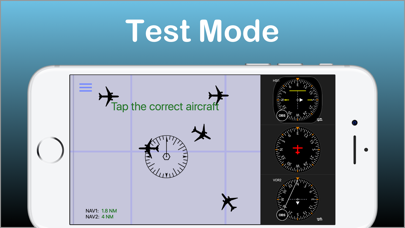
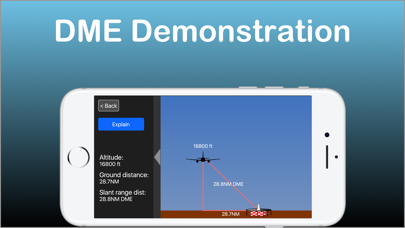
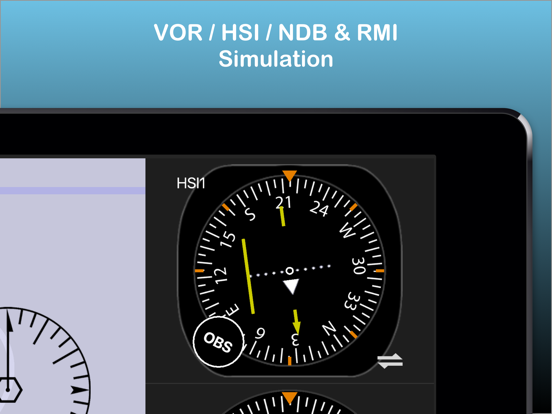
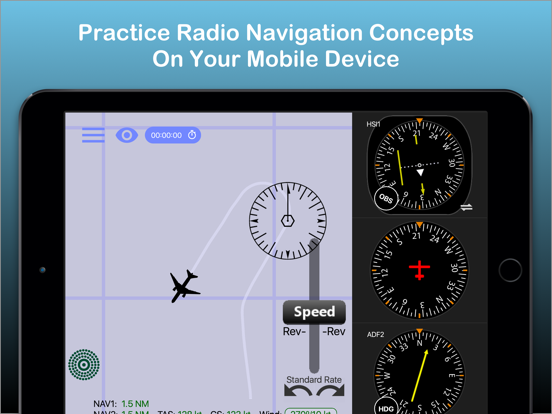
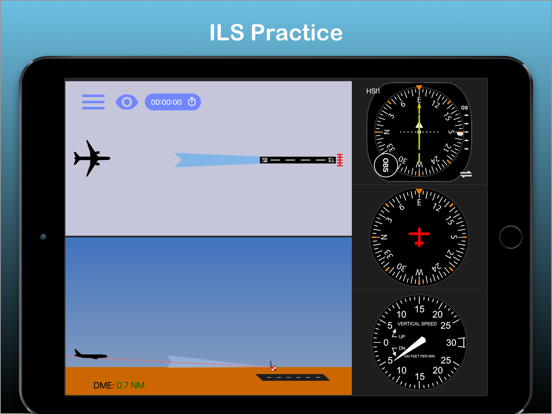
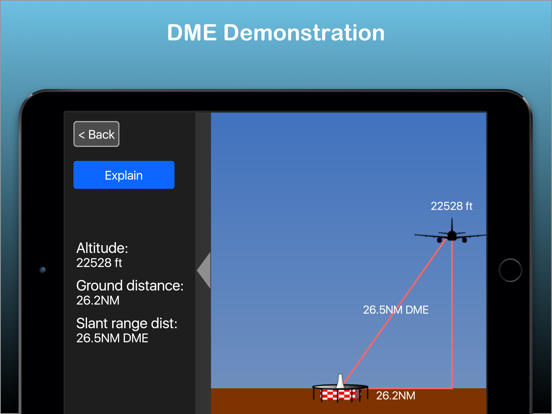
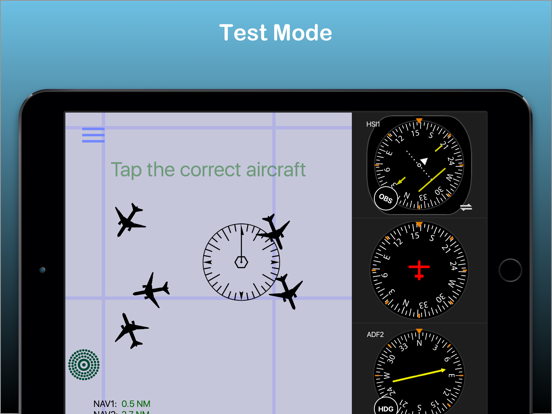
Apple Search Ads this app ran in the last 90 days, from Apple's public ad repository.
Apple only publishes ads shown in the EU (EU Digital Services Act), with a 7 day delay. An app that advertises only outside the EU shows nothing here.
Where this app is buying and earning its users. Each link opens pre filtered.
Most repeated terms in the listing. Highlighted ones also appear in the title.
Released Mar 28, 2011. Current version shipped Mar 27, 2024.
Prices, ranks and reviews are per country. Revenue above is already worldwide.