ASO keywords
Most repeated terms in the listing. Highlighted ones also appear in the title.
tuner9spectrum8note6tune5instrument5spectrum analyzer5bass4instruments4select4guitar bass3track tuner3ipod touch3violin viola3view lets3pro feature3guitar3track3analyzer3shows3pro3view3reference3ipod2touch2
What's new in 10.5.121
• various bug fixes and enhancements
Like n-Track Tuner? Please leave a review & help us keep improving the app for you.
If you have comments or bug reports please let us know at support@ntrack.com.
Thanks for using n-Track Tuner!
Released Dec 22, 2010. Current version shipped May 31, 2026.
Store description
Tune your guitar, bass or other instruments with n-Track Tuner.
Use this tuner in an easy, intuitive and free way with the integrated microphone of your smartphone.
Downloaded over 5 million times!
Just put your iPhone, iPod Touch or iPad next to your instrument and play each string.
High precision and sensitivity thanks to the advanced audio recognition algorithm also used for n-Track Studio 8.
n-Track Tuner works great as a guitar tuner, violin, viola, violoncello, bass, piano and wind instruments tuner.
NEW: 6 different views:
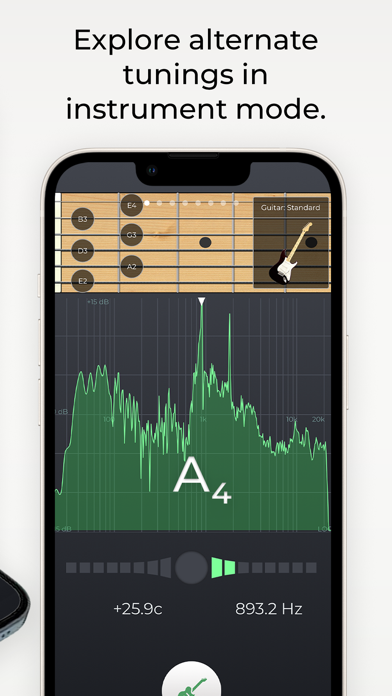
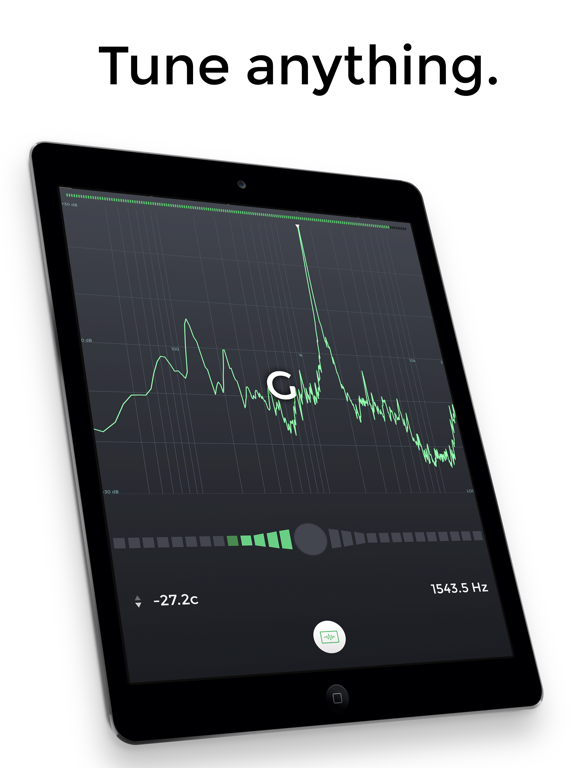
•||| Spectrum Analyzer |||•
The spectrum analyzer provides a visual feedback of the notes played by the instrument and shows a small arrow to highlight the harmonic whose pitch the tuner is tracking.
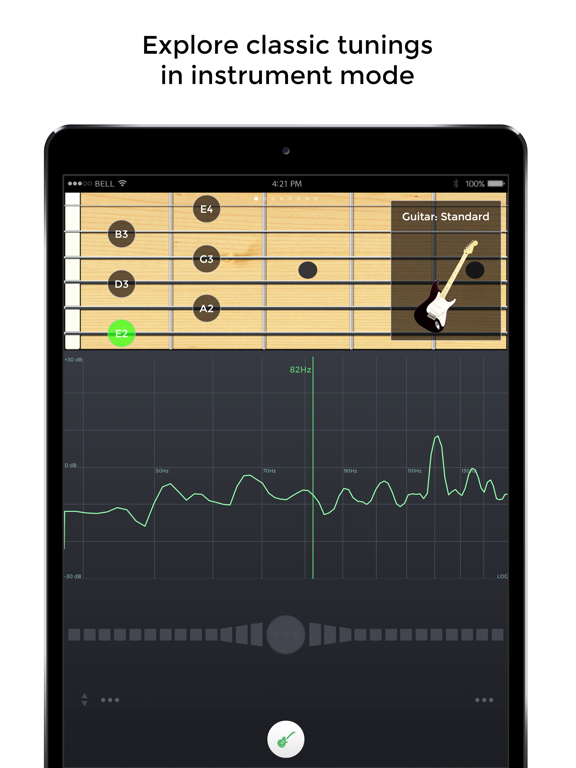
•||| Instruments |||•
Use the manual mode to select and tune each string according to the selected instrument tuning (guitar, bass, violin, viola, cello, double bass, banjo, ukulele, mandolin, harp, and piano)
Get the pro version to unlock all instruments views.
•||| Tune Fork |||•
For those who prefer to manually tune their instrument the 'Diapason' view lets you play a reference tone, 'A' (440 hz) or any other note that you can select dragging the frequency slider.
•||| Needle |||•
A handy old style tuner to accurately detect the frequencies of your instrument.
•||| Sonogram |||• (PRO feature)
The "Sonogram" tab shows how the frequency spectrum evolves with time, and shows how the note that the tuner is following evolves by tracing a green line.
•||| 3D view |||• (PRO feature)
3D view lets you follow how the audio spectrum changes over time.
ADVANCED FEATURES
• adjust tuning sensitivity and precision up to 0.1 cents
• western and latin note namings, alternate temperaments
• calibrate the tuner for non-standard tunings: tune the reference note, tap on the display and select 'Calibrate' to set the note as the new reference
• adjust the spectrum analyzer visualization options, select thicker spectrum lines, smooth out or highlights peaks, increase or decrease spectrum accuracy, zoom into a specific area of the spectrum
Note: 2nd and 3rd generation iPod Touch require an external mic connected.
Contact us: http://ntrack.com/support
See this store page in another country
Prices, ranks and reviews are per country. Revenue above is already worldwide.