★★★★★Nov 20, 2022
Doesn’t work with iOS16I don’t know if this is going to be updated, but as of this writing, it doesn’t work with iOS16.
Estimated from the grossing charts of Oct 23, 2026 in the 53 countries we track, and ratings growth on the App Store.
From our daily snapshots of every grossing chart.
| Sep 25, 2026 | not in a grossing chart |
| Sep 26, 2026 | not in a grossing chart |
| Sep 27, 2026 | not in a grossing chart |
| Sep 28, 2026 | not in a grossing chart |
| Sep 29, 2026 | not in a grossing chart |
| Sep 30, 2026 | not in a grossing chart |
| Oct 1, 2026 | not in a grossing chart |
| Oct 2, 2026 | not in a grossing chart |
| Oct 3, 2026 | not in a grossing chart |
| Oct 4, 2026 | not in a grossing chart |
| Oct 5, 2026 | not in a grossing chart |
| Oct 6, 2026 | not in a grossing chart |
| Oct 7, 2026 | not in a grossing chart |
| Oct 8, 2026 | not in a grossing chart |
| Oct 9, 2026 | not in a grossing chart |
| Oct 10, 2026 | not in a grossing chart |
| Oct 11, 2026 | not in a grossing chart |
| Oct 12, 2026 | not in a grossing chart |
| Oct 13, 2026 | not in a grossing chart |
| Oct 14, 2026 | not in a grossing chart |
| Oct 15, 2026 | not in a grossing chart |
| Oct 16, 2026 | not in a grossing chart |
| Oct 17, 2026 | not in a grossing chart |
| Oct 18, 2026 | not in a grossing chart |
| Oct 19, 2026 | not in a grossing chart |
| Oct 20, 2026 | not in a grossing chart |
| Oct 21, 2026 | not in a grossing chart |
| Oct 22, 2026 | not in a grossing chart |
| Oct 23, 2026 | not in a grossing chart |
| Oct 24, 2026 | not in a grossing chart |
Measured from the store, not estimated.
From the latest 10 reviews on the United States App Store, Jul 3, 2011 to Nov 20, 2022: 60% are 1 or 2 stars. Open a theme to read what people wrote.
4 of the 1 and 2 star reviews.
★★★★★ I don't know if this is going to be updated, but as of this writing, it doesn't work with iOS16.
★★★★★ Following the instruction I was able to connect to PiaScore on my iPad Pro 12.9 gen 3. But the APP kept searching another device and stuck on that page. So I could not use it at all. My iPhone is 8. The developers need…
★★★★★ Can I get my money back from this scam?!
2 of the 1 and 2 star reviews.
★★★★★ Can I get my money back from this scam?!
★★★★★ Perhaps I can get a refund?
No feature requests in the latest reviews.
Nothing stands out.
2 of the 4 and 5 star reviews.
★★★★★ At this point, the app will start searching for devices (it can apparently link up to 7 to control at once which is interesting and potentially quite useful), then you can go ahead and open Piascore on your iPad and go…
★★★★★ This app worked great on my old phone and was a musical life saver.
Found by matching words and phrases in the reviews, not read by a person. A review can count toward more than one theme.
Latest reviews, United States App Store.
I don’t know if this is going to be updated, but as of this writing, it doesn’t work with iOS16.
Following the instruction I was able to connect to PiaScore on my iPad Pro 12.9 gen 3. But the APP kept searching another device and stuck on that page. So I could not use it at all. My iPhone is 8. The developers need to fix it.
Can I get my money back from this scam?!
It’s not connecting to my iPhone or my Roland digital piano.The app says it works with Roland pianos but it does not with mine, and with further investigation and research it’s never going to connect to mine. Perhaps I can get a refund?
Great idea! Does not connect to my Piascore App from either my iPhone SE or XR. My Piascore is version 6.
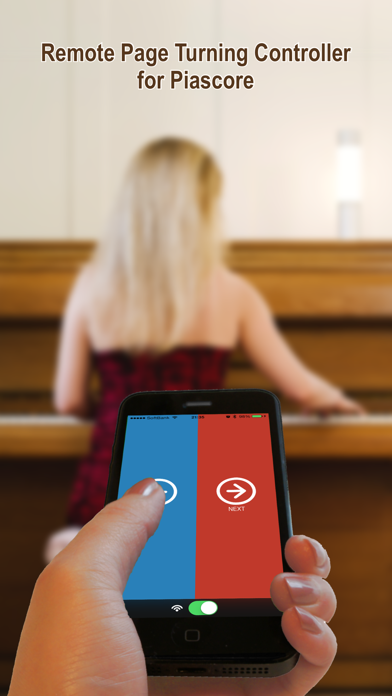
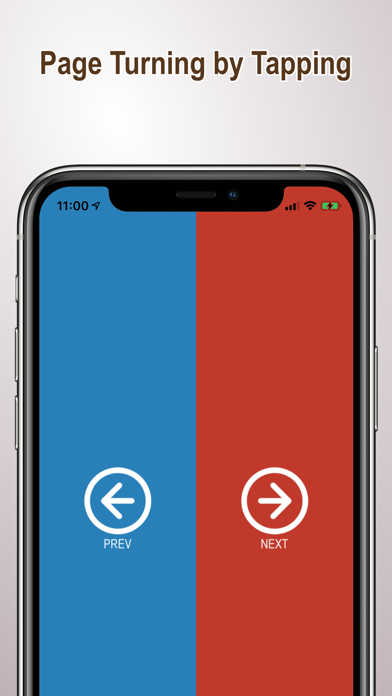
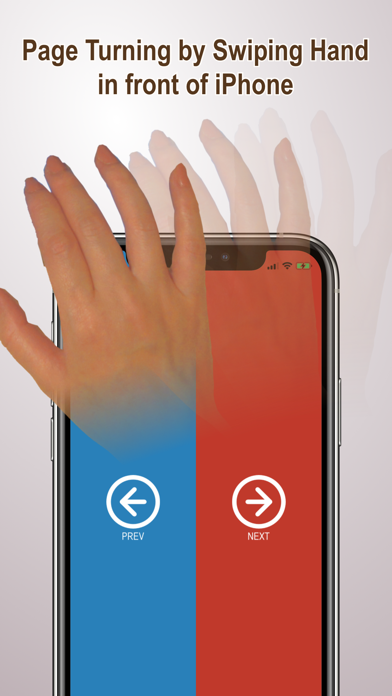
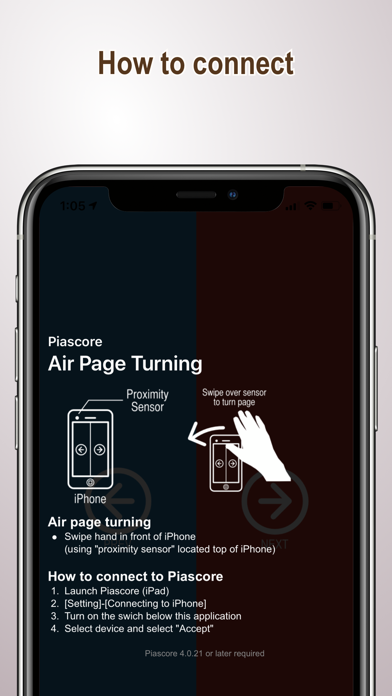
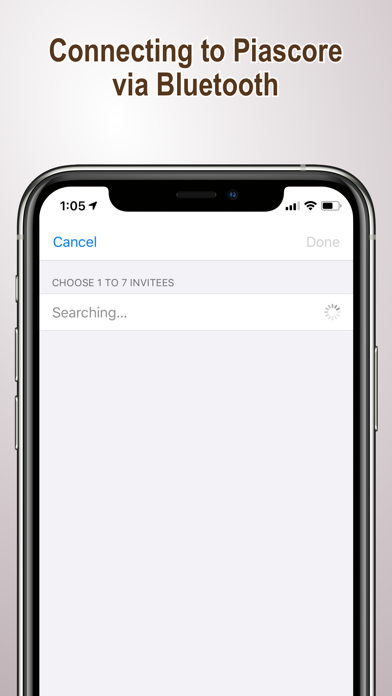
I noticed that all the previous reviews weren’t that great but, I really wanted to try this out and at $2, it’s not like it was expensive so here’s my take on it: First, I had to play around for a minute to figure out exactly how to pair the two apps, but it’s actually quite simple. You turn on the Bluetooth and WiFi on your iPhone and your iPad, then you open the app on your phone and turn the little switch on at the bottom (see in app description pictures). At this point, the app will start searching for devices (it can apparently link up to 7 to control at once which is interesting and potentially quite useful), then you can go ahead and open Piascore on your iPad and go into settings and under “Turning page”, switch the slider next to “Connecting to Piascore Air” on. Once done, your phone will recognize almost instantaneously your iPad, you select it and a window will pop up on your iPad and ask to trust or don’t trust and you obviously pick trust and your connected! The turning has no obvious lag at all which is what I was worried most about. Whenever you double click the home button on either device, it will automatically disrupt the connection and you have to repeat the connection process at least on the phone side. Also, just to be clear, I am using this app with a late model iPhone SE (late model being manufactured in the last year Apple made the SE before it was discontinued) in conjunction with the original Piascore app on an iPad Pro 10.5 (the first model if they have or are in the process of making an updated one). The iPhone is the 32GB model and the iPad is the 256GB. I hope this helps and that this app gets more love and attention, I really do like it and I also hope the team behind Piascore can work out the issues that other people have been having as this is just a wonderful thing for all Piascore users to have :)
Apple Search Ads this app ran in the last 90 days, from Apple's public ad repository.
Where this app is buying and earning its users. Each link opens pre filtered.
Most repeated terms in the listing. Highlighted ones also appear in the title.
Released Dec 3, 2010. Current version shipped Nov 18, 2020.
Prices, ranks and reviews are per country. Revenue above is already worldwide.


