← Back to charts
PDF Reader Pro Edition® icon
APP STORE

PDF Reader Pro Edition®

iTECH DEVELOPMENT SYSTEMS INC. · Business · United States store
NOT IN TOP 100 HERE
View on App Store ↗ Instagram card
Revenue a month, worldwide EST
$2.6K
Likely $878 to $7.9K
▲ 211.0% in 1 days
New ratings
+0
in 1 days, 2.6K in total
Rating
4.4 of 5
1.7K ratings in this store
Countries it ranks in
2
was 0 on Oct 16, 2026

Revenue

Estimated from the grossing charts of Oct 21, 2026 in the 53 countries we track, and ratings growth on the App Store.

EST. REVENUE / YEAR · WORLDWIDE
$31.6K
No Google Play version found
EST. LIFETIME DOWNLOADS
60.8K to 173.7K
Estimated from ratings count
WHERE IT EARNS · EST. / MONTH
  • Norway #93 Business$2.1K · 81%
  • Colombia #98 Business$513 · 19%
HOW SURE ARE WE
Small app: combines its grossing ranks with ratings growth (13 new ratings a month on average since launch). Tested on 418 apps with verified revenue: typically off by about 2.6 times, so the range is wide. Countries we don't track (and Google Play in China, which doesn't exist) aren't included, and neither are ads or web payments. Gross revenue before store fees.
RATINGS
1.7K
AVG RATING
4.37
PRICE
Free
AGE
16.6y
LAST UPDATE
0d ago
VERSION
10.1
SIZE
137 MB
AGE RATING
17+

Last 30 days

From our daily snapshots of every grossing chart and daily ratings counts.

DAYS IN A GROSSING CHART
2 / 30
COUNTRIES NOW
0 (was 0)
NEW RATINGS, LAST 1 DAYS
+0
EST. REVENUE A MONTH, DAILY · APP STORE EST
Show daily values
Sep 24, 2026not in a grossing chart
Sep 25, 2026not in a grossing chart
Sep 26, 2026not in a grossing chart
Sep 27, 2026not in a grossing chart
Sep 28, 2026not in a grossing chart
Sep 29, 2026not in a grossing chart
Sep 30, 2026not in a grossing chart
Oct 1, 2026not in a grossing chart
Oct 2, 2026not in a grossing chart
Oct 3, 2026not in a grossing chart
Oct 4, 2026not in a grossing chart
Oct 5, 2026not in a grossing chart
Oct 6, 2026not in a grossing chart
Oct 7, 2026not in a grossing chart
Oct 8, 2026not in a grossing chart
Oct 9, 2026not in a grossing chart
Oct 10, 2026not in a grossing chart
Oct 11, 2026not in a grossing chart
Oct 12, 2026not in a grossing chart
Oct 13, 2026not in a grossing chart
Oct 14, 2026not in a grossing chart
Oct 15, 2026not in a grossing chart
Oct 16, 2026not in a grossing chart
Oct 17, 2026not in a grossing chart
Oct 18, 2026not in a grossing chart
Oct 19, 2026not in a grossing chart
Oct 20, 2026$2.3K a month
Oct 21, 2026$7.1K a month
Oct 22, 2026not in a grossing chart
Oct 23, 2026not in a grossing chart
The same estimate as the headline, saved every day. Best rank Sep 24, 2026: not ranked. Now: not ranked.
RATINGS IN THE CORE COUNTRIES, DAILY
Show daily values
Oct 22, 20262.6K ratings
Oct 23, 20262.6K ratings
2.6K on Oct 22, 2026, 2.6K on Oct 23, 2026. New ratings track new downloads, even outside the charts.

Money and momentum

Measured from the store, not estimated.

WHAT IT CHARGES
3 purchases listed
  • PDF Reader Pro Edition Loyalty$9.99
  • Pro & AI-Powered Tools (1 Year)$24.99
  • Pro & AI-Powered Tools (1 Month)$3.99
Top in-app purchases as listed on the App Store, in local prices.
REVIEW MOMENTUM
0.3 reviews / week
  • Trendfalling
  • Recent reviews average1.6 stars
  • Recent 1 and 2 star share82%
From the latest 100 written reviews, covering 2630 days. The store only returns this many, so this is the most recent slice.
RELEASE CADENCE
2 updates in 90 days
  • Typical gap between releases112 days
From the last 25 versions listed on the App Store.
RATING BREAKDOWN
1.7K ratings
5★75%
4★10%
3★3%
2★2%
1★10%

What users want

From the latest 100 reviews on the United States App Store, Aug 11, 2019 to Oct 21, 2026: 82% are 1 or 2 stars. Open a theme to read what people wrote.

WHAT THEY COMPLAIN ABOUT · SHARE OF BAD REVIEWS
Price and subscription33%

27 of the 1 and 2 star reviews.

★★★★★ You pushed an update and now want a subscription fee.
★★★★★ Cannot open file This app is a paid scam
★★★★★ Can't opened the pdf files, it's a scam.
Bugs, things not working20%

16 of the 1 and 2 star reviews.

★★★★★ Add in the bugs (encountered multiple within the first 5 minutes of usage, including a consistent crash that renders doc scanning completely broken) and this app is just a jarring experience.
★★★★★ Can't opened the pdf files, it's a scam.
★★★★★ Can't open PDFs that I've downloaded to my iPad. RIP. This app used to be cool
Wrong or poor results15%

12 of the 1 and 2 star reviews.

★★★★★ finally do nothing, looks like a fake.
★★★★★ Complete waste of money. Nothing works.
★★★★★ Waste of money. Can't even insert typing word edits.
Crashes and freezes13%

11 of the 1 and 2 star reviews.

★★★★★ Add in the bugs (encountered multiple within the first 5 minutes of usage, including a consistent crash that renders doc scanning completely broken) and this app is just a jarring experience.
★★★★★ App crashes whenever trying to open a PDF.
★★★★★ Bought it, then wasted time trying, with no success, to open any PDF whatsoever with it. Go to files, click a PDF, and then open with PDF reader pro? Ha! Nothing. Think you can click on anything in the app to navigate…
Worse after an update11%

9 of the 1 and 2 star reviews.

★★★★★ You pushed an update and now want a subscription fee.
★★★★★ The new update without this function.
★★★★★ The last update was 7 years ago.
Lost data, sync, backup6%

5 of the 1 and 2 star reviews.

★★★★★ Although this application does work with sugar sync and other back up online storage providers, it fails to flawlessly integrate with Apple iCloud like the Preview App for Mac computers.
★★★★★ I have deleted the app and will request money back.
★★★★★ Or when I ask to overwrite it closes when I reopen everything I deleted is still there.
No customer support6%

5 of the 1 and 2 star reviews.

★★★★★ I've asked for a refund from them with no response; my order is listed as “pending” from Apple so I can't stop payment.
★★★★★ Developer's website is just as bad as their app for support.
★★★★★ And I'm not calling customer support.
Missing features5%

4 of the 1 and 2 star reviews.

★★★★★ The lack of typical Apple ecosystem UX conventions (swipe to delete, press and hold for context menu, etc) is off-putting.
★★★★★ Many other features missing.
★★★★★ No way to combine pages into a new pdf, etc.
WHAT THEY ASK FOR
  • That said, there are some missing features and bugs that still need attention: 5★, Oct 17, 2026
  • Feature requests: Please add engineering tools and markers, and more. 5★, Oct 17, 2026
  • I wish we could file a complaint to remove this app from the store. 1★, Oct 30, 2022
  • Any app in 2021 which is so inscrutable that you need assistance with it is a waste of money. 1★, May 22, 2021
  • But, user interfaces should be clear, have easy to follow steps for using the app, and should include instructions for new users. 1★, Dec 29, 2020
  • I want a refund immediately. 1★, Oct 23, 2020
  • I can add a strike over the number or scribble over it. 1★, Aug 30, 2020
  • Please let me know what feature I need to turn off so that the color of my handwritten edits stop changing to lime green. 4★, May 17, 2020
WORDS THAT KEEP COMING UP IN BAD REVIEWS

Nothing stands out.

WHAT THEY LOVE · SHARE OF GOOD REVIEWS
Easy to use23%

3 of the 4 and 5 star reviews.

★★★★★ This just works, docs are easy to organize, share, email etc.
★★★★★ Being from the Land of Luddites, I find it easy and intuitive when using it to review and markup documents I have been reading.
★★★★★ Great markup tools, easy functionality and very rare glitchiness despite my heavy usage.
Great support23%

3 of the 4 and 5 star reviews.

★★★★★ So far, i am loving the app, i use my google drive to access and save important pdf for class, however, i am also a Mega drive user, and there are no support for that specific cloud ☁️ a bit sad but still an amazing…
★★★★★ After some help from the apps support on getting started, this PDF Editor Pro has been the first PDF editor that has met all my needs.
★★★★★ The support pdf is not great.
Useful, it helps15%

2 of the 4 and 5 star reviews.

★★★★★ I do a lot of research and being able to add side notes and sketches on blank pages would be very helpful.
★★★★★ This is a good app for working on PDF files, but all it need is a way to sign your documents when done. That will make it a great app with some little glitches that need to be worked out, like when you make the page…

Found by matching words and phrases in the reviews, not read by a person. A review can count toward more than one theme.

What users say

Latest reviews, United States App Store.

★★★★★Oct 21, 2026
It’s Not a Lifetime License

I’ve had this app for a while. Paid for it, either a lifetime license or one-time purchase. Downloaded it onto my shiny new iPad, and…what’s this about a loyalty discount? How can something I already bought be offering a loyalty discount? Oh. I see. You pushed an update and now want a subscription fee. Yeah, listen, this whole vampiric pay forever to own nothing model is way past its expiration date and I will be deleting this app to never use again. You got my money once. I’m not paying for something you basically stole from me again. Bye.

★★★★★Oct 18, 2026
How to turn page as book style

It could turn page as kindle book style right to left. The new update without this function. I use it about five years, and without this function, I’ll remove this app.

★★★★★Oct 17, 2026
Features missing (+Request)

Thank you for working to revive this beautiful application. That said, there are some missing features and bugs that still need attention: - The two-page view is missing. - Many stamp items are also missing. - Note bubbles cannot be easily removed or deleted (bug). Feature requests: Please add engineering tools and markers, and more.

★★★★★Jul 20, 2026
This isn’t updated anymore.

The last update was 7 years ago. There are better options.

★★★★★Jun 29, 2026
fake or not work with ipad.

finally do nothing, looks like a fake.

★★★★★Apr 20, 2026
Buggy, Non-Intuitive UX

The lack of typical Apple ecosystem UX conventions (swipe to delete, press and hold for context menu, etc) is off-putting. Add in the bugs (encountered multiple within the first 5 minutes of usage, including a consistent crash that renders doc scanning completely broken) and this app is just a jarring experience. I want a refund.

Apps like this

Same category, earning about as much.

Store screenshots

ScreenshotScreenshotScreenshotScreenshotScreenshotScreenshotScreenshotScreenshotScreenshotScreenshot

App Store ads

Apple Search Ads this app ran in the last 90 days, from Apple's public ad repository.

Apple's ad repository couldn't be reached right now. Try again later.

Growth research

Where this app is buying and earning its users. Each link opens pre filtered.

ASO keywords

Most repeated terms in the listing. Highlighted ones also appear in the title.

pdf14pdfs12documents7device7pdf reader6powered5reader pro5pro edition5convert pdfs5reader4built4mind4edit4convert4powered pdf3built mind3chat pdfs3key insights3fill sign3powered intelligence3intelligence device3device pdf3pdf conversions3word excel3

What's new in 10.1

PDF Reader Pro Edition is now ready for iPhone Duo, with layouts that adapt to every pose and a dedicated laptop-style workspace. • Made for every pose
Read, sign and edit with your iPhone Duo closed, fully open in portrait or landscape, partially folded like a book, seated like a laptop, or standing on its edges. Your tools stay within reach and clear of the fold. Fold or unfold without losing your place or interrupting your work. • A laptop-style workspace
Your page stays on the upper screen while the lower screen becomes a control deck, with every tool in a consistent position and large, easy-to-use options. Signatures, Settings, Contents, AI Mind Map and other panels open below, keeping your document in view. A keyboard tool strip keeps controls within reach while you type. • Standard and dynamic stamps
All 28 Adobe Acrobat standard stamps are now available. Dynamic stamps automatically add your name, date and time. • Page by Page reading
A new vertical reading mode lets you swipe through your document, stopping at each page. Page by Page and Horizontal reading now use the full screen when you hide the toolbars. • Easier sticky-note management
Delete sticky notes directly from each note’s menu. • Fewer interruptions and more fixes
This update also includes many smaller fixes and improvements.

Released Apr 1, 2010. Current version shipped Oct 23, 2026.

Store description

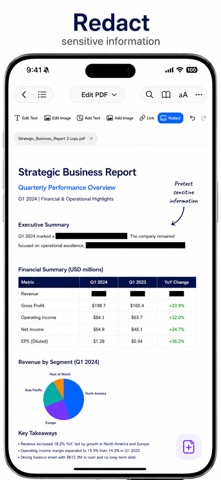
PDF Reader Pro Edition — AI-Powered PDF Reader. Built with Privacy in Mind. Read, edit, annotate and understand PDFs faster with powerful AI tools and professional PDF features built for iPhone, iPad and iPhone Duo. Chat with PDFs, summarize documents, translate files, highlight key insights, fill & sign forms, edit & convert PDFs and more — all in one modern PDF experience. Your documents are yours. We believe they should stay that way. That’s why we build every feature with privacy in mind. With on-device AI powered by Apple Intelligence and on-device PDF conversions, your documents can stay on your device while you stay in control of your data. Built for Apple Devices • Powered by Apple Intelligence* • On-device AI for speed and privacy • On-device PDF conversions • Built with privacy in mind • Fast, modern & easy to use • iCloud support • Updated for iOS 27, with the new Liquid Glass design • Optimized for iPhone, iPad and iPhone Duo. AI-Powered PDF Tools • Chat with your PDFs • AI summaries & key insights • AI Mind Maps for complex documents • AI-powered highlights • Translate PDFs instantly • Ask questions about documents • Simplify long PDFs in seconds Powerful PDF Editing • Edit text and images in PDFs • Annotate & markup documents • Highlight, underline & draw • Add notes, shapes & signatures • Fill & sign PDF forms • Redact sensitive information • Protect PDFs with passwords Organize & Convert PDFs • Convert PDFs to Word, Excel, PowerPoint, images & text • Merge, rotate, reorder and delete pages • Convert Word, Excel, PowerPoint and images to PDF • Scan documents and recognize text (OCR) • Compare two PDFs • Reduce file size • Vault: keep sensitive files in an encrypted, password-protected folder Designed for iPhone Duo Read, sign and edit in every pose, with layouts that adapt as you fold, unfold or turn your device. A dedicated laptop-style workspace keeps your page on top and your tools and panels below, so your document stays in view. Move between poses without losing your place or interrupting your work. Made for every angle. Whether you’re reviewing contracts, studying, editing reports or working on the go, PDF Reader Pro Edition helps you work smarter with PDFs—without compromising your privacy. Download PDF Reader Pro Edition today. *Apple Intelligence requires a supported device and compatible software. Terms of Use (EULA): https://www.apple.com/legal/internet-services/itunes/dev/stdeula/ Terms of Service: https://www.pdf-app.com/terms Privacy Policy: https://www.pdf-app.com/privacy-policy

See this store page in another country

Prices, ranks and reviews are per country. Revenue above is already worldwide.

More from iTECH DEVELOPMENT SYSTEMS INC.

It's Time! - Task & ToDo lists
Productivity
0 ratingsAnalyze →