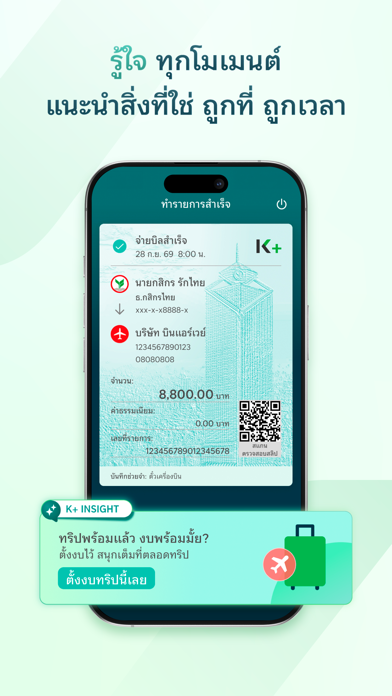
Thank you K PLUS team. Version 6.0.0 added the "Add Photos Only" option. Now when I scan to pay, the e-slip saves to my photos with no permission popup. I reported this back in May, so I'm really happy you listened. 🙏 Next request: let users set credit card as the first payment choice. Right now the Payment screen always starts on the "Account" tab. That makes sense, because most QR payments in Thailand are PromptPay/bank transfer. For most shops, card is not available and the Credit tab shows "Unavailable" in red. But some places, like mall food courts and grocery stores, accept credit card. Then the app shows a popup saying I can scan and pay with my Kasikornbank credit card. But after I close the popup, the screen is still on the Account tab, and I have to swipe or tap over to Credit myself. If I'm not focused, I pay from my account by mistake. That happened yesterday at the grocery store, and I lost my card points. My suggestions: 1️⃣ Add a "Payment Priority Setting" like TrueMoney has (Settings > Payment Settings > Payment Priority Settings), where users drag to reorder "Credit/Debit" and other methods. I put my card at #1, so at payment the app picks it for me and charges in the order I set. TrueMoney also shows the selected payment method clearly on the confirm screen, with a shortcut link to "Set Payment Order." 2️⃣ If #1 is not possible, at least auto-select the Credit tab when the shop accepts card. The app already knows (the popup shows, and there is no red "Unavailable"). Thank you!
← Back to charts

APP STORE
K PLUS
KASIKORNBANK PUBLIC COMPANY LIMITED · Finance · Japan store
NOT IN TOP 100 HERE
Revenue a month, worldwide
Too small to estimate
Not enough chart or ratings data
New ratings
Tracking
Daily counts start building from today
Rating
2.9 of 5
44 ratings in this store
Countries it ranks in
0
was 0 on Oct 17, 2026
Revenue
Estimated from the grossing charts of Oct 23, 2026 in the 53 countries we track, and ratings growth on the App Store.
EST. REVENUE / MONTH · WORLDWIDE
Unranked
Not in any grossing chart, and it sells nothing in the store (no in-app purchases, free download). Any revenue comes from ads or payments outside the store, which we can't see.
EST. LIFETIME DOWNLOADS
1.5K to 4.4K
Estimated from ratings count
RATINGS
44
AVG RATING
2.93
PRICE
無料
AGE
16.6y
LAST UPDATE
0d ago
VERSION
6.1.0
SIZE
412 MB
AGE RATING
4+