ASO keywords
Most repeated terms in the listing. Highlighted ones also appear in the title.
expense13income12family sync10expenses9sync8bills7create edit6edit delete6homebudget6family6budget6entries5features5accounts5category5expense entries5homebudget integrated5expense income5track4support4within4devices4create4edit4
What's new in 3.6.6
Minor bug fix
Released Mar 27, 2009. Current version shipped Aug 6, 2026.
Store description
Lite version of the HomeBudget software, which is available as a paid application. Limited to 20 expense entries and 10 income entries.
--
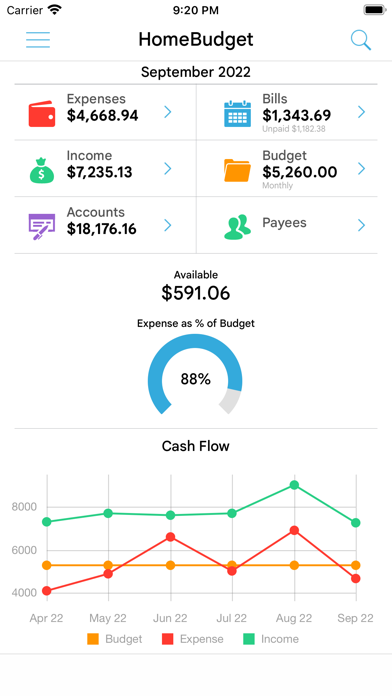
HomeBudget is an integrated expense tracker designed to help you track your expenses, income, bills-due and account balances. It offers support for budgeting, and allows analysis of your expenses and income, including charts and graphs. Two key differentiating features of HomeBudget are:
1. Integrated set of features. The features within HomeBudget are well integrated such that a bill can become an expense (when you pay for it) and also adjust the account balance at the same time.
2. Family sync. HomeBudget includes Family Sync, an advanced feature that allows a group of devices within the household to exchange expense and income information, and work together within a single budget. Once setup, the devices sync with each other automatically over the air. Family Sync works across all features including Bills and Accounts. Please refer to the Family Sync Quick Start guide at http://www.anishu.com for information on configuring Family Sync.
KEY FEATURES:
Expenses:
- Create/Edit/Delete expenses and recurring expenses
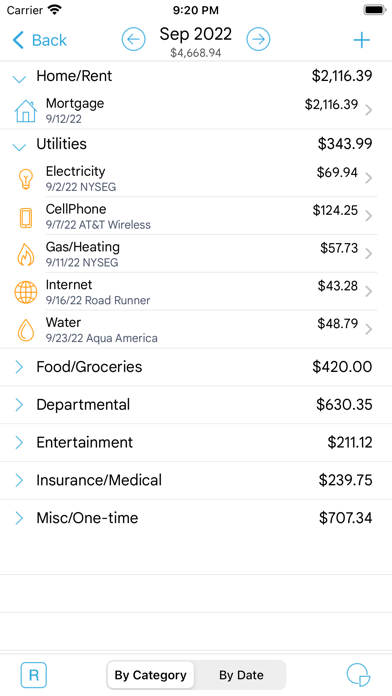
- Browse expense entries by month, by category/date with the ability to drill-down
- Optionally associate an account and payee with an expense
- Attach photo images of receipts; drag and resize images on screen
- Support for multiple currencies and automatic exchange rate conversion
- Search expense entries
Income:
- Create/Edit/Delete income and recurring income
- Optionally associate an account with the income
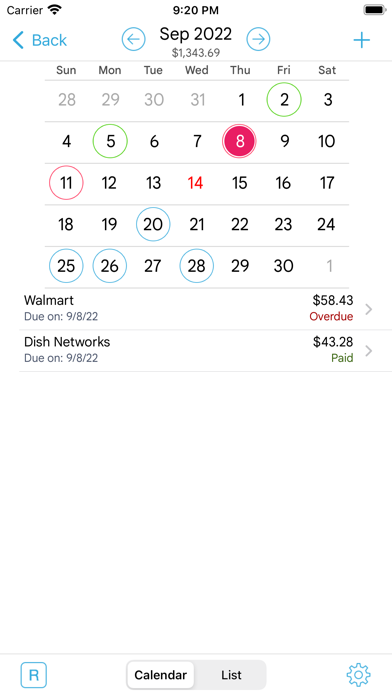
Bills
- Create/Edit/Delete bills and recurring bills
- Support for Payees, and track payments by Payee.
- Make payment on bills either an as expense or as a transfer (to avoid double accounting your expenses)
- Calendar and list view of Bills
- Bill reminders
Categories and Budget
- Create/Edit/Delete expense categories and sub-categories
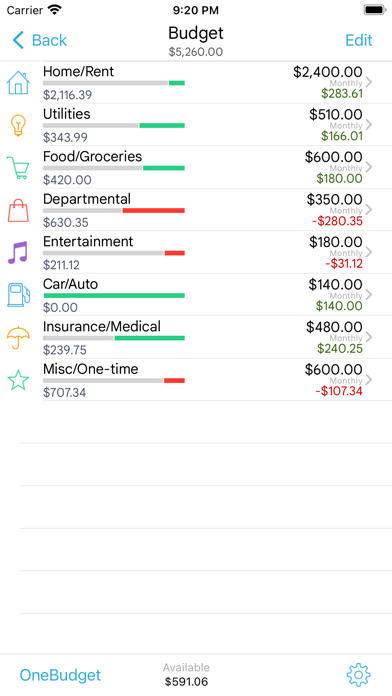
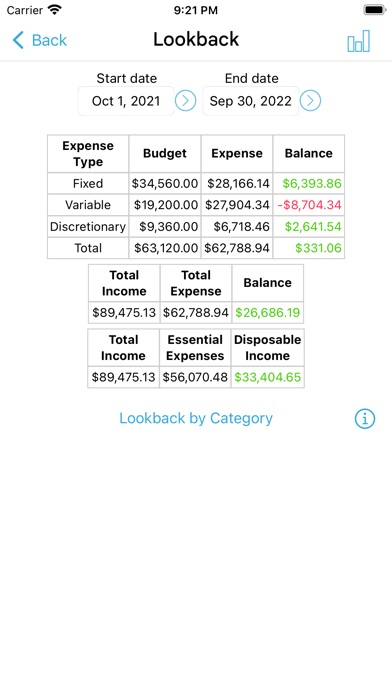
- Set a budget, and track expenses at the category/sub-category level.
- Associate icons with the categories and reorder category display order
- Budget rollover
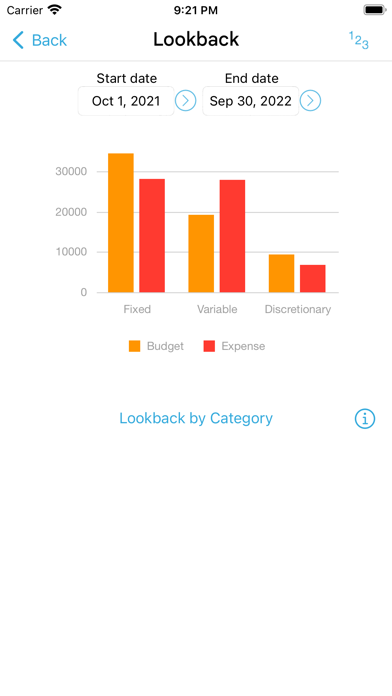
- Classify expenses into fixed, variable and discretionary and compute your disposable income
Accounts
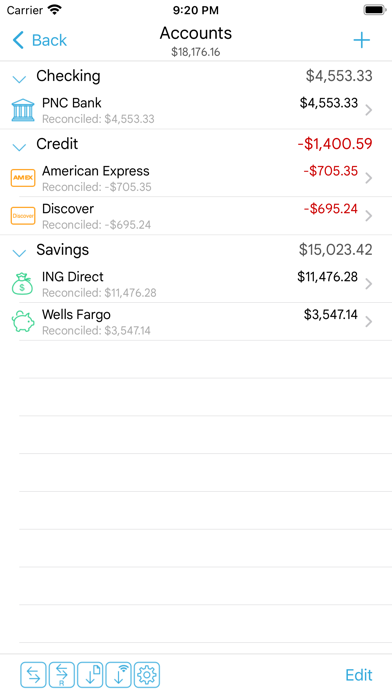
- Support for Accounts such as Checking, Savings, Credit, Debit, Cash, etc.
- Associate your expense and income entries with your accounts and accurately track account balances.
- View transactions, and do transfer between accounts.
- Ability to choose a different base currency for each account
Reports
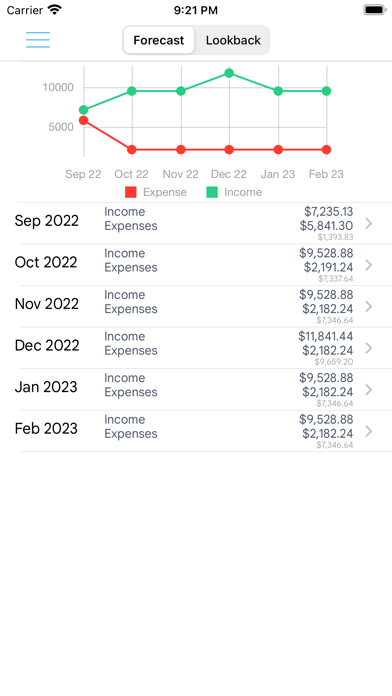
- Trend chart for Expense, Budget and Income for the last 6 months
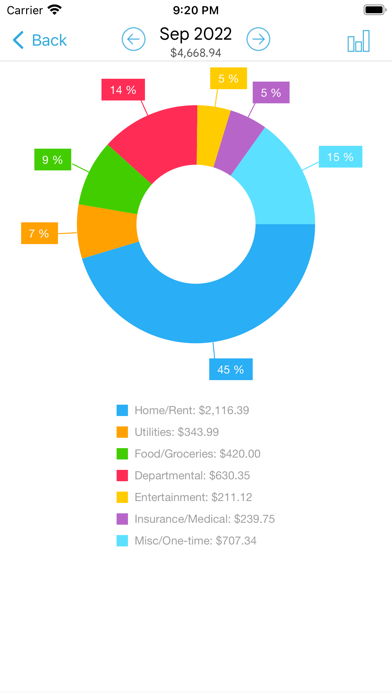
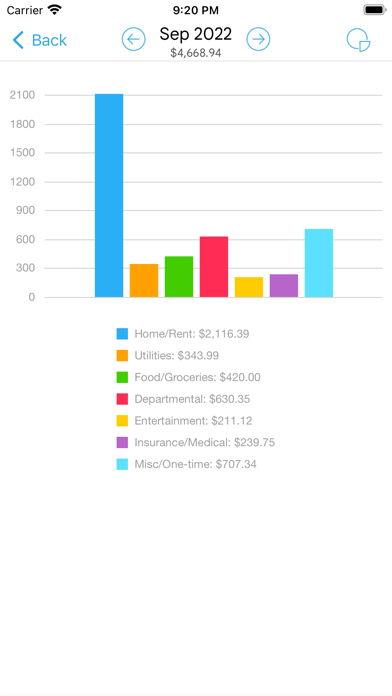
- Pie/Bar charts for expense break-down (Available in the Expenses screen).
- Export data/reports by email or via WiFi
Family Sync
- Automatically sync multiple devices (iPhone, iPad, iTouch) in the household and see the same numbers on all devices over 3G and WiFi
- Work within the same budget with other members of the household
Other
- Backup/Restore complete application data, including all receipts
- Choice of color schemes: blue, iOS, orange
- Ability to upload your own list of category icons
- Large numeric keypad for expense/income data entry with decimal point placement automatic for your locale/region
- HomeBudget follows the locale/region setting on your device and shows date and currency symbols appropriate for your region
Visit http://www.anishu.com to see more screenshots, and to download the user guide (PDF, 42 pages).
See this store page in another country
Prices, ranks and reviews are per country. Revenue above is already worldwide.