← Back to charts
Cardman icon
APP STORE

Cardman

KauriLab Inc. · Business · United States store
NOT IN TOP 100 HERE
View on App Store ↗ Instagram card
Revenue a month, worldwide EST
$1.7K
Likely $579 to $5.2K
New ratings
+4
in 4 days, 2.4K in total
Rating
4.5 of 5
19 ratings in this store
Countries it ranks in
1
was 1 on Oct 19, 2026

Revenue

Estimated from the grossing charts of Oct 26, 2026 in the 53 countries we track, and ratings growth on the App Store.

EST. REVENUE / YEAR · WORLDWIDE
$20.8K
45 new ratings a month on average since launch
EST. LIFETIME DOWNLOADS
665 to 1.9K
Estimated from ratings count
WHERE ITS USERS ARE · SHARE OF RATINGS
  • Japan 2.4K ratings99%
  • United States 19 ratings1%
  • Turkey 2 ratings0%
  • Philippines 2 ratings0%
  • United Kingdom 1 ratings0%
  • Canada 1 ratings0%
  • Australia 1 ratings0%
  • Spain 1 ratings0%
HOW SURE ARE WE
Not in any grossing chart, so this comes from ratings growth (45 new ratings a month on average since launch): revenue grows with new ratings, more slowly for apps that collect ratings fast. Tested on 418 apps with verified revenue: typically off by about 2 times, and big earners tend to come out low. Countries we don't track (and Google Play in China, which doesn't exist) aren't included, and neither are ads or web payments. Gross revenue before store fees.
RATINGS
19
AVG RATING
4.47
PRICE
Free
AGE
4.5y
LAST UPDATE
19d ago
VERSION
4.7.1
SIZE
4 MB
AGE RATING
4+

Last 30 days

From our daily snapshots of every grossing chart and daily ratings counts.

DAYS IN A GROSSING CHART
30 / 30
COUNTRIES NOW
1 (was 1)
NEW RATINGS, LAST 4 DAYS
+4
EST. REVENUE A MONTH, DAILY · APP STORE EST
Show daily values
Sep 27, 2026not in a grossing chart
Sep 28, 2026not in a grossing chart
Sep 29, 2026not in a grossing chart
Sep 30, 2026not in a grossing chart
Oct 1, 2026not in a grossing chart
Oct 2, 2026not in a grossing chart
Oct 3, 2026not in a grossing chart
Oct 4, 2026not in a grossing chart
Oct 5, 2026not in a grossing chart
Oct 6, 2026not in a grossing chart
Oct 7, 2026not in a grossing chart
Oct 8, 2026not in a grossing chart
Oct 9, 2026not in a grossing chart
Oct 10, 2026not in a grossing chart
Oct 11, 2026not in a grossing chart
Oct 12, 2026not in a grossing chart
Oct 13, 2026not in a grossing chart
Oct 14, 2026not in a grossing chart
Oct 15, 2026not in a grossing chart
Oct 16, 2026not in a grossing chart
Oct 17, 2026not in a grossing chart
Oct 18, 2026not in a grossing chart
Oct 19, 2026not in a grossing chart
Oct 20, 2026not in a grossing chart
Oct 21, 2026$5.3K a month
Oct 22, 2026not in a grossing chart
Oct 23, 2026not in a grossing chart
Oct 24, 2026not in a grossing chart
Oct 25, 2026not in a grossing chart
Oct 26, 2026not in a grossing chart
The same estimate as the headline, saved every day. Best rank Sep 27, 2026: #36 Business · JP. Now: #47 Business · JP.
RATINGS IN THE CORE COUNTRIES, DAILY
Show daily values
Oct 22, 20262.4K ratings
Oct 23, 20262.4K ratings
Oct 24, 20262.4K ratings
Oct 25, 20262.4K ratings
Oct 26, 20262.4K ratings
2.4K on Oct 22, 2026, 2.4K on Oct 26, 2026. New ratings track new downloads, even outside the charts.

Money and momentum

Measured from the store, not estimated.

WHAT IT CHARGES
3 purchases listed
  • Pro (1 month)$2.99
  • Pro (1 year)$29.99
  • Pro (one-time purchase)$149.99
Top in-app purchases as listed on the App Store, in local prices.
REVIEW MOMENTUM
0.0 reviews / week
  • Recent reviews average3.5 stars
  • Recent 1 and 2 star share25%
From the latest 4 written reviews, covering 1201 days.
RELEASE CADENCE
3 updates in 90 days
  • Typical gap between releases35 days
From the last 25 versions listed on the App Store.
RATING BREAKDOWN
19 ratings
5★68%
4★21%
3★5%
2★0%
1★5%

What users say

Latest reviews, United States App Store.

★★★★★Oct 14, 2025
Expensive

If you want to save any more than 10 business cards you have to pay $149. Not specified when downloading the app, you find out after you start downloading cards.

★★★★★Apr 10, 2024
What I Needed

I know people complain about this app having difficulty scanning but I need it for different reasons. I have already digitized all of my cards and just need an app to save them all in and easily search them when I need them. This app allows me to pull from my photo library (as well as having the option to scan). I have only found a handful of apps that do this. The last one I used felt the need to “optimize” my cards without allowing me to choose and messed them completely up every single time. This app pulled mine in and actually read the data correctly most of the time. The only thing I had problems with was a few oddly shaped European business cards that were saved as .png for transparency (but I worked around that with a quick photoshop adjustment and now they display perfectly). The only things I don’t like are the facts that when I initially open the app, my cards don’t show. “All” should be a default view. And next, while iCloud is cool and all that, too many apps use it causing my space to fill up too quickly. So I would prefer to have a “backup and restore” function so I can save my data elsewhere when I need to. I also wouldn’t mind having a “sheet” display view under the “all” category to help me scroll through my voluminous bank of cards quickly by alphabet. The “list” display view is okay but I feel like I will be scrolling for awhile to get to what I’m searching for, wasting valuable time. And finally, where’s my “share” functionality? I want the ability to airdrop any one of my cards to someone else when needed. Fix that and I think this app would be everything!

★★★★★Nov 1, 2023
Best Card reader

I have used business card readers for over 15 years. Today I downloaded 3 of the top iPhone card readers & stumbled on this for my mac. Get both the iPhone & the mac version of this app. They automatically link & WOW. This is the leader. It has rapid scanning of the fronts then you can add backs if you want later. Its recognition is just as good as all of the other apps. Yes I had to manually tell it the fax versus mobile but I had to on some others as well. this is the BEST!!!!

★★★★★Jul 14, 2023
Scan and export troubles

This Pro is better than many other scan apps I’ve used but only saves 30%-50% of your time compared to manual data entry. Has difficulties with every single card scan. You have to correct about 50%-70% info on literally every scan. Name capture is the FULL NAME and not FIRST NAME then LAST NAME as unique fields which breaks import data on other contact apps. So you have to modify columns on spreadsheet then hightlight/cut/paste LAST NAME into proper column before it is usable. I’ve had mixed results with non-US phone number formats. Does not detect differences between office, fax, and mobile numbers as labeled on the card. Even with clear labels. This means your export data is difficult to work with. Again, this is better than many scan apps out there but still needs improvements. I’m very hopeful they can build it. Results may vary. Good luck.

Apps like this

Same category, earning about as much.

Store screenshots

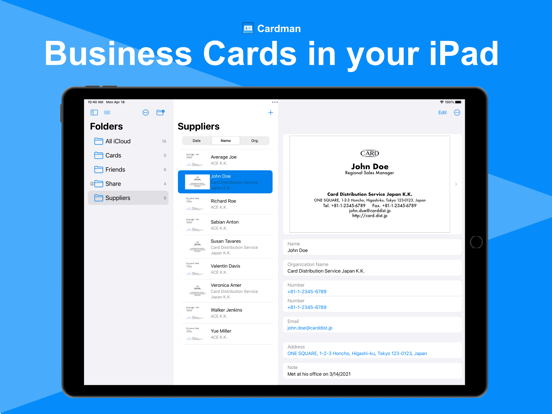
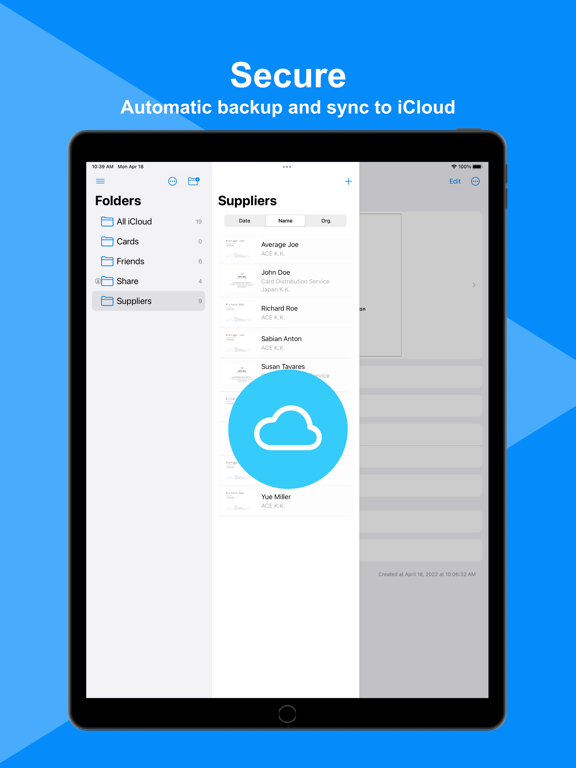
ScreenshotScreenshotScreenshotScreenshotScreenshotScreenshotScreenshotScreenshot

App Store ads

Apple Search Ads this app ran in the last 90 days, from Apple's public ad repository.

No App Store ads in the EU
None in the last 90 days.

Apple only publishes ads shown in the EU (EU Digital Services Act), with a 7 day delay. An app that advertises only outside the EU shows nothing here.

Growth research

Where this app is buying and earning its users. Each link opens pre filtered.

ASO keywords

Most repeated terms in the listing. Highlighted ones also appear in the title.

cardman12cards8data7pro7high accuracy5cardman pro5business4card4high4photos4files4mac4supports4users4business card3syncs data3data icloud3business cards3cameras photos3mac supports3supports scan3scan photos3photos files3cardman automatically3

What's new in 4.7.1

- Improved stability ver. 4.7 - iOS 27 is now supported. - Improved further accuracy. ver. 4.6 - Improved UIs - iOS 15 is no longer supported. ver. 4.5 - Fixed a minor issue with the organization index. ver. 4.4 - Improved recognition accuracy for Japanese organization names and job titles. ver. 4.3 - Improved recognition accuracy for Japanese and Chinese names. ver. 4.2 - iOS 26 is now supported. ver. 4.1 - Improved stability ver. 4.0 - Pro users can now import business card data from CSV and other service formats. - App instructions have been added to help users understand how to use the app. ver. 3.9 - Improved recognition accuracy for Japanese names. ver. 3.8 - Cards folder can now be hidden. - A creation date column has been added when exporting files. ver. 3.6, 3.7 - Improved stability ver. 3.5 - Displaying suggestions when entering phonetic names or company name is now supported. - Improved UIs and stability ver. 3.4 - Rotating saved images by 90 degrees is now supported. - Improved UIs and stability ver. 3.3 - It is now possible to read and edit the last name and first name separately. - It is now possible to save the last name and first name to contacts and export them to a file. ver. 3.2 - You can now lock the app, and unlock it with Face ID/Touch ID. ver. 3.1 - Improved UIs and stability ver. 3.0 - Reading cards from image files and PDF files is now supported. - Improved accuracy of Japanese OCR on iOS 17 devices. ver. 2.9 - Improved further accuracy. - You can now select multiple business cards and duplicate, move, or delete them. ver. 2.8 - Improved further accuracy. ver. 2.7 - Replacing the front image of cards is now supported. - Optimized the image size of cards ver. 2.4-2.6 - Improved UIs and stability ver. 2.3 - Scanning both sides of cards now adds information from the back side to fill in missing data on the front side. - The order of folders and company names has now been updated to the Finder-like order. - It is now easier to share business card data via email or messaging apps (by tapping the icon in the top right corner of the business card details screen and selecting "Send Copy"). ver. 2.2 - Improved further accuracy and stability ver. 2.1 - You can now choose which map app to open when you tap an address ver. 2.0 - The business card list screen and search field have been redesigned to make it easier to find business cards. ver. 1.7-1.9 - Improved further accuracy and stability ver. 1.6 - Scanning the front and back of cards is now supported. - Recognition and input of job titles and deparment names are now supported. ver. 1.5 - Recognition and input of phone number types (mobile, fax, etc.) are now supported. ver. 1.4 - Simplified Chinese UI is now supported. ver. 1.3 - Organization names are now displayed with names on the card list screen. - Folder names can now be renamed. - Business card data can now be exported in Excel or CSV format for Pro users. ver. 1.2 - Significantly Improved accuracy and speed of Japanese OCR on iOS 16 devices. - Supported OCR in Cantonese, Korean, Russian, and Ukrainian on iOS 16 devices.

Released Apr 18, 2022. Current version shipped Oct 7, 2026.

Store description

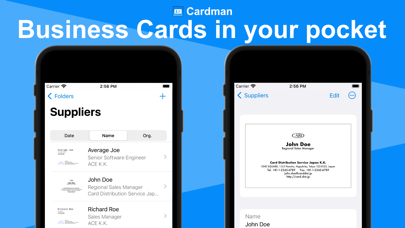
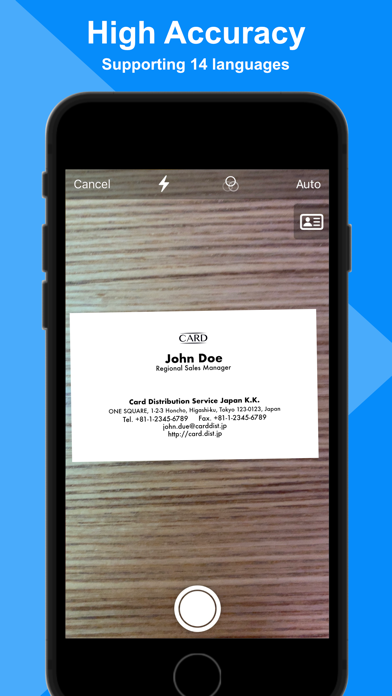
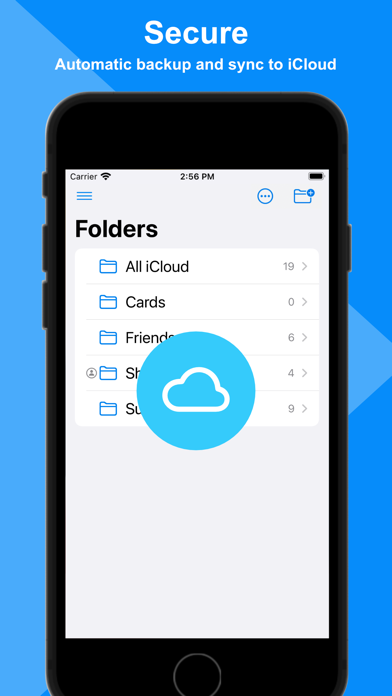
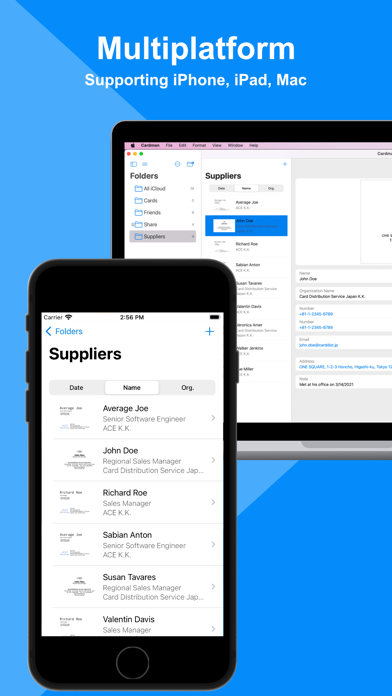
Cardman is a powerful and secure business card management app that scans cards with high accuracy, and stores and syncs data with iCloud. ■Cardman features - High Accuracy Card Scanning Cardman can scan business cards from cameras, photos, image files, and PDF files at high speed and with high accuracy. * Mac app only supports scan from photos and files. - Secure Cardman automatically backs up data in your iCloud storage, and never store in other storage services without your permission. - Automatic Sync Cardman automatically syncs data between your Apple devices. For example, the data scanned on your iPhone can be seen on your iPad or Mac. - Charactor Recognition in 14 Languages Cardman supports OCR in fourteen languages: English, Japanese, French, Italian, German, Spanish, Portuguese, Simplified Chinese, Traditional Chinese, Simplified Cantonese, Traditional Cantonese, Korean, Russian, and Ukrainian. * Cantonese, Korean, Russian, Ukrainian are supported only on iOS 16 devices or later. - Folder Sharing (Pro) Cardman supports sharing data to other users through folders. * Mac app doesn't support initiating folder sharing, but can access to cards in the folders shared with iPhone or iPad app. - Unlimited Cards (Pro) You can store data as long as your iCloud storage capacity allows. (Basic users can store up to 10 cards.) - Multiple Card Input (Pro) You can input multiple business cards in a row from cameras and photos. (Basic users can input cards in a row until the number of stored cards is reached to 10.) * Mac app only supports scan from photos and files. - Export & Import (Pro) You can export your business card data in Excel or CSV format, and import them in CSV format or other services' format. - Cardman Pro Cardman Pro is available with three purchase options: a monthly subscription, a yearly subscription, or one-time purchase. As for the subscription options, Cardman Pro automatically renews as a paid subscription, unless cancelled at least 24 hours before the date of renewal. The payment will be charged to Apple ID Account at confirmation of purchase. Your account will be charged for renewal within 24-hours prior to the end of the current period. You can cancel subscription anytime by turning off auto-renewal through your account settings. This must be done 24 hours before the end of subscription period to avoid being charged. The cancellation will take effect the day after the last day of the current subscription period, and you will be downgraded to the basic service. We value the opinions of our users. We welcome your feedback. - Privacy Policy: https://kaurilab.com/cardman/privacy-policy - Terms of Use: https://kaurilab.com/cardman/terms-of-use

See this store page in another country

Prices, ranks and reviews are per country. Revenue above is already worldwide.

More from KauriLab Inc.

Calcifon
Productivity
2 ratingsAnalyze →
GolfDays
Sports
0 ratingsAnalyze →
uuu camera
Photo & Video
0 ratingsAnalyze →