← Back to charts
Thermals icon
APP STORE

Thermals

George Garside · Developer Tools · Germany store
NOT IN TOP 100 HERE
View on App Store ↗ Instagram card
Revenue a month, worldwide
Too small to estimate
Not enough chart or ratings data
New ratings
Tracking
Daily counts start building from today
Rating
5.0 of 5
2 ratings in this store
Countries it ranks in
0
was 0 on Oct 17, 2026

Revenue

Estimated from the grossing charts of Oct 24, 2026 in the 53 countries we track, and ratings growth on the App Store.

EST. REVENUE / MONTH · WORLDWIDE
Unranked
Not in any grossing chart, and it sells nothing in the store (no in-app purchases, free download). Any revenue comes from ads or payments outside the store, which we can't see.
EST. LIFETIME DOWNLOADS
70 to 200
Estimated from ratings count
RATINGS
2
AVG RATING
5.00
PRICE
Gratis
AGE
3.8y
LAST UPDATE
39d ago
VERSION
1.0.3
SIZE
3 MB
AGE RATING
4+

Last 30 days

From our daily snapshots of every grossing chart.

DAYS IN A GROSSING CHART
0 / 30
COUNTRIES NOW
0 (was 0)
EST. REVENUE FROM CHARTS, DAILY · APP STORE ONLY EST
Show daily values
Sep 25, 2026not in a grossing chart
Sep 26, 2026not in a grossing chart
Sep 27, 2026not in a grossing chart
Sep 28, 2026not in a grossing chart
Sep 29, 2026not in a grossing chart
Sep 30, 2026not in a grossing chart
Oct 1, 2026not in a grossing chart
Oct 2, 2026not in a grossing chart
Oct 3, 2026not in a grossing chart
Oct 4, 2026not in a grossing chart
Oct 5, 2026not in a grossing chart
Oct 6, 2026not in a grossing chart
Oct 7, 2026not in a grossing chart
Oct 8, 2026not in a grossing chart
Oct 9, 2026not in a grossing chart
Oct 10, 2026not in a grossing chart
Oct 11, 2026not in a grossing chart
Oct 12, 2026not in a grossing chart
Oct 13, 2026not in a grossing chart
Oct 14, 2026not in a grossing chart
Oct 15, 2026not in a grossing chart
Oct 16, 2026not in a grossing chart
Oct 17, 2026not in a grossing chart
Oct 18, 2026not in a grossing chart
Oct 19, 2026not in a grossing chart
Oct 20, 2026not in a grossing chart
Oct 21, 2026not in a grossing chart
Oct 22, 2026not in a grossing chart
Oct 23, 2026not in a grossing chart
Oct 24, 2026not in a grossing chart
Best rank Sep 25, 2026: not ranked. Now: not ranked. Days at zero are days outside every grossing chart.

Money and momentum

Measured from the store, not estimated.

WHAT IT CHARGES
No in-app purchases
Earns from its upfront price, ads or payments outside the store.
REVIEW MOMENTUM
Too few reviews
Fewer than 3 recent written reviews in this country.
RELEASE CADENCE
2 updates in 90 days
  • Typical gap between releases104 days
From the last 4 versions listed on the App Store.
RATING BREAKDOWN
2 ratings
5★100%
4★0%
3★0%
2★0%
1★0%

What users say

Latest reviews, Germany App Store.

★★★★★Jul 21, 2024
Simple and great

Great app, well designed and of course free! Does what it says and the addition of a log is nice. Only suggestions would be to use a green to red color scheme for the different thermal states

Store screenshots

ScreenshotScreenshotScreenshotScreenshotScreenshotScreenshot

App Store ads

Apple Search Ads this app ran in the last 90 days, from Apple's public ad repository.

No App Store ads in the EU
None in the last 90 days.

Apple only publishes ads shown in the EU (EU Digital Services Act), with a 7 day delay. An app that advertises only outside the EU shows nothing here.

Growth research

Where this app is buying and earning its users. Each link opens pre filtered.

ASO keywords

Most repeated terms in the listing. Highlighted ones also appear in the title.

device8charging4thermal4processors4device thermal3thermal state3processors active3active device3device hot3low3brightness3thermals3active3heat3slowly2state2uptime2speed2hot2screen2background2data2watch2

What's new in 1.0.3

Fixes: • Fix Apple Watch crash on launch

Released Dec 28, 2022. Current version shipped Sep 16, 2026.

Store description

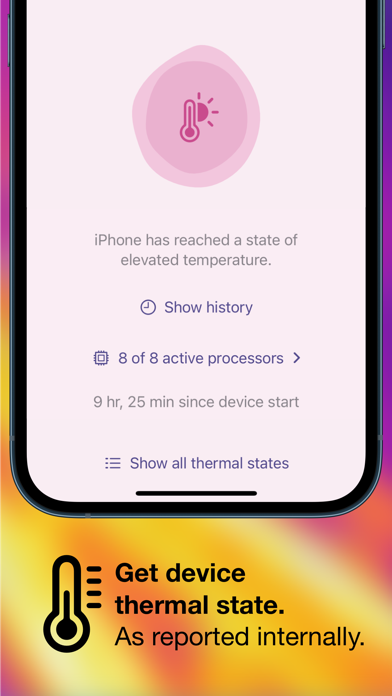
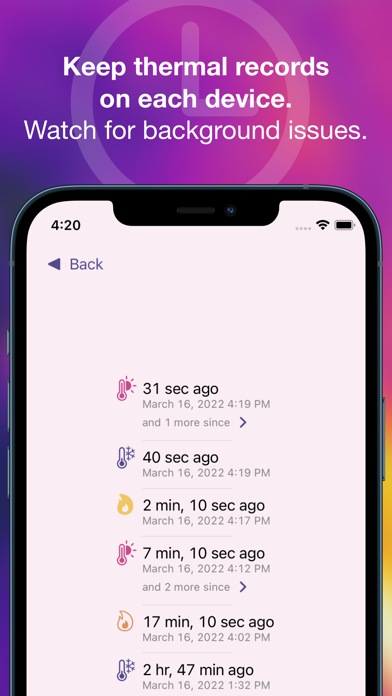
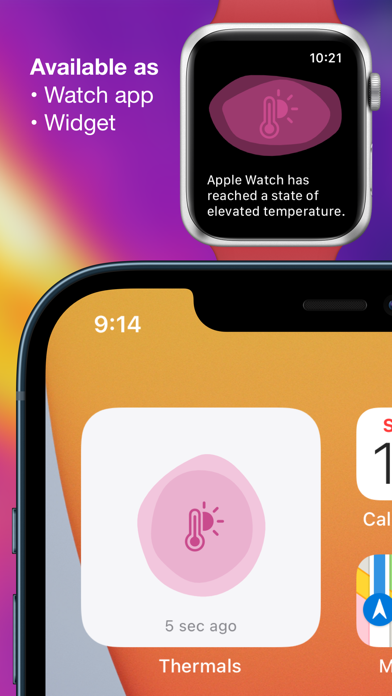
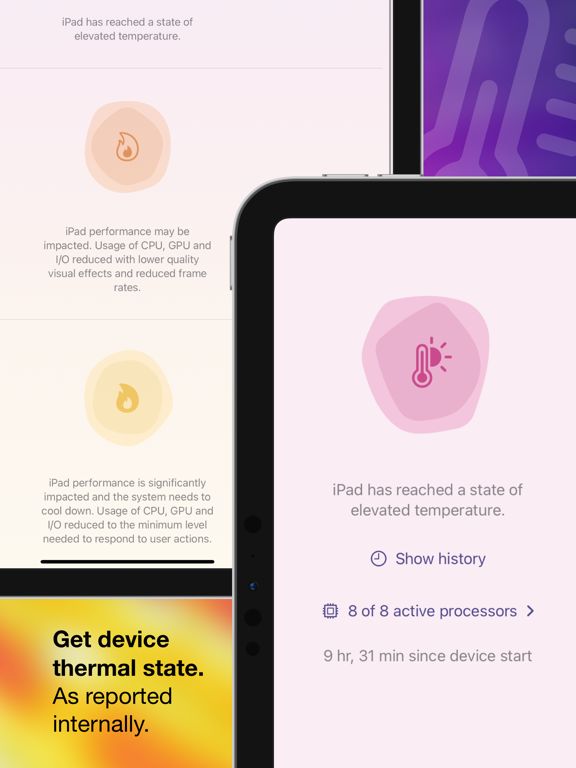
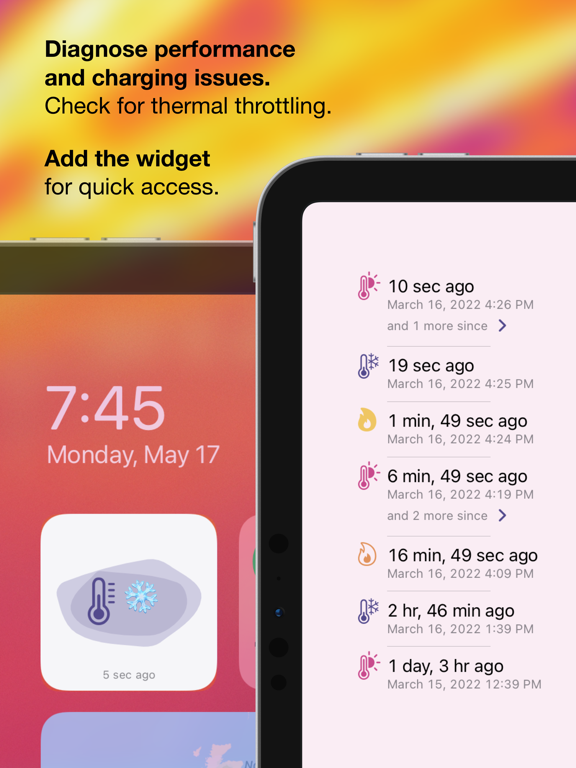
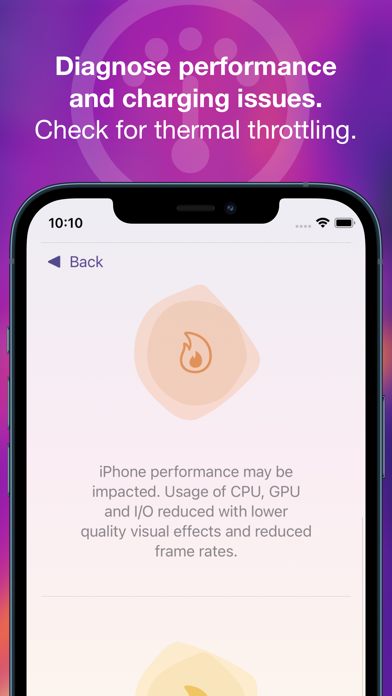
Phone running slowly, charging slowly or low brightness? See if your device is overheating using Thermals. Thermals displays your device’s thermal state, as well as how many processors are active on your device and its uptime, as reported by iOS. Thermals helps troubleshoot: • Poor performance — iOS reduces processor speed and potentially disables processors temporarily when the device is hot. • Slow charging — battery charging causes a lot of heat and iOS can limit charging speed to reduce the additional heat that might make a device too hot. • Low maximum brightness — if your device screen stays dark despite being on full brightness, it could be limited by iOS due to heat. • Manufacturing defects — if not all processors are active when the device is cool and not in low power mode. Your device's thermal state is monitored regularly in the background and recorded in the app (if Background App Refresh is enabled). Open the app or tap the widget to record a data point manually. Export the raw data to file for corroboration with Screen Time, Xcode's Instruments, or other development tools. Also an independent Apple Watch app shows the thermal status, active processors and uptime, and thermal history of your watch.

See this store page in another country

Prices, ranks and reviews are per country. Revenue above is already worldwide.

More from George Garside

Bluetooth Inspector
Developer Tools
92 ratingsAnalyze →
Bedienungshilfeinformationen
Developer Tools
1 ratingsAnalyze →
Web Archive Inspector
Developer Tools
6 ratingsAnalyze →
Passwords Inspector
Developer Tools
0 ratingsAnalyze →
Arrowed
Stickers
0 ratingsAnalyze →
Lighthouse Score
Developer Tools
0 ratingsAnalyze →