← Back to charts
HomeBot for HomeKit icon
APP STORE

HomeBot for HomeKit

Pedro Jose Pereira Vieito · Utilities · United States store
NOT IN TOP 100 HERE
View on App Store ↗ Instagram card
Revenue a month, worldwide EST
$299
Likely $100 to $898
New ratings
Tracking
Daily counts start building from today
Rating
4.3 of 5
18 ratings in this store
Countries it ranks in
0
was 0 on Oct 20, 2026

Revenue

Estimated from the grossing charts of Oct 26, 2026 in the 53 countries we track, and ratings growth on the App Store.

EST. REVENUE / YEAR · WORLDWIDE
$3.6K
0.5 new ratings a month on average since launch
EST. LIFETIME DOWNLOADS
630 to 1.8K
Estimated from ratings count
WHERE ITS USERS ARE · SHARE OF RATINGS
  • United States 18 ratings55%
  • Germany 6 ratings18%
  • United Kingdom 2 ratings6%
  • Canada 2 ratings6%
  • Australia 2 ratings6%
  • France 2 ratings6%
  • Italy 1 ratings3%
HOW SURE ARE WE
Not in any grossing chart, so this comes from ratings growth (0.5 new ratings a month on average since launch): revenue grows with new ratings, more slowly for apps that collect ratings fast. Tested on 418 apps with verified revenue: typically off by about 2 times, and big earners tend to come out low. Countries we don't track (and Google Play in China, which doesn't exist) aren't included, and neither are ads or web payments. Gross revenue before store fees.
RATINGS
18
AVG RATING
4.28
PRICE
$5.99
AGE
5.7y
LAST UPDATE
2d ago
VERSION
2.5
SIZE
13 MB
AGE RATING
4+

Last 30 days

From our daily snapshots of every grossing chart.

DAYS IN A GROSSING CHART
0 / 30
COUNTRIES NOW
0 (was 0)
EST. REVENUE FROM CHARTS, DAILY · APP STORE ONLY EST
Show daily values
Sep 28, 2026not in a grossing chart
Sep 29, 2026not in a grossing chart
Sep 30, 2026not in a grossing chart
Oct 1, 2026not in a grossing chart
Oct 2, 2026not in a grossing chart
Oct 3, 2026not in a grossing chart
Oct 4, 2026not in a grossing chart
Oct 5, 2026not in a grossing chart
Oct 6, 2026not in a grossing chart
Oct 7, 2026not in a grossing chart
Oct 8, 2026not in a grossing chart
Oct 9, 2026not in a grossing chart
Oct 10, 2026not in a grossing chart
Oct 11, 2026not in a grossing chart
Oct 12, 2026not in a grossing chart
Oct 13, 2026not in a grossing chart
Oct 14, 2026not in a grossing chart
Oct 15, 2026not in a grossing chart
Oct 16, 2026not in a grossing chart
Oct 17, 2026not in a grossing chart
Oct 18, 2026not in a grossing chart
Oct 19, 2026not in a grossing chart
Oct 20, 2026not in a grossing chart
Oct 21, 2026not in a grossing chart
Oct 22, 2026not in a grossing chart
Oct 23, 2026not in a grossing chart
Oct 24, 2026not in a grossing chart
Oct 25, 2026not in a grossing chart
Oct 26, 2026not in a grossing chart
Oct 27, 2026not in a grossing chart
Best rank Sep 28, 2026: not ranked. Now: not ranked. Days at zero are days outside every grossing chart.

Money and momentum

Measured from the store, not estimated.

WHAT IT CHARGES
No in-app purchases
Earns from its upfront price, ads or payments outside the store.
REVIEW MOMENTUM
Too few reviews
Fewer than 3 recent written reviews in this country.
RELEASE CADENCE
6 updates in 90 days
  • Typical gap between releases13 days
From the last 24 versions listed on the App Store.
RATING BREAKDOWN
18 ratings
5★72%
4★6%
3★11%
2★0%
1★11%

Store screenshots

ScreenshotScreenshotScreenshotScreenshotScreenshotScreenshotScreenshotScreenshotScreenshotScreenshot

App Store ads

Apple Search Ads this app ran in the last 90 days, from Apple's public ad repository.

No App Store ads in the EU
None in the last 90 days.

Apple only publishes ads shown in the EU (EU Digital Services Act), with a 7 day delay. An app that advertises only outside the EU shows nothing here.

Growth research

Where this app is buying and earning its users. Each link opens pre filtered.

ASO keywords

Most repeated terms in the listing. Highlighted ones also appear in the title.

home14primary home13homebot10device9set8primary8temperature8light brightness8homekit7set primary6scenes6status6light6devices5room5brightness5air5lightbulbs5command line5target temperature5air quality5activate deactivate5lightbulbs room5homebot supports5

What's new in 2.5

• Improved the primary home selection. • Renamed the “Change Primary Home” action to “Set Primary Home”. Existing shortcuts and command-line scripts keep working. • Fixed window covering and blind positions, which now report the current and target positions separately. • Bug fixes and stability improvements.

Released Feb 24, 2021. Current version shipped Oct 24, 2026.

Store description

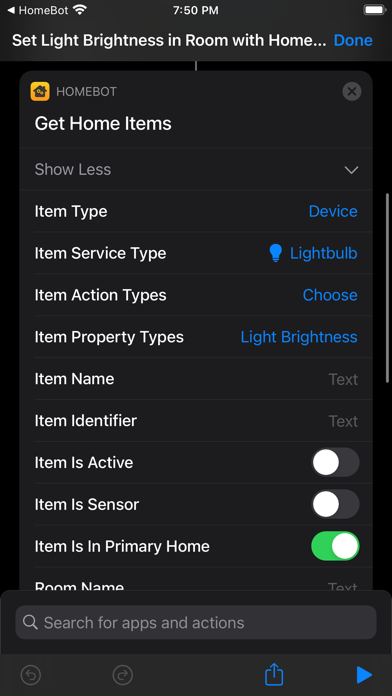
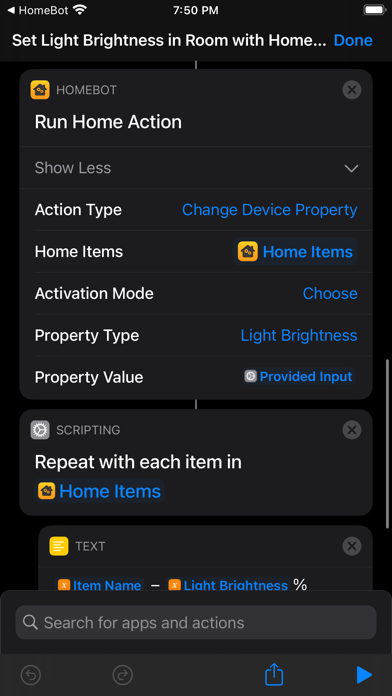
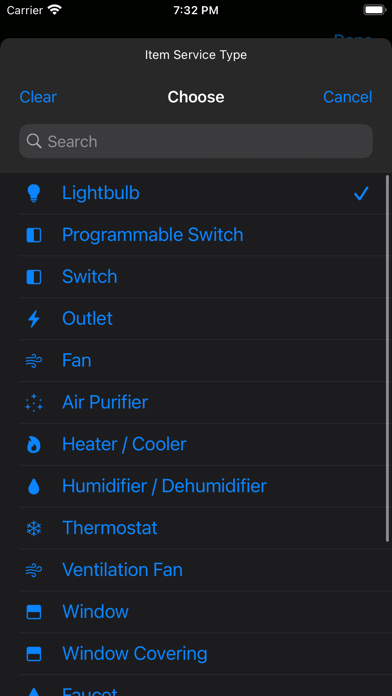
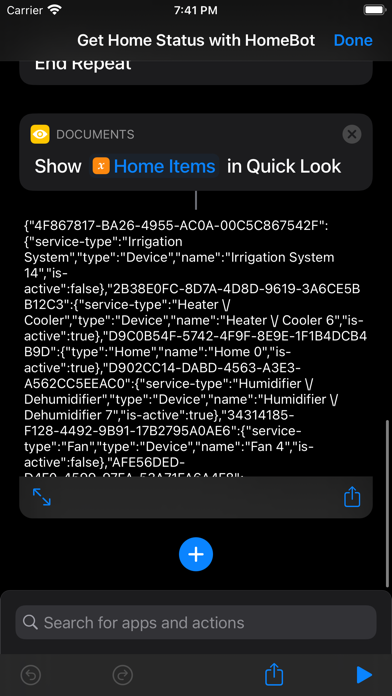
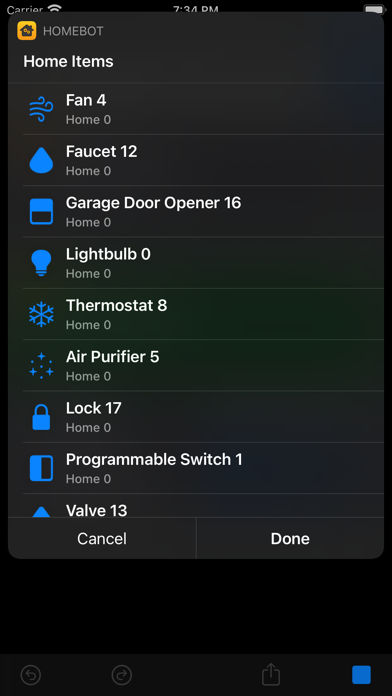
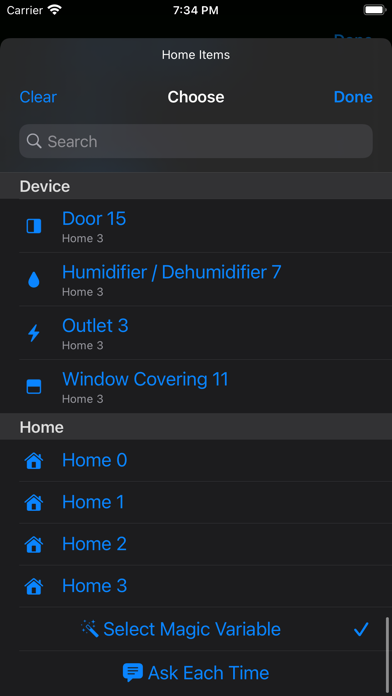
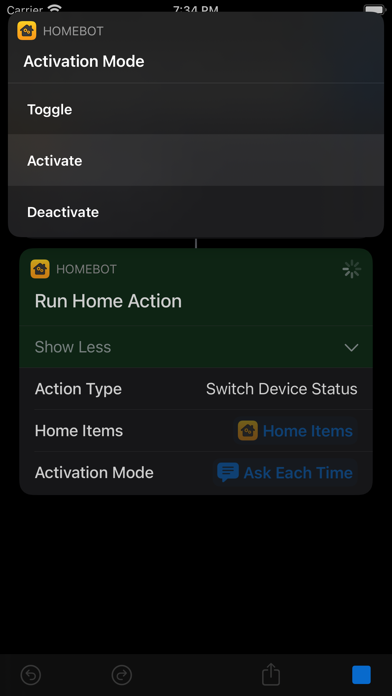
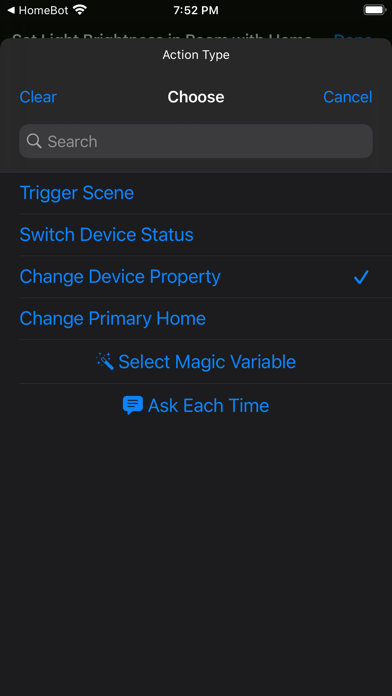
HomeBot for HomeKit lets you automate your home with Shortcuts and the command line. It includes two powerful actions to manage your HomeKit setup: • Run Home Action: Control scenes and devices in bulk, adjust device properties, or set your primary home. • Get Home Items: Find and filter scenes, devices, device groups, rooms, and homes by name, item type, service type, room, home, activation status, or supported actions and properties. Results include item details, device properties such as light brightness and thermostat target temperature, and sensor readings such as temperature, humidity, and air quality. Action Types: • Trigger Scene: Trigger one or more scenes. • Switch Scene Status: Activate, deactivate, or toggle one or more scenes. • Switch Device Status: Activate, deactivate, or toggle one or more devices or device groups. • Change Device Property: Adjust supported device or device group properties, such as light brightness, thermostat target temperature, or the position of blinds. • Set Primary Home: Set the primary home shared with HomeControl. Setting your primary home propagates the change to all your devices. Explore the included example shortcuts to get started: • Trigger Scenes: Choose scenes in your primary home and trigger them together. • Switch Lightbulbs in Room: Toggle, activate, or deactivate all lightbulbs in a room. • Get Home Status: Export the status of all items in your primary home to a JSON file. • Get Temperature Measurements: Read each temperature sensor in your HomeKit setup. • Set Thermostats Temperature: Set the target temperature of one or more thermostats. • Set Light Brightness in Room: Set the light brightness of all lightbulbs in a room. • Change Lightbulb Colors: Cycle lightbulbs through the colors of the rainbow. • Set Primary Home: Choose which HomeKit home to use as your primary home. Automation Systems: • Shortcuts: Build advanced HomeKit workflows by combining HomeBot’s powerful actions with the built-in Shortcuts actions and automation triggers. • Command-Line Automation on Mac: Automate HomeKit from Terminal, scripts, or AI agents with the included "homebot-cli" tool. Export HomeKit data as JSON for use in your scripts. HomeBot supports macOS, iOS, and iPadOS. Notes: • HomeBot can detect and control the following types of devices: outlets, lightbulbs, switches, thermostats, fans, air purifiers, heaters, humidifiers, dehumidifiers, windows, window coverings, faucets, valves, irrigation systems, doors, garage door openers, and locks. • HomeBot also supports reading measurements or detections from the following types of sensors: temperature, humidity, air quality, carbon dioxide, carbon monoxide, contact (doors, windows, and window coverings), smoke, leak, motion, light, and occupancy sensors. • HomeBot supports changing and reading light brightness and color, thermostat and heating/cooling modes, target temperatures and thresholds, humidity targets and thresholds, fan and air purifier modes, rotation speed and direction, swing, physical controls lock, and the position of doors, windows, blinds, or shades. • HomeBot also reads detailed air-quality measurements, battery levels, and filter status when available. • HomeBot Command-Line Automation requires macOS 26 or later. Privacy by Design: HomeBot works completely on-device and does not store or send any information outside of the protected app sandbox.

See this store page in another country

Prices, ranks and reviews are per country. Revenue above is already worldwide.

More from Pedro Jose Pereira Vieito

MakePass: AI Wallet Editor
Utilities
288 ratingsAnalyze →
OverPicture for Safari
Utilities
12 ratingsAnalyze →
HomeControl Menu for HomeKit
Utilities
0 ratingsAnalyze →
BrowserMask for Safari
Utilities
7 ratingsAnalyze →
VoiceExpress: Audio to Text
Utilities
2 ratingsAnalyze →
BrowserSwitch for Safari
Utilities
0 ratingsAnalyze →
MakePDF: Document Merger
Productivity
2 ratingsAnalyze →
ChatShare for WhatsApp
Social Networking
0 ratingsAnalyze →
AirWeight for Bluetooth Scales
Health & Fitness
6 ratingsAnalyze →