← Back to charts
PitchBop Pro icon
APP STORE

PitchBop Pro

Antonis Tsikandilakis · Education · Germany store
NOT IN TOP 100 HERE
View on App Store ↗ Instagram card Google Play version →
Revenue a month, worldwide EST
$301
Likely $100 to $903
New ratings
Tracking
Daily counts start building from today
Rating
2.4 of 5
5 ratings in this store
Countries it ranks in
0
was 0 on Oct 18, 2026

Revenue

Estimated from the grossing charts of Oct 25, 2026 in the 53 countries we track, and ratings growth on the App Store.

EST. REVENUE / YEAR · WORLDWIDE
$3.6K
0.5 new ratings a month on average since launch
EST. LIFETIME DOWNLOADS
175 to 500
Estimated from ratings count
WHERE ITS USERS ARE · SHARE OF RATINGS
  • United States 19 ratings53%
  • Germany 5 ratings14%
  • United Kingdom 3 ratings8%
  • Canada 3 ratings8%
  • France 2 ratings6%
  • Italy 2 ratings6%
  • Netherlands 1 ratings3%
  • Turkey 1 ratings3%
HOW SURE ARE WE
Not in any grossing chart, so this comes from ratings growth (0.5 new ratings a month on average since launch): revenue grows with new ratings, more slowly for apps that collect ratings fast. Tested on 418 apps with verified revenue: typically off by about 2 times, and big earners tend to come out low. Countries we don't track (and Google Play in China, which doesn't exist) aren't included, and neither are ads or web payments. Gross revenue before store fees.
RATINGS
5
AVG RATING
2.40
PRICE
7,99 €
AGE
5.9y
LAST UPDATE
784d ago
VERSION
3.0
SIZE
126 MB
AGE RATING
4+

Last 30 days

From our daily snapshots of every grossing chart.

DAYS IN A GROSSING CHART
0 / 30
COUNTRIES NOW
0 (was 0)
EST. REVENUE FROM CHARTS, DAILY · BOTH STORES ONLY EST
Show daily values
Sep 26, 2026not in a grossing chart
Sep 27, 2026not in a grossing chart
Sep 28, 2026not in a grossing chart
Sep 29, 2026not in a grossing chart
Sep 30, 2026not in a grossing chart
Oct 1, 2026not in a grossing chart
Oct 2, 2026not in a grossing chart
Oct 3, 2026not in a grossing chart
Oct 4, 2026not in a grossing chart
Oct 5, 2026not in a grossing chart
Oct 6, 2026not in a grossing chart
Oct 7, 2026not in a grossing chart
Oct 8, 2026not in a grossing chart
Oct 9, 2026not in a grossing chart
Oct 10, 2026not in a grossing chart
Oct 11, 2026not in a grossing chart
Oct 12, 2026not in a grossing chart
Oct 13, 2026not in a grossing chart
Oct 14, 2026not in a grossing chart
Oct 15, 2026not in a grossing chart
Oct 16, 2026not in a grossing chart
Oct 17, 2026not in a grossing chart
Oct 18, 2026not in a grossing chart
Oct 19, 2026not in a grossing chart
Oct 20, 2026not in a grossing chart
Oct 21, 2026not in a grossing chart
Oct 22, 2026not in a grossing chart
Oct 23, 2026not in a grossing chart
Oct 24, 2026not in a grossing chart
Oct 25, 2026not in a grossing chart
Best rank Sep 26, 2026: not ranked. Now: not ranked. Days at zero are days outside every grossing chart.

Money and momentum

Measured from the store, not estimated.

WHAT IT CHARGES
No in-app purchases
Earns from its upfront price, ads or payments outside the store.
REVIEW MOMENTUM
0.0 reviews / week
  • Recent reviews average2.0 stars
  • Recent 1 and 2 star share67%
From the latest 3 written reviews, covering 1751 days.
RELEASE CADENCE
0 updates in 90 days
  • Typical gap between releases273 days
From the last 6 versions listed on the App Store.
RATING BREAKDOWN
5 ratings
5★20%
4★20%
3★0%
2★0%
1★60%

What users say

Latest reviews, Germany App Store.

★★★★★Feb 14, 2026
No landscape view

Whats that more than annoying? Yes tough. Because I don‘t know any musician who has their iPad installed upright. So it is unusable in most Setups. Yes my iPad is obligatory fixed horizontally.
★★★★★Feb 13, 2026
Great concept, unreliable scoring

Great app. Great idea. But unfortunately, the implementation is disappointing. I connected my bass guitar and noticed that even when I play notes completely out of scale, the app still gives me 1/2 and sometimes even 2/2. I tried different tones, input levels, and EQ settings — the result is always the same. At the moment, the only way to use this app is to ignore the evaluation scores and statistics and rely solely on your own ear. That makes it hardly better than the countless similar videos on YouTube. I sincerely hope the developers will fix these issues in future updates. Best wishes.

★★★★★Jan 8, 2022
Suggestion

Training my ears with pitchbop is great, but would you PLEASE BE SO KIND TO ERASE THOSE „ENCOURAGING“ REMARKS!!! Right or wrong or „2/3“ would be totally sufficient... Please, it is really annoying to read that overandoverandover!

Store screenshots

ScreenshotScreenshotScreenshotScreenshotScreenshotScreenshotScreenshotScreenshotScreenshotScreenshot

App Store ads

Apple Search Ads this app ran in the last 90 days, from Apple's public ad repository.

No App Store ads in the EU
None in the last 90 days.

Apple only publishes ads shown in the EU (EU Digital Services Act), with a 7 day delay. An app that advertises only outside the EU shows nothing here.

Growth research

Where this app is buying and earning its users. Each link opens pre filtered.

ASO keywords

Most repeated terms in the listing. Highlighted ones also appear in the title.

pitchbop11complexity8rhythmic complexity6instrument6level5performance5rhythmic5set5accuracy performance5call response5pitch complexity5pay attention5call4response4bop4phrase4pitch4calls4scale4octave4rhythm4ear training3performance pitchbop3response model3

What's new in 3.0

Choose your preferred instrument sound from the "More" tab to customize the app's playback.

Released Nov 26, 2020. Current version shipped Sep 2, 2024.

Store description

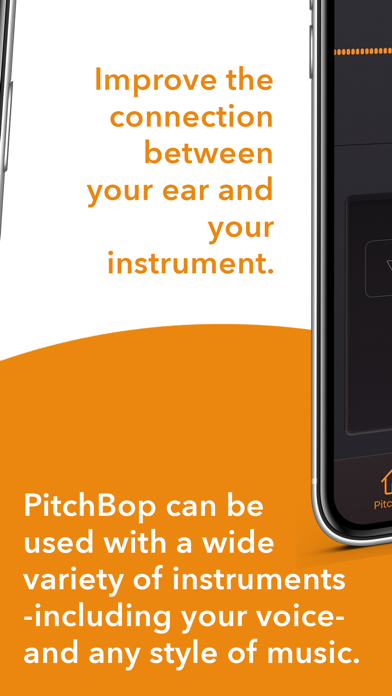
PitchBop is a melodic ear training app designed to help you improve the connection between your ear and your instrument by directly linking the level of skill to the accuracy of your performance. WHAT PITCHBOP DOES DIFFERENTLY Unlike most ear training apps where you answer by tapping on a screen without addressing the rhythmic aspect of what you hear, PitchBop offers a performance-like scenario where you listen and actually play your instrument or use your voice. Using the 'Call and Response' model, Dr. Bop, the resident jazz cat of PitchBop, plays a short phrase for you to listen to and allows you the same amount of time to repeat the phrase back to him to evaluate the accuracy of your performance. HOW PITCHBOP WORKS Behind the simple interface, there is a complex algorithm based on AI which creates endless melodies and adjusts the difficulty according to your progress. Using the 'Call and Response' model, Dr. Bop plays a short phrase for you to listen to and allows you the same amount of time to repeat the phrase back to him to evaluate the accuracy of your performance. Once the session is complete, you receive feedback on how well you did, and the difficulty level is set based on your performance so you can focus on playing without needing to worry about adjusting the settings. APP FEATURES + Pitch Complexity PitchBop creates calls with varying levels of pitch complexity on a scale of 1 to 9. Use this slider to set the complexity level. + Rhythmic Complexity Use this slider to set the rhythmic complexity level between 1 and 9. + Choose Your Instrument Tap the instrument name to see a list of instrument choices, then tap the name of your instrument to automatically set your available range. PitchBop can be used with a wide variety of instruments, including your voice. + Metronome Settings Set the metronome volume and choose if you want it to give you all four beats, one and three, two and four, or whichever combination of beats you prefer. + Profile Tab Visit the Profile Tab to study your progress. This information is only stored for Dr. Bop’s Game, however, not for Practice Mode. Additional details can be found by tapping the up and down arrows next to “Scale” to select the various scale and harmony types PitchBop uses for the calls and it will report the success rate and the Pitch and Rhythmic Complexity in your most recent “Call-and-Response” session. + Practice Mode settings Pitch Complexity Rhythmic Complexity Tempo Scale Range Always start on root on/off Number of calls per session Swing/Even Chromatic notes on/off ADDITIONAL GAME DETAILS BEFORE YOU START 1. Pay attention to the octave Your response must be in the same octave as Dr.Bop’s Call in order for it to be registered accurately. If it isn’t, even if the note is correct, you will see a lower score due to the incorrect octave. Example: For level 1 (when both sliders are all the way to the left) the starting note for the piano is C4 (the middle C). For the guitar, it is C4 as well (first fret on the B string or 5th fret on the G string) 2. Pay attention to the rhythm While the app may be called PitchBop, rhythm is still a big part of the game. Users should make sure to pay attention to the rhythm and try to be as accurate as they can in matching it. Responses played out of rhythm will lower your score. If the Calls feel a little too challenging, you can move the sliders all the way to the left and try starting from there. If this still feels like more than you’re comfortable with for now, you also have the option to go to the “more” tab and adjust the range to be as narrow as an octave. 3. Bluetooth and external devices Due to the diverse and often unpredictable nature of external devices, PitchBop is designed to use the device’s microphone and speaker. Bluetooth compatibility, however, will be addressed in a future update. For any other questions please contact us at support@pitchbop.com

See this store page in another country

Prices, ranks and reviews are per country. Revenue above is already worldwide.

More from Antonis Tsikandilakis

Genius Jamtracks
Music
32 ratingsAnalyze →