ASO keywords
Most repeated terms in the listing. Highlighted ones also appear in the title.
pdf26fill19fill pdf10pdf files10files9document8sign7signature7user7pdf document6pdf editor6electronic signature6edit6esign6editor6send5documents5docusign5fill sign5adobe pdf5files fill5email fax5image pdf5easy4
What's new in 6.52
- Melhoria na estabilidade e desempenho
- Novo e aprimorado scanner
- Correções de bugs
Obrigado por utilizar o Fill! Se precisar de ajuda ou tiver algum feedback, entre em contato conosco pelo email: support@amplify.xyz.
Released Oct 14, 2020. Current version shipped Oct 21, 2026.
Store description
Fill is the effortless way to fill, sign and request eSignatures on-the-go!
BENEFITS
Need to quickly edit or esign a PDF document? You don’t have to look for a printer or scanner. Fill app lets you fill, sign & send any document fast & easy.
The Fill PDF editor, filler & writer automatically detects fillable fields on your PDF document & makes editing on the go simple. Fill forms anywhere, anytime.
KEY FEATURES
- Sign PDF documents, fill & sign pdf forms & share files .You will never have to look for a scanner again.
- Document Scanner technology: Import images, photos, PDF files & documents from finder easily to edit & esign on your device, on-the-go.
- Edit: Import & prepare documents by creating & adding text, electronic signature, or simply annotate. Sign realistically with your finger without printing or scanning the document. Drag & drop to the Adobe pdf document, easy & hassle-free.
- Customize: Personalize text, create electronic signature, digital signature, esign, to fill the Adobe pdf file as per your needs.
- View: Fill & Scan, read, view, annotate & preview digitally edited PDF files on the Fill PDF Reader, Editor, Signer, Viewer, Creator & Writer app before sharing them via email or fax for free. Add electronic signature & manage PDFs with one click on your device.
- Send: Save, send & share edited files immediately via email or fax easily from your device with Fill pdffiller.
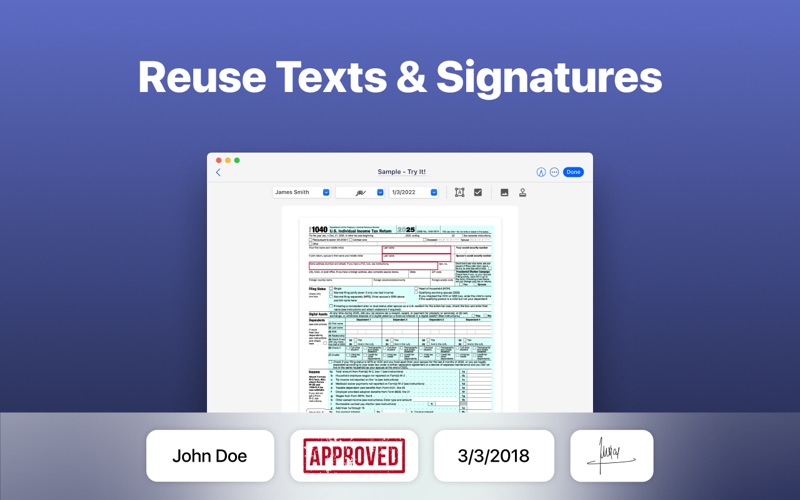
- Save & Re-Use: Fill stores user content, digital signature, & personal details to easily use & reuse in the future for free. Use free Fill PDF Editor, reader, creator, signer, viewer, writer, maker, filler & converter to view, annotate, esign & preview PDF documents.
- Go Green: Use Fill app to fill & send forms, use e signature, docusign, by email or fax, eliminating the use of traditional printing & paper scanning.
- Security: Avoid printing docs, maximize your security & keep your information secure & sign easy.
COST
Buy credits to pay as you go or get a monthly subscription plan to get extra discounts for exporting pdf files. Cost of exporting an edited pdf document file is determined by the no. of pages. Editing files with Fill PDF editor, word to pdf, image to pdf, signer, converter & maker are cheaper than traditional printers & scanners or word to odf, image to pdf, pdf editing & esign signing services such as DocuSign.
AUTO-RENEWABLE SUBSCRIPTIONS
- Fill provides a 1-month subscription that lets you edit, export & share unlimited PDF files
- Title of subscription is Unlimited Export Credits
- The free trial period lasts for 7 days & monthly subscription charges are made automatically to the given payment account unless canceled 24 hours prior to the end of trial period. Prices are stipulated in the app & vary based on user region, ranging from 0.99 to 14.99 (USD) monthly.
- Subscriptions will automatically renew unless auto-renew is turned off at least 24-hours prior to the end of the current period.
- Initial payments are charged to a user's iTunes Account at confirmation of purchase.
- Subscriptions can be managed by the user & auto-renewal turned off by going to the user's Account Settings after purchase.
- Any unused portion of a free trial period, if offered, will be forfeited when the user purchases a subscription to that publication, where applicable.
- Free trial only available once per subscription per user
Edit a file or word, esign a document or docusign as easily as you would send an email with the Fill PDF reader editor, maker, converter & pdffiller. Edit images, docusign documents, word to pdf, image to pdf Adobe pdf files and export as pdf files.
Download Fill: PDF Editor, Reader, Creator, Viewer, electronic Signature, Filler, Writer now and make sign easy on-the-go with docusign.
Terms - https://www.fillhq.com/terms?utm_source=store&utm_medium=macos
See this store page in another country
Prices, ranks and reviews are per country. Revenue above is already worldwide.