★★★★★Sep 20, 2026
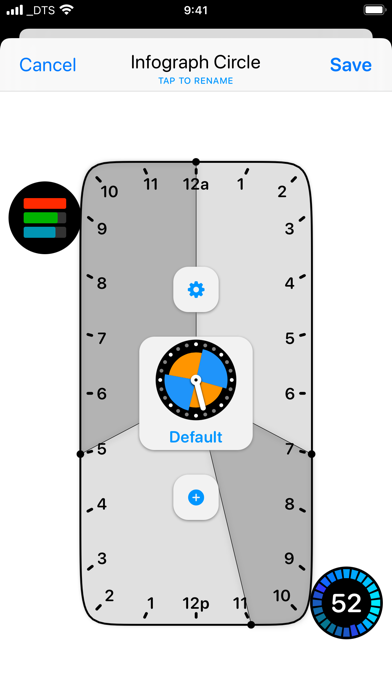
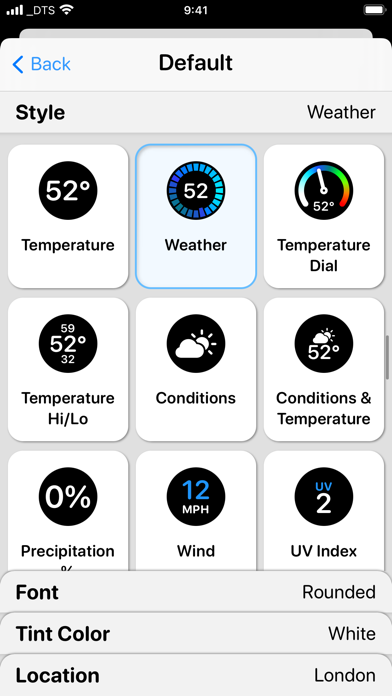
Dead app?It’s been years since an update. Circular complications do not center correctly.
Estimated from the grossing charts of Oct 21, 2026 in the 53 countries we track, and ratings growth on the App Store.
From our daily snapshots of every grossing chart.
| Sep 24, 2026 | not in a grossing chart |
| Sep 25, 2026 | not in a grossing chart |
| Sep 26, 2026 | not in a grossing chart |
| Sep 27, 2026 | not in a grossing chart |
| Sep 28, 2026 | not in a grossing chart |
| Sep 29, 2026 | not in a grossing chart |
| Sep 30, 2026 | not in a grossing chart |
| Oct 1, 2026 | not in a grossing chart |
| Oct 2, 2026 | not in a grossing chart |
| Oct 3, 2026 | not in a grossing chart |
| Oct 4, 2026 | not in a grossing chart |
| Oct 5, 2026 | not in a grossing chart |
| Oct 6, 2026 | not in a grossing chart |
| Oct 7, 2026 | not in a grossing chart |
| Oct 8, 2026 | not in a grossing chart |
| Oct 9, 2026 | not in a grossing chart |
| Oct 10, 2026 | not in a grossing chart |
| Oct 11, 2026 | not in a grossing chart |
| Oct 12, 2026 | not in a grossing chart |
| Oct 13, 2026 | not in a grossing chart |
| Oct 14, 2026 | not in a grossing chart |
| Oct 15, 2026 | not in a grossing chart |
| Oct 16, 2026 | not in a grossing chart |
| Oct 17, 2026 | not in a grossing chart |
| Oct 18, 2026 | not in a grossing chart |
| Oct 19, 2026 | not in a grossing chart |
| Oct 20, 2026 | not in a grossing chart |
| Oct 21, 2026 | not in a grossing chart |
| Oct 22, 2026 | not in a grossing chart |
Measured from the store, not estimated.
From the latest 124 reviews on the Japan App Store, Apr 8, 2020 to Sep 20, 2026: 48% are 1 or 2 stars. Open a theme to read what people wrote.
19 of the 1 and 2 star reviews.
★★★★★ This app was recommended when I was just needing to add a complication to a watch face that simply opens Apple's Workout app, because Apple did not include the Workout app in the list of items for a specific face.…
★★★★★ I will cancel my subscription and delete the app.
★★★★★ I am so tired of the subscription model services just let me pay a one time fee and be done with it
9 of the 1 and 2 star reviews.
★★★★★ A+ for the app D for implementation D for lack luster support
★★★★★ This is an abandoned app. Developer seems to have lost all interest. Cool idea, but doesn't work and no hope of a big fix version.
★★★★★ Reported a glaring bug a year ago and have received no response
8 of the 1 and 2 star reviews.
★★★★★ Cool idea, but doesn't work and no hope of a big fix version.
★★★★★ The complications do not work, or are very buggy and slow.
★★★★★ Reported a glaring bug a year ago and have received no response
7 of the 1 and 2 star reviews.
★★★★★ Developer seems to have lost all interest.
★★★★★ Great app and super cool customizations but syncing is a pain constantly needing to either force re-sync or turn off the watch completely which is a huge hassle.
★★★★★ I have tried for over two hours and have read all support documentation and still the complications do not sync with my Apple Watch.
6 of the 1 and 2 star reviews.
★★★★★ A subscription for such a limited app is ridiculous.
★★★★★ The app is OK, it's still limited until Apple let's us customize like Android.
★★★★★ It's not intuitive, and so many features are under the subscription service you end up with a very limited amount of customization for anything less than the series 4.
5 of the 1 and 2 star reviews.
★★★★★ This app has not been updated since 2021.
★★★★★ Complications do not update frequently enough making them ineffective.
★★★★★ The only way to make the complications update according to time of day is to delete and reinstall the app on the watch.
3 of the 1 and 2 star reviews.
★★★★★ Crashes if you scroll too far down the list of complications
★★★★★ The digital time it shows is often frozen for minutes or hours on end which makes it not only useless, but dangerous too use if you operate on a schedule.
★★★★★ Weather location stuck on LA.
2 of the 1 and 2 star reviews.
★★★★★ The complications do not work, or are very buggy and slow.
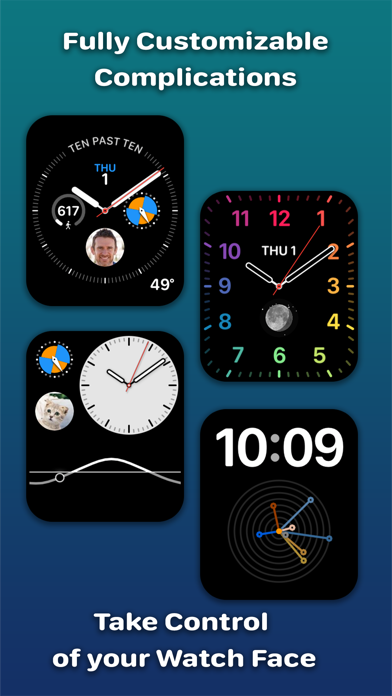
★★★★★ MacStories says you can “create your own Apple Watch complications.” But in reality, there are a limited set of complications available that are mostly just different looking versions of built in complications such as…
4 of the 4 and 5 star reviews.
★★★★★ I love this app so much and the timed complications make it very easy to know what to do.
★★★★★ I will agree with some reviews that the interface isn't super intuitive.
★★★★★ I trust this is a nice app, so I'm giving it 4 Stars, but it is not easy to use.
4 of the 4 and 5 star reviews.
★★★★★ Flexibility to make the most out of complication slots, still works for what I wanted in 2026.
★★★★★ Apple has left a lot of room for functionality in what's presented on the face of Apple Watch, and Watchsmith adds in a big heaping scoop of low hanging fruit. Better and ingenious ways to display information the Watch…
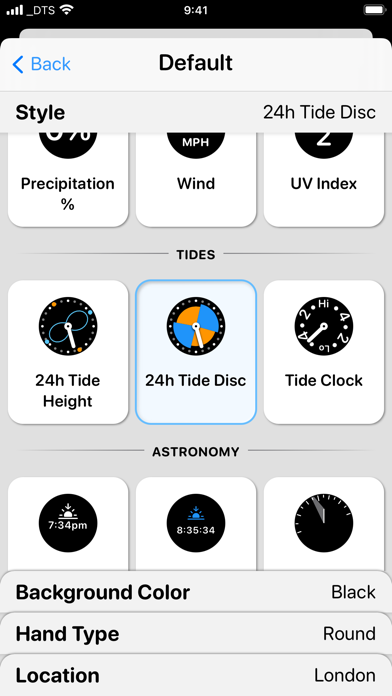
★★★★★ Really useful at a glance reference in an area where knowing tide levels are critical for safety on the water.
4 of the 4 and 5 star reviews.
★★★★★ UI could use a little work however.
★★★★★ The lack of dark mode and “unusual” choice of font and support make the UI feel less native than other apps that I know are wrappers around a webpage, but clearly the author knows how to write native UIs for Apple's…
★★★★★ I will agree with some reviews that the interface isn't super intuitive.
4 of the 4 and 5 star reviews.
★★★★★ You may have found it while searching “Watch face apps”, at least try the free features and see how good it is.
★★★★★ It's frustrating, but Watchsmith is so amazing it is worth it.
★★★★★ The weather complication where I can see more than one day's data is worth it alone.
4 of the 4 and 5 star reviews.
★★★★★ Can you please also support Celsius?
★★★★★ The lack of dark mode and “unusual” choice of font and support make the UI feel less native than other apps that I know are wrappers around a webpage, but clearly the author knows how to write native UIs for Apple's…
★★★★★ Developer: Could you add third party support?
Found by matching words and phrases in the reviews, not read by a person. A review can count toward more than one theme.
Latest reviews, Japan App Store.
It’s been years since an update. Circular complications do not center correctly.
Not working. End of Updating Support
Flexibility to make the most out of complication slots, still works for what I wanted in 2026.
This is a scam. I cannot cancel. Do not get.
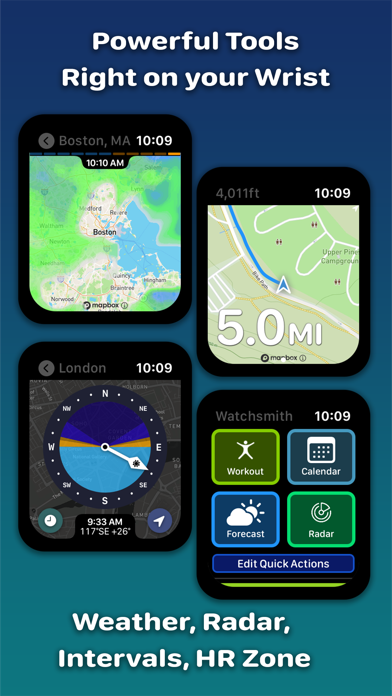
Watch OS 26ではレーダー動きません 便利だったのにな…残念…
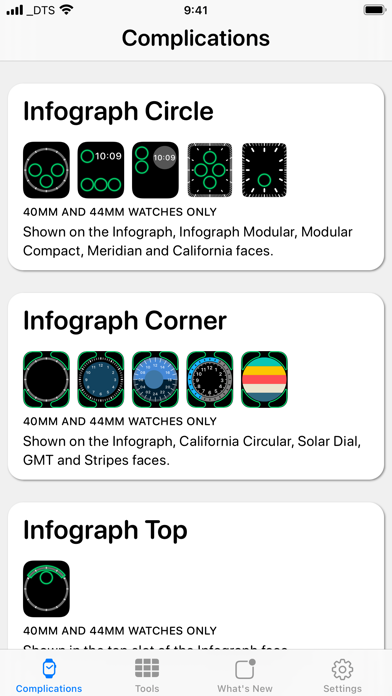
I tried to use this to add complications to the apple stripes face, which this app says it does. It doesn’t. It seems to only add complications that are ALREADY available on the apples faces in the watch app.

Apple Search Ads this app ran in the last 90 days, from Apple's public ad repository.
Where this app is buying and earning its users. Each link opens pre filtered.
Most repeated terms in the listing. Highlighted ones also appear in the title.
Released Apr 7, 2020. Current version shipped Mar 16, 2023.
Prices, ranks and reviews are per country. Revenue above is already worldwide.


