← Back to charts
SSH Client - Terminal & Termux icon
APP STORE

SSH Client - Terminal & Termux

Moon Technolabs Pvt Ltd · Developer Tools · United States store
NOT IN TOP 100 HERE
View on App Store ↗ Instagram card
Revenue a month, worldwide EST
$704
Likely $235 to $2.1K
▼ 99.9% in 14 days
New ratings
+0
in 2 days, 720 in total
Rating
3.6 of 5
406 ratings in this store
Countries it ranks in
46
was 49 on Oct 17, 2026

Revenue

Estimated from the grossing charts of Oct 24, 2026 in the 53 countries we track, and ratings growth on the App Store.

EST. REVENUE / YEAR · WORLDWIDE
$8.4K
8.5 new ratings a month on average since launch
EST. LIFETIME DOWNLOADS
14.2K to 40.6K
Estimated from ratings count
WHERE ITS USERS ARE · SHARE OF RATINGS
  • United States 406 ratings56%
  • Germany 51 ratings7%
  • United Kingdom 41 ratings6%
  • Canada 32 ratings4%
  • Netherlands 25 ratings3%
  • Australia 24 ratings3%
  • France 21 ratings3%
  • India 20 ratings3%
HOW SURE ARE WE
Not in any grossing chart, so this comes from ratings growth (8.5 new ratings a month on average since launch): revenue grows with new ratings, more slowly for apps that collect ratings fast. Tested on 418 apps with verified revenue: typically off by about 2 times, and big earners tend to come out low. Countries we don't track (and Google Play in China, which doesn't exist) aren't included, and neither are ads or web payments. Gross revenue before store fees.
RATINGS
406
AVG RATING
3.56
PRICE
Free
AGE
7.0y
LAST UPDATE
9d ago
VERSION
5.5.1
SIZE
65 MB
AGE RATING
4+

Last 30 days

From our daily snapshots of every grossing chart and daily ratings counts.

DAYS IN A GROSSING CHART
30 / 30
COUNTRIES NOW
46 (was 16)
NEW RATINGS, LAST 2 DAYS
+0
EST. REVENUE A MONTH, DAILY · APP STORE EST
Show daily values
Sep 25, 2026not in a grossing chart
Sep 26, 2026not in a grossing chart
Sep 27, 2026not in a grossing chart
Sep 28, 2026not in a grossing chart
Sep 29, 2026not in a grossing chart
Sep 30, 2026not in a grossing chart
Oct 1, 2026not in a grossing chart
Oct 2, 2026not in a grossing chart
Oct 3, 2026not in a grossing chart
Oct 4, 2026not in a grossing chart
Oct 5, 2026not in a grossing chart
Oct 6, 2026not in a grossing chart
Oct 7, 2026not in a grossing chart
Oct 8, 2026not in a grossing chart
Oct 9, 2026not in a grossing chart
Oct 10, 2026$621.4K a month
Oct 11, 2026not in a grossing chart
Oct 12, 2026not in a grossing chart
Oct 13, 2026not in a grossing chart
Oct 14, 2026not in a grossing chart
Oct 15, 2026not in a grossing chart
Oct 16, 2026not in a grossing chart
Oct 17, 2026not in a grossing chart
Oct 18, 2026$983 a month
Oct 19, 2026$655 a month
Oct 20, 2026not in a grossing chart
Oct 21, 2026not in a grossing chart
Oct 22, 2026not in a grossing chart
Oct 23, 2026$704 a month
Oct 24, 2026$704 a month
The same estimate as the headline, saved every day. Best rank Sep 25, 2026: #12 Developer Tools · MX. Now: #11 Developer Tools · MY.
RATINGS IN THE CORE COUNTRIES, DAILY
Show daily values
Oct 22, 2026720 ratings
Oct 23, 2026720 ratings
Oct 24, 2026720 ratings
720 on Oct 22, 2026, 720 on Oct 24, 2026. New ratings track new downloads, even outside the charts.

Money and momentum

Measured from the store, not estimated.

WHAT IT CHARGES
5 purchases listed
  • Monthly Plan$2.99
  • Yearly Plan$11.99
  • Lifetime Plan$29.99
  • Weekly Plan$0.99
  • Half Yearly Plan$6.99
Top in-app purchases as listed on the App Store, in local prices.
REVIEW MOMENTUM
0.3 reviews / week
  • Trendfalling
  • Recent reviews average3.5 stars
  • Recent 1 and 2 star share36%
From the latest 100 written reviews, covering 2009 days. The store only returns this many, so this is the most recent slice.
RELEASE CADENCE
3 updates in 90 days
  • Typical gap between releases17 days
From the last 25 versions listed on the App Store.
RATING BREAKDOWN
406 ratings
5★60%
4★4%
3★1%
2★2%
1★33%

What users want

From the latest 100 reviews on the United States App Store, Apr 24, 2021 to Jul 21, 2026: 36% are 1 or 2 stars. Open a theme to read what people wrote.

WHAT THEY COMPLAIN ABOUT · SHARE OF BAD REVIEWS
Price and subscription53%

19 of the 1 and 2 star reviews.

★★★★★ Will not work at all without a subscription.
★★★★★ at this point I just want my money back.
★★★★★ All I need is a terminal emulator. This app claims to have no in-app purchases. This is just a bait and switch at its finest.
Bugs, things not working17%

6 of the 1 and 2 star reviews.

★★★★★ It will simple stay there and it will not give you any info no error nothing!!!!
★★★★★ Connections with PEM key files work sporadically, and when the connection fails all you get is a message saying 'the connection failed.' Gee, I thought so.
★★★★★ I've multiple switch to access but it's not working on private networks.
Login and account problems17%

6 of the 1 and 2 star reviews.

★★★★★ 29$ cannot even use touchID as login for devices.
★★★★★ Any attempt to connect to anything prompts you to sign up or not connect
★★★★★ Unable to test the app without signing up for trial account.
Wrong or poor results14%

5 of the 1 and 2 star reviews.

★★★★★ Come on - just make it a paid program if it is useless without paying.
★★★★★ Bait and switch, useless ripoff
★★★★★ Might as well as just make it a paid app if it's useless otherwise
Crashes and freezes8%

3 of the 1 and 2 star reviews.

★★★★★ Every time I connect to a session two commands later the application crashes.
★★★★★ It just crashes every time I open it.
★★★★★ Freezes constantly and worse yet freezes my entire laptop.
No customer support6%

2 of the 1 and 2 star reviews.

★★★★★ I would consider to pay for a subscription if it's disclosed, but I will never support companies using this approach.
★★★★★ Tried contacting support but keep saying to log into original Apple ID.
WHAT THEY ASK FOR
  • It is easy to use and has a wide range of features, and I highly recommend this app to anyone who needs a reliable and secure SSH client for iOS. 5★, Nov 25, 2023
WORDS THAT KEEP COMING UP IN BAD REVIEWS
without subscription4try it without3bait and switch3without purchasing3connect to anything3
WHAT THEY LOVE · SHARE OF GOOD REVIEWS
Easy to use23%

15 of the 4 and 5 star reviews.

★★★★★ Easy to connect to my servers, and the app runs smoothly.
★★★★★ With SSH Client's session management, I can save and reconnect to frequently used sessions without entering credentials each time.
★★★★★ SSH Client's port forwarding feature lets me securely access my network from anywhere, making remote work so much easier.
Fast6%

4 of the 4 and 5 star reviews.

★★★★★ Great for quick remote access.
★★★★★ Terminal responds well even on long sessions; Cọmmands run smoothly.
★★★★★ SFTP lets me upload files quickly from my phone.
Useful, it helps5%

3 of the 4 and 5 star reviews.

★★★★★ Helps maintain consistent remote access.
★★★★★ It always helps me to feel confident with my work.
★★★★★ Finally after a long research, I have found one authentic and useful app for myself.
Looks great5%

3 of the 4 and 5 star reviews.

★★★★★ The interface is clean, the features are robust, and the connection is rock-solid.
★★★★★ The app's interface is intuitive, and the 7-day trial allowed me to explore its full potential.
★★★★★ Easy user interface and mostly intuitive design!
Great support5%

3 of the 4 and 5 star reviews.

★★★★★ The support team has also been great, 5 stars.
★★★★★ I have switched from different phones, and the support team makes my SSH client fit my new devices to work seamlessly.
★★★★★ This app allows me external or the Bluetooth keyboard support to the fullest.

Found by matching words and phrases in the reviews, not read by a person. A review can count toward more than one theme.

What users say

Latest reviews, United States App Store.

★★★★★Jul 21, 2026
这么缺钱,祝你全家早点死光。

就那么一点作用,不支付不能用。什么垃圾东西。

★★★★★Jul 20, 2026
Reliable ssh client

Easy to connect to my servers, and the app runs smoothly. Great for quick remote access.

★★★★★Mar 4, 2026
Structured terminal app

Helps maintain consistent remote access.

★★★★★Jan 14, 2026
Smooth terminal performance

Terminal responds well even on long sessions; Cọmmands run smoothly.

★★★★★Dec 9, 2025
Fast and convenient SFTP

SFTP lets me upload files quickly from my phone.

★★★★★Aug 21, 2025
ÞY.com

JARED KEARNEY

Apps like this

Same category, earning about as much.
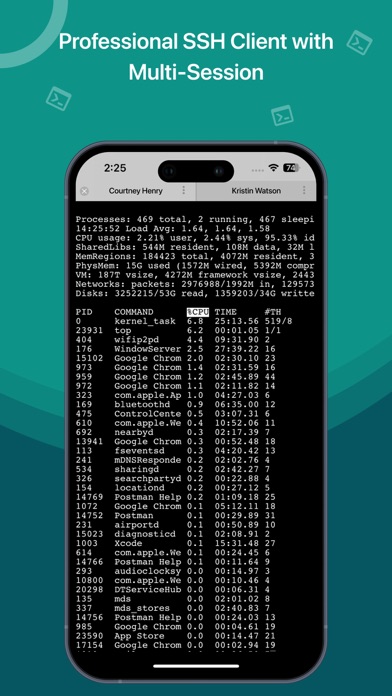
Store screenshots

ScreenshotScreenshotScreenshotScreenshotScreenshotScreenshotScreenshotScreenshotScreenshotScreenshot

App Store ads

Apple Search Ads this app ran in the last 90 days, from Apple's public ad repository.

Apple's ad repository couldn't be reached right now. Try again later.

Growth research

Where this app is buying and earning its users. Each link opens pre filtered.

ASO keywords

Most repeated terms in the listing. Highlighted ones also appear in the title.

ssh14ssh client11terminal9client7features7servers5server5keyboard5support5group ssh5manage4built4integrate4key4files4connection4client ssh3best putty3putty console3console shell3terminal emulator3bluetooth keyboard3keyboard support3integrate aws3

What's new in 5.5.1

Fixes & Improvements: - Addressed minor bugs and made various improvements. - Enhanced overall performance to provide a more user-centric experience.

Released Oct 12, 2019. Current version shipped Oct 15, 2026.

Store description

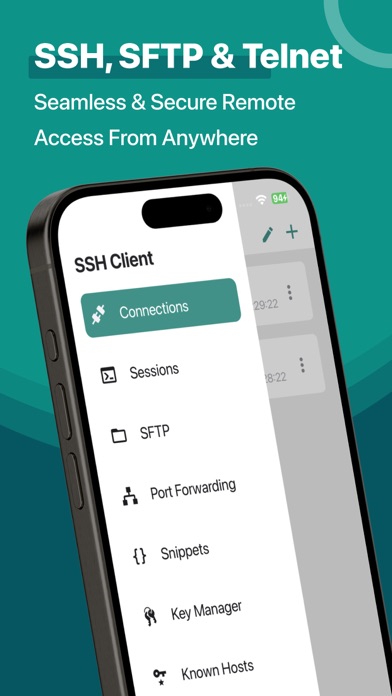
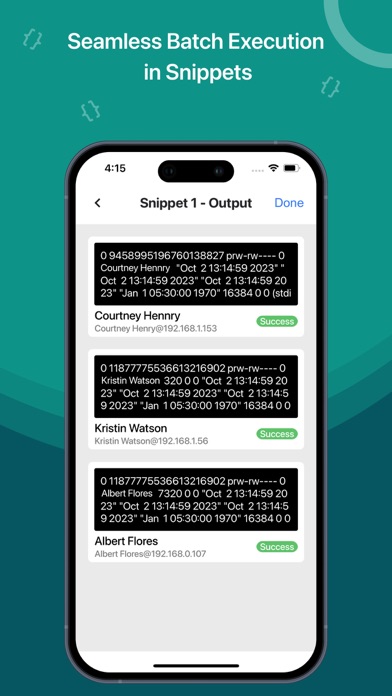
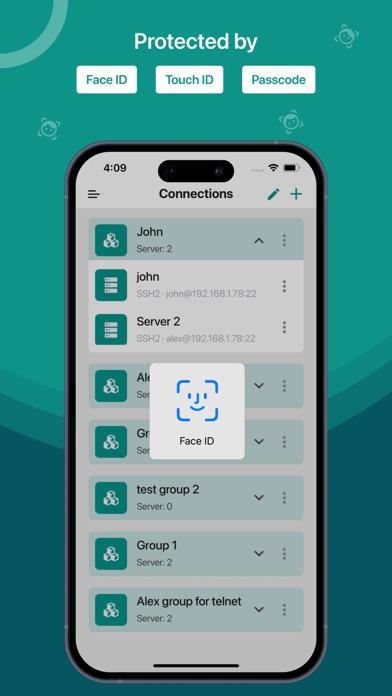
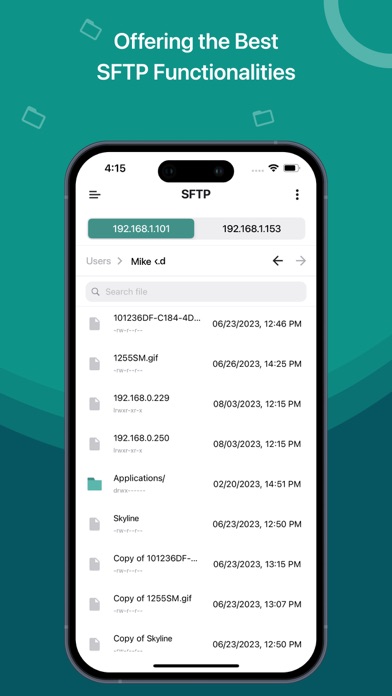
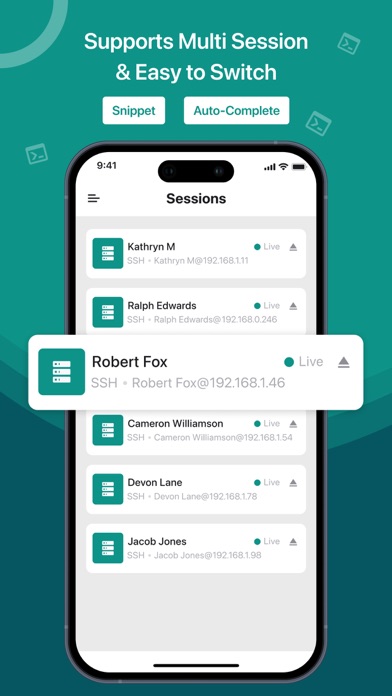
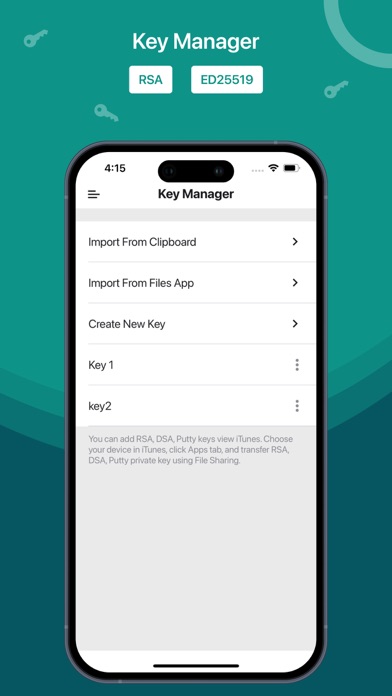
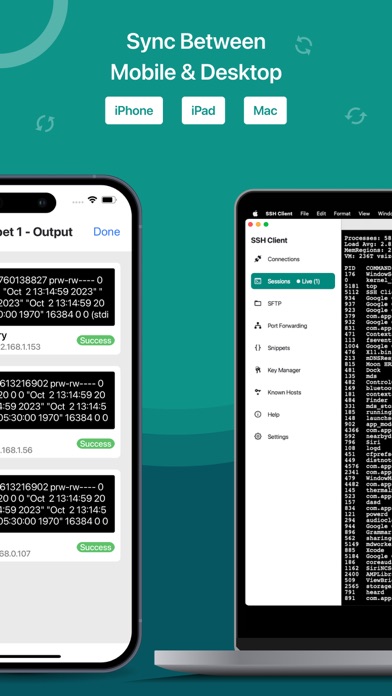
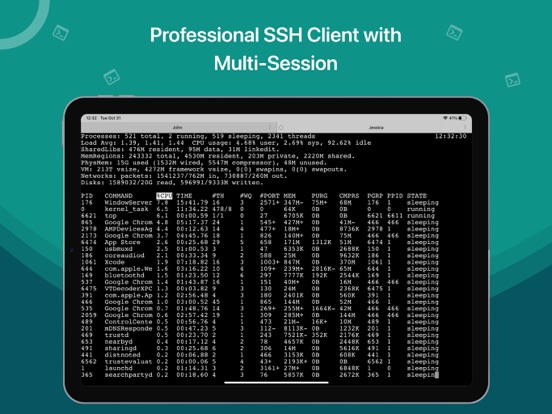
Here is one of the most intelligent & advanced SSH Client apps to manage and connect remote servers for your iOS and Mac devices About SSH Client: SSH Client is an on-the-go SSH-Telnet app with the best putty, console, and shell ios app with powerful remote access & terminal emulator. Our enterprise-grade mobile app is built for all kinds of server management needs. Our comprehensive features are not limited to terminal keyboard and language support, multi-session capability, and Bluetooth keyboard support but many more. Our SSH Client app can easily integrate with AWS, Azure, and Digital Ocean. The app is most popular because of its administrator-friendly approach; we have also considered our valued customers suggestions and constantly released updates for SSH Client to become reliable and robust in real-world usage and development. • Private key files can now be directly imported in multiple formats (RSA, DSA, Putty) using iTunes sharing from other apps and Clipboard • RSA / DSA key generation and authentication and share it via email or Clipboard • Get 'Local Notification Alert or blink' before the connection starts terminating • Quick retrieval of the last top 3 connected servers to join instantly SSH Client Functionalities: • Launch (Run) a saved command/script at connection startup • Connect with your servers using username, password, or private key authentication through SSH • Configurable' Standard and Non-Standard' port Adaptive Terminal: • Customize Terminal like background, foreground, cursor colour selection • Standard Terminal features, including 'Terminal Emulator with Editor.' • Personalize Terminal Size • Support Terminal Screen copy/paste and easy text selection Server Folders: • Organized groupwise server to easily and freely manage and control interoperability in a blink. Customizable Keyboard: • Fully External / Bluetooth keyboard support • Special keys such as Esc, Tab, Ctrl, /, :, -, !, |, $, * • Built-In keyboard keys with fixed keys like Ctrl, Alt, Tab, Esc, Up, Down, Left, Right and F1-12 Easy Connect: • Run multiple prompt sessions at a time • Active connection counts indicator at App Badge • Configure and manage unlimited future sessions to reduce workload Gesture Control: • Pinch Scaling Terminal Screen • One touch on / off for Auto scroll • Single tap connection/disconnection from 'Home Screen' Key Handy Features of Free SSH Client (Best Putty, Console, Shell App): • Works over mobile Cellular or WiFi network • Use Custom or Mac Built-In fonts • Uninterrupted operationality in 'Portrait or Landscape modes • Multiple editors supported like Vi, vim, pico, nano, etc • Built-in Passcode features • Its 'Universal Binary,' hence, no need to buy 2 apps for iPhone and iPad SFTP Functionalities: • Quickly create, rename, and delete files & directories • Easily edit text files • Upload and Download files from your device to your server and server to your device What's New? • Perform batch execution by selecting the servers • Integrate DigitalOcean droplets to a group in SSH • Add VM servers from the account • Integrate AWS to a group in SSH • Integrate Azure to a group in SSH Know about supported technologies: Protocols: SSH, SFTP Channel types: Session Shell, Session SFTP, Local Forward iOS versions: 14 Subscription Details: - Subscriptions allow users to have prompt access to all features with unlimited access to all platforms – Payment will be charged to iTunes Account – The free trial period lasts for 7 days and automatically renews unless auto-renew is turned off at least 24 hours - User can manage subscriptions & auto-renewal by turning it off from Account Settings after purchase - All features for all platforms will be disabled upon completion of the subscription Terms of use: http://moondialer.moontechnolabs.com/v1/ssh-terms Contact us at support@moonapps.xyz We welcome suggestions or feedback, as we keep adding new features based on our customers' feedback and requests.

See this store page in another country

Prices, ranks and reviews are per country. Revenue above is already worldwide.

More from Moon Technolabs Pvt Ltd

Invoice Maker: Moon Invoice
Business
1.5K ratingsAnalyze →
WiFi Calling App : Moon Dialer
Social Networking
198 ratingsAnalyze →
Invoice Generator: InvoiceAir
Business
3 ratingsAnalyze →
Print Cheque Lite
Finance
32 ratingsAnalyze →
Accounting App - Moon Billing
Business
23 ratingsAnalyze →
Cheque Print Lite
Finance
0 ratingsAnalyze →
PDF Editor - Merge & Split
Utilities
3 ratingsAnalyze →
POS Billing System by Moon
Business
26 ratingsAnalyze →
Basecamp: Sprint, Task Manager
Productivity
0 ratingsAnalyze →