ASO keywords
Most repeated terms in the listing. Highlighted ones also appear in the title.
team15members11member11location9team tracking8team members8map7visible screen6tracking6alerts5battery5gps5server4visible4screen4off4data4between4tracking location3tracking off3removed memory3memory visible3tap member3member row3
What's new in 1.2
• Camera tool: Photo file names correspond to photo titles for import to PC/Mac with SynciOS app and for AirDrop transfer from iPhone/iPad photo library to Mac.
• Waypoints: new export option for CSV with all fields from photos and points.
• Bug fixes and optimizations.
Released Apr 21, 2020. Current version shipped Aug 23, 2020.
Store description
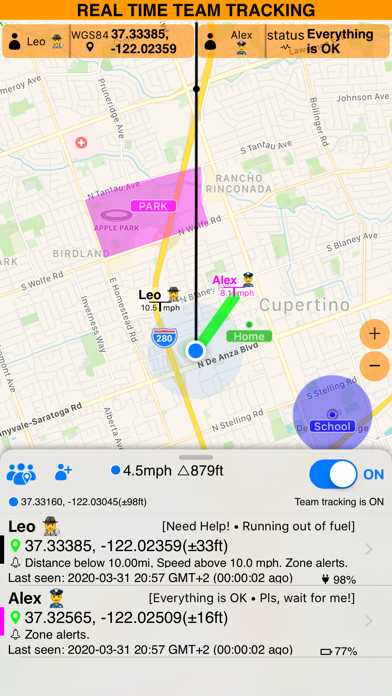
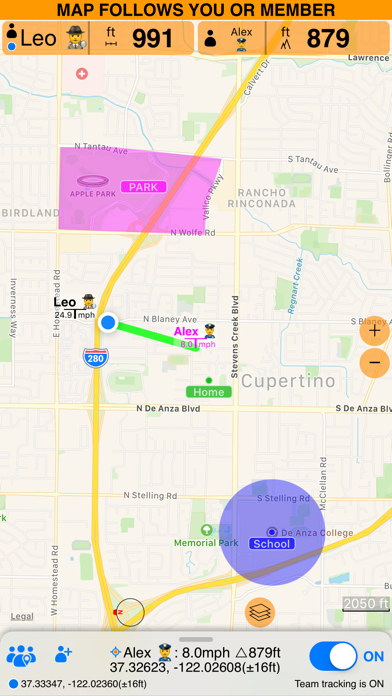
Need to work or have fun together and see each other on the map in real time? Teams of hunters, field workers, parents/children, drivers, hikers and responders may find this app useful for coordinating their location related activities.
► Invite members.
Members are invited with a simple code. No registration or sign up is required.
► Control location sharing/tracking.
Your location only leaves your iPhone or iPad when you enable team tracking in the app.
• When team tracking is ON:
1. Your location is sent to the server and shared with your team members.
2. App stays working in the background and continues to share your location with team members (via server) even if it is not visible on a screen.
• When team tracking is OFF:
1. Your location data will not leave your phone and is not shared in any way.
2. App is removed from memory when it is not visible on a screen.
► Members on the map.
By default map follows your own location. Tap on a member row and pick "Center on map" to have map centered on the member's location.
► Navigate to a moving team member.
Tap on a member row, pick "Set as target". The app will show a line between you and the team member, so you can see the course to take to the member, even if they move. To show your own course line, hold your finger on the map and pick "Show course line".
► Member alerts.
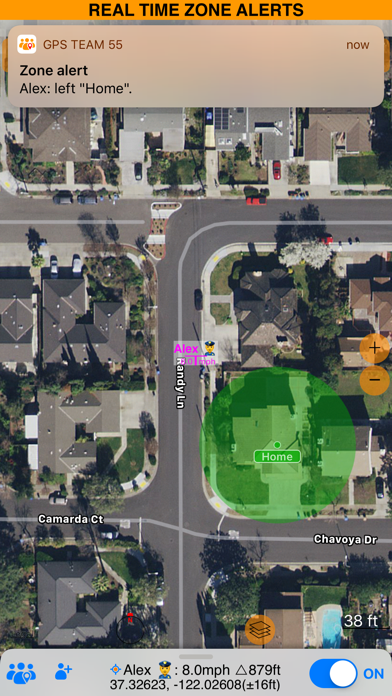
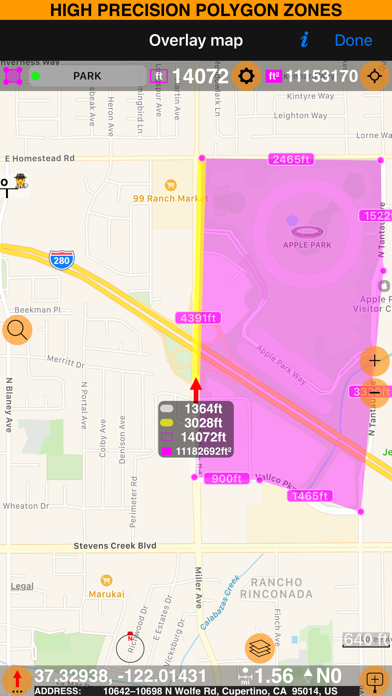
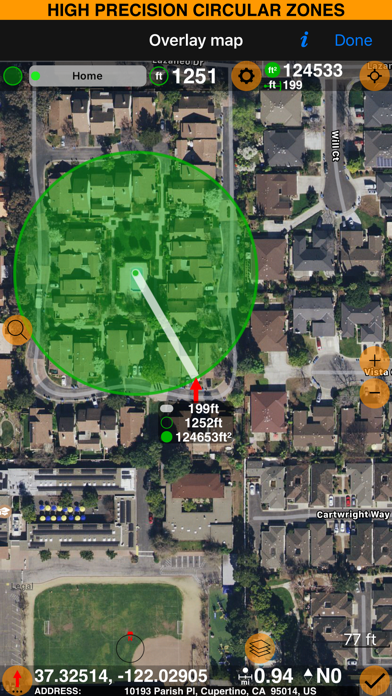
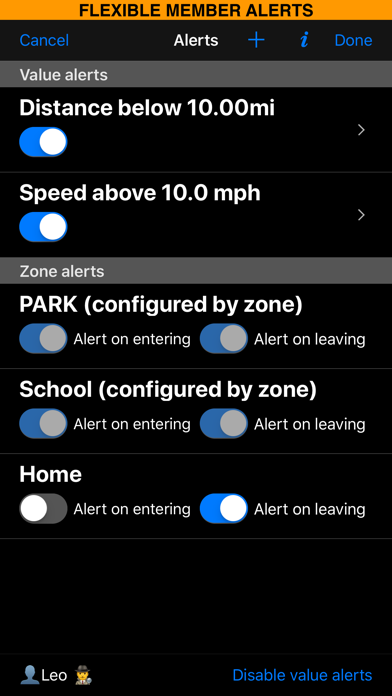
Add polygonal or circular zones and setup alerts for team members leaving or entering.
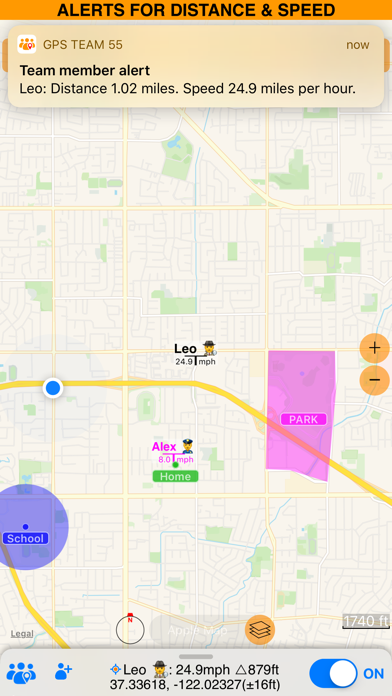
Alerts for member's speed being below or above some threshold.
Alerts for distance between you and team members.
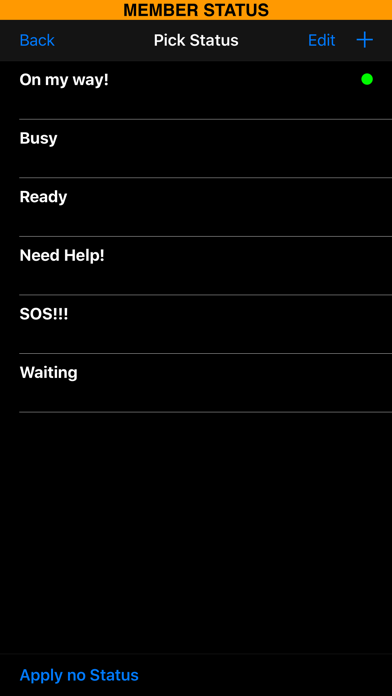
► Status and messages.
Members can set up their own statuses and apply them with 2 taps to make others aware of their status.
If short status is not enough, members can type in a message to share within the team.
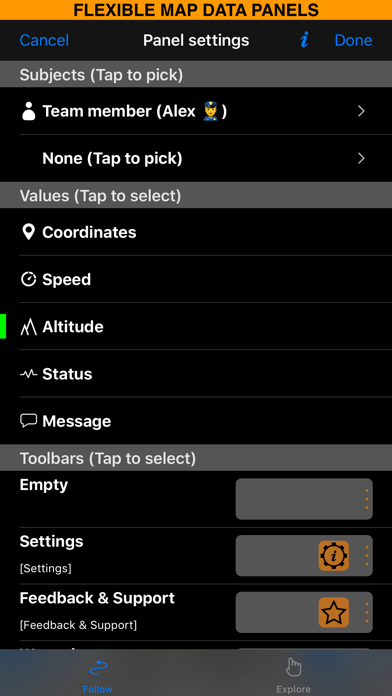
► Customizable map corner panels.
Your own or member data can be shown, like:
Speed, altitude, coordinates (Lat/Long, UTM or MGRS).
Distance between yourself/member and a waypoint, or between two members.
► Battery impact.
- When you have team tracking OFF, the app is completely removed from memory when it is not visible on the screen and doesn't consume battery or GPS.
- When team tracking is ON, the app will use GPS and will keep sending data to the server whether it is visible on the screen or not. This implies higher battery consumption than usual.
By default, your location is synchronized with the server/team every 5 seconds. You can change this in the app settings > Team synchronization to a slower sync interval and save both battery and data.
▼ Free version limitations:
Number of team members is limited.
Maximum of 2 zones/overlays.
Synchronization interval is limited to 5 seconds or slower.
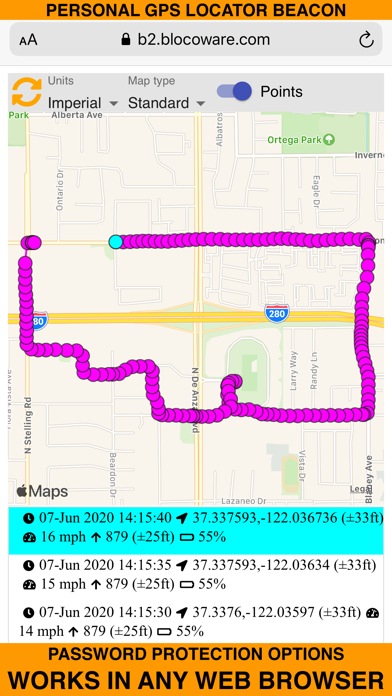
GPS Beacon history is limited to 4 hours.
Free version covers you going with your child/friend for a hike and following each other. Or following a teen driver, including speed alerts.
▼ PRO Pack subscription:
No limits on member or zone count.
Synchronization frequency of up to 1 per second.
GPS Beacon history up to 24 hours.
• Subscriptions available:
PRO Pack 1-month subscription - $1.99 per month.
▼ To manage your subscription:
• TURN OFF auto-renewal via the main Settings app: http://support.apple.com/kb/ht4098
• Subscriptions automatically renew unless auto-renew is turned off at least 24 hours before the end of the current period. Your iTunes account will be charged for renewal within 24 hours of the end of the current period, and identify the cost of the renewal.
• Your iTunes Account will be charged at confirmation of purchase.
▼ Privacy Policy
https://sites.google.com/a/blocoware.com/speedohelp/teamwork/privacypolicy
▼ Terms of use
https://sites.google.com/a/blocoware.com/speedohelp/teamwork/terms_of_use
Please note that continued use of GPS running in the background can dramatically decrease battery life.
See this store page in another country
Prices, ranks and reviews are per country. Revenue above is already worldwide.