← Back to charts
PDF Editor – Bearbeite Alles! icon
APP STORE

PDF Editor – Bearbeite Alles!

Desygner Pty Ltd · Business · Germany store
NOT IN TOP 100 HERE
View on App Store ↗ Instagram card
Revenue a month, worldwide
Too small to estimate
Not enough chart or ratings data
New ratings
Tracking
Daily counts start building from today
Rating
4.3 of 5
22 ratings in this store
Countries it ranks in
0
was 0 on Oct 18, 2026

Revenue

Estimated from the grossing charts of Oct 25, 2026 in the 53 countries we track, and ratings growth on the App Store.

EST. REVENUE / MONTH · WORLDWIDE
Unranked
Not in any grossing chart, and it sells nothing in the store (no in-app purchases, free download). Any revenue comes from ads or payments outside the store, which we can't see.
EST. LIFETIME DOWNLOADS
770 to 2.2K
Estimated from ratings count
RATINGS
22
AVG RATING
4.27
PRICE
Gratis
AGE
8.5y
LAST UPDATE
3d ago
VERSION
6.4.4
SIZE
243 MB
AGE RATING
4+

Last 30 days

From our daily snapshots of every grossing chart.

DAYS IN A GROSSING CHART
2 / 30
COUNTRIES NOW
0 (was 0)
EST. REVENUE A MONTH, DAILY · APP STORE EST
Show daily values
Sep 26, 2026not in a grossing chart
Sep 27, 2026not in a grossing chart
Sep 28, 2026not in a grossing chart
Sep 29, 2026not in a grossing chart
Sep 30, 2026$48.6K a month
Oct 1, 2026$29.1K a month
Oct 2, 2026not in a grossing chart
Oct 3, 2026not in a grossing chart
Oct 4, 2026not in a grossing chart
Oct 5, 2026not in a grossing chart
Oct 6, 2026not in a grossing chart
Oct 7, 2026not in a grossing chart
Oct 8, 2026not in a grossing chart
Oct 9, 2026not in a grossing chart
Oct 10, 2026not in a grossing chart
Oct 11, 2026not in a grossing chart
Oct 12, 2026not in a grossing chart
Oct 13, 2026not in a grossing chart
Oct 14, 2026not in a grossing chart
Oct 15, 2026not in a grossing chart
Oct 16, 2026not in a grossing chart
Oct 17, 2026not in a grossing chart
Oct 18, 2026not in a grossing chart
Oct 19, 2026not in a grossing chart
Oct 20, 2026not in a grossing chart
Oct 21, 2026not in a grossing chart
Oct 22, 2026not in a grossing chart
Oct 23, 2026not in a grossing chart
Oct 24, 2026not in a grossing chart
Oct 25, 2026not in a grossing chart
The same estimate as the headline, saved every day. Best rank Sep 26, 2026: not ranked. Now: not ranked.

Money and momentum

Measured from the store, not estimated.

WHAT IT CHARGES
No in-app purchases
Earns from its upfront price, ads or payments outside the store.
REVIEW MOMENTUM
0.1 reviews / week
  • Trendfalling
  • Recent reviews average2.0 stars
  • Recent 1 and 2 star share75%
From the latest 60 written reviews, covering 3066 days.
RELEASE CADENCE
17 updates in 90 days
  • Typical gap between releases4 days
From the last 25 versions listed on the App Store.
RATING BREAKDOWN
22 ratings
5★73%
4★9%
3★5%
2★0%
1★14%

What users want

From the latest 60 reviews on the Germany App Store, Jun 3, 2018 to Oct 14, 2026: 75% are 1 or 2 stars. Open a theme to read what people wrote.

WHAT THEY COMPLAIN ABOUT · SHARE OF BAD REVIEWS
Price and subscription36%

16 of the 1 and 2 star reviews.

★★★★★ Edit text feature are not available in trial version.
★★★★★ recently tried the PDF editor, and I was excited to give it a go during the free trial.
★★★★★ I downloaded the free trial for this app and it worked and performed as it should.
Limits, credits, locked features18%

8 of the 1 and 2 star reviews.

★★★★★ I was given 1 credit, supposedly good for 1 PDF up to 10 pages long.
★★★★★ Obwohl man 1 Jahesabo abschließt, muss man Credit kaufen, damit man eine PDF bearbeiten kann.
★★★★★ I tried to DL my first PDF and it said I only had 1 credit and pdf was too big.
Lost data, sync, backup13%

6 of the 1 and 2 star reviews.

★★★★★ Literally of pay in advance before testing the tool or get lost:(
★★★★★ When I went to cancel the free trial for some odd reason the subscription had completely disappeared from my subscription and purchase history.
★★★★★ You lose the original photos, so it's useless.
Wrong or poor results13%

6 of the 1 and 2 star reviews.

★★★★★ I downloaded the free trial for this app and it worked and performed as it should. When I went to cancel the free trial for some odd reason the subscription had completely disappeared from my subscription and purchase…
★★★★★ This is a pretty much useless app - not even fit for a placeholder on your home screen.
★★★★★ These issues with Desygner's PDF editor have rendered it completely useless to me.
Login and account problems11%

5 of the 1 and 2 star reviews.

★★★★★ I tried a million times to get it to send the email that asks for to be verify even try to use the app - otherwise you can't even try it!
★★★★★ It took forever to subscribe and log in and once I did the free trial was reduced and the entire app stalled out on my first upload (2 pages).
★★★★★ My account was billed monthly after canceling the subscription.
Missing features11%

5 of the 1 and 2 star reviews.

★★★★★ Disappointed in the text editing capabilities or rather lack thereof.
★★★★★ Which I can't edit the number of pages on the pdf without an editor….
★★★★★ This editor still can't edit the text if an existing PDF document.
Crashes and freezes7%

3 of the 1 and 2 star reviews.

★★★★★ Editing text doesn't show input and crashes and doesn't save text
★★★★★ The app no longer loads and will either stuck on the logo (when you first open it) or just suddenly crash.
★★★★★ It always crashes and don't forget to save after each thing bc it will crash and you'll lose everything
Slow, laggy, battery4%

2 of the 1 and 2 star reviews.

★★★★★ Works better than most, but super slow with a 114 page PDF.
★★★★★ Very slow upload but says I can upload faster if I pay for an upgrade.
WHAT THEY ASK FOR
  • I should have reduced my expectations to zero. 1★, Dec 1, 2022
  • Things that should have been within the margin kept printing outside. 1★, Jan 23, 2020
WORDS THAT KEEP COMING UP IN BAD REVIEWS

Nothing stands out.

WHAT THEY LOVE · SHARE OF GOOD REVIEWS

Not enough good reviews in English to tell.

Found by matching words and phrases in the reviews, not read by a person. A review can count toward more than one theme.

What users say

Latest reviews, Germany App Store.

★★★★★Oct 14, 2026
ruim

não consegui nem usar, fica deslogando da conta e você não consegue fazer nada.

★★★★★Jul 13, 2026
Barely useable

Works better than most, but super slow with a 114 page PDF.

★★★★★Mar 25, 2026
Excelente

La recomiendo al 100%

★★★★★Nov 22, 2025
I don’t recommend

unfortunately they didn’t change anything as was promised 3 years ago. Edit text feature are not available in trial version. Literally of pay in advance before testing the tool or get lost:(

★★★★★Jul 15, 2025
Bad experience with free trail subscription

recently tried the PDF editor, and I was excited to give it a go during the free trial. However, I encountered a significant issue that has left me quite frustrated. Despite being in the middle of the free trial period, I was unexpectedly charged for a subscription. This was not communicated to me clearly when I signed up, and I feel misled. I expected to have the full trial duration to explore the app's features without being billed prematurely.

★★★★★Feb 2, 2025
Something is wrong here

I downloaded the free trial for this app and it worked and performed as it should. When I went to cancel the free trial for some odd reason the subscription had completely disappeared from my subscription and purchase history. Not wanting to be charged the ridiculous amount of 83.99 I contact Apple support to see if they could cancel for me. Apple never canceled after they said they would, I was charged, and after I was charged the 80+ dollars the app reappears in my purchase history. This sure is a great way to ensure the app creator is paid. I’m pretty sure this isn’t legal so I’m exploring all legal actions at this point.

Store screenshots

ScreenshotScreenshotScreenshotScreenshotScreenshotScreenshotScreenshotScreenshotScreenshotScreenshot

App Store ads

Apple Search Ads this app ran in the last 90 days, from Apple's public ad repository.

No App Store ads in the EU
None in the last 90 days.

Apple only publishes ads shown in the EU (EU Digital Services Act), with a 7 day delay. An app that advertises only outside the EU shows nothing here.

Growth research

Where this app is buying and earning its users. Each link opens pre filtered.

ASO keywords

Most repeated terms in the listing. Highlighted ones also appear in the title.

pdf32und31oder15zusammenf hren10eine8text8bearbeiten7zusammenf7dateien7komprimieren7eine pdf6ausf llen6als pdf6hren teilen6kann ich6hren6als6seite5teilen5umwandeln5ich5pdf bearbeiten5teilen komprimieren5datei4

What's new in 6.4.4

Willkommen beim völlig neuen PDF-Editor – komplett neu aufgebaut für ein schnelleres, flüssigeres Erlebnis. Er ist jetzt Teil von Automo, mit leistungsstarken Tools zum Bearbeiten, Signieren, Konvertieren und Ordnen deiner PDFs. Das Beste: Die meisten Funktionen sind jetzt kostenlos. Bearbeite überall und schaffe mehr. Danke, dass du den PDF-Editor nutzt!

Released Apr 22, 2018. Current version shipped Oct 22, 2026.

Store description

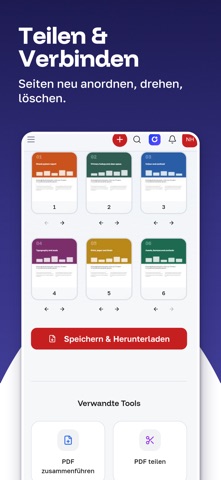
PDF bearbeiten: die Datei bleibt, wie du sie erwartest. Viele PDF-Editoren verschieben Schriftart, Abstände und Layout. PDF Editor hält alles an seinem Platz. Öffne eine PDF, ändere Text, Bilder und Seiten, exportiere sie. Das Dokument sieht weiterhin aus wie das Original. Kommt eine Datei mal falsch heraus, schreib uns in der App: Wir antworten innerhalb eines Werktags und beheben Import-, Bearbeitungs- und Schriftprobleme vorrangig. Entwickelt in Australien. Deine Dokumente gehören dir. Das kannst du tun • PDF-Text bearbeiten: Wörter, Schriftart, Größe und Farbe auf der Seite ändern. • PDF-Bilder bearbeiten: Bilder ersetzen, zuschneiden, skalieren oder löschen. • PDF unterschreiben: Unterschrift zeichnen oder eintippen und platzieren. • PDF-Formulare ausfüllen: ausfüllen, speichern, senden. • PDF zusammenführen: mehrere PDF-Dateien zu einer machen. • PDF teilen: eine PDF in kleinere Dateien aufteilen. • PDF komprimieren: Dateigröße für E-Mail und Upload verringern. • PDF in JPG oder PNG umwandeln: jede Seite als Bild speichern. • Bilder in eine PDF umwandeln: Fotos oder Scans zusammenfassen. • Word-, PowerPoint- und Illustrator-Dateien öffnen: als PDF bearbeiten und exportieren. • Seiten organisieren: neu anordnen, drehen, duplizieren, löschen, zuschneiden und nummerieren. • PDF kommentieren: Wichtiges markieren und unterstreichen. • PDF schwärzen: Text unkenntlich machen, der nicht geteilt werden darf. • Texterkennung (OCR): gescannte Seite in bearbeitbaren Text umwandeln. • PDF entsperren: ein Passwort entfernen, das dir gehört. • PDF-Wasserzeichen: Wasserzeichen, Kopf- oder Fußzeile hinzufügen. • PDF-Größe ändern: Seitenformat ändern, ohne Qualität zu verlieren. Jede PDF lesen und kommentieren Öffne, lies und markiere Wichtiges. Große Dateien bleiben beim Zoomen scharf. PDF-Text richtig bearbeiten Absatz antippen, schreiben. Schriftart, Zeilenumbrüche und Abstände bleiben erhalten. Keine Seite neu aufbauen. Unterschreiben und ausfüllen ohne Drucker Unterschrift zeichnen oder eintippen, platzieren, speichern. Vertrag, Rechnung oder Formular ausfüllen und noch am selben Tag zurückschicken. Zusammenführen, teilen und komprimieren Dateien zu einem Bericht zusammenfassen, Seiten aus einem langen Vertrag ziehen oder eine große PDF fürs E-Mail-Limit komprimieren, alles vom Handy. Umwandeln und exportieren Als PDF für Druck oder Web speichern, eine Seite als JPG oder PNG exportieren oder Fotos in eine PDF verwandeln. Auch Word-, PowerPoint- oder Illustrator-Dateien als PDF bearbeiten. Mit einer Vorlage starten Rechnung, Bericht, Angebot, Vertrag, Brief, Lebenslauf, Flyer oder Visitenkarte öffnen und anpassen. Jede Vorlage ist bearbeitbar und exportiert als PDF. Handy, Tablet und Web Deine Dokumente synchronisieren sich zwischen Handy und Laptop. Was ist kostenlos und was kostenpflichtig Ein kostenloses Konto umfasst monatlich 5 PDF-Bearbeitungen und 20 PDF-Tool-Vorgänge wie Zusammenführen, Teilen, Komprimieren oder Drehen. Abos erhöhen diese Grenzen: monatliche KI-Credits und mehr Speicher inklusive. Häufige Fragen Kann ich Text in einer fremden Datei ändern? Ja, öffnen und antippen. Kann ich zwei Dateien zusammenfügen? Ja, mit Zusammenführen. Kann ich eine Datei kleiner machen? Ja, mit Komprimieren. Kann ich einen Scan in Text umwandeln? Ja, mit Texterkennung. Brauche ich ein Konto? Zusammenführen, Teilen, Komprimieren, Drehen und weitere Seitentools nicht. Bearbeiten, Unterschreiben, Formulare und Wasserzeichen schon. Funktioniert es offline? Zusammenführen, Teilen, Komprimieren, Unterschreiben, Formulare und weitere Seitentools offline. Text im Editor, Texterkennung und KI-Tools brauchen Internet. Etwas wurde falsch importiert oder exportiert. Was jetzt? Schick es uns über Einstellungen → Feedback & Support. Wir antworten innerhalb eines Werktags. Lade PDF Editor herunter und bring deine PDF gleich beim ersten Mal in Ordnung. Terms of Use (EULA): https://desygner.com/de/terms

See this store page in another country

Prices, ranks and reviews are per country. Revenue above is already worldwide.

More from Desygner Pty Ltd

Buch Cover Maker von Desygner
Photo & Video
348 ratingsAnalyze →
Präsentationsersteller
Graphics & Design
144 ratingsAnalyze →
Flyer und Plakatmacher
Photo & Video
95 ratingsAnalyze →
Desygner: Designe jede Grafik
Graphics & Design
81 ratingsAnalyze →
Fluer: Digitale Visitenkarte
Business
70 ratingsAnalyze →
Preisliste & Menü Maker
Graphics & Design
13 ratingsAnalyze →
Logo Maker Designer
Business
8 ratingsAnalyze →
Lebenslauf-Ersteller
Graphics & Design
2 ratingsAnalyze →
Zertifikat-Ersteller
Graphics & Design
4 ratingsAnalyze →