★★★★★Feb 10, 2026
Free so far and quite handy!I like this app. It’s easy to use and free so far! Highly recommended! A++++
Estimated from the grossing charts of Oct 24, 2026 in the 53 countries we track, and ratings growth on the App Store.
From our daily snapshots of every grossing chart.
| Sep 25, 2026 | not in a grossing chart |
| Sep 26, 2026 | $21.6K a month |
| Sep 27, 2026 | not in a grossing chart |
| Sep 28, 2026 | not in a grossing chart |
| Sep 29, 2026 | not in a grossing chart |
| Sep 30, 2026 | $13.2K a month |
| Oct 1, 2026 | not in a grossing chart |
| Oct 2, 2026 | $15.5K a month |
| Oct 3, 2026 | not in a grossing chart |
| Oct 4, 2026 | not in a grossing chart |
| Oct 5, 2026 | not in a grossing chart |
| Oct 6, 2026 | not in a grossing chart |
| Oct 7, 2026 | $41.1K a month |
| Oct 8, 2026 | not in a grossing chart |
| Oct 9, 2026 | not in a grossing chart |
| Oct 10, 2026 | not in a grossing chart |
| Oct 11, 2026 | not in a grossing chart |
| Oct 12, 2026 | not in a grossing chart |
| Oct 13, 2026 | $16.6K a month |
| Oct 14, 2026 | $6.4K a month |
| Oct 15, 2026 | $1K a month |
| Oct 16, 2026 | not in a grossing chart |
| Oct 17, 2026 | $3.5K a month |
| Oct 18, 2026 | $958 a month |
| Oct 19, 2026 | $4.8K a month |
| Oct 20, 2026 | $13.7K a month |
| Oct 21, 2026 | not in a grossing chart |
| Oct 22, 2026 | not in a grossing chart |
| Oct 23, 2026 | not in a grossing chart |
| Oct 24, 2026 | $32.9K a month |
Measured from the store, not estimated.
From the latest 73 reviews on the United States App Store, Mar 10, 2018 to Feb 10, 2026: 29% are 1 or 2 stars. Open a theme to read what people wrote.
13 of the 1 and 2 star reviews.
★★★★★ What I do find infuriating is that I was immediately charged almost $24 for a year instead of the stated $1.99.
★★★★★ I didn't click the $48 option I clicked $10 option and it charged me $48!!!
★★★★★ After agreeing to trial, app charged my account without authorization for 1 month (didn't even give an option for 1 week).
2 of the 1 and 2 star reviews.
★★★★★ I just lost $10 purchasing this app.
★★★★★ Racked up about $60 in weekly charges of $4.99 even though I deleted the app and never used it.
Nothing stands out.
18 of the 4 and 5 star reviews.
★★★★★ It's easy to use and free so far!
★★★★★ Very nice app, simple and easy to use.
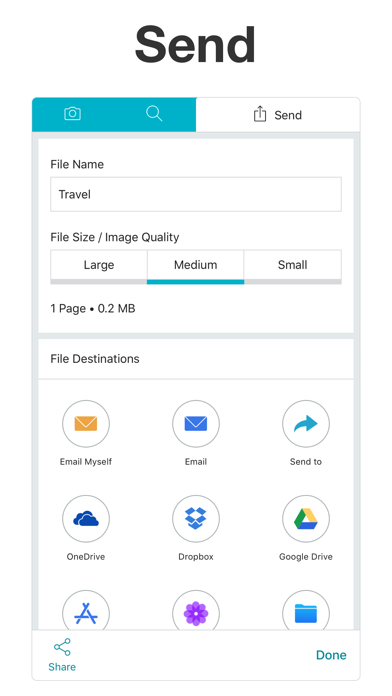
★★★★★ Easy to use but have tried saving to file, emailing, and OneDrive to save and view but I only receive a blank document.
6 of the 4 and 5 star reviews.
★★★★★ It's easy to use and free so far!
★★★★★ Spent a month trying different pdf apps. This is the best bang for your buck.
★★★★★ Super easy. Really convenient
3 of the 4 and 5 star reviews.
★★★★★ Very good quality pictures and allows you to email
★★★★★ Easily scans with great quality
3 of the 4 and 5 star reviews.
★★★★★ Couldn't scan and attach documents to my personal email at work and needed to turnover documents fast.
★★★★★ My goodness how refreshing to have an app that's logical and fast to use.
Found by matching words and phrases in the reviews, not read by a person. A review can count toward more than one theme.
Latest reviews, United States App Store.
I like this app. It’s easy to use and free so far! Highly recommended! A++++
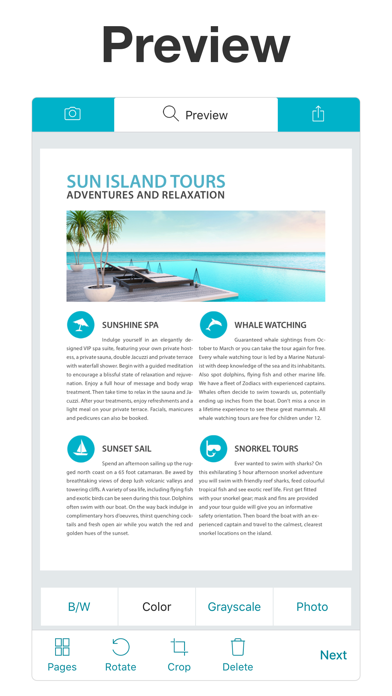
The application works pretty well with a few features for color, black-and-white, or grayscale. However, even when I choose the smallest size, the files are still much larger than they need to be for the content.
Nope, don’t get this if you want to scan color documents.
Excelente
I have a free app that works better than this one. I just lost $10 purchasing this app.
Spent a month trying different pdf apps. This is the best bang for your buck.
Same category, earning about as much.
 Scanner: Scan Documents$8.3K a month EST
 Scanna dokument till PDF: OCR$8.3K a month EST
 Timeliste App$8.2K a month EST
 证件照制作服务$8.3K a month EST
 Tidrapport & lon | Flexishift$8.2K a month EST
 丠瓜电话 - 超快速效率拨号打电话手机通话录音电话软件$8.4K a month EST
 Call recording app for iphone$8.1K a month EST
 Actors Access$8.1K a month EST
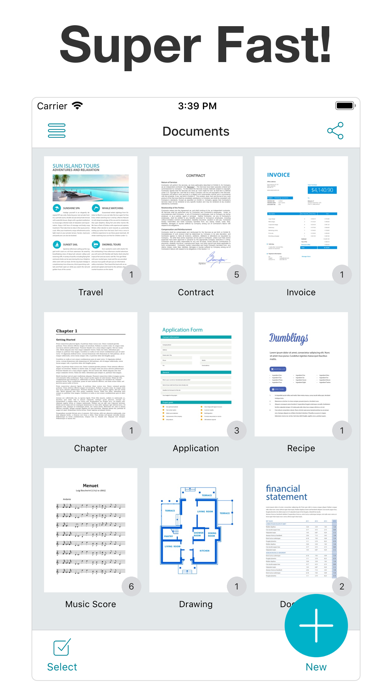


Apple Search Ads this app ran in the last 90 days, from Apple's public ad repository.
Where this app is buying and earning its users. Each link opens pre filtered.
Most repeated terms in the listing. Highlighted ones also appear in the title.
Released Feb 26, 2018. Current version shipped Nov 12, 2020.
Prices, ranks and reviews are per country. Revenue above is already worldwide.
 PDF Photos PDF PhotosBusiness | Analyze → |
 Scanument - Document Scanner - Scan documents to PDF Scanument - Document Scanner - Scan documents to PDFBusiness | Analyze → |